Keyboard

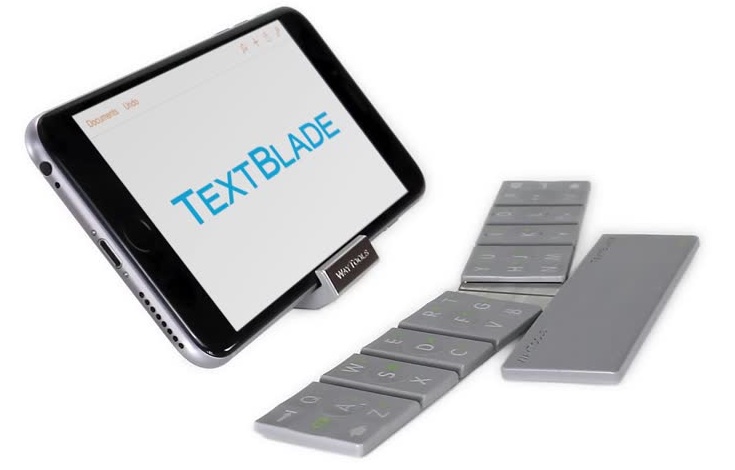
TextBlade physical multitouch keyboard collapses to just a third of iPhone size

If you're in the market for a physical keyboard for your iOS device but can't stand the size of existing offerings, a company called WayTools may just have the most curious answer to your needs.

Bringing a whole new typing experience, their new TextBlade keyboard has the same QWERTY layout you're accustomed to but collapses to a tiny rectangle just a third of the size of an iPhone 6, thank to built-in magnets that snap the individual pieces together.

The eyebrow raising design calls for a set of eight large touch-sensitive keys providing full access to the entire alphabet, and then some more.

Weighing just 1.5 ounces, or 43 grams, the device sports an ultra-low profile half as thick as an iPhone 6. And unlike standard rubber spring keyboards, the TextBlade does not suffer from drag, stretch or wear. Inside, it's immense technology based on six issued patents and more than a dozen patent filings.
The best Keyboards of 2014

For a few months now, iOS users have been given a special treat in the form of third-party keyboards. We’ve been lucky enough to try out all of the best ones as they come out. Different keyboards are great for different reasons. Some of them have unique features that no others have.

The iDB writers picked through the cream of the crop to find the ones we like the most. We then put them to a vote to decide which was best-loved by all. Below is the list, including the winner and runner-ups. Since third-party default keyboards are only a few months old, we have decided it is too soon to select a best ever winner.

Next Keyboard could be the first iOS 8 keyboard done right

The proliferation of incredibly varied, feature-rich software keyboards has proven that Apple did the right move opening up iOS 8 to third-party developers more than ever before. That being said, the initial crop of keyboards available in the App Store leaves a lot to be desired, in my personal opinion.

None of the keyboards I've tried and tested thus far — and I downloaded virtually every single one out there — come close to touching Apple's stock keyboard in terms of efficiency and usability. It's more often than not that cramming all the features one could think of into a keyboard does the opposite of elevating the experience.

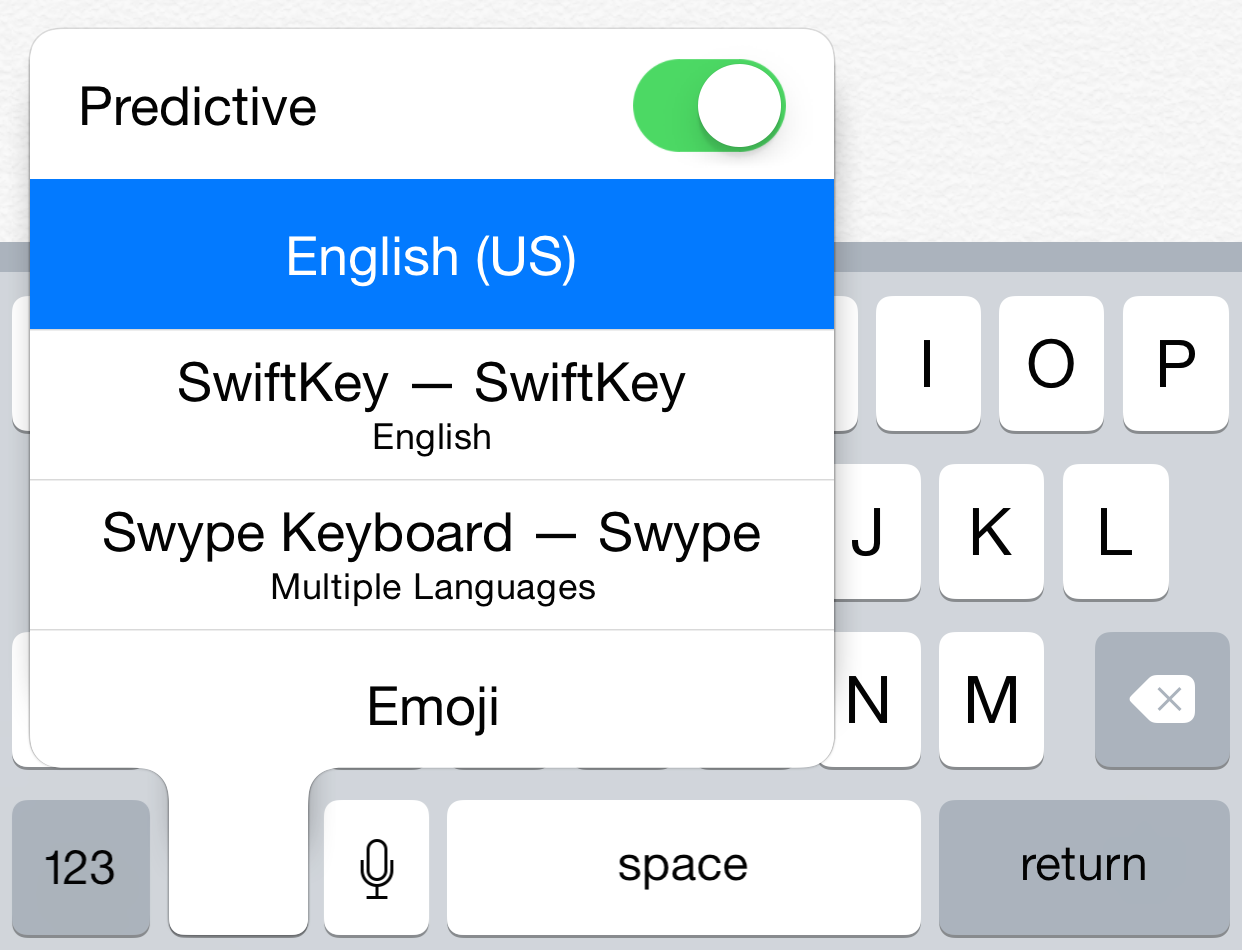
Sure, Swype makes you a faster typist but I just can't get over its sluggishness and the globe icon that's inconceivably nested under a menu. Another example: Tintype may take typing and swiping to the next level but it takes a lot of time getting used to and its appearance can be a little overwhelming for most people.

I could go on and on highlighting weaknesses and bad design choices in other keyboards that are mostly Android replicas anyway, but I won't as I'm sure our readers have their own gripes with them. On a brighter note, looks like search for the perfect iPhone keyboard could be over soon.

Enter Next Keyboard.

How to increase the availability of QuickType in iOS 8

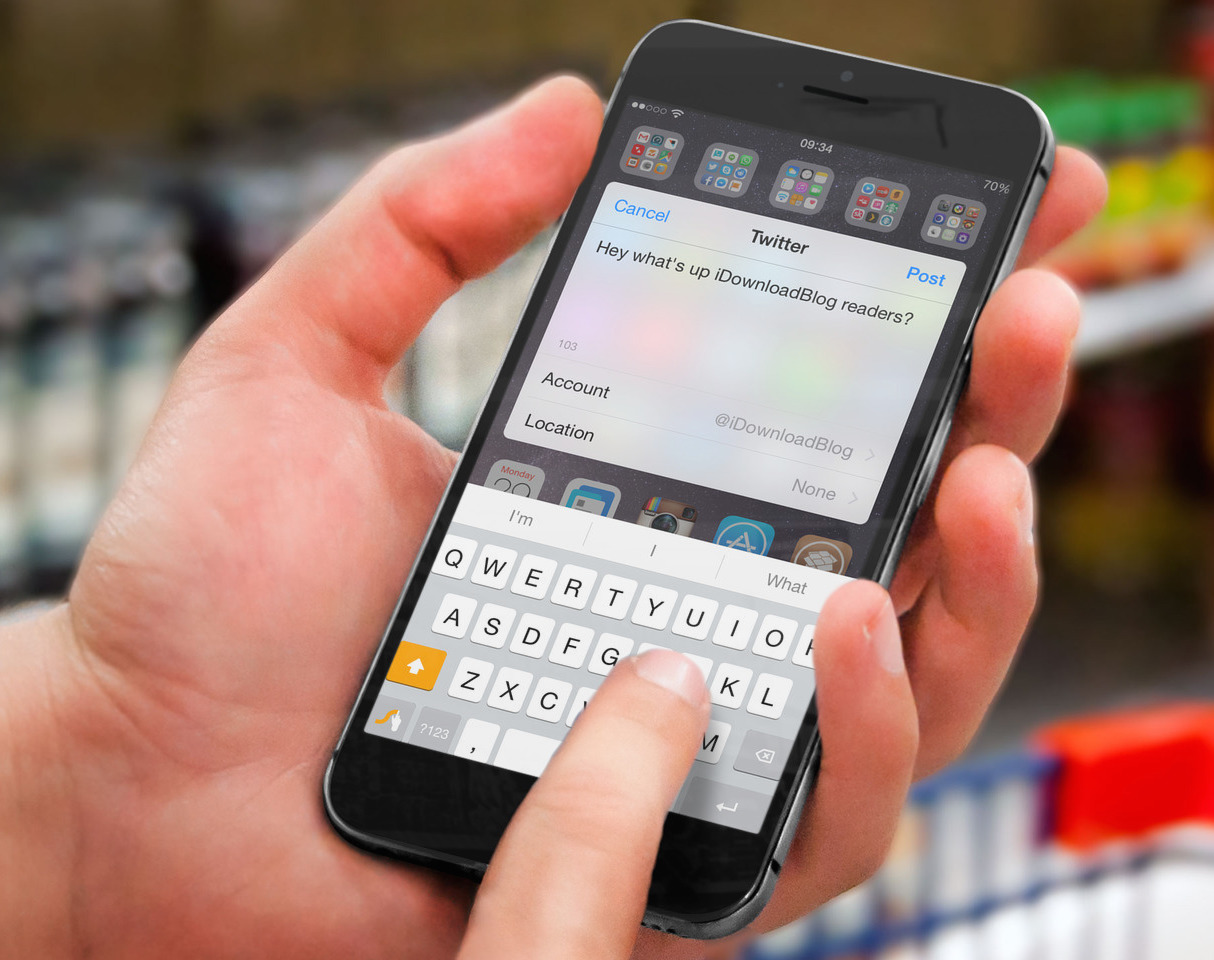
iOS 8 ushered in a new QuickType predictive text feature that is bolted on to the top of the keyboard. The purpose of the QuickType feature is to help you type faster by predicting the words you might use next. I find that QuickType is usually a hate it or love it feature, but some people swear by it.

For those of you who can't live without QuickType, there's a brand new jailbreak tweak that may garner your interest. It's called SystemWidePredictiveText, and it enables the iOS 8 QuickType feature in places where it's not normally available.

Fleksy 5.0 introduces customizable Extensions, 30+ theme packs, typing improvements and more

Fleksy, the popular third-party keyboard for iOS and Android, has released a major 5.0 update which turns it into a platform of its own with “multiple fun and useful input options” and the introduction of downloadable keyboard themes with customizable Extensions.

These perks are in addition to other improvements such as an easier, more comfortable typing with gestures, a redesign around the new customization options, a cool one-handed typing mode on the iPhone 6 Plus and more.

My Phrases Keyboard lets you send canned replies in a tap

You may think you are fast at texting, but what if you could type an entire message with just one tap? Imagine how fast you could respond to those questions of where to go for dinner or what time the party starts. You wouldn't even miss a beat in that heartfelt conversation you are having with your friend.

My Phrase Keyboard is a third-party keyboard app for iOS 8 that makes it possible for you to send canned replies with one tap instead of trying to write a message while your buddy is pouring his heart out to you. You won't have to pretend to go to the bathroom in order to respond to a text anymore.

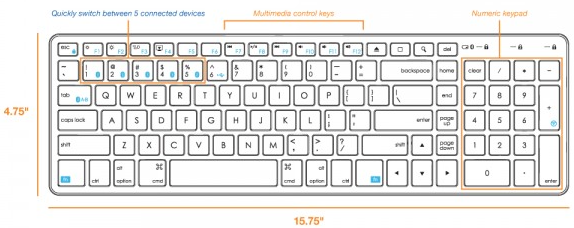
Control up to five Bluetooth devices with the Satechi wireless keyboard

Apple only produces a small wireless keyboard, which is frustrating for users that require the benefits of a full sized option. Using an Apple wireless keyboard for home use is usually manageable. However, using a reduced keyboard in the office is more of a struggle. The lack of a number pad is extremely complicated when entering digit data and the like.

Why Apple is yet to produce a full size, Bluetooth keyboard is beyond understanding. Third party companies are starting to enter the space with designs that compliment Macs. For several years, Logitech and other companies offered wireless keyboards, but they are bulky and clash with Apple's aesthetic. Satechi's Wireless Smart Keyboard is filling the gap.

Nintype keyboard takes typing and swiping to the next level


Now that third-party keyboards are allowed as defaults in iOS 8, developers are flooding the App Store with amazing typing features we iPhone owners never thought possible. If you thought swiping to type was awesome, just wait till you hear about this keyboard.

Nintype takes the swipe-type function to a whole new level by making it possible for you to use both hands, add taps, and adjust the keys on the screen to give you the most comfortable typing experience around.

Themeboard review: iOS 8 keyboard with gorgeous themes, unique Emoji bar, auto-correct and more

There most certainly is no shortage of downloadable iOS 8 keyboards in the App Store, so much so that the proliferation of soft-keyboards makes it virtually impossible for us to cover each and every one that hits the Apple platform.

On the other hand, themable keyboards like CoolKey, a keyboard for the colorful, are few and far between.

Customization matters to an awful lot of people and there's admittedly a void here than needs filling. That's where Themeboard jumps in.

Created by Germany-based Taphive, the brains behind such apps as TodoMovies that we reviewed back in March, this app is an advanced iPhone and iPad keyboard with a built-in repository of wonderfully designed themes by some of the best designers around.

Theme board sports a unique Emoji/Kaomoji bar and has plenty of features that users have come to expect from Apple's default keyboard like auto-correction, Caps lock, slide-shift to capitalize, quick delete with three speeds, text predictions, custom shortcuts and more.

Read on for the full review of this feature-packed keyboard.

Crimson Keyboard offers predictive typing without that annoying suggestion bar

When I first switched over to iOS 8, I found that the predictive typing function, while helpful, was a bit distracting, almost to the point of being annoying. I eventually turned it off.

Crimson Keyboard offers a personalized predictive typing function, but instead of the suggestion bar, words are displayed just above keys. Plus, instead of autocorrecting your misspelled words (and sometimes leading to hilarious miss-typed text messages), you will see suggested corrections in red.