Home screen

Remove the dock on your iPhone’s Home screen with Abeo

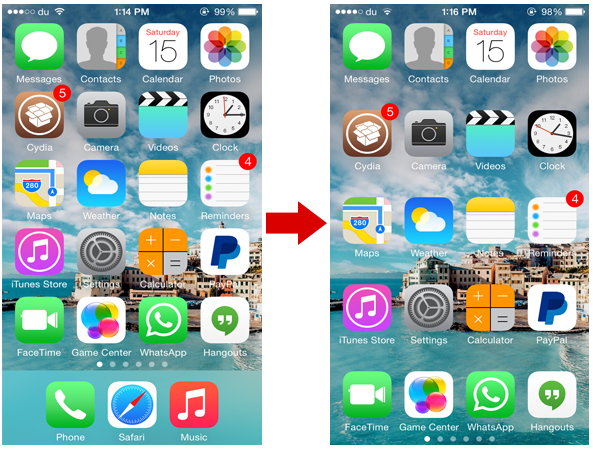
One of the useful features of iOS is definitely the dock, where you can place your four favorite apps to access them quickly, no matter which page of the Home screen you're on. If you ever wished to get rid of the dock, you should definitely check out a solid new tweak called Abeo.

The tweak has just one purpose and it does it nicely. With Abeo, you'll have the ability to hide the dock on your iPhone's Home screen leaving space for other icons to fill in. The tweak doesn't add a new row of icons, but rather increases the spacing between adjacent rows of icons to accommodate the empty space. 

How to add a fifth column of icons to your Home screen

If you're looking for a way to add a fifth column to your Home screen app icon layout in iOS 8, then you may want to check out this recently uploaded tweak called better Five Column Homescreen. This tweak is from the same developer that brought us betterFiveIconDock, and it does just as it states—adds a fifth column to the Home screen on iOS 8 devices.

The result is pretty much as expected—the existing icons are repositioned and proportioned to fit an additional column. Why does the developer insist that his tweak is "better"? Mostly because of the improved spacing mechanics employed by his release. Have a look inside to see what it has to offer.

SBFlip is one of the first tweaks to work on iOS 8 only

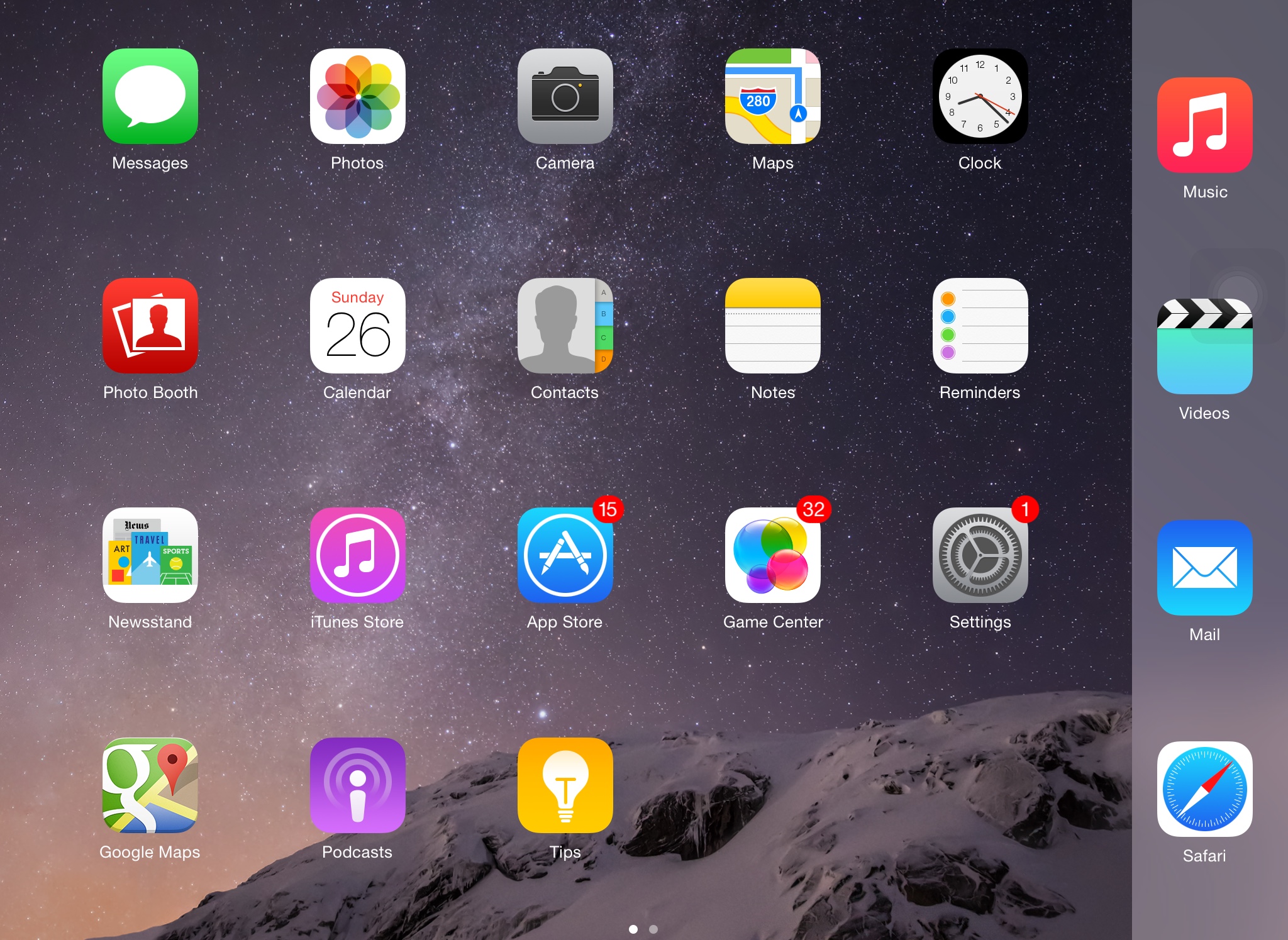
One of the major differences between the iPhone 6 and the iPhone 6 Plus is that the latter is capable of changing the Home screen's orientation. In other words, you can change from portrait to landscape mode on the Home screen when using the iPhone 6 Plus, just like the iPad. On the other hand, the iPhone 6 and older devices lack this capability, but if you've already jailbroken your iOS 8 device, you should definitely check out SBFlip.

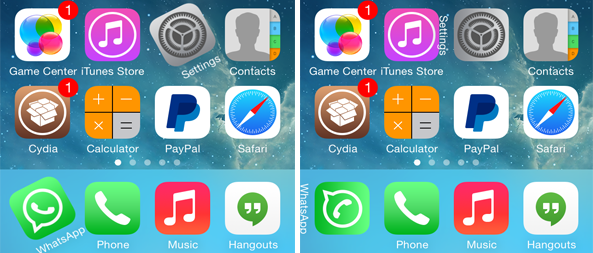
SBFlip enables Home screen rotation on unsupported devices, just like the iPhone 6 Plus. This means that you can rotate your Home screen from portrait to landscape mode on iPhone 6, iPhone 5s and older devices running iOS 8. The tweak also comes with two flip styles called Dynamic Dock and Stationary Dock.

iMaker allows you to animate app icons on your Home screen

We've seen ActiveBoard, a tweak that allows you to add glowing effects to applications that are running in the background or have a pending notification. iMaker is a new jailbreak tweak with a similar goal, but packed with various different animations and options.

The tweak, which has been developed by Javier Brito, allows you to quickly identify the recently opened 5 apps that are still running in the background, applications that have a pending notification or which have been recently updated. This is done by applying various different animation styles to their icons.

vHome brings a virtual Home button to your jailbroken iOS device

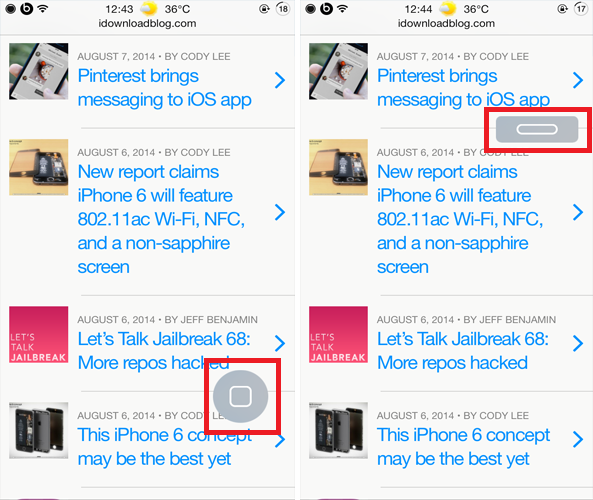
There are several tweaks available in Cydia that allow you to imitate a press of the Home button without actually touching it. Such tweaks are quite useful when you have a broken Home or Power button. vHome is yet another jailbreak tweak that adds a virtual Home button on your screen.

Developed by Noeliel, vHome brings a small virtual Home button to your jailbroken iOS device that looks quite similar to the physical Home button on your device. It floats on your screen and tapping on it will either take you to your Home screen or lock your device. vHome might sound similar to other virtual Home button tweaks but it works in two ways

Theme Thursday: Habesha, Mary and Myrea

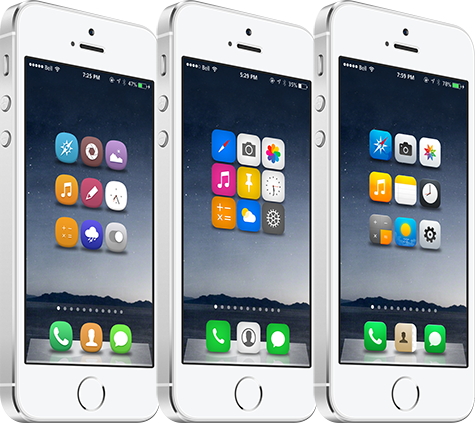
It is already March and time for the sixth edition of Theme Thursday, a weekly roundup that features some of the best Winterboard themes for iPhone, iPad and iPod touch. Even over three months since the iOS 7 jailbreak was released, there continues to be a number of high-quality theme releases each week. Ayeris captured the attention of the jailbreaking community last week, and this time around we present you with Habesha, Mary and Myrea… 

Theme Thursday: Jaku, Slab and Redsgn 2.0

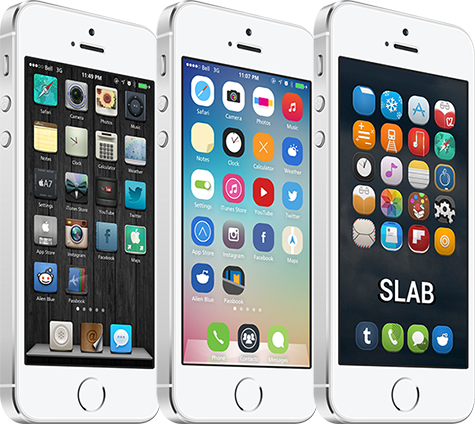
The fourth edition of Theme Thursday has arrived, a weekly column that covers some of the best theme releases for Winterboard to date. This week's roundup continues to focus on iPhone and iPod touch themes, although many are designed for the iPad as well. Moreover, after listening to your feedback for the last three weeks, we have plans to publish an iPad theme roundup in the near future.

This week, we highlight the following themes: Jaku, Slab and Redsgn 2.0. To get the reflective dock used in the screenshots, download ClassicDock. I am also using a custom font called Cartogothic Std that is applied using BytaFont. In this edition of Theme Thursday, I provide a combination of stock images from the designers alongside my own screenshots. Take a look… 

IconLock7: prevent apps from being moved or deleted in iOS 7

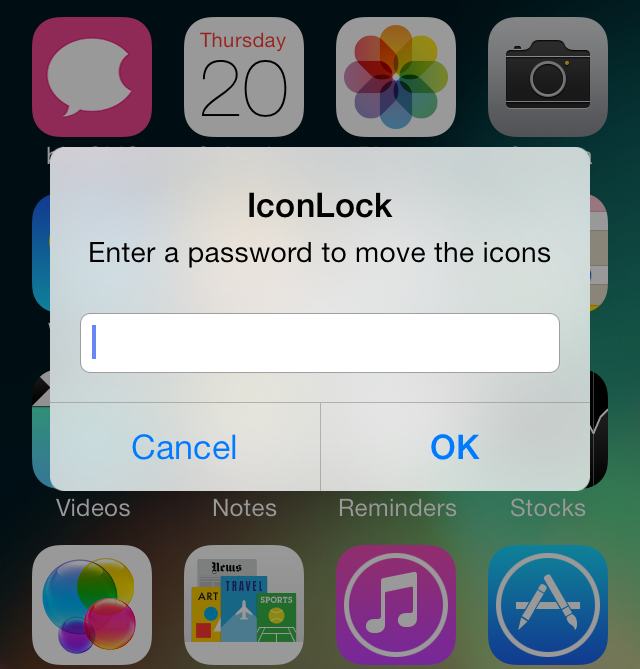
IconLock7 is a free jailbreak tweak recently released on Cydia's BigBoss repo. It's a tweak that allows you to add a password to prevent apps from being moved or deleted without verification.

Unfortunately, IconLock7 has a few design flaws, most notably, the lack of password verification when establishing the initial password. Check inside as we walk through IconLock7's pluses and minuses in this hands-on video demonstration.

How to add infinite scrolling to the Home screen and folders in iOS 7

Mobius is a jailbreak tweak that allows you to infinitely scroll on the iOS Home screen and while within folders. It's very similar to the Wraparound jailbreak tweak that we covered back in 2011, except that Mobius works with iOS 7.

Developer Tyler Casson set out on a mission to bring the popular Wraparound functionality to iOS 7 when it became apparent that the Wraparound wasn't going to be updated for iOS 7 any time soon. He's since dubbed his tweak Mobius, and made it available free of charge on his own personal repo.

If you'd like to see how Mobius works in action, then check past the fold for our hands-on video walkthrough. You can also find the repo details inside so that you can try out the tweak for yourself.

Blurpaper adds blurred effect to Home and Lock screen wallpapers

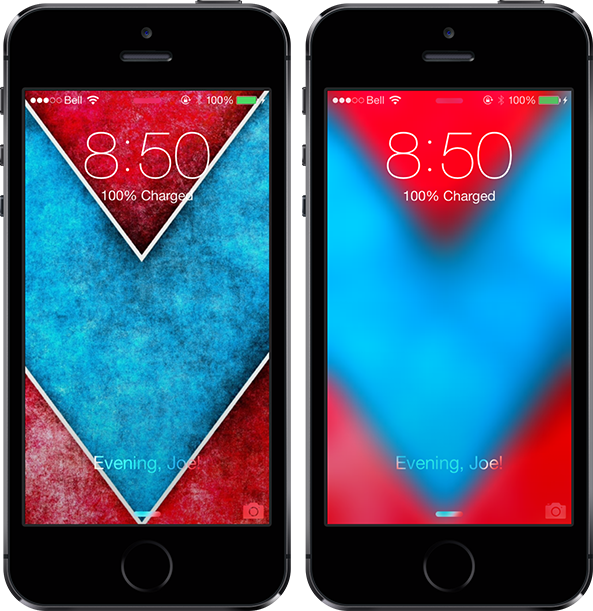
Translucency is at the heart of iOS 7 design, with blurred elements throughout the mobile platform. Often times it can be hard to find a wallpaper that looks nice with the all-new user interface, and a new jailbreak tweak called Blurpaper helps make that process easier.

The tweak takes your current Home screen and Lock screen wallpapers — here's some nice ones — and overlays a blurred effect on them automatically, with no respring necessary. If you want, give it a test with the wallpaper I'm using in the screenshots above. The package has a number of options to configure… 

BetterFolders takes your app folders to the next level

If you are an avid user of Apple products, chances are that you have lots of apps installed on your iOS device. And while folders have long been an ideal solution for keeping your Home screen organized, they have a few shortcomings that a new jailbreak tweak called BetterFolders aims to solve. The useful extension serves three purposes: enables pinch to close for folders, allows nested folders, and brings 4×4 folder layout to the iPad… 

SPTouch brings a virtual Home button to your iPhone

There are several ways you can emulate the Home button without actually pressing the Home button on your iPhone. You can use Activator gestures, or even tweaks such as Virtual Home.

SPTouch, a new tweak by Paolo Smedile is yet another option. This tweak brings a small Home button anywhere on your screen that you can tap at any time to go back to your Home screen...