See your App Store purchase history with prices on iPhone, iPad, and Mac so you can find out how much you paid for an app recently or from years ago.
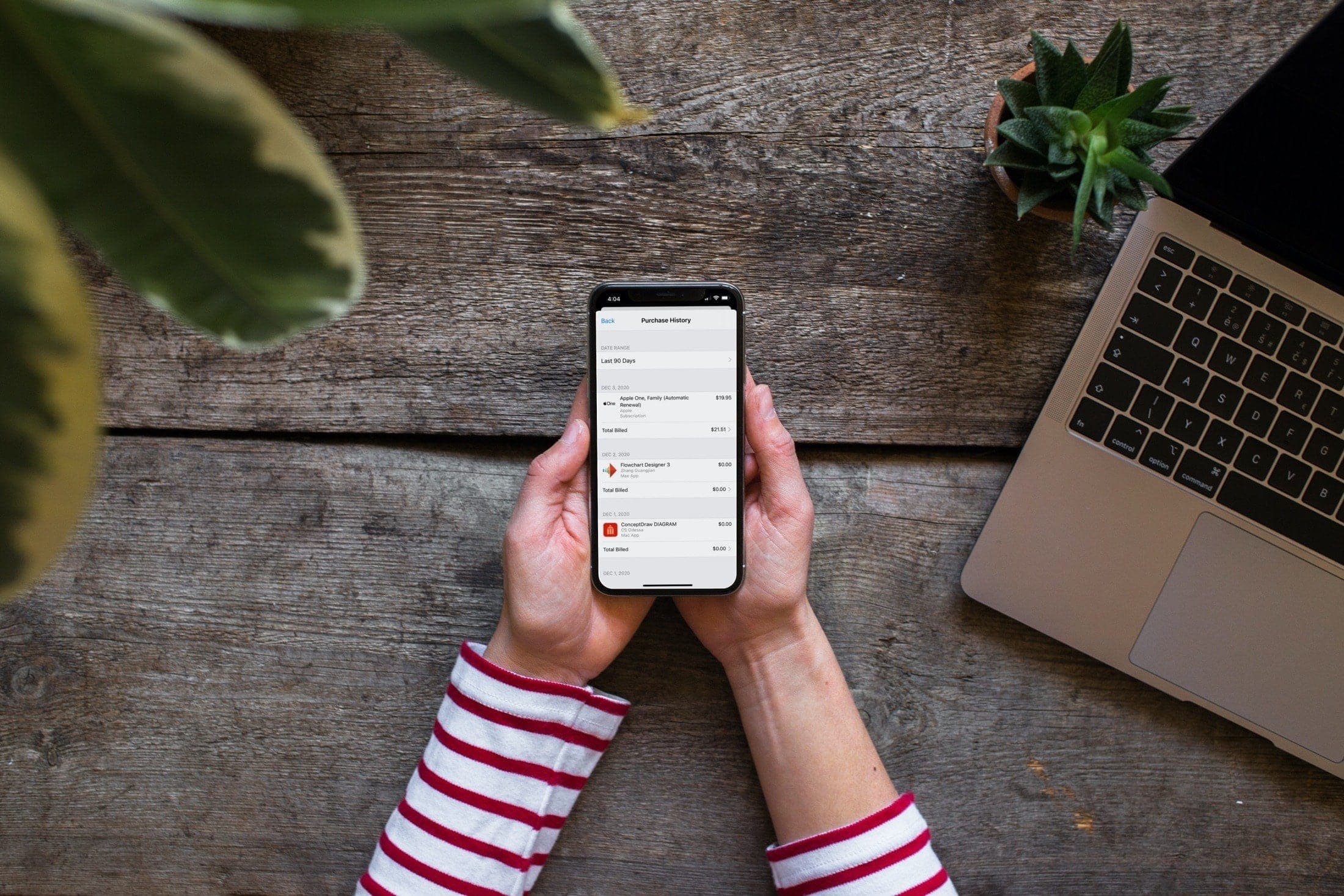
Being able to view your purchase history for apps and games is useful. You may have removed an item that you want back. For that, you can easily redownload apps on iOS and Mac.
But maybe you didn’t remove an app; maybe you just want to know how much you paid for it. The prices of many apps change over time. So, viewing its current price doesn’t necessarily mean that’s what you paid for it.
Whatever the reason may be, you can see the price you paid for an app on your iPhone, iPad, and Mac. And you can go back years if you need to.
On iPhone or iPad
1) Open the Settings app and tap your name at the top.
2) Choose Media & Purchases and then View Account.
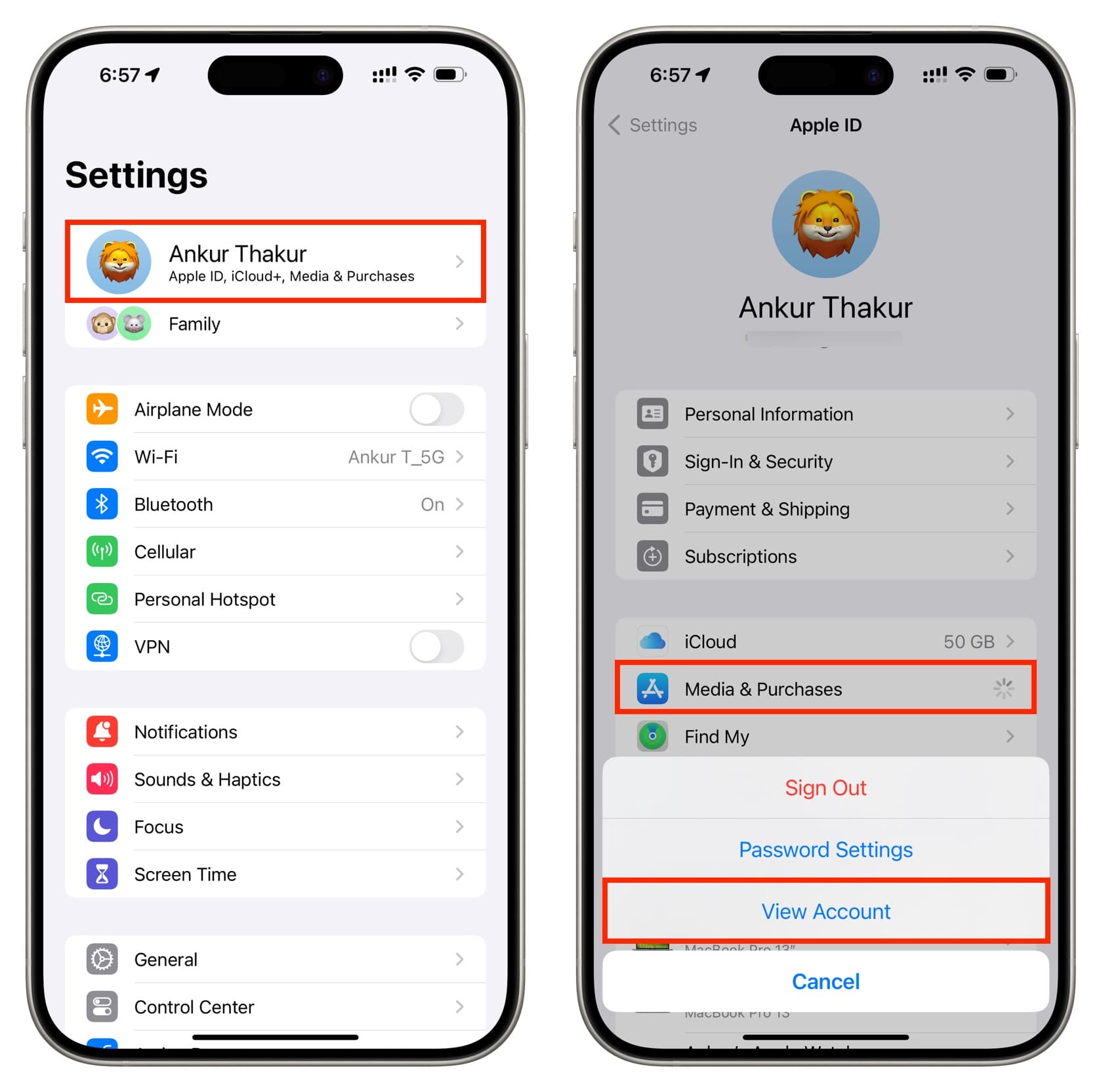
3) Enter your Apple Account password when prompted and tap Sign In.
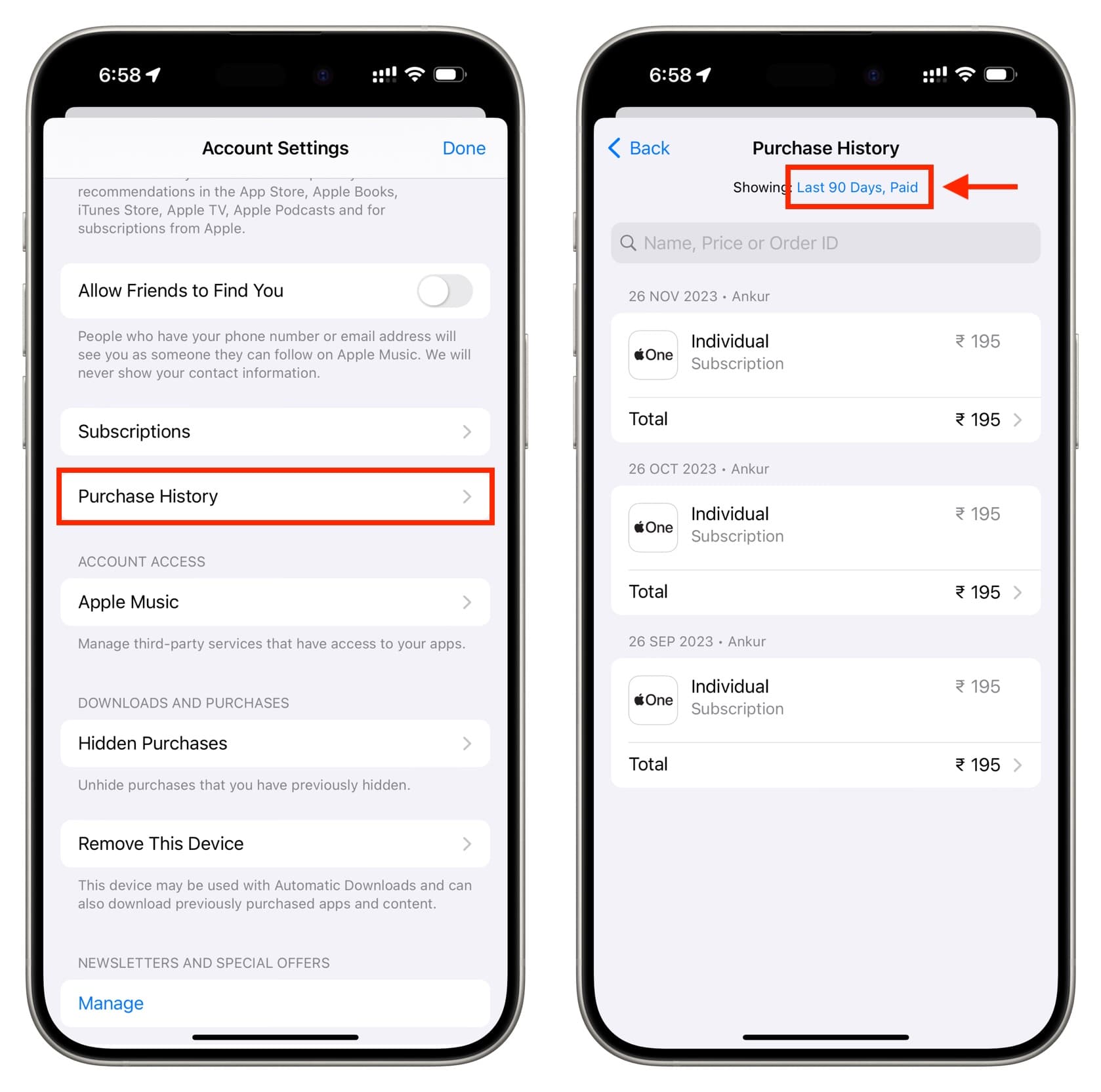
4) Select Purchase History. You’ll then see your billing history for the last 90 days. You can tap Total or Total Billed to see all the information regarding the order.
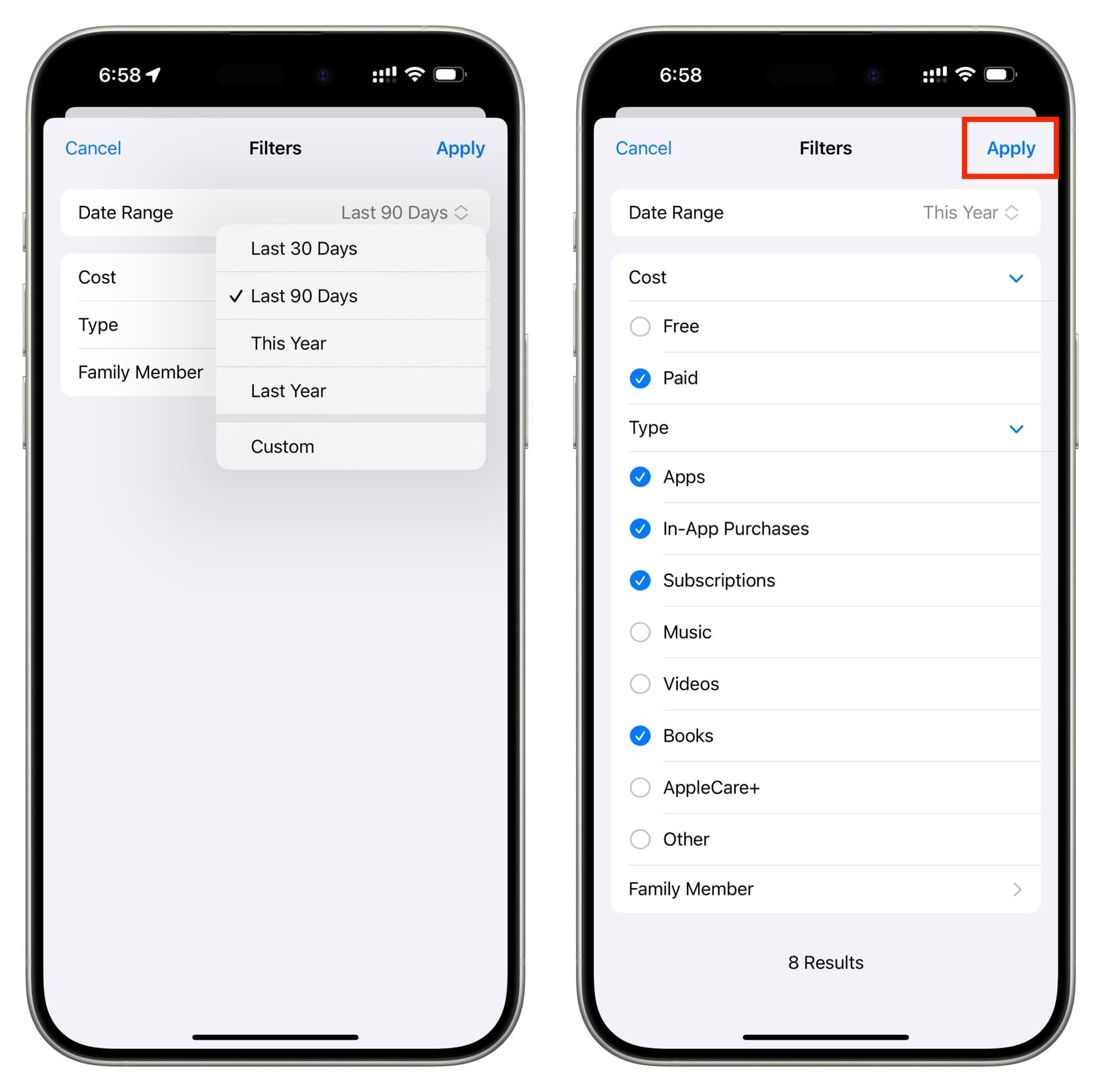
5) Further, you can tap Date Range at the top to select a different time frame, like Last 30 Days, Last 90 Days, This Year, Last Year, or tap Custom and pick a year. The years shown here will go right to the time when you first created your Apple ID.
You can also tap Cost and choose to include free apps or filter your purchases by Type, which includes Apps, In-App Purchases, Subscriptions, Music, Videos, Books, AppleCare+, or Other. Additionally, if you use Family Sharing, there is a Family Member option that lets you filter purchases by family members.
On Mac
If you’re on your Mac, you can see your billing history with prices there, too.
1) Open the Music app and click Account > Account Settings or View My Account from the menu bar.

2) Click Purchase History.

3) You’ll see your purchase history for the past 90 days, but you can choose a specific year and then narrow it down by month. This screen is similar to the one on iOS.

Did you pay a bundle for an app five years ago that’s now available for free? Or maybe you scored with a free app a few months ago that now costs a fortune? What kind of interesting information will you find in your purchase history?
For more on your purchases: