Learn how to download an archive of your Facebook account data with timeline, posts you have shared, messages, photos, etc., and explore its contents.
If you’re considering closing your Facebook account and leaving the service, you should store copies of the photos, videos, status updates, wall posts, and other content you’ve published on Facebook thus far locally on your computer.
Thankfully, you can do this easily by downloading your entire Facebook data as a ZIP file.
This gives you a permanent copy of much of the same information available in your Facebook account. This includes your Timeline info, posts you have shared, messages, photos, and more, as well as data you didn’t create yourself, such as ads you have clicked, logged IP addresses, and whatnot.
Download your Facebook data
1) Open the Facebook app on your phone. Touch and hold the profile icon and select Go to Accounts Center.

You can also tap the menu icon at the top left and select Settings & Privacy > Settings > Accounts Center.

2) Tap ‘Your information and permissions,’ followed by ‘Export your information.’

3) Choose ‘Export to device’ on the ‘Choose where to export’ screen.
4) Tap the Start export button on the ‘Confirm your export’ screen. But before you do that, you can:
- Download a copy of all your available information, or just specific types, by tapping Customize Information
- If you want to download everything, set the date range to “all time”
- Change the file format if desired (HTML or JSON)
- Specify the media quality; select higher quality if you’re closing your account and want to save your media

5) Enter your account password and continue.
6) You’ll see a message that the file is being created. When the file is ready, you’ll see a notification on Facebook along with your email address added to Facebook. Click the link in the email or the Facebook notification within 4 days to obtain your file.

Tip: If you’re not receiving emails from Facebook, check your junk folder and ensure that Facebook’s emails are not classified as spam.
When the file is available, save it to your device. Then, open the ZIP file you downloaded to unarchive it. Because the archive contains private information, you should keep it secure and take precautions when storing, sending, or uploading it to another service.
Data included in your Facebook archive

Your Facebook archive can contain copies of your Timeline information, messages you have exchanged in chats, posts, photos & videos you have shared, anything from the Info section of your profile, and more.
It can also include other information available to you in your Facebook account and activity log, including data you did not create yourself, such as the ads you have clicked on and more.
Your archive doesn’t include previously deleted content. Facebook notes that some information may be unavailable. “We store different categories of data for different time periods, so you may not find all of your data since you joined our service,” writes Facebook.
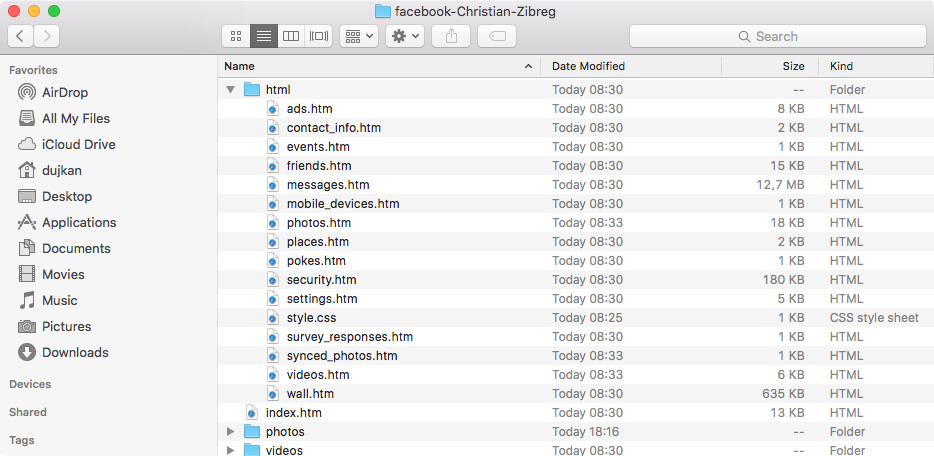
Here’s everything Facebook archives could contain at the time of this writing:
- About Me: Information you added to the About section of your Timeline, like relationships, work, education, where you live, and more. It includes any updates or changes you made in the past and what is currently in the About section of your Timeline.
- Account Status History: The dates when your account was reactivated, deactivated, disabled, or deleted.
- Active Sessions: All stored active sessions, including date, time, device, IP address, machine cookie, and browser information.
- Ads Clicked: Dates, times, and titles of ads clicked (limited retention period).
- Address: Your current address or any past addresses you had on your account.
- Ad Topics: A list of topics that you may be targeted against based on your stated likes, interests, and other data you put in your Timeline.
- Alternate Name: Any alternate names you have on your account (i.e., a maiden name or a nickname).
- Apps: All of the apps you have added.
- Birthday Visibility: How your birthday appears on your Timeline.
- Chat: A history of the conversations you’ve had on Facebook Chat (a complete history is available directly from your messages inbox).
- Check-Ins: The places you’ve checked into.
- Currency: Your preferred currency on Facebook. If you use Facebook Payments, this will be used to display prices and charge your credit cards.
- Current City: The city you added to the About section of your Timeline.
- Date of Birth: The date you added to Birthday in the About section of your Timeline.
- Education: Any information you added to the Education field in the About section of your Timeline.
- Emails: Email addresses added to your account (even those you may have removed).
- Events: Events you’ve joined or been invited to.
- Facial Recognition Data: A unique number based on a comparison of the photos you’re tagged in. We use this data to help others tag you in photos.
- Family: Friends you’ve indicated are family members.
- Favorite Quotes: Information you’ve added to the Favorite Quotes section of the About section of your Timeline.
- Followers: A list of people who follow you.
- Friend Requests: Pending sent and received friend requests.
- Friends: A list of your friends.
- Gender: The gender you added to the About section of your Timeline.
- Groups: A list of groups you belong to on Facebook.
- Hidden from News Feed: Any friends, apps, or pages you’ve hidden from your News Feed.
- Hometown: The place you added to your hometown in the About section of your Timeline.
- ID: A copy of the ID you submitted to confirm your identity and to help improve our automated systems for detecting fake IDs and related abuse.
- Locale: The language you’ve selected to use Facebook in.
- Logins: IP address, date, and time associated with logins to your Facebook account.
- Logouts: IP address, date, and time associated with logouts from your Facebook account.
- Matched Contacts: Contact information that may be associated with your account.
- Messages: Messages you’ve sent and received on Facebook. Note that if you’ve deleted a message, it won’t be included in your download as it has been deleted from your account.
- Name: The name on your Facebook account.
- Name Changes: Any changes you’ve made to the original name you used when you signed up for Facebook.
- Networks: Networks (affiliations with schools or workplaces) that you belong to on Facebook.
- Pages You Admin: A list of pages you administer.
- Pending Friend Requests: Pending sent and received friend requests.
- Phone Numbers: Mobile phone numbers you’ve added to your account, including verified mobile numbers you’ve added for security purposes.
- Photos: Photos you’ve uploaded to your account.
- Photos Metadata: Any metadata that is transmitted with your uploaded photos.
- Physical Tokens: Badges you’ve added to your account.
- Pokes: A list of who’s poked you and who you’ve poked. Poke content from our mobile poke app is not included because it’s only available for a brief period of time. After the recipient has viewed the content, it’s permanently deleted from our systems.
- Political Views: Any information you added to Political Views in the About section of Timeline.
- Posts by Others: Anything posted to your Timeline by someone else, like wall posts or links shared on your Timeline by friends.
- Recent Activities: Actions you’ve taken and interactions you’ve recently had.
- Registration Date: The date you joined Facebook.
- Religious Views: The current information you added to Religious Views in the About section of your Timeline.
- Removed Friends: People you’ve removed as friends.
- Screen Names: The screen names you’ve added to your account and the service they’re associated with. You can also see if they’re hidden or visible on your account.
- Spoken Languages: The languages you added to Spoken Languages in the About section of your Timeline.
- Status Updates: Any status updates you’ve posted.
- Work: Any current information you’ve added to Work in the About section of your Timeline.
- Videos: Videos you’ve posted to your Timeline.

For those wondering, your vanity URL on Facebook, if any, isn’t included in the archive as it’s visible in your Timeline URL.
To learn more about the data categories available to you after downloading a Facebook archive, check out this support document.
How to explore your Facebook archive
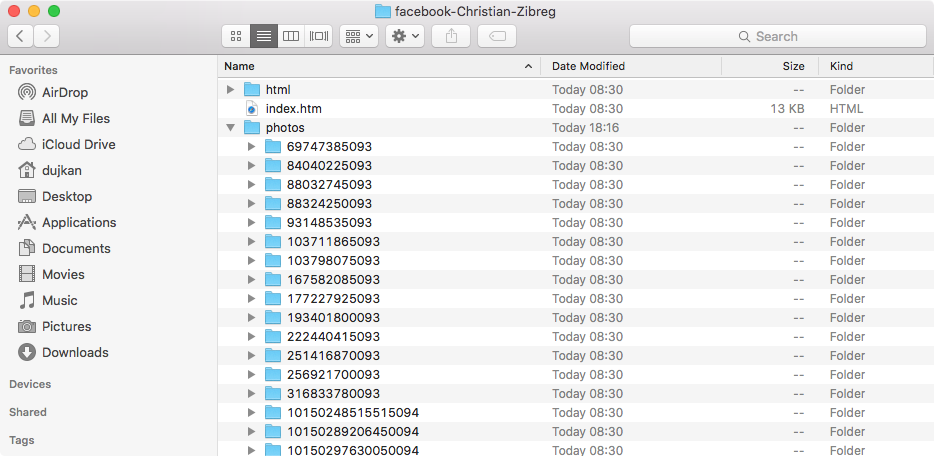
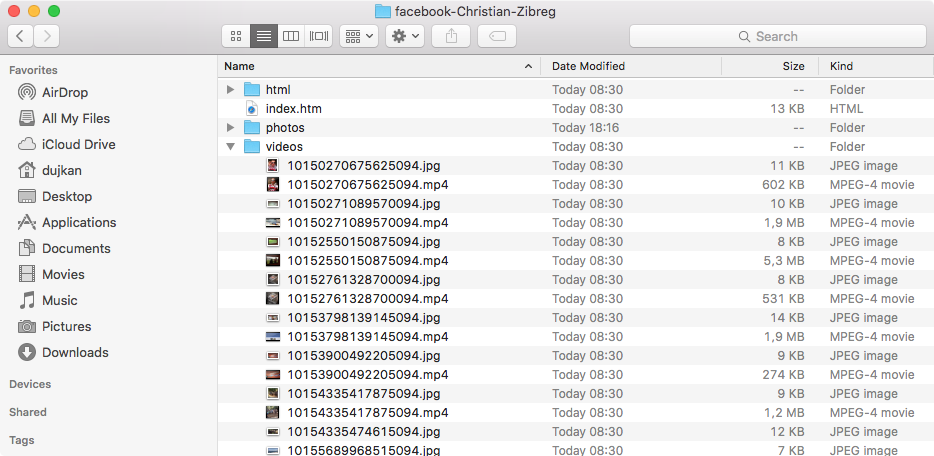
Upon downloading and unzipping the archive, data from your Facebook profile is available within specific folders, including pictures you have shared on the service, videos you have uploaded to Facebook, and more.
The best starting point is the “index.htm” file, which can be opened locally in Safari or another web browser to get to specific pieces of information more quickly.
Upon opening “index.htm” in Safari, you’ll see a webpage with a crude representation of your profile along with the most important information from your About section and handy links in the left-hand column for quickly accessing specific data such as your friend’s list, messages, photos, videos, pokes, and more.
For instance, if you want to retrieve a specific picture or video you posted to Facebook, click Photos or Videos in the left-hand column and then click the media thumbnail. The photo or video will open in its original resolution, and you can right-click to make a copy of the media file in another folder on your computer.
You can also browse these folders directly on your computer.
Data included as part of your Facebook archive may change over time as the company introduces or kills features, so the best thing is to double-check their support document prior to downloading your archive.
Also, check out: