Video

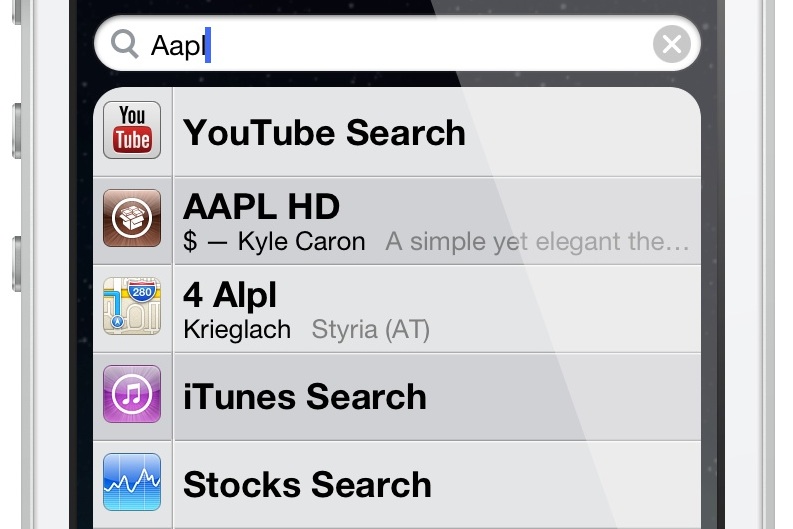
‘SearchCollapse’ allows you to collapse results in Spotlight search

After reviewing SearchAmplius an hour or so ago, it was only appropriate to review its sister tweak, which is entitled: SearchCollapse. SearchCollapse is a tweak that can work in tandem with SearchAmplius, but it should also be noted that it can function on its own as a standalone tweak.

SearchCollapse, as its name not so subtly implies, allows users to collapse their Spotlight search results, either automatically, or by tapping on the app icon associated with the result. Have a look at our video walkthrough inside for more detailed information.

‘SearchAmplius’ brings advanced search features to Spotlight

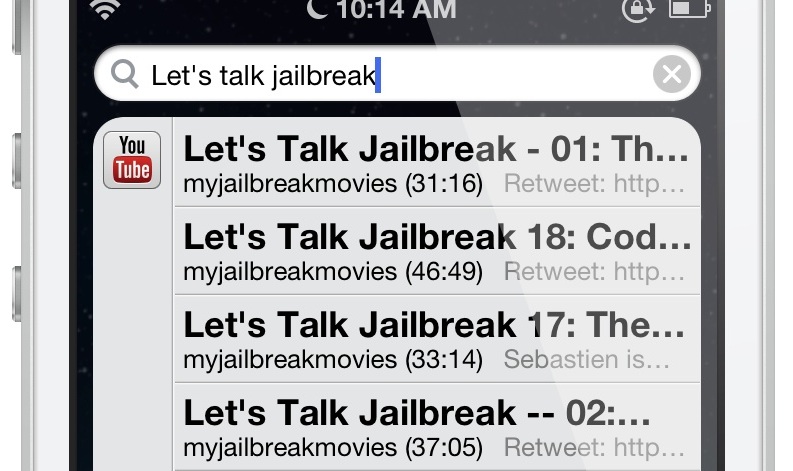
SearchAmplius is a new jailbreak tweak that brings some really cool new features to the Spotlight search page. Normally, I've found that tweaks of this nature absolutely fail to impress me, but SearchAmplius is one of the rare exceptions to that rule.

The tweak, which is simple in design, allows you to configure additional search modules for use in Spotlight. For example, you can search YouTube videos directly from Spotlight, and play them via the official YouTube app with just a tap on the search result. You can also search Cydia releases in much the same way, tapping on the name of the release to be whisked away to the Cydia install page for the tweak in question. App Store apps are there, too, and work much the same.

Other tweaks have tried to do similar functions in the past, but SearchAmplius is definitely at the top of the list when it comes to supercharging Spotlight. Have a look at our full video walkthrough inside for more information regarding the tweak.

Stop-motion vid pays homage to retro gaming using iPad mini and Nexus 7 components

Over the years, repair shop iFixit has torn apart hundreds, if not thousands, of mobile devices so the world could understand how these things are made, and more importantly - how our gadgets fare from the repairability standpoint.

Today, the iFixit blog is highlighting something completely different, a cool stop-motion animation by Martin Spengler and German ad shop LAB BINÆR.

The charming video is well worth a watch: it's a clever homage to retro gaming that uses the disassembled iPad mini and Nexus 7 components to build levels reminiscent of some of the widely popular old-school games...

WSJ: Google seeking game-changing live TV Internet service

I know, I know, Google runs the world's greatest video streaming machine, YouTube, so why wouldn't networks broadcast live TV there, no? Not so fast.

For starters, Google might be interested in marketing a rumored live TV Internet service separate of its other offerings.

Let's also not forget Apple hasn't had much luck persuading networks to license TV channels directly instead of going through operators.

Be that as it may, the search giant is said to has been months into negotiating an over-the-top video service that would let customers stream live TV programming over the Internet, in turn totally bypassing cable operators like Comcast and Time Warner Cable.

There's no question cable-cutters should have a field day when, and if, Google's live TV becomes a reality...

Add a standalone calendar widget to Notification Center with ‘CalendarX’

CalendarX is a recently released jailbreak tweak that serves as a widget for Notification Center. It's a very interesting tweak that can be enabled by using the standard Notifications panel in the stock Settings app. The thing that makes CalendarX so unique is that it is a standalone self contained calendar app that doesn't rely on any outside functionality. In fact, none of the calendars or events that you setup within CalendarX will be displayed in the stock Calendar app or vice versa. Again, think standalone here. Depending on your outlook, that could be perceived as either a positive or a negative. Have a look past the break as I go more in-depth with CalendarX on video.

How to supercharge Spotlight with ‘TaskMaster’

TaskMaster is a new Spotlight based jailbreak tweak that adds a variety of new functions to the built in iOS search feature. Along with the ability to search the contents of your device, you'll find new toggles, quick compose shortcuts, now playing information for your music, and more. It's not a perfect jailbreak tweak, but you may find its variety appealing. Have a look inside as I take TaskMaster for a spin in our video walkthrough.

OS X Mavericks: How to use Safari Shared Links

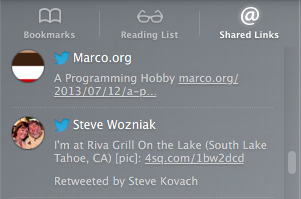
Safari has received a miniature overhaul in OS X Mavericks, and one of the most outstanding new features is Safari Shared Links. This is a features that takes links shared with from people you follow on Twitter or Linkedin, and makes them easily accessible directly within Safari for your consumption. In a world dominated by social networking, Safari Shared Links makes sense, and I find its implementation to be well done. Take a look inside as I guide you step by step through its usage on video...

Sliderz: customize the “slide to unlock” text and more

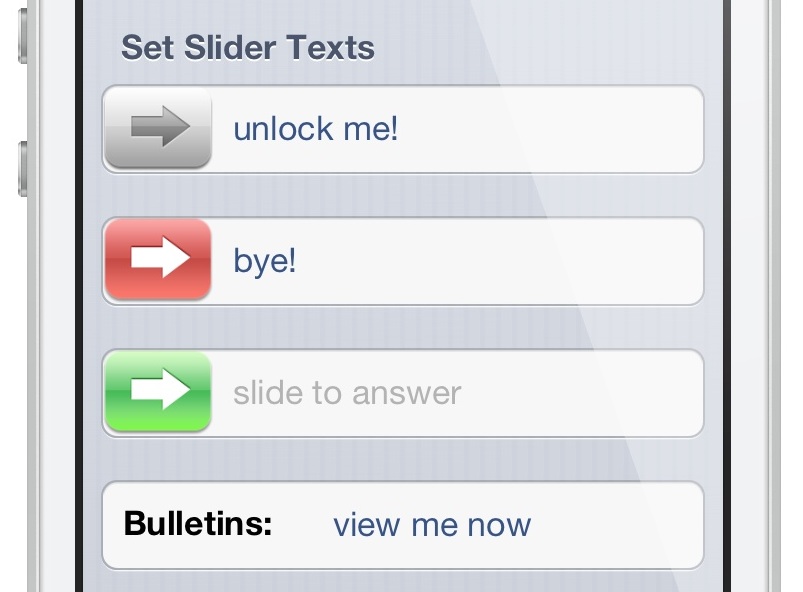
Sliderz is a newly released jailbreak tweak that allows you to customize the text associated with the various sliders featured in iOS. The most obvious slider is the "slide to unlock" slider found on the device's Lock screen, but there are other sliders like "slide to power off" that can be customized with your own witty text as well. Take a look inside as we detail Sliderz in our video walkthrough...

Rovio announces Angry Birds Star Wars II coming September 19

Just a few days after teasing Angry Birds Star Wars II, Rovio has announced today that the highly anticipated sequel will land in the App Store on September 19. As aforementioned, the game will tackle the prequels and feature a wide roster of new characters.

The Finnish developer says that gamers will get to play with 30 never-before-seen Angry Birds Star Wars characters, as well as choose their side—the 'Pork side' or the Empire. And the game will launch alongside new interactive toys from Hasbro called Telepods...

WWDC 2013 session videos surface on YouTube

Apple's registered developers who have downloaded an updated version of the official WWDC app have been able to stream this year's session videos the day they were made. Developers can alternatively access an archive of WWDC 2013 session videos through both the app and Apple's official portal for developers.

It looks like Apple has now published those clips on YouTube for everyone to watch, or so it seems. It was unclear at post time whether the iPhone maker actually operates a brand new account seemingly created for the purpose of hosting these NDA clips...

‘InstaChooser’ lets you import videos into Instagram

I think it's safe to say that Instagram's foray into video, as delayed as it may have been, has turned out to be a resounding success. Many of the folks I follow on Instagram have happily embraced the new video feature, and services like Vine have suffered as a result.

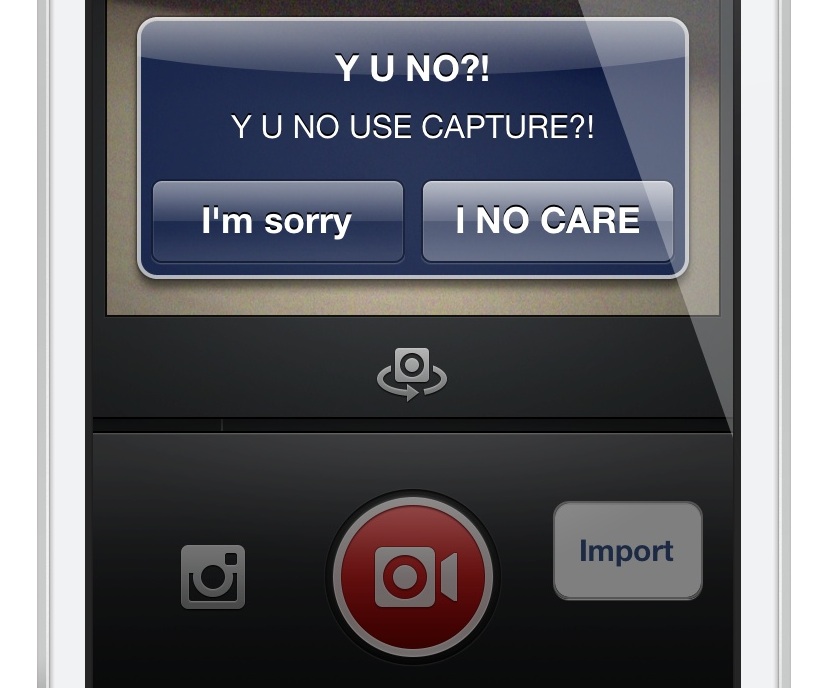
Now it's time for the jailbreak community to have their say. The first jailbreak release to alter the functionality of Instagram video is InstaChooser. InstaChooser is a tweak that allows you to import videos from your device's Camera Roll right into Instagram. This allows you to mix and match video created outside of Instagram along with the service's own video authoring tools.

InstaChooser is not perfect, but it works decently enough to suit the needs of those who absolutely must have importing capabilities. Have a look at our full video walkthrough inside for the details...

‘StatusHUD’ creatively merges the status bar and Volume HUD

StatusHUD is a new jailbreak tweak that we previewed a few days ago, and it lends the ability to view the volume indicator in the status bar when adjusting your device's volume. The tweak, which eschews the stock volume HUD completely in favor of the status bar variety, comes with the ability to change the volume indicator style, along with a method for displaying the volume indicators while within a full screen app. Take a look at our full video walkthrough inside for all of the details.