Phone

Square replaces the Phone app’s round dialer buttons with square ones

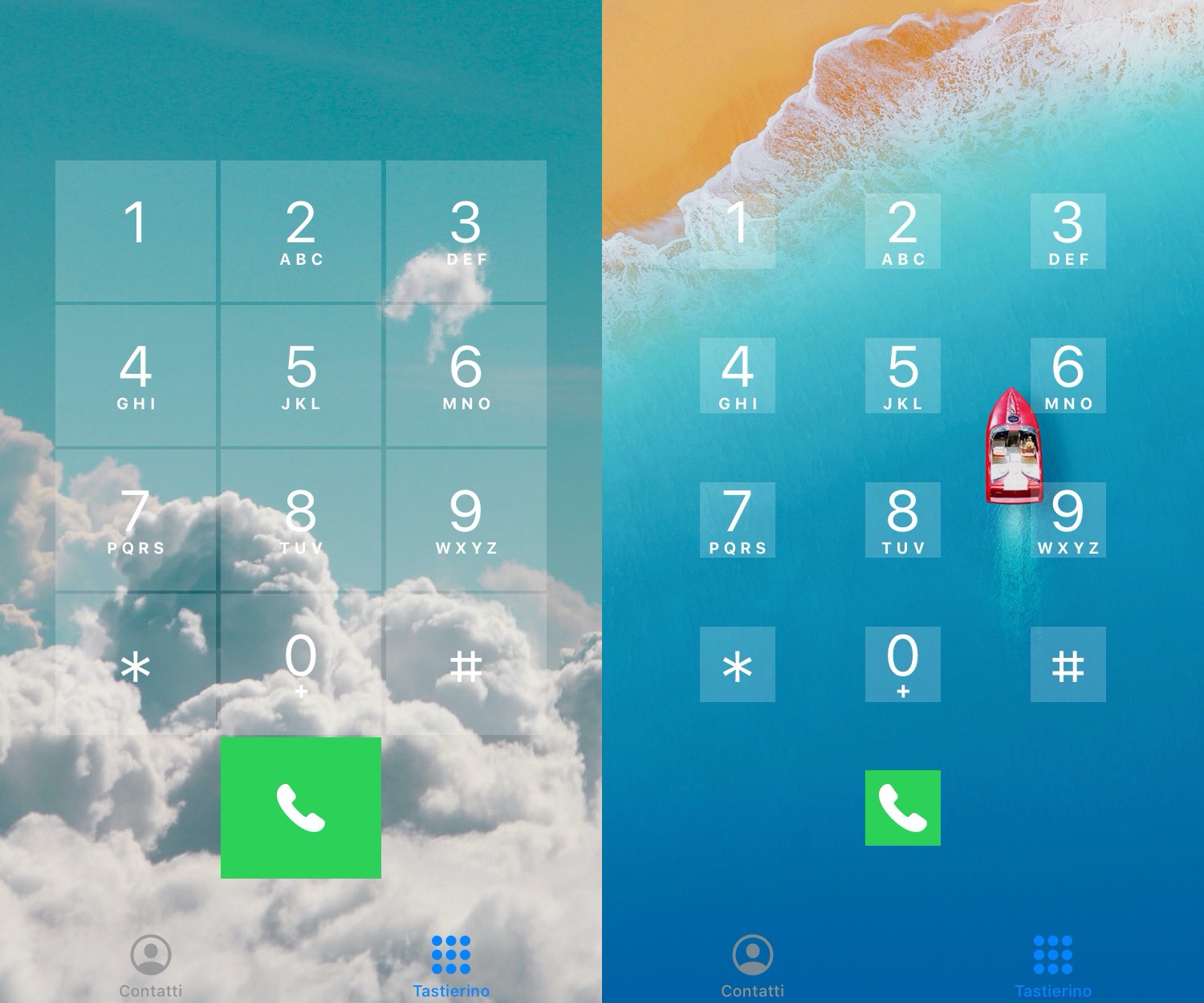
Those looking to do away with the round Phone app dialer buttons in favor of something a bit more rigid are likely to take a liking to a newly released and free jailbreak tweak dubbed Square by iOS developer PlatYkor.

As depicted in the screenshot examples above, Square replaces the aforementioned buttons with squarer alternatives that can be configured in a bevy of different ways depending on the user’s own tastes and preferences.
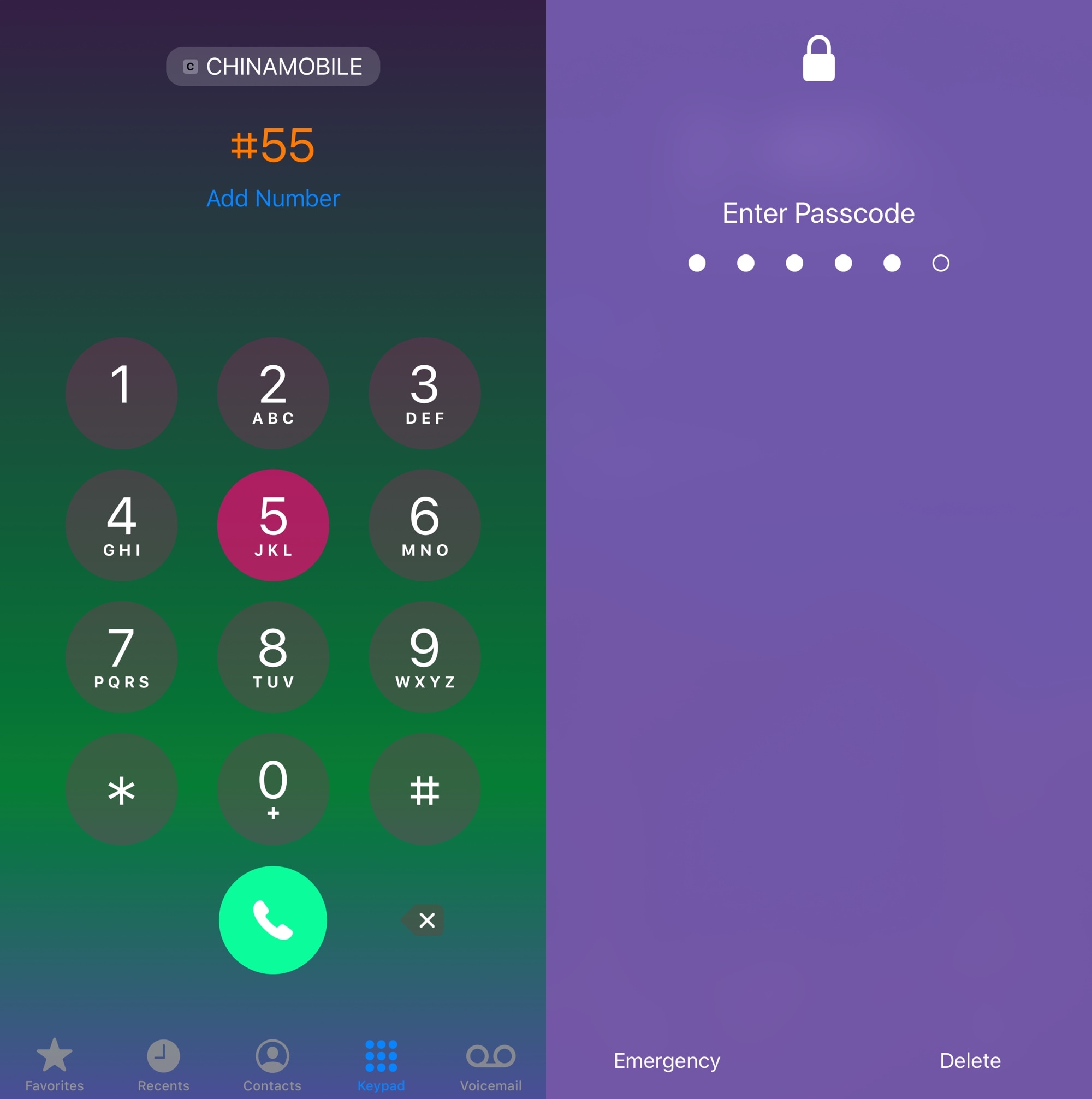
Add a splash of color to iOS’ dialer and passcode interfaces with DialerGradient

Apple’s software user interfaces are somewhat notorious for being both streamlined and professional, but they also tend to be on the bland side of things. The company isn’t known for offering much in the customization department, and this can be a serious pain point for those who demand more personality from their iPhone’s user interface. Fortunately, jailbreak tweaks aplenty can help out with this limiting aspect of iOS.

Enter DialerGradient, a newly released jailbreak tweak by iOS developer NaneraManu that lets iPhone users customize virtually any parameter of their handset’s numeric dialer interfaces, whether it’s the Lock Screen’s passcode interface or the Phone app’s dial pad.

This tweak gives the iPhone’s Phone app a pleasant facelift

The Phone app that comes pre-installed on every iPhone from the factory sports a barebones and simplistic design that just works. Given its tried and true reputation, the Phone app hasn’t seen many changes over the years, and some might even argue that it’s getting a bit stale.

If you’re jailbroken, then the good news is that you don’t have to settle for a boring Phone app anymore. A newly released and free jailbreak tweak dubbed Bongwater by iOS developer qwertyuiop1379 breathes new life into the Phone app by bringing a highly requested Phone app redesign concept to life.

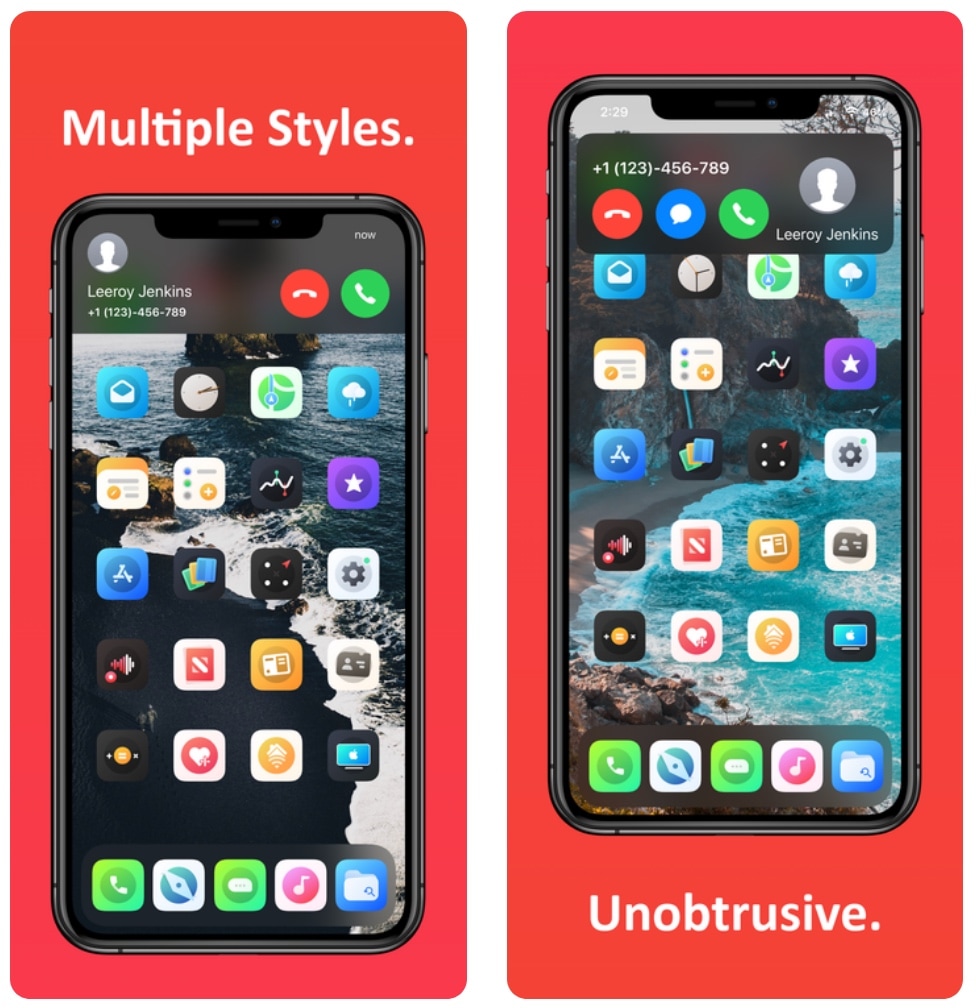
Hate the iPhone’s native incoming call interface? You may like Scorpion

It’s honestly rather embarrassing that Apple’s incoming call interface on the iPhone still looks the way it does in 2020, and that’s one of the reasons why I’ve always advocated for jailbreak tweaks that unlock minimized incoming call interfaces that are far less intrusive and more visually stunning than the native UI.

With the above sentiment in mind, it may not come off as much of a surprise that I’m having trouble containing my excitement about the likes of a newly released jailbreak tweak dubbed Scorpion by iOS developer Esquilli.

Buzz lets jailbroken iPhone users colorize the native Phone app

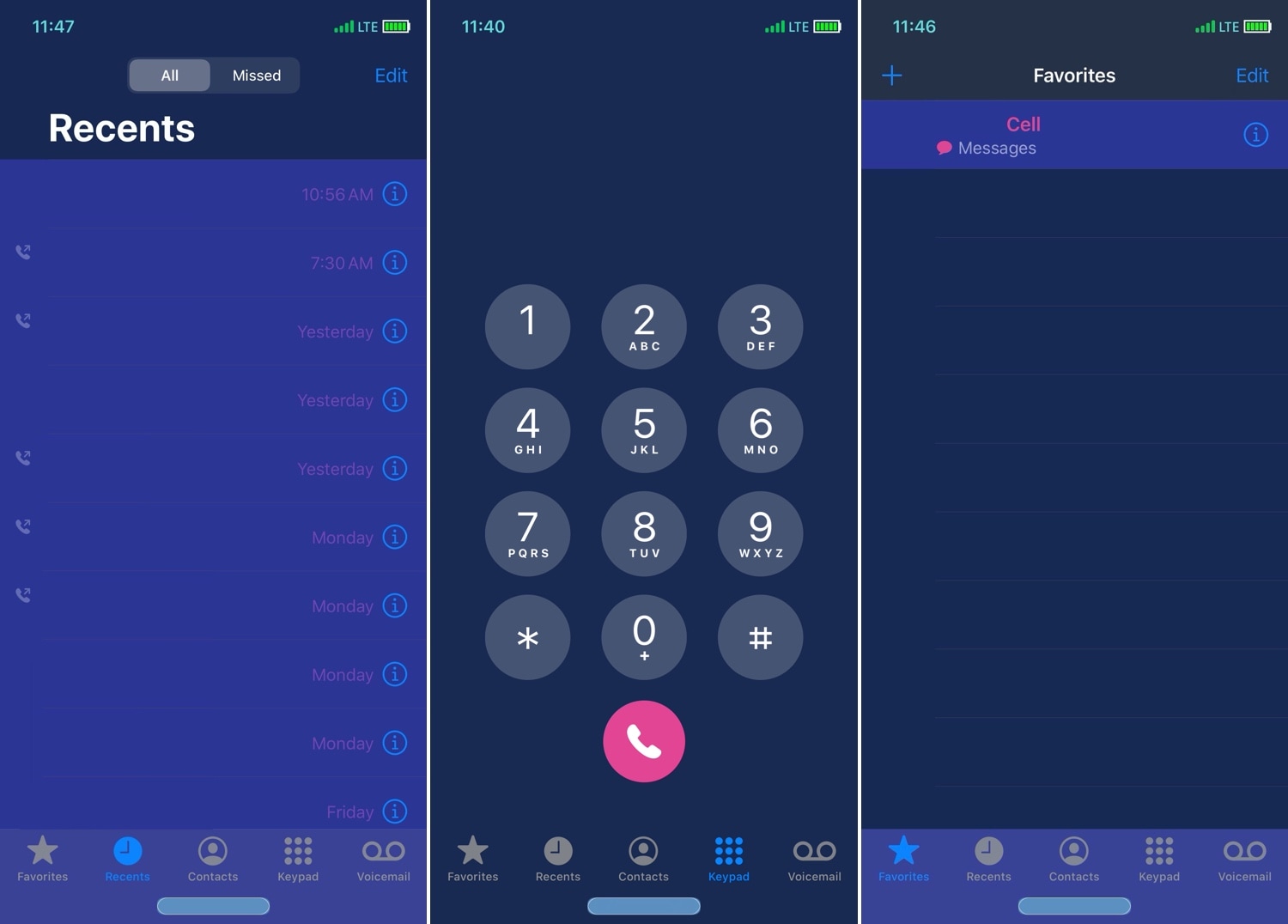
Owners of jailbroken iPhones who are looking for ways to customize the aesthetics of their native Phone app can now call upon the help of a newly released and free jailbreak tweak called Buzz by iOS developer Sirius24 to do just that.

As shown in the screenshot examples above, Buzz lets you colorize a plethora of Phone app user interface elements, including those appearing in the Favorites tab, the Recents tab, the Keypad tab, the Contacts tab, and more.

LetMeDecline makes it easier to decline calls when your iPhone is locked

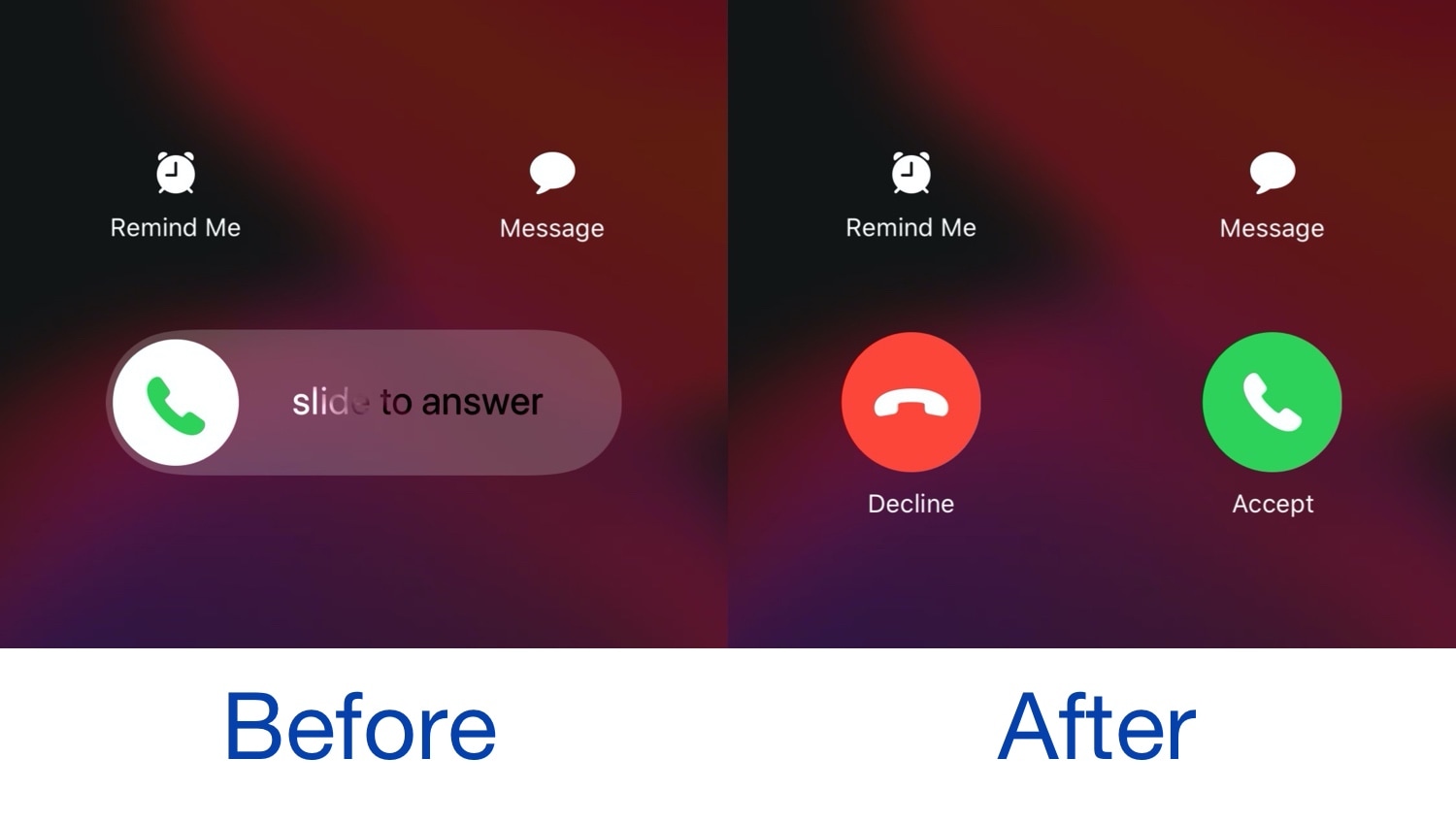
When you receive a phone call from your locked iPhone, iOS automatically directs you to a ‘slide to answer’ interface with no obvious way of dismissing the phone call. You can press the side button a couple of times to dismiss the call, but not everyone knows this, and it this seems like a user interface shortcoming on Apple’s part.

Given the circumstances described above, we’re especially pleased to see the release of a new jailbreak tweak called LetMeDecline by iOS developer P2Kdev. As depicted in the before and after screenshot examples above, this tweak replaces the ‘slide to answer’ bar with dedicated Decline and Answer buttons, making it easier to get the annoying full-screen incoming call interface out of your way.

RomanPad puts roman numerals on the numeric keypads in iOS

Roman numerals appear to be making a comeback in popularity, and for those who demand classiness from everything they touch, that’s not necessarily a bad thing.

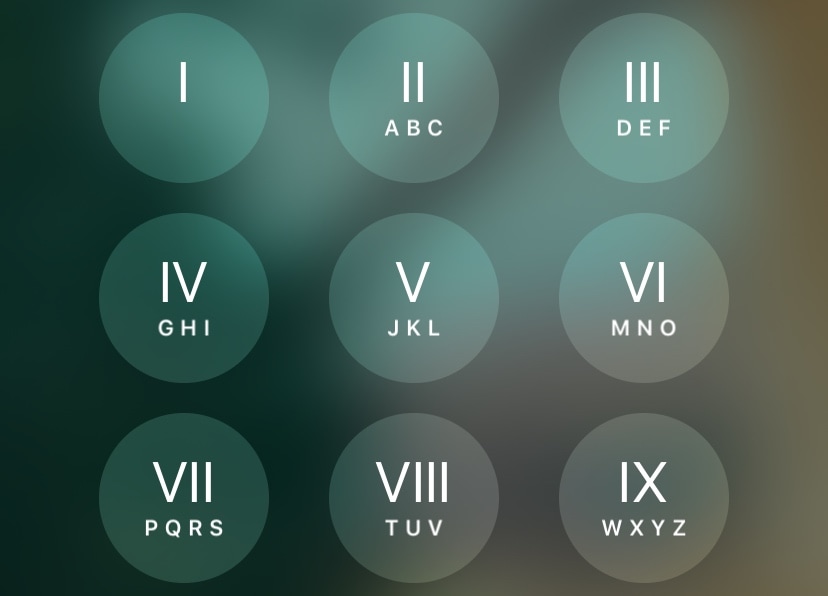
Just last week, we showed you a jailbreak tweak that adjusted the Status Bar time to appear as roman numerals instead of standard numbers. But with a newly released and free add-on called RomanPad (Beta) by iOS developer Simalary, you can enjoy a similar experience on any number pad in iOS, including the passcode entry screen and the Phone app’s dial pad.