Learn how to use the Quick Note feature on iPhone, iPad, and Mac to quickly write down notes from anywhere.
How to create Quick Notes on iPhone, iPad, and Mac

Learn how to use the Quick Note feature on iPhone, iPad, and Mac to quickly write down notes from anywhere.

Learn how to enable Olympic mode in Google Chrome's dinosaur jumping game on your mobile devices and computers, just in time for the 2021 Tokyo Summer Olympic Games.

Learn how to translate foreign text in Instagram stories into one of the 90+ supported languages on your iPhone or Android phone.
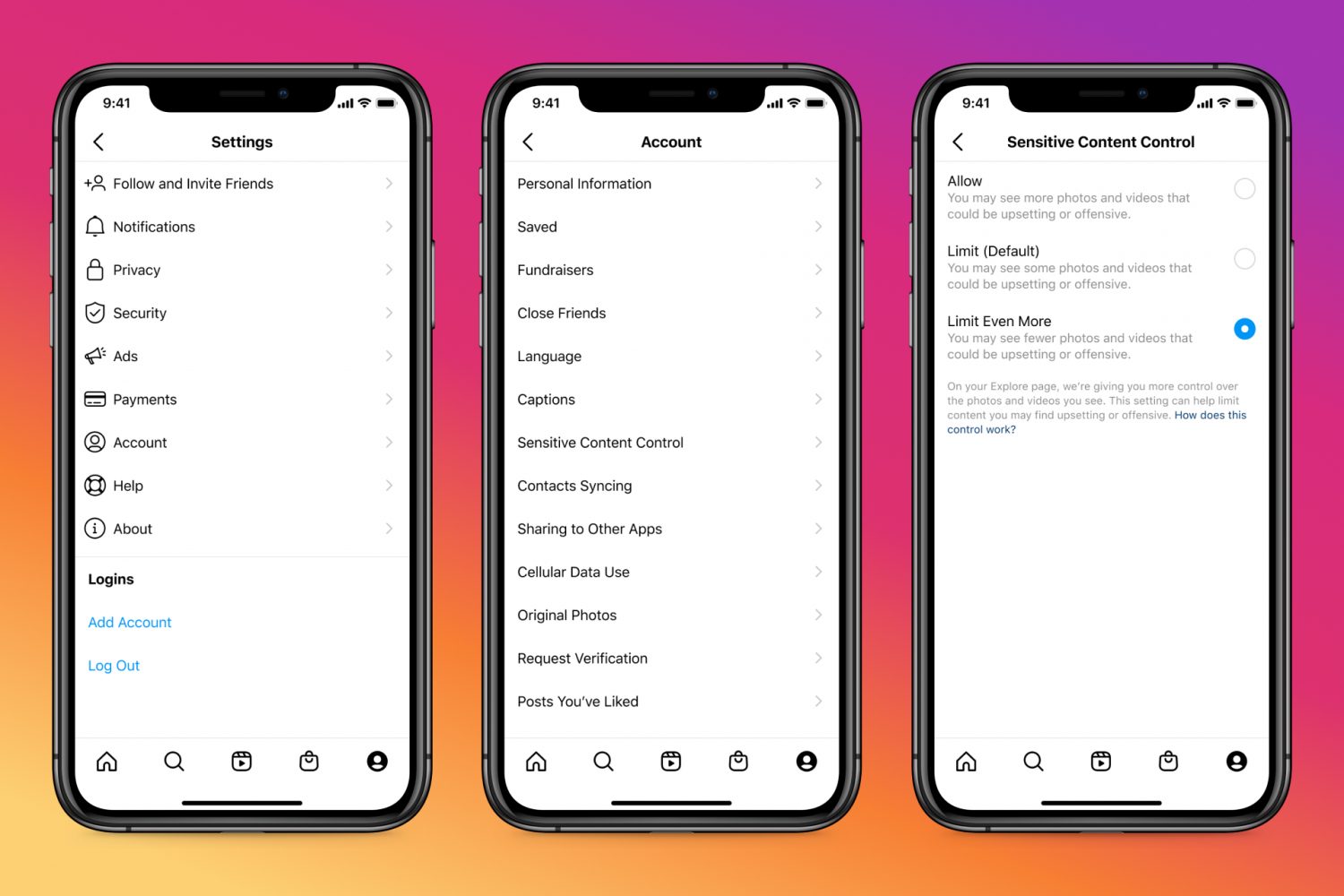
Learn how to adjust the Sensitive Content Control to see less or more sensitive content recommendations when browsing Instagram on your phone or computer.

Learn how to create and use Tab Groups in Safari on iPhone, iPad, and Mac to organize your open tabs from an improved browser experience.

Learn how to enjoy Apple Music songs in lossless quality on your iPhone, iPad, Mac, HomePod, Apple TV, Apple Vision Pro, Android phone, and Windows PC, to hear every fine detail of the audio and elevate your media experience.

Learn how to increase or decrease the text size of specific apps without changing the system-wide text size of your iPhone or iPad.
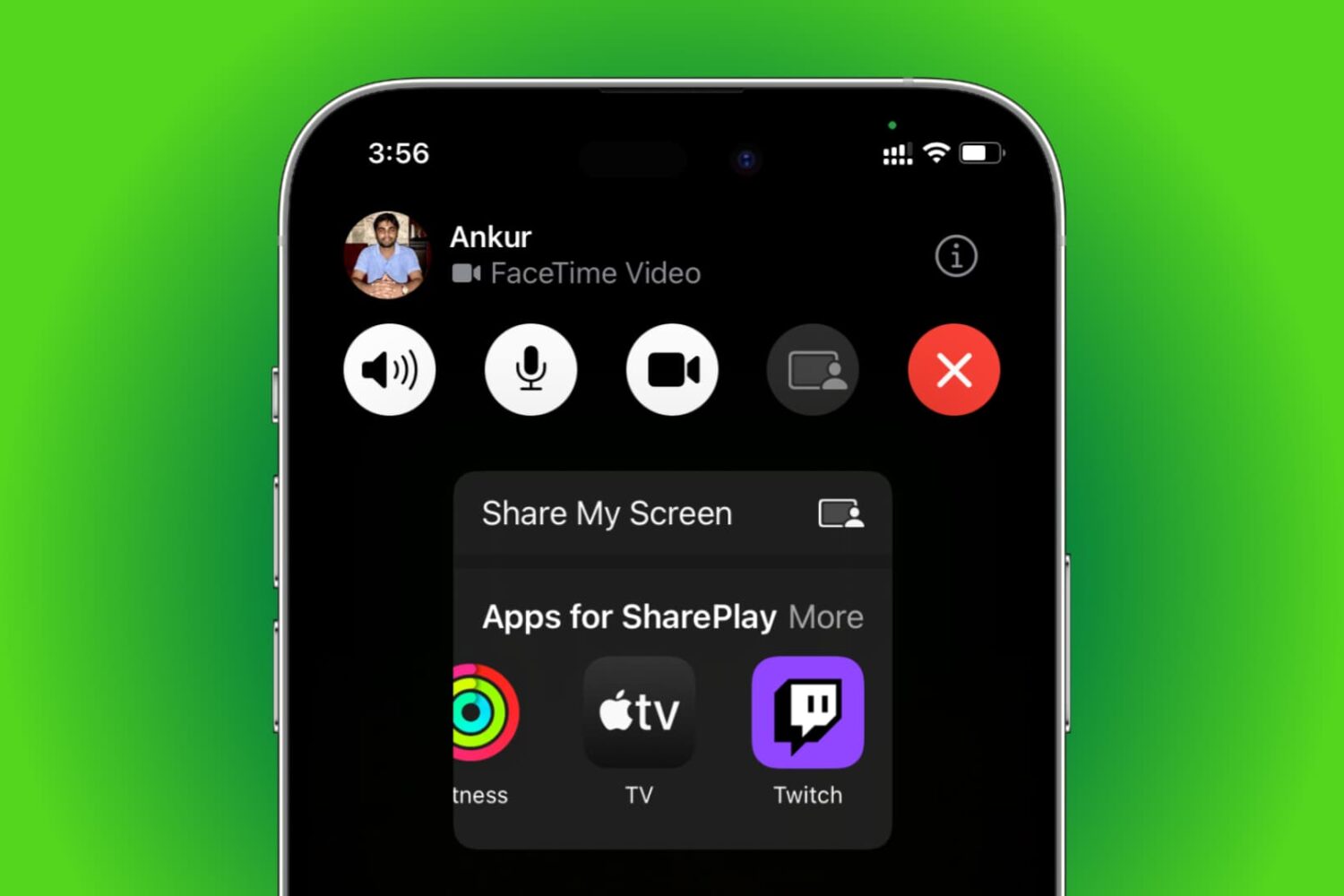
Learn how to use SharePlay to listen to music or watch movies & TV shows together with your friends over FaceTime on your iPhone, iPad, Apple TV, or Mac.

Learn how to listen to Apple Music songs in Dolby Atmos on your iPhone, iPad, Mac, Apple TV, HomePod, Vision Pro, and Android phone to enjoy an immersive, three-dimensional audio experience.

TikTok used to lack playback control because it initially focused on short-form videos up to sixty seconds long. But with TikTok videos now up to three minutes long, the app's gained video navigation. Here's how to use TikTok's fast-forward and backward scrubbing control.

Learn how to create a FaceTime link on your iPhone, iPad, or Mac and share it with your Android or Windows friends so they can join your call from their non-Apple devices.
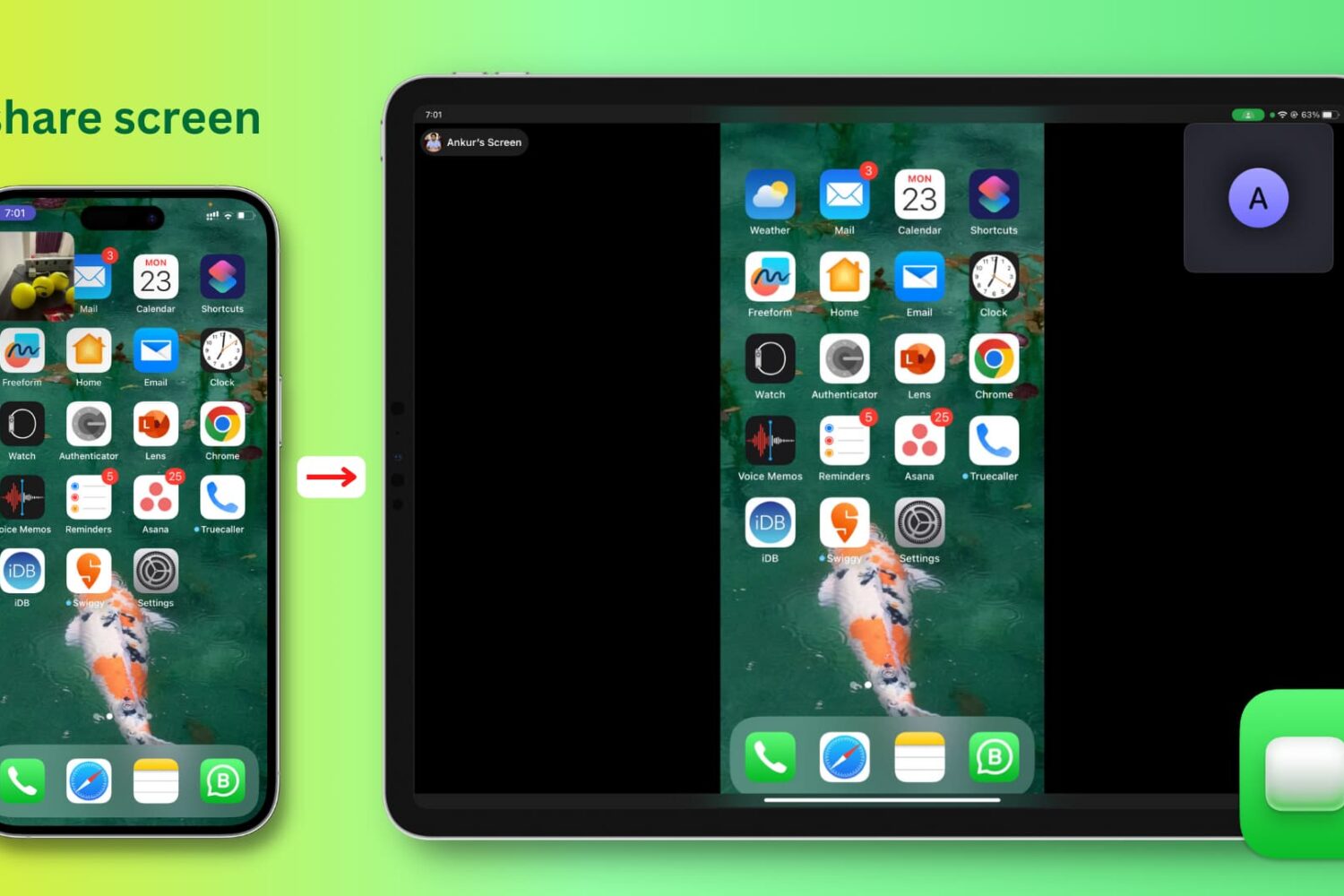
Learn how to easily share your iPhone, iPad, or Mac screen with colleagues, friends, and family using FaceTime.