Music

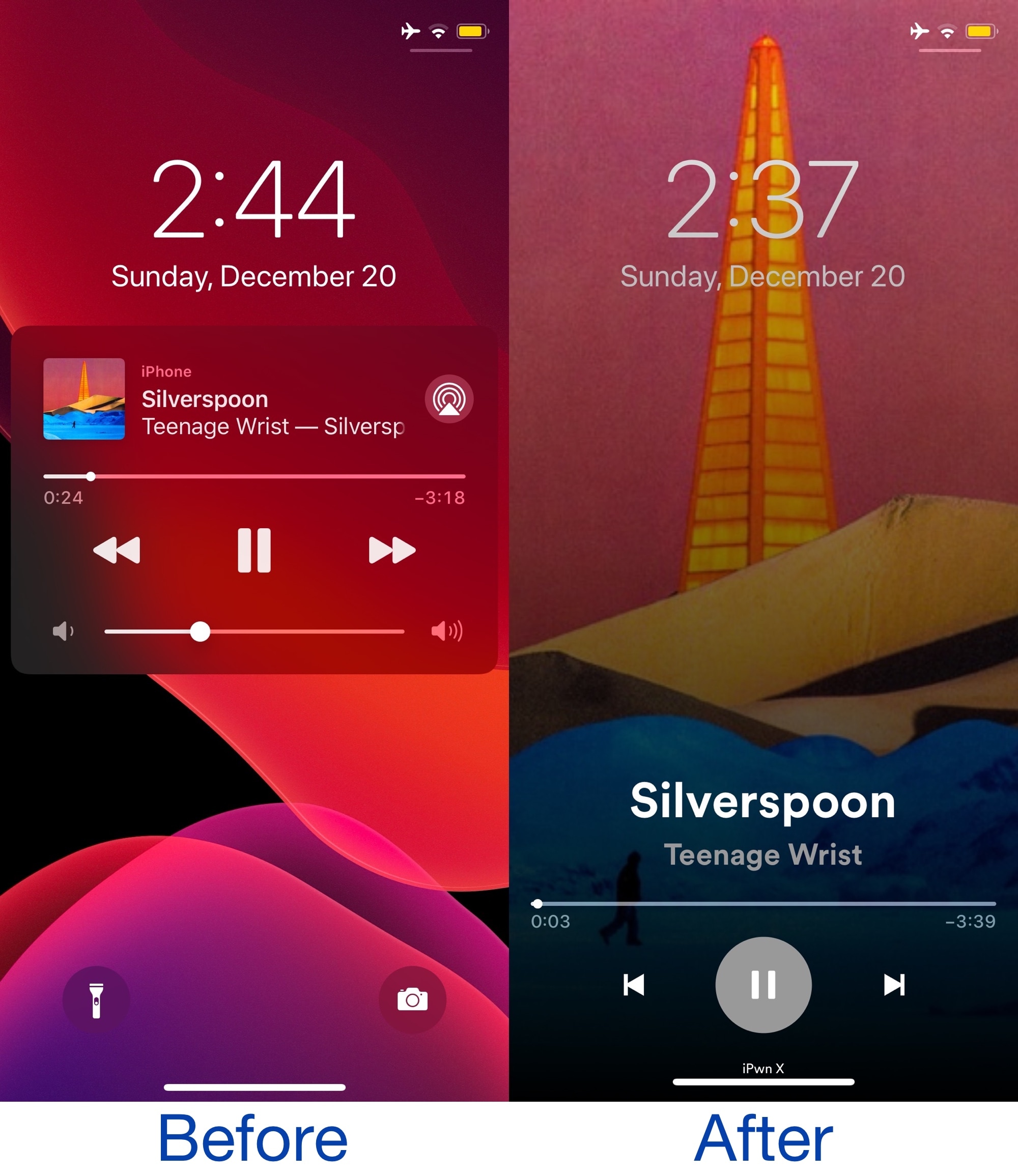
Juin brings the Spotify app’s Now Playing interface to the Lock Screen

Spotify is one of the most popular music streaming services on the iPhone besides Apple Music, and it’s easy to see why. Not only does Spotify offer a compelling music database to choose from, but it even pre-dated Apple Music to become one of the most successful music streaming services on the iOS platform and was one of the first music streaming apps to sport a dark app interface that went along nicely with iOS 13’s Dark Mode feature.

Another thing that stands out to a lot of Spotify app users is the Now Playing interface, which features a large central play and pause button and a beautiful full-screen album artwork display. Spotify’s Now Playing interface is unique to the Spotify Music app itself, but with the help of a new and free jailbreak tweak dubbed Juin by iOS developer Litten, you can now go ahead and enjoy it on the Lock Screen too.

Get a floating music player on your pwned iPhone with MusicBox

Apple’s market-leading music player and streaming service bundled into a nice little package is one of the key reasons why someone might pick an iPhone over a competing smartphone, and while Apple has made accessing music controls much easier over the years with the introduction of Control Center, some find that the music player may still be more than a comfortable number of taps away.

That’s where a newly released jailbreak tweak called MusicBox by iOS developer Greg0109 comes into play. This tweak brings a floating music player to the iOS platform, allowing the user to interact with and control their Now Playing track from anywhere in the operating system without so much as needing to open a single interface to do so.