Receive too many notifications from X? This tutorial shows you how to customize the notifications on iPhone, iPad, Mac, and the web to cut down unnecessary alerts and reduce distractions.
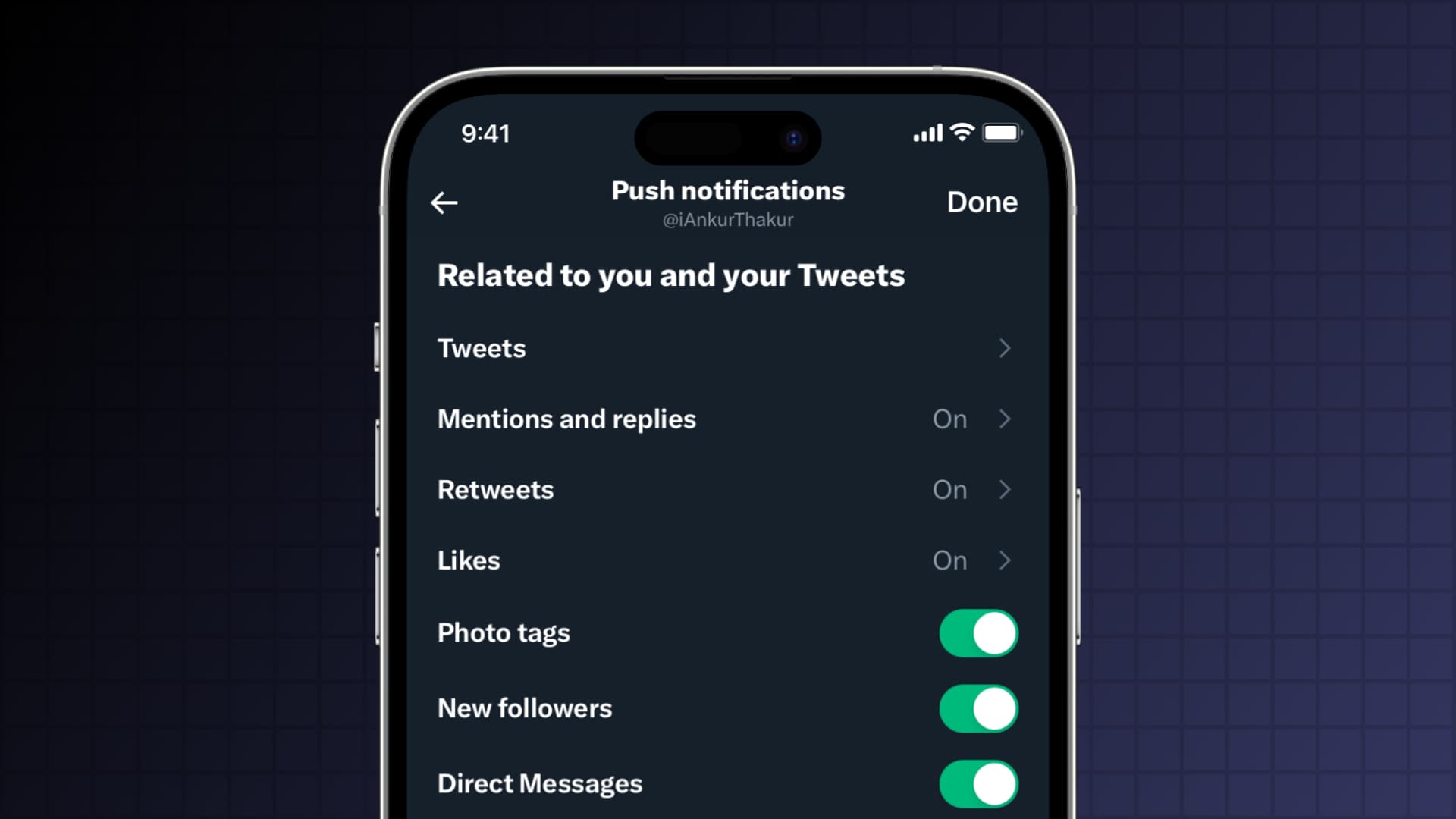
X has powerful notification settings. They are fully customizable, so you can make sure you’re only alerted to what’s important.
Access and customize your X notification settings
Irrespective of the platform, you can access your notification settings by going to Settings and privacy > Notifications.
Alternatively, you can go to the notifications tab of the X app or website and hit the gear icon at the top.

Once you’re in the Settings area, follow the steps below to tweak your notification options. The steps and screenshots here are from an iPhone, but they’re nearly similar for iPad, Mac, and the web.
Filters

Tap Filters in X Notifications to adjust the following:
- Quality filter: By turning this on, you can filter out low-quality content. For details on this feature, check out our post from when the Quality filter first made its appearance.
- Muted notifications: This setting lets you mute notifications from people you don’t follow, who don’t follow you, who have a new account, and more.
Preferences

Tap Preferences to adjust these alerts.
Push notifications
You can decide which push notifications you want to receive that are related to you and your tweets, and those that come from X.
- Related to you and your posts: Some of the options here, like Photo tags and Direct messages, are simple on or off. But others, like Posts, let you choose how to handle notifications for specific people you follow.
- In-app notification from X and From X: For news, moments, broadcasts, and other items from X, you can enable or disable those you want to receive.
SMS notifications
Like push notifications, you can customize what you want to receive related to you or from X. So you might want SMS notifications for direct messages or mentions and replies, but not for X news.
Email notifications
If you enable email notifications, you can decide which to receive related to you, from your network, and from X. This includes weekly reports for your account, direct messages, top posts from your network, and X tips. To make sure you don’t fill up your inbox with X emails, take a moment to mark those you really want if you plan to receive email notifications.
Are you going to take a few minutes to customize your X notifications?
Other X tips: