Video

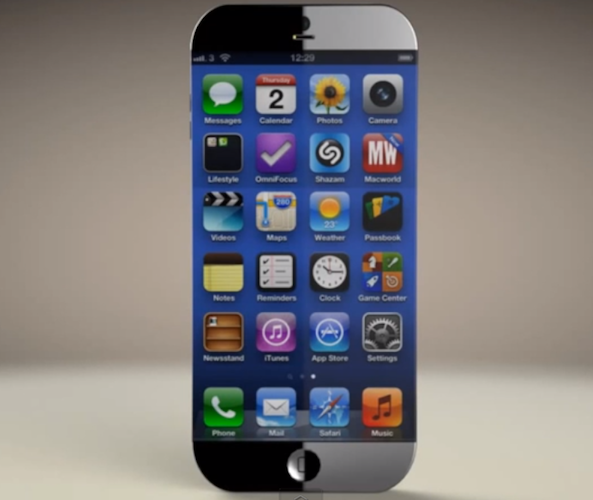
New iPhone 6 concept has a 4.8-inch edge-to-edge display and 3D camera

With this year's iPhone release expected to look and act very similar to its predecessor, concept designers have already set their sights on the next version of the handset. Earlier this month we saw mockups for a waterproof iPhone 6 that could charge wirelessly.

And today we've got another one for you. This one comes from the folks over at ConceptiPhone, the same team behind yesterday's iOS 7 concept, and it features a sleek new contoured design, a 3-dimensional iSight camera, and an edge-to-edge display...

New iOS 7 concept features panoramic wallpaper, quick reply and more

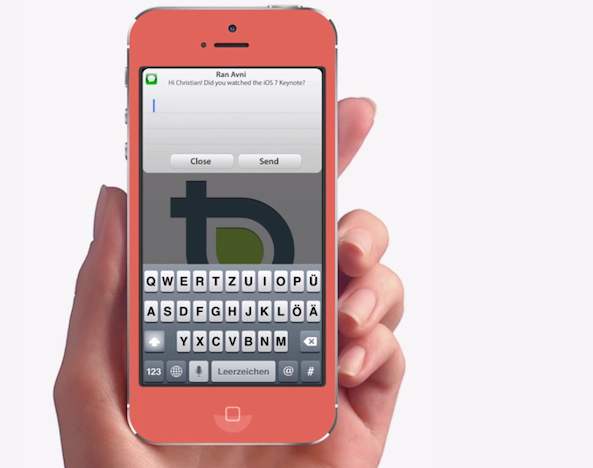
With WWDC now just a few weeks away, and more details about iOS 7 coming light, anticipation for Apple's next-gen mobile operating system is  almost through the roof. Everyone wants to know what the company has planned for the future of its platform.

Well if these two designers get their way, iOS 7 will include a number of new features like support for panoramic wallpapers and quick reply for messages. Here's a new iOS 7 concept from Christian Lue of ChanluChannel and Ran Avni of ConceptsiPhone...

MiniPlayer 2.2 released with new scrubbing and search features

Do you really even need to use the stock Music app anymore? That's likely what you'll be asking yourself after trying out MiniPlayer 2.2 — an update to an already fantastic tweak by MPow and Surenix.

The 2.2 update to MiniPlayer brings a couple of highly desired features to the mix, starting with search. Yes, you can now search your entire music library directly from MiniPlayer's interface. As if that feature wasn't enough to appease customers, we've also been provided with a new scrubbing ability to navigate to a specific portion of the now playing track.

MiniPlayer was already one of my favorite new jailbreak tweaks before hand, but at this clip, it's destined to make our top jailbreak tweaks list at the end of the year. Check out the details of the 2.2 update, along with an updated video walkthrough, inside.

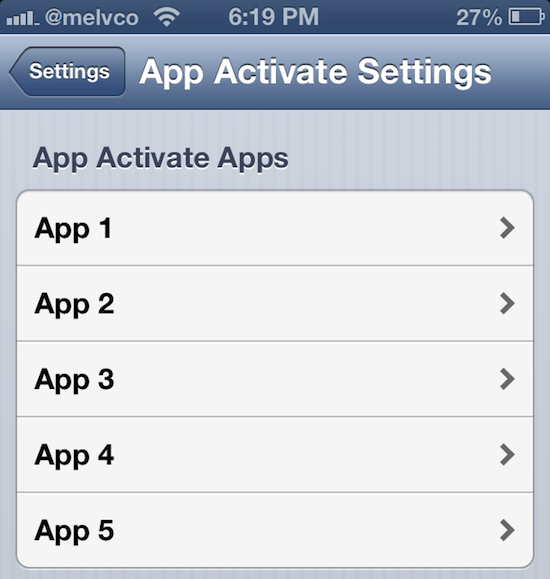
Initiate Activator functions using icon taps with App Activate

On its own, Activator is probably one of the most useful jailbreak tweaks available. It allows you to map practically any button or touch gesture to an iOS action. But what makes it really cool is that devs can create their own tweaks to extend its capabilities.

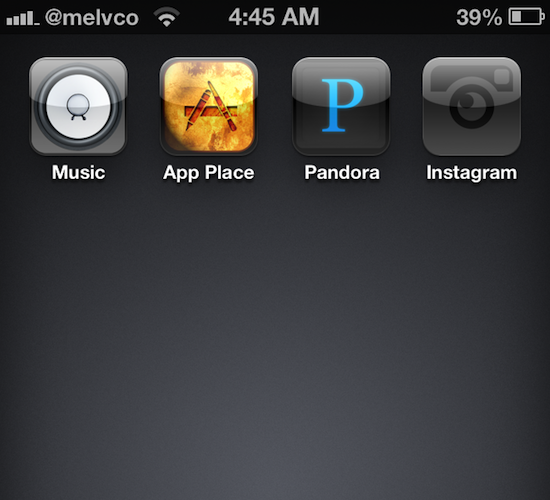
And that's the case with this next package, by developer rjharris. It's call App Activate, and it enables you to initiate any of Activator's actions by double tapping an app icon . So for instance, you could set it so that double tapping the Music icon starts playing music...

Background Manager brings true backgrounding back to Cydia

There was once a time when iOS lacked any form of multitasking. Yes, that includes the pseudo-multitasking that is fast app switching, which is what iOS uses today. True backgrounding has never been available in iOS, and that's understandable since it would likely cause battery life to fall below Apple's lofty standards.

iPhone jailbreakers have been able to enjoy the benefits of true backgrounding for some time now, at least with older versions of iOS. Unfortunately, Backgrounder — the jailbreak app that enabled true backgrounding — stopped working after iOS 6. Its developer has since abandoned the project.

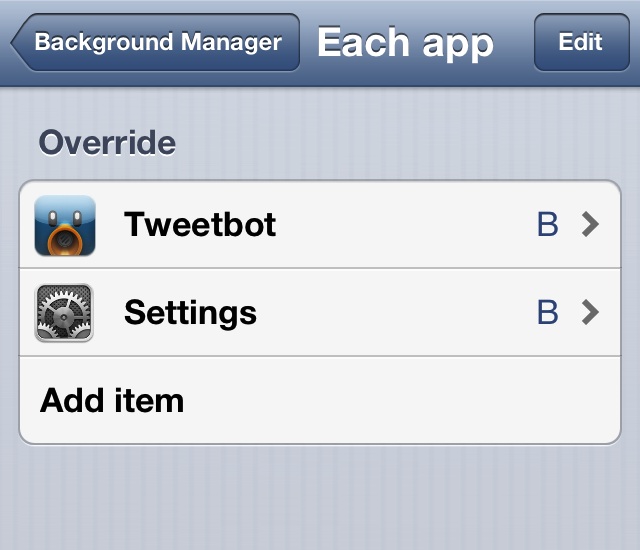
That's where Background Manager comes in to pick up the slack. It's a brand new jailbreak tweak, unrelated to the original Backgrounder in everything but perhaps name, and it's been built from the ground up.

Perhaps my memory has failed me, but Background Manager seems to be more stable and more feature rich that its predecessor. You can even make the tweak launch specific apps in the background on device reboot. Yes, Background Manager is definitely worthy of your time and attention if you've ever wanted to have true multitasking on iOS 6. Take a look inside for more information.
How to customize your app icons without jailbreaking

When your iOS device is jailbroken, customizing how it looks can be as easy as installing a WinterBoard theme. There's literally thousands of them in Cydia to choose from. The options get much more limited, however, if your device is hack-free.

But that doesn't mean it's impossible. We've covered a number of ways to modify a stock iOS device in the past, and we've got another one to show you today. Here's how to customize your iPhone or iPad app icons, no jailbreak required...

Apple posts new ‘Music Every Day’ iPhone ad

Apple has started airing a new TV commercial for its iPhone this evening. The ad, which it has also posted on its YouTube channel, is called 'Music Every Day,' and it focuses on the handset's ability to play music.

The spot looks strikingly similar to the 'Photos Every Day' ad that started airing last month. There's a subtle piano backtrack, ambient noise, and people from different walks of life using the popular smartphone...

How to use iLEX RAT to restore your jailbroken device back to “stock”

Last week we brought you a tutorial showing how the upcoming SemiRestore package will work once released. SemiRestore is a tool that you can use to restore your iOS device to an almost stock configuration.

A few of you in the comments brought up iLEX RAT, another tool — one that's been around much longer than SemiRestore — that allows you to do something similar. I had tried iLEX RAT once before, and I experienced some issues with the early versions of the tool and gave up on it. At your urging, I decided to take the latest version of iLEX RAT for a spin. Here's what I found.

Jon Stewart on Apple’s Senate probe

Earlier this week, Apple's CEO Tim Cook came to Washington and escaped unscathed. The focus of media coverage has now seemingly moved away from Apple to the greater tactics some of the well-known corporations use to funnel their money using the world's tax havens - and perfectly legally, too.

But the hot topic isn't going away as the nearly bankrupt government seeks ways to tax hundreds of billions of dollars kept overseas. And per usual, the American political satirist and the Daily Show host Jon Stewart has jumped on the opportunity to exploit the controversy.

I don't want to spoil the fun for you, but he's asserting U.S. senators are Apple fanboys. The clip is right after the break...

Another Microsoft ad disses iPad’s specs, multitasking, AirPrint and more

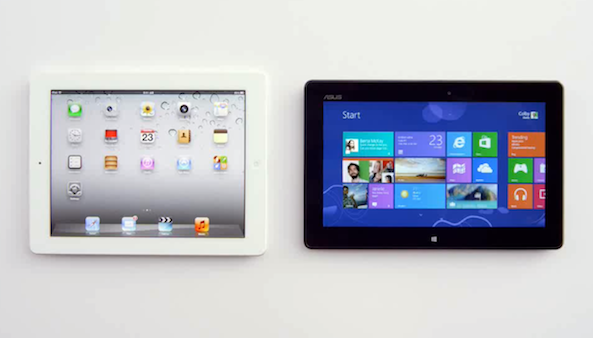
Wow, that was quick. Following on yesterday's Windows 8 commercial which uses Apple's Siri to highlight the iPad's perceived flaws - such as its $499 price point versus an Asus VivoTab Smart and lack of Office (go figure), the Redmond-based software giant today release another ad along the same lines.

Suggestively titled 'Comparison: iPad vs. Windows 8 Tablet', the commercial pits an iPad 4 against an Asus Vivo Tab RT, which is based on the same ARM CPU technology like Apple's tablet. However, the software maker has been caught cheating...

Drive Awake uses eye-tracking tech to keep you from falling asleep while driving

This is kind of cool. Raise your hand if you've ever gone on a lengthy road trip and found yourself falling asleep while driving. I know I have. Just last month I drove halfway across the country, and I caught myself dozing off on a number of occasions.

But there's an iPhone app out that promises to make that a thing of the past. It's called Drive Awake, and it uses eye-tracking technology to keep tabs on you while you drive. Close your eyes for too long, and the app will emit a shrieking audible alarm...

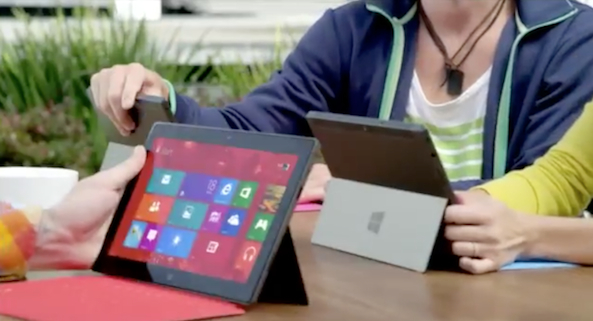
Microsoft uses Siri to highlight iPad flaws in new Windows 8 ad

It's not unusual to see Microsoft and Apple products pitted against each other in a TV ad. Back in the early 2000s, Apple had success with its 'I'm a Mac' spots. And just recently, MS took on both Apple and Samsung in its 'Don't Fight' commercial.

But this new Windows 8 tablet ad takes the rivalry thing to a whole new level. Using the voice of Siri, Microsoft highlights a number of things that the iPad can't do, that a tablet running its latest OS can. As always, we have the video for you after the fold...