Troubleshooting

How to fix the TaiG 20% timeout for the iOS 8.3 jailbreak

Thankfully, the 20% error that was causing us problems earlier today has been solved. If you received this error, you need to downgrade your version of iTunes.

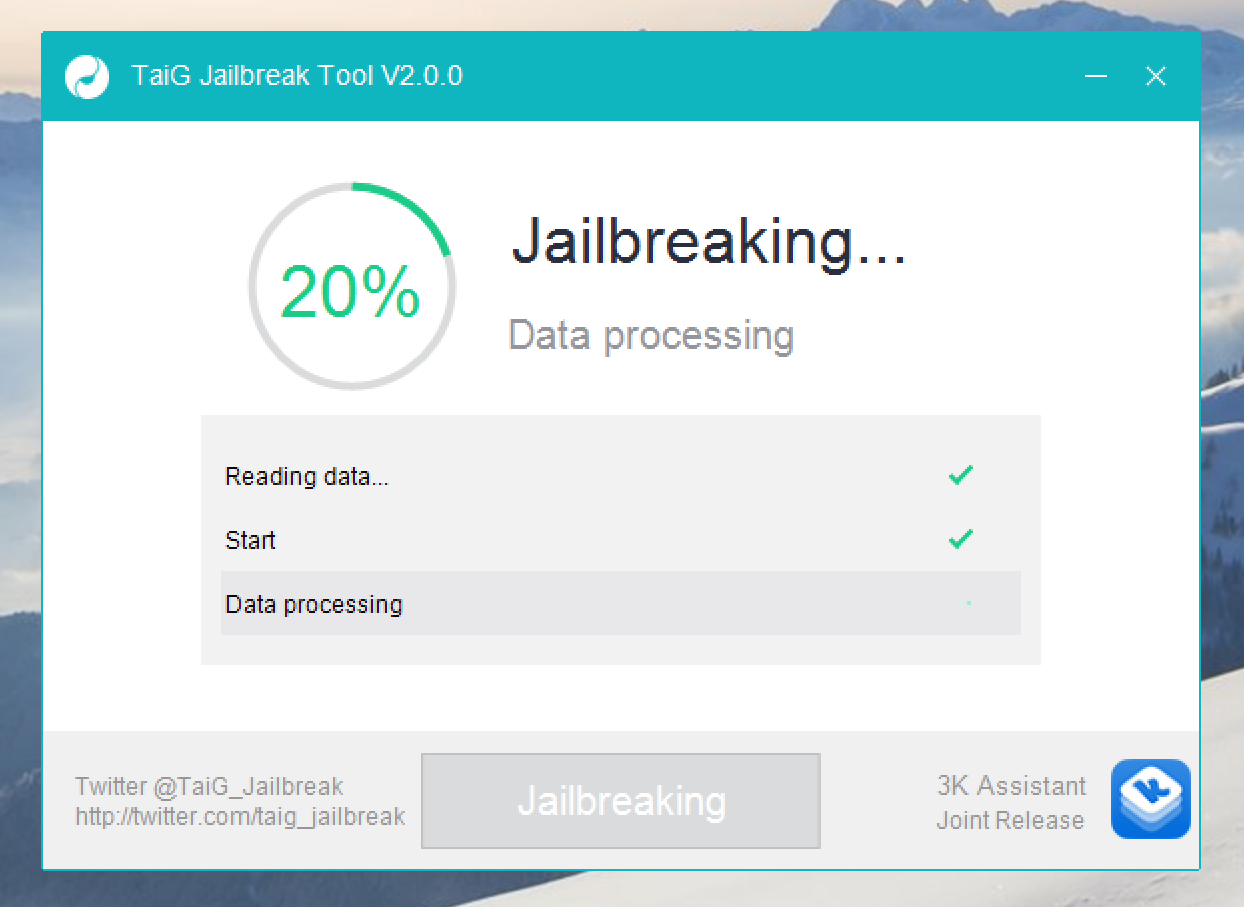
I decided to downgrade to iTunes 12.1.0 as suggested by several of my Twitter followers, and just like that, it worked. If you're having problems with TaiG 2.0.0 hanging at 20% completion for the iOS 8.3 jailbreak, then try downgrading your version of iTunes.

Many would-be iOS 8.3 jailbreakers stuck at 20% with the TaiG tool

Many would-be jailbreakers are stuck at the 20% progress mark with the just-released TaiG 2.0.0 jailbreak tool for iOS 8.3. The jailbreak starts well enough, but after a quick takeoff, putters out at the 20% mark. Thankfully a workaround is now available.

After a few minutes of being stuck on 20%, the iPhone will reboot and will stay stuck at 20%, and the reboot process will continue. Are you experiencing this issue? Sound off in our comments

How to troubleshoot Cydia refresh issues

From time to time, you may encounter a situation where Cydia will not stop "Reloading Data". This usually has something to do with a bad repo, or a repo that may be unresponsive, offline, etc. If you have a lot of third-party repos added to Cydia, then the chances of you encountering this error increase. In this post, I'll show you how to successfully troubleshoot this issue, and make it so that Cydia can successfully refresh.

How to fix the “Can’t find Apple driver” issue with TaiG for Windows

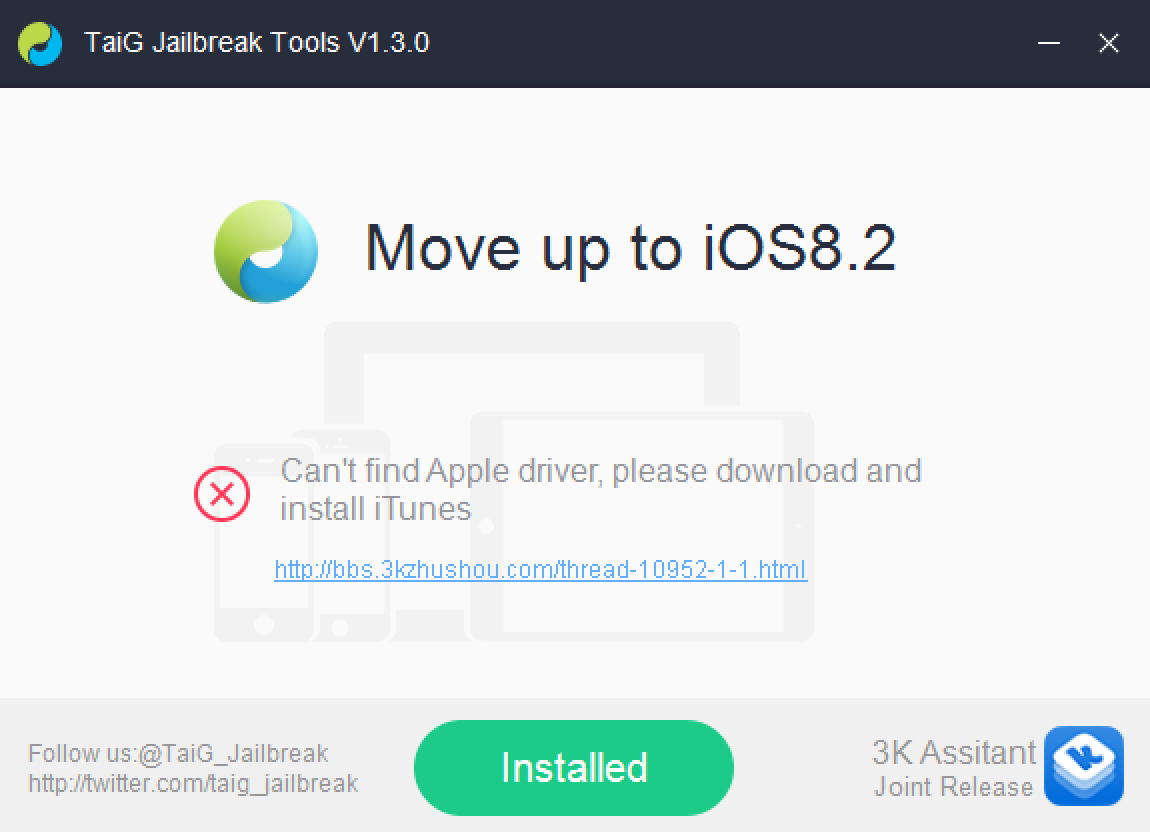
If you've been trying to jailbreak iOS 8.2 beta 1 or 2 with TaiG 1.3.0 over the last couple of days, you may have encountered an issue. An error that says: "Can't find Apple driver, please download and install iTunes" has been causing all sorts of problems for would be jailbreakers.

iTunes may indeed already be installed, but it's the latest version of iTunes for 64-bit Windows machines that's causing the error to begin with. Perhaps you've tried to downgrade your copy of iTunes unsuccessfully. Or maybe you've just given up on trying to jailbreak your iPhone on a Windows machine. Well, don't give up just yet, because we have a solution inside.

How to troubleshoot jailbreak tweak crashes with CrashReporter

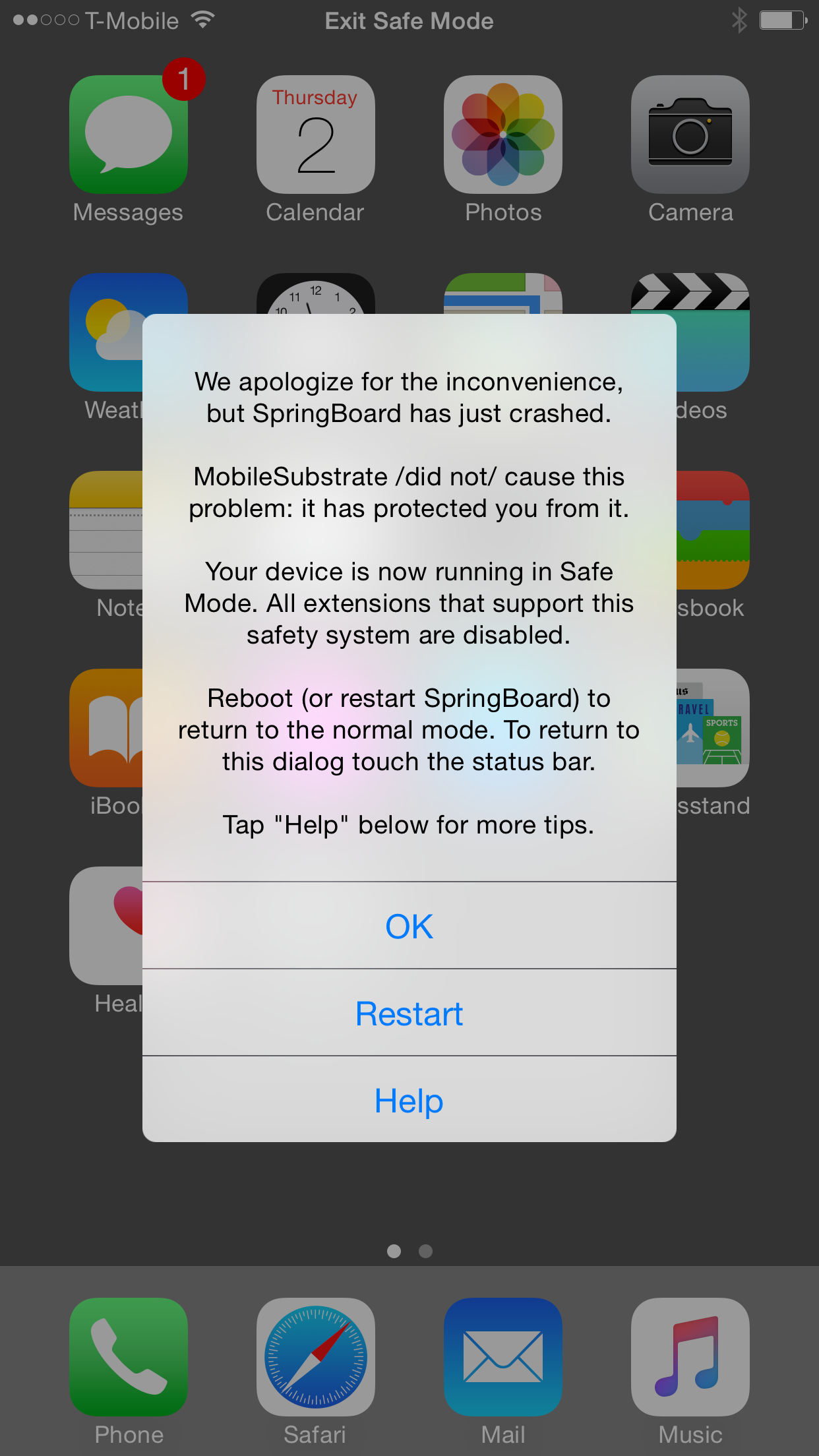
Yesterday, I installed a jailbreak tweak called SafariRefresh. I've covered that tweak before on the blog, but after using it last night, it caused my Safari app to crash repeatedly. In order to find out what was causing the crash, I used a handy jailbreak tool called CrashReporter to help pinpoint the problem. Here's how I did it.

Worried that Cydia will be too slow after the jailbreak? Don’t worry too much

It's the same story with almost every jailbreak. The new jailbreak is released, and folks rush to download all of their favorite jailbreak apps and tweaks. The result is a less than primed experience due to the stress that this places on Cydia and the repos hosting the various packages. After a new jailbreak is released, it usually takes a few days for everything to calm down to somewhat normal levels.

This time around, though, Saurik, and the repo managers appear to be taking preemptive actions to ensure a smoother experience immediately post jailbreak release. While nothing is assured until the inevitable deluge of user requests places stress on the system, you should look forward to a much better experience than in times past.

Keyboard shortcuts not working on iOS? Here is a quick fix

If there is one jailbreak tweak I particularly miss, it's Xpandr, a tweak that let's you create keyboard shortcuts, just like TextExpander does on your Mac. To me, it's an invaluable tool that has saved be hours of typing.

Keyboard shortcuts aren't a jailbreak-only feature though, as they were introduced with iOS 5 a few years ago. Though not as powerful as Xpandr, they're my fallback solution when there is no jailbreak available for my device.

So one of the first thing I did when I got my new iPhone last Friday was setting up a bunch of shortcuts (Apple calls them Text Replacement) that I use on a daily basis. Everything worked fine for a day, and then, they magically stopped working. Though I was worried I'd have to restore my iPhone to fix the issue, it turns out the solution was much simpler than I thought.

How to fix white app icons with Springtomize 2

Last month we showed you a way to fix your iDevice's white app icons after jailbreaking, but did you know that you can perform a similar fix with Springtomize 2?

Since most jailbreakers probably already have Springtomize 2 running on their device's, this is a very convenient method for cleaning up those annoying white app icons that rear their ugly heads post jailbreak.

Check inside for the full how-to...

How to Troubleshoot Tweak Installs With Springtomize 2

Springtomize 2 — hands down the most robust tweak when it comes to customizing your iDevice — just received an update to add native iPad support yesterday.

That update reminded me of one of Springtomize 2's extremely useful, but often overlooked features that helps out immensely with troubleshooting problems.

Like SBSettings, Springtomize 2 contains a "MobileSubstrate Addons" sections that allows you to disable tweaks without having to uninstall them. It's sort of a hidden feature, but we'll show you how to use it in this brief video walkthrough...

Having Problems With Your Jailbreak? Try These Tips

Lots of happy people have successfully jailbroken their iPhone 4S and iPad 2 over the last 24 hours or so, but some are still having problems pulling off a successful jailbreak on both Mac and Windows.

We understand the frustration that some of you have been experiencing, and we really want to help you. True, the Windows Command Line Utility isn't exactly the easiest tool to jailbreak with, but it can be done, and has been done successfully by many of our viewers and readers.

That being said, there are still quite a few that seem to be having issues, so if that describes you, step inside, and let's discuss some things that might help...