Shortcuts

Surenix launches Vantaye, a Dark Mode-friendly icon theme for all iOS & iPadOS devices

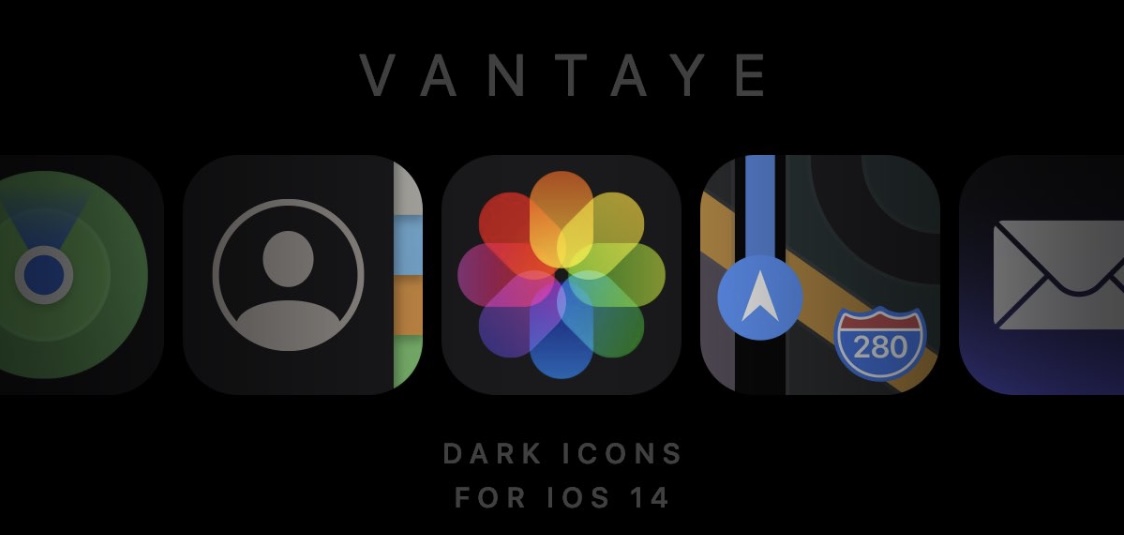
Vantaye banner image.

One of the takeaway new features that shipped with iOS and iPadOS 14 just a couple of weeks ago is the ability to “theme” your Home Screen’s app icons. This is one of many features from Apple’s latest and greatest mobile operating systems that seems heavily inspired by the jailbreak community. That said, it’s not surprising that some jailbreak community theme creators have started porting themes over to iOS and iPadOS 14.

Joining that list is esteemed graphic designer and theme creator Surenix, who just this week released a new Dark Mode-friendly theme for iOS and iPadOS 14 dubbed Vantaye. This theme puts a darker spin on your handset’s Home Screen app icons, and if you recall a theme for jailbroken devices that Surenix named Ayedapt that was released earlier this year, then some of these icons probably look familiar…

Wander v1.2 adds speed & UI improvements, cellular support, and more

If you’re an Odyssey jailbreak user and you aren’t taking advantage of the Wander extension for Apple’s native Shortcuts app on your iPhone or iPad, then you’re seriously missing out. Wander lets you quickly install or update the Odyssey jailbreak on your iOS or iPadOS 13 devices with only a few taps via your favorite installation method, and it was updated Sunday evening to version 1.2 with a few notable improvements.

Wander developer BurritoSoftware announced the new Wander v1.2 update via Twitter, and from what we can gather, this isn’t an update you’ll want to miss:

Keyboard shortcuts for Microsoft Excel on Mac

MacBook keyboard-Excel keyboard shortcuts

Do you use Microsoft Excel on your Mac instead of or in addition to Apple Numbers? If so, knowing some keyboard shortcuts for Excel on Mac can save you time when performing basic tasks in your spreadsheets and workbooks.

As Microsoft products, Excel, Word, and PowerPoint have some of the same shortcuts. But most below are specific to using Microsoft Excel and will make managing your data a breeze.

How to add Wander to the Shortcuts app to install & update the Odyssey jailbreak

Just like unc0ver, the Odyssey jailbreak app is intended to be side loaded into a compatible iPhone or iPad. To help make the process of side-loading the Odyssey jailbreak app easier, the Odyssey Team officially endorsed the brand-new Wander add-on for Apple’s Shortcuts app shortly after the tool came out of public beta.

The Wander add-on doesn’t replace side loading utilities like AltStore and ReProvision or signing services like Jailbreaks.app, but rather synergizes with them to make the process of installing Odyssey and updating to newer versions faster and less cumbersome while providing a more native user experience through Apple’s Shortcuts app in the process. In this tutorial, we’ll show you how to set up the Wander add-on with your Shortcuts app.

Wander: An add-on for Apple’s Shortcuts app to install the Odyssey jailbreak

The Odyssey Team officially released the Odyssey jailbreak to the general public last week following a limited public beta testing period. While the Odyssey jailbreak can be installed with the AltStore utility for both Mac and Windows, some users might be excited to learn about a new on-device option dubbed Wander by BurritoSoftware, which can be used to deploy an installation shortcut via Apple’s own free Shortcuts app.

Wander is especially made for iOS 13 devices, which makes it an ideal match for the iOS 13-centric Odyssey jailbreak. The new shortcut installs the Odyssey jailbreak with just a tap, and more importantly, is fully compatible with other side-loading utilities including AltStore, ReProvision, and signing services like Jailbreaks.app. The announcement that it would be used by the Odyssey Team was made via Twitter: