iOS 9

Google launching deep integration between search and iOS 9 apps by month’s end

Google announced today that Apple fans who are running iOS 9 on their iPhone, iPod touch and iPad devices will soon start seeing app content in their search results in the Safari browser.

The company's so-called App Indexing feature is now compatible with HTTP deep link standards for iOS 9. Owners of iOS 9 devices should expect app content to begin surfacing in search results by month's end.

CheatSheet brings iOS 9’s keyboard shortcuts overlay to the Mac

iPad power users received a nod from Apple this year with iOS 9’s new feature set. Aside from Split View and Slide Over, anyone using a physical keyboard in conjunction with their iPad can now hold down the Command key to get a list of all the shortcut key presses available in the currently running app. This is an excellent way for users to discover non-obvious key combinations in order to help speed up their workflow.

In OS X, discovering hotkeys is a bit more difficult than iOS 9's new simplified method, as many are hidden in crowded drop down menus, while others can be even harder to find. CheatSheet is a Mac app that brings iOS 9’s Bluetooth keyboard feature to OS X, adding the same hotkey-sheet functionality when holding down the Command key.

Fantastical gains iOS 9’s productivity-enhancing features, Apple Watch complication and more

Hot off the heels of its big Mac update, developer Flexibits today issued an update to Fantastical for iPad, iPhone and Apple Watch. The new software takes advantage of the new productivity-enhancing features provided by iOS 9 and watchOS 2.

These include 3D Touch support for iPhone 6s owners, a dedicated Fantastical complication for Apple Watch wearers, Slide Over and Split View multitasking modes on the iPad Air 2 and iPad mini 4 and much more.

Apple promises to open up universal search on Apple TV

When the new Apple TV launches toward the end of this month, it will allow viewers to use their voice to search movies and television shows across iTunes, Netflix, Hulu, Showtime and HBO. Fans of the device were initially concerned that the new box would offer preferential treatment to the aforesaid services. Thankfully, that won't be the case.

As CEO Tim Cook noted in an interview this weekend with BuzzFeed News's John Paczkowski, the new box will allow apps beyond launch partners to expose and make their content discoverable and searchable via iOS 9's universal search feature.

It's a crucial confirmation: content from other broadcasters and studios such as NBC, Disney and CNN must be exposed through the Apple TV's Siri-based search if the device is to streamline the user experience.

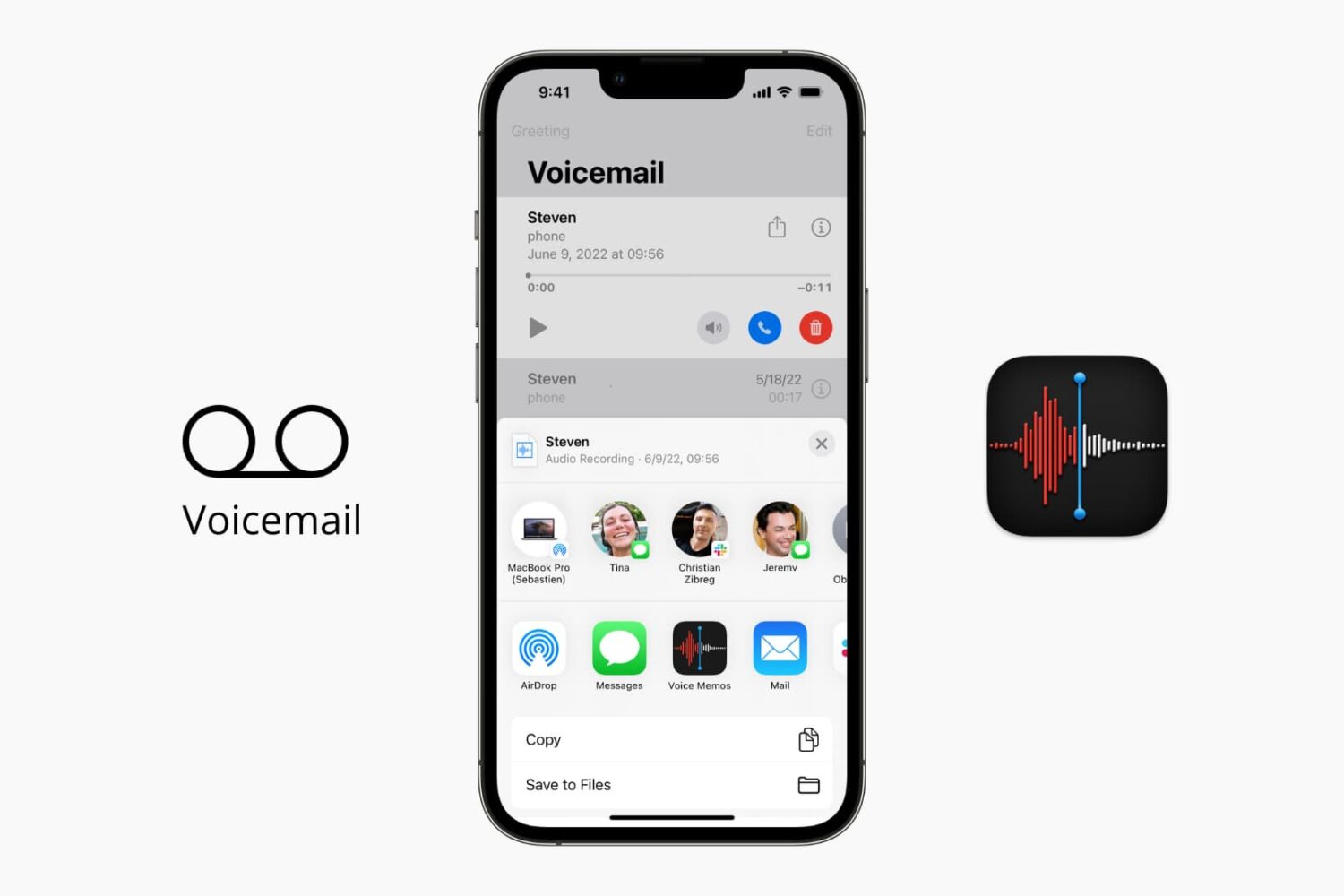
How to save your iPhone voicemails to the Voice Memos app

Save your iPhone voicemail to the Voice Memos app

The iOS Phone app makes it easy to save your voicemail to the Voice Memos app. Saving voicemails as voice memos lets you trim the audio before sharing them with others. Plus, the files in the Voice Memos app are automatically uploaded to iCloud and stay safely saved. So, if there is a memorable voicemail, you can keep it forever in iCloud.

In this brief tutorial, we show you how to save your voicemail as an audio note.

How to play Apple Music high quality streams on cellular

Apple Music on iOS includes an option to stream your music at high bitrates over a mobile data network at all times. As you know, Apple Music defaults to high-quality streams on Wi-Fi.

With this toggle, you can control your cellular data usage by enabling or disabling high bitrates when streaming or downloading music over your carrier's cellular data network.

HBO Now updated with support for Picture in Picture, Spotlight Search and more

HBO on Thursday pushed out an update for its HBO Now streaming app, bringing the iOS client to version 1.3. The update is a significant one for folks running iOS 9, particularly those with a late-model iPad, as it adds compatibility with some of the new software's features.

The most important of those features is Picture in Picture, which allows [newer] iPad owners to watch videos in a small, standalone window while using other apps. Additionally, the update adds support for Spotlight Search, as well as various other bug fixes and improvements.

iOS 9.0.2 fixed vulnerability that allowed Lock screen access to photos and contacts

iOS 9.0.2 has patched a potentially disturbing vulnerability which allowed malicious users who have access to your device to use Siri from the Lock screen in order to browse your photos and contacts.

According to Apple' official iOS 9.0.2 release notes, the software has fixed the issue which allowed access to photos and contacts on a locked device by “restricting options offered on a locked device.”

The vulnerability was left unpatched in iOS 9.0 and iOS 9.0.1 and affected the iPhone 4s and later, fifth-generation iPod touch and later and iPad 2 and later.

Skype’s iPad and Mac apps now support new multitasking features in iOS 9 and El Capitan

Microsoft-owned Skype for iPad was refreshed in the App Store earlier this morning with support for new multitasking features provided by iOS 9. It's now easier to chat with friends on Skype while surfing the web, reading your email or running other apps in side-by-side Split View multitasking mode (requires iPad Air 2 or iPad mini 4).

In addition to Split View, Skype for iPad also supports Slide Over mode. Both instant messaging and voice calling are supported in Split View and Slide Over.

Apple closes iOS 8.4.1 and iOS 9.0 signing window

Today's brisk activity has come to an end with the closure of the iOS 8.4.1 and iOS 9.0 signing window. This means that users can no longer upgrade or downgrade to iOS 8.4.1 or iOS 9.

This is big news, because an iOS 8.4.1 jailbreak has been rumored to be in the works. If you didn't heed our advice about updating or downgrading to iOS 8.4.1, then it's too late to do so now.

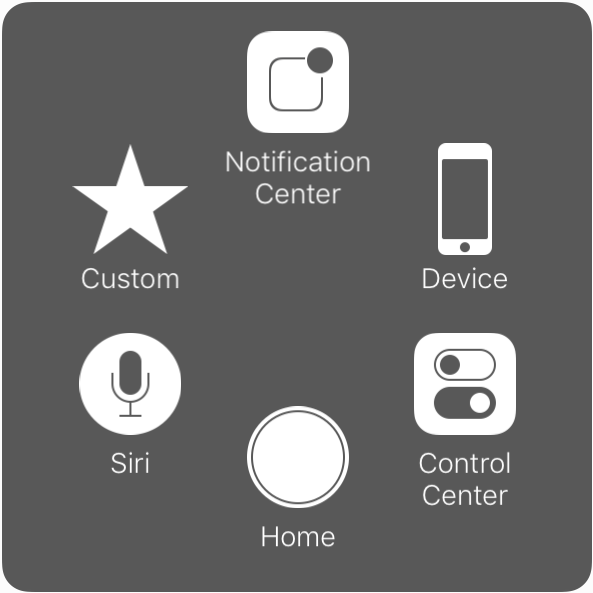
AssistiveTouch gets new customization options in iOS 9

Introduced with iOS 5, AssistiveTouch is an accessibility feature that allows people with physical disabilities to perform various tasks using alternative on-screen buttons and gestures to simplify usage of the device.

Building up on an already robust set of accessibility features for its products, Apple has introduced new customization options for AssistiveTouch in iOS 9.

Enabling Low Power Mode on the iPhone 6s cuts performance to iPhone 5s levels

Low Power Mode allows iPhone users running iOS 9 to eke out more battery life when the battery is getting low. It doesn't just pull this ability out of thin air, it causes iOS to turn off certain features like mail fetch, background app refresh, automatic downloads, etc.

What's more, Low Power Mode significantly reduces the clock speed of your iOS device. We've seen before and after benchmarks with older iPhones involving Low Power Mode, but what about Apple's just-released iPhone 6s? How much of an impact does Low Power Mode have on it?