Clock

miniTime is a tweak that makes the Lock screen clock smaller

Looking for a new minimalist take on the Lock screen clock for your iOS device? If so, then a new jailbreak tweak called miniTime might be worth stopping to take a look at.

This tweak gives you various options for shrinking down the Lock screen clock to more comfortable viewing sizes, and even comes with some other customization goodies you can use to make the Lock screen more your own.

Review: this exquisitely done astronomical clock for iPhone might cure your Apple Watch envy

It's funny how the Apple Watch's debut prompted Apple bloggers to become self-proclaimed horology experts. I never pretended to be one, but as an amateur astronomer think Apple should be credited for going to great lengths in paying homage to the traditional environment in which horology was developed by putting strong emphasis on the device's advanced timekeeping features and features like the cool Astronomy and Solar watch faces.

You don't need to own an Apple Watch if you're eager to discover the fascinating relation between time and the cosmos, all you need is a superb iPhone app by Swiss developer (how appropriate!) Celestial Dynamics, called Cosmic Watch.

Google Maps for iOS updated with business hours and gas prices

Google today updated its native Maps application for the iPhone, iPod touch and iPad, adding two nice-to-have features: gas prices in the United States and Canada and business hours for millions of points of interest around the world. Now when searching for gas stations in the US and Canada, the application will display up-to-date gas prices so you can better decide between the nearest gas stations and those that potentially offer the lowest prices of gas.

iOS 9 allows access to photos and contacts on a passcode locked iPhone – here’s how to prevent it

If you have an iPhone running iOS 9, you should be aware that it may be possible to access your photos and contacts on a locked device, even with a passcode and/or Touch ID enabled. I've always ignored reports on this sort of security flaw, because they always seem to pop up with every iOS iteration, and almost always require a user to jump through what seems like a million hoops.

But for some reason—call it boredom, or call it poor judgement—I got curious, and decided to try this out for myself. As it turns out, it's not that hard to do, and it certainly seems like a security flaw in iOS to me.

I debated on whether to post this, because obviously it's going to bring attention to a security flaw that might let people access information that they shouldn't be accessing.

For starters, please don't get bent out of shape over this. This does not expose any other contents of your iPhone outside of Contacts and Photos. People still can't unlock your device, read your messages, watch videos, etc. This only allows users to view your contacts, and look at your photos (not videos) through a limited interface. Photos cannot be forwarded or shared from your iPhone.

My hope is that a). this informs users that a passcode or Touch ID security isn't necessarily enough to keep unwanted eyes off your photos and contacts, and b). Apple will see this and provide a fix. c). show you how to prevent the issue.

The thing is, this information is already out there, and the people who will use it for the bad probably already know about it. Consider this post an attempt to educate those who do not know about this iOS 9 security hiccup. Hopefully, it'll allow users to make smarter decisions about their iPhone's security.
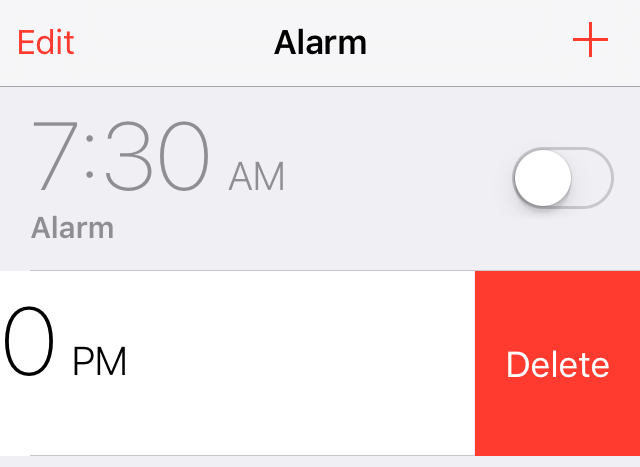
New in iOS 9: Swipe to delete clocks and alarms in the Clock app

One could argue that iOS 9's new swipe to delete feature in the stock Clock app was borrowed from a jailbreak tweak, but the implementation of such a feature is so obvious that concluding such wouldn't be fair.

Regardless of how it got there, swipe to delete is finally implemented into the stock Clock app in iOS 9. I'm sure I'm not the only one that's super-happy to see this handy gesture make its way to an app that many of us use regularly.

SnoozeHelper turns your entire Lock screen into a snooze button

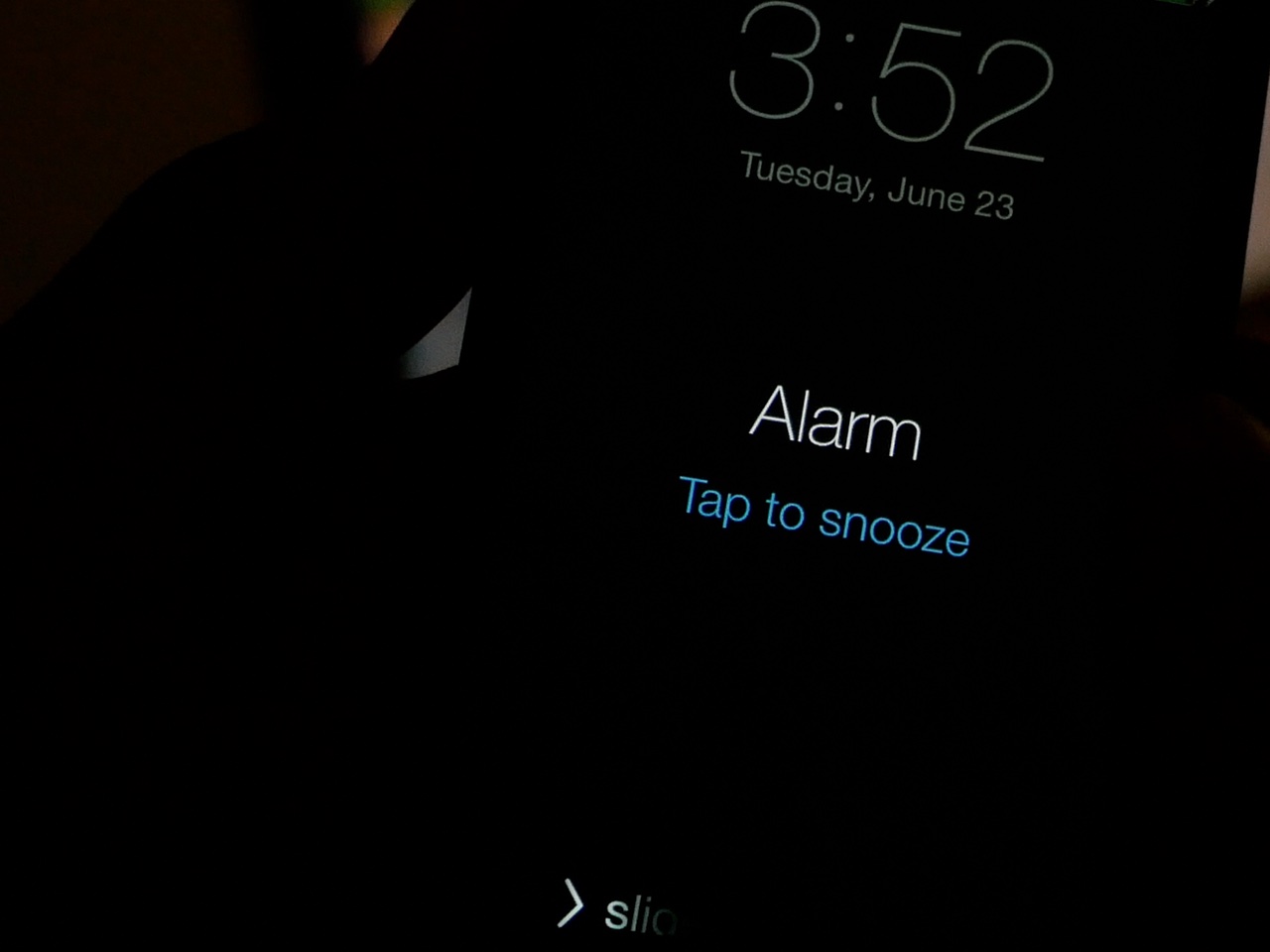
When you're half awake, tapping the tiny "tap to snooze" button on the Lock screen can be a daunting chore. Fortunately, if you're a jailbreaker, it's much easier to snooze an overzealous alarm

By turning your Lock screen into one giant button, SnoozeHelper (free) makes it super easy to snooze a pesky alarm clock. Watch our video walkthrough inside to see what I mean.

How to use your Apple Watch stopwatch like a pro

Stopwatch on Apple Watch

The Apple Watch, as you might have guessed, is really good at timekeeping. Unsurprisingly, it comes bundled with a stopwatch function that works as both a full-fledged app and a watch face complication. In this post, which is a continuation of our Apple Watch tips series, we'll show you how to get the most out of the stopwatch functionality on your Apple Watch.

Aeuria LS is a beautiful Lock screen tweak for iOS

Great standout tweaks seem to be few and far between as of late, but the developer of Aeuria LS obviously has other thoughts about the matter. Aeuria LS is an original and wonderful-looking Lock screen tweak for jailbroken devices, that presents the current time in a unique manner.

Conceptualized by Zach Williams and programmed by Bryce Pauken, Aeuria LS is one of the best looking jailbreak tweaks that I've seen in a while. It brings a Lock screen clock interface to the iPhone that features customizations by clock type, time format, clock face font, color, blur, and more.

It's a simple looking tweak that you'll find to be incredibly deep, and a technical work of art once you delve into its preferences. Have a look at our video overview of Aeuria LS for more details.