ScrollingBoard, The Ultimate Jailbreak Tweak for Your iPhone’s Dock

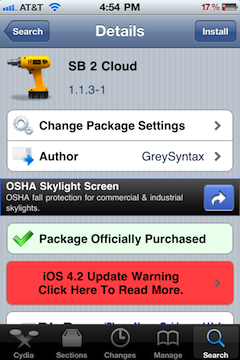
ScrollingBoard is a new Cydia tweak that let's you have scrolling, unlimited icons in your dock and folders, and addons in your dock (like iPod controls). What makes ScrollingBoard so interesting is that not only does it bring a few new features to your jailbroken device, but it also replicates the functions of other popular jailbreak tweaks in the process.

ScrollingBoard's main goal is to make your iOS device's dock as useful as can be. The native arrangement of icons on your home screen's pages is also available on your dock with ScrollingBoard. The addons and SBSettings integration that ScollingBoard brings to the dock also make this tweak especially worth the $1.50 price tag...

5 Tips for Boosting Your iPhone Resale Value

With me, the iPhone is like the water cycle, a never ending circular flow, that just keeps on repeating itself. What do I mean?

Well, my theory is like this: Buy an iPhone once, and never pay the full price for one again. How so? Here are 5 easy tips that will help you sell your iPhone for top dollar, so that you can turn around and buy a new one for free, or close to it.

CallLock May Be a Workaround for Those With Proximity Sensor Issues

It's no secret that even after a few firmware updates, the proximity sensor issues are still a problem for a lot of people. Although I'm not a big talker, I still occasionally experience frustrating proximity sensor issues.

The proximity sensor is what the iPhone uses to know whether or not you are on a call. Its purpose is to sense your face, and disable the touch screen so that you don't inadvertently "face dial" or hang up on your caller.

CallLock aims to circumvent the issue by locking the iPhone altogether when on a call, but does it work?

Use iSHSHit to Easily Backup Your SHSH Blobs Directly on Your iPhone

Backing up your firmware SHSH blobs is an important step if you ever decide to jailbreak your iPhone, because it allows you to downgrade your firmware if the need ever arises, and sometime it does.

Although Cydia takes a lot of the pain out of this for you by backing up your iPhone's blobs itself, it gives me peace of mind to have a second copy backed up personally, just in case something goes wrong. Step inside, and we'll show you how iSHSHit allows you to do just that...

Guy Walks Into a Bar, Finds a White iPhone 4

I'm so sick of white iPhone 4 rumors, yet here I am writing about one. Apparently, another white iPhone 4 has been spotted in public. This time, the mythical device was allegedly spotted at bar (how ironic).

There have been dozens of proposed reasons for the infamous white iPhone 4 delay. The most popular rumor has been that there is an issue with the white paint coating from the production line.

Whatever the reason, the official release has been delayed several times. It was "available" for a short time on the Apple Store before it was pulled. The device has been allegedly caught on tape, and legitimately spotted in public...

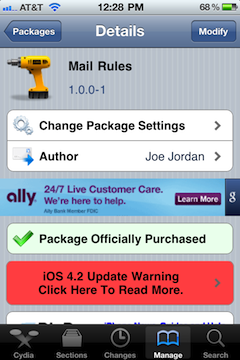
Tutorial: How to Install the New Cydia for iOS 4.2

Cydia was recently updated to support Apple's updated API's in iOS 4.2. This particular Cydia update was quite the major overhaul, and there is no option available (yet) within Cydia to update to the newest version automatically.

Besides iOS 4.2 support, there are several long-awaited improvements in this version of Cydia.

The most noticeable improvement in this update is a huge performance boost throughout the whole application. Everything is faster. Once Cydia does the initial restructuring and downloading after you first install the update, you should notice an immediate boost in speed as you navigate the app. That means less of the dreaded loading wheel and more of actually accomplishing what you want to do...

Cydia Gets an Update and Becomes Much Faster

Cydia. Love it or hate it, it's one of the pillars of the jailbreak community. When Cydia acquired Rock a few months ago, Saurik made the promise that he would work on improving Cydia's speed, which, let's be honest, leaves a lot to be desired.

So we knew for a while that it was being worked on by Saurik and Chpwn, but with the release of the recent jailbreak for iOS 4.2.1, we've had a taste of where Cydia is going, and I like that a lot.

While the changes in the new release of Cydia aren't much "esthetically visible" as most of it happens under the hood, if you have the new Cydia on your iPhone, you must have noticed some speed improvement... 

Warning: Updating your iPhone Baseband to 06.15.00 May Cause GPS Issues

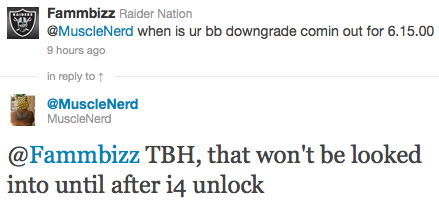
It's getting increasingly harder and risky to unlock the iPhone. Proof is with the recent release of the UltraSn0w unlock for iOS 4.2.1, 4.1, and 4.0.2, which require you to update your iPhone baseband to 06.15.00 in order to be able to unlock.

As reported by many unlockers and officially confirmed by the Dev Team, there is an issue with baseband 06.15.00 which might cause your GPS to not function properly, if at all. While some users are able to get their iPhone GPS to work, others are experiencing problems...

Fix: iPhone Battery Drain After Jailbreaking and Unlocking

As we reported earlier this week, some of you who have recently updated your baseband to 06.15.00 to jailbreak and unlock have been facing battery drains issues. The problem doesn’t actually come from UltraSn0w or RedSn0w, but from the hacktivation process, for those of you who have hacktivated instead of activating the phone with an official carrier.

The issue comes from iOS 4.1 and 4.2.1 which constantly look for valid push certificates, either via wifi or your data plan (Edge or 3G). This runs down you battery and may even cause your iPhone to overheat. If you didn't hacktivate your iPhone but simply activated it with an official carrier (ie AT&T in the US), you shouldn't have any problem.

If on the other end you did hacktivate your iPhone, you might be experiencing the battery drain issue. Fortunately, there is now a fix for it...

Dev Team Releases RedSn0w 0.9.6b6 iPhone Jailbreak

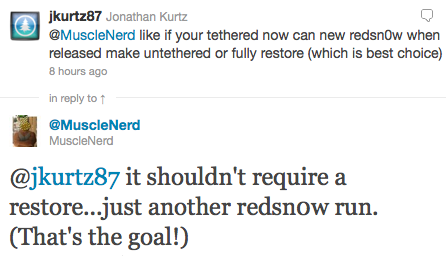
The Dev Team has just released an update to their RedSn0w jailbreak, which is now at its version 0.9.6b6. This update was released following the battery drain issue experienced by some iPhone users who had unlocked using UltraSn0w.

This battery drain problem was encountered by those of you who updated the iPhone baseband to 06.15.00 in order to unlock. A fix has now been worked out. You can find this fix here...

Angry Birds Plush Toys Now Available

Needless to say that we at iDB are big fans of Angry Birds, these cute and addictive birds that are putting their lives on the line to fight the evil green pigs. We had been waiting for those Angry Birds plush toys for a while, and they are now available for sale, at least while supplies last.

Looking at the website where you can buy them, I have to admit that I am slightly disappointed by their looks though. Maybe even more disappointing is the fact that they won't ship until January 2011. So much for surprising my fiancee with one of those for Christmas...

iOS 4.2 Improves iPhone and Carrier Efficiency with “Network Controlled Fast Dormancy”

With the recent release of iOS 4.2, Apple has joined efforts with Nokia to make smartphone carrier signaling more efficient. The Nokia Siemens Networks recently did a test to show that iOS 4.2 supports a relatively new and unadopted technology called "Network Controlled Fast Dormancy." That may sound like a mouthful, but what it actually means isn't that hard to understand.

Nokia already implemented this technology earlier this year, but Apple has been the first smartphone platform to support NCFD since Nokia. Based on Nokia and Apple's combined market share, Apple's adoption of this technology now puts NCFD-supported devices into the hands of more than half of the people buying new smartphones around the world...