Learn how to keep your X (Twitter) timeline clean by muting all posts that have words you don’t like. Additionally, we’ll show you how to mute notifications from people or bots who haven’t confirmed their phone number or email address, or who use the default empty profile picture.
Before you begin, I would like to say that if you use X a lot, this tip is one of the most important things you should know about.
As part of their anti-harassment safety tools, you’re permitted to block specific keywords and other items from appearing in your timeline. For instance, if you don’t like war-related tweets on your timeline, you can add the relevant keywords to your mute list to never see posts related to the conflict.
Moreover, X also makes it possible to cut down on abuse from pesky accounts without a profile image and from trolls without a verified email address or phone number.
These two things can significantly improve your experience and help you stay sane in an otherwise chaotic social media platform!
Mute X posts having specific words, keywords, or phrases from showing on your timeline
1) Open the X app on your iPhone, iPad, or Android phone and swipe right on the Home section or tap the profile picture from the top right. If you’re on a computer, click the More option from the left sidebar.
2) Tap Settings and privacy > Privacy and safety. After that, select Mute and block and tap Muted words from the next screen.
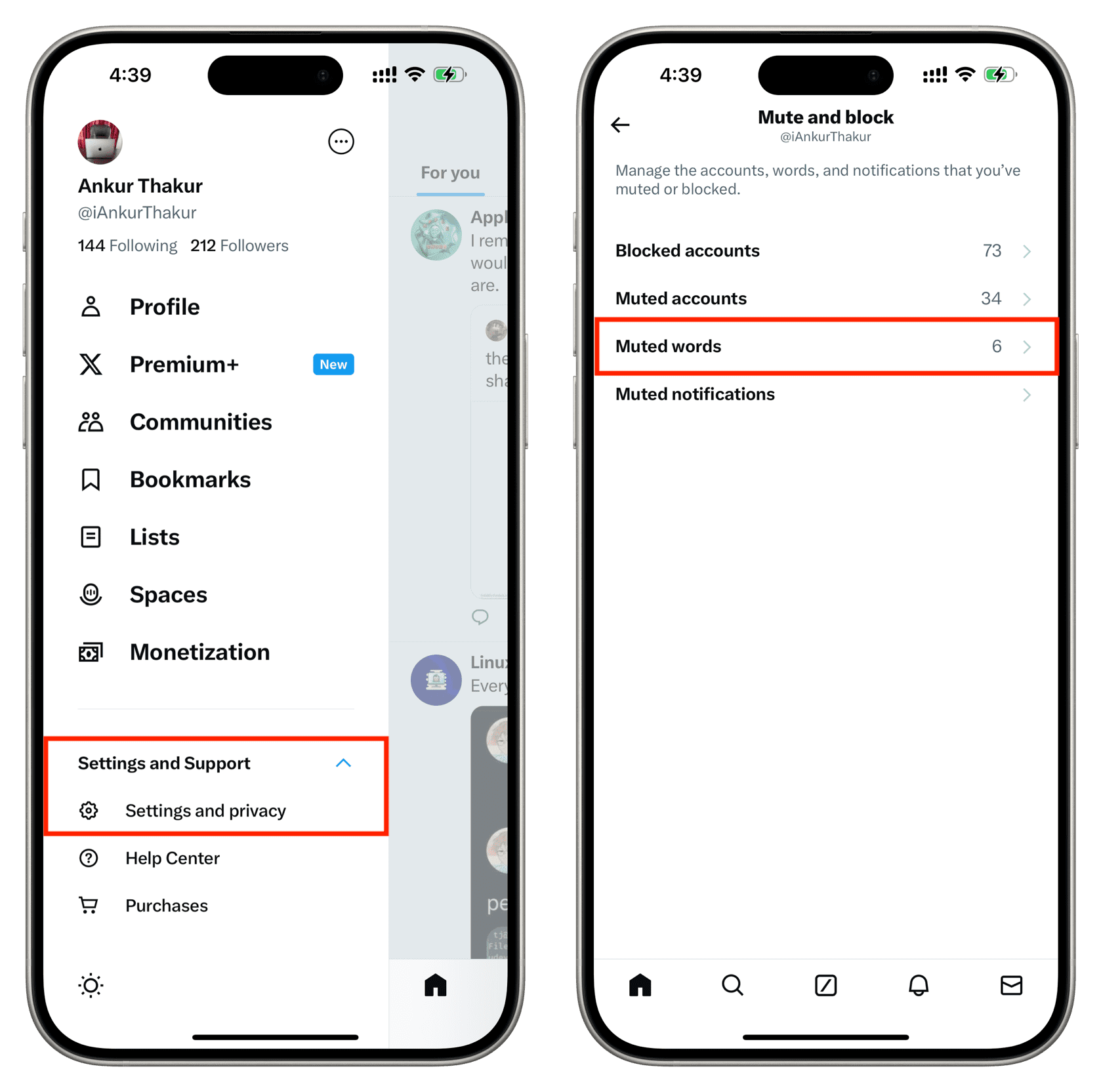
3) Tap Add or the plus button.
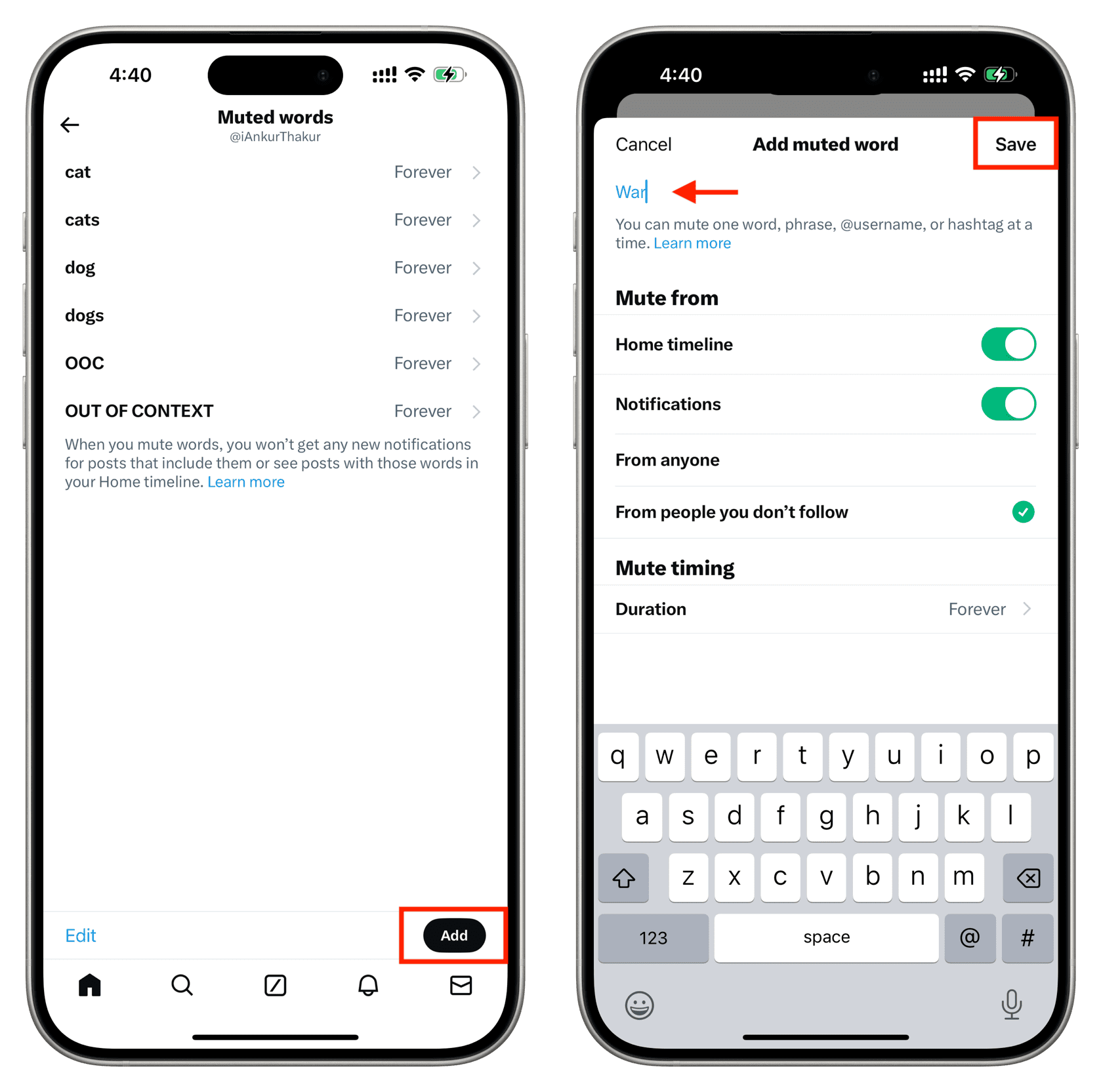
4) Type the word or phrase you want to mute. After that, you can make the following adjustments and tap Save:
- Home timeline: Keeps posts with the added word or phrase from appearing on your timeline. It will also hide replies in a thread if it contains the muted words.
- Notifications: Stops those tweets from appearing in your notifications tab.
- From anyone: Mute posts having those words from anyone on X.
- From people you don’t follow: Limits muting such posts only from people you don’t follow.
- Duration: Set a time limit for muting. You can choose from Forever, 24 Hours, 7 Days, or 30 Days. If you’re annoyed by a popular trend, you can choose to mute it for 7 days or a month instead of muting it forever.
These expanded muting options for your timeline will hopefully help cut down on the abuse you may have been experiencing on the micro-blogging service.
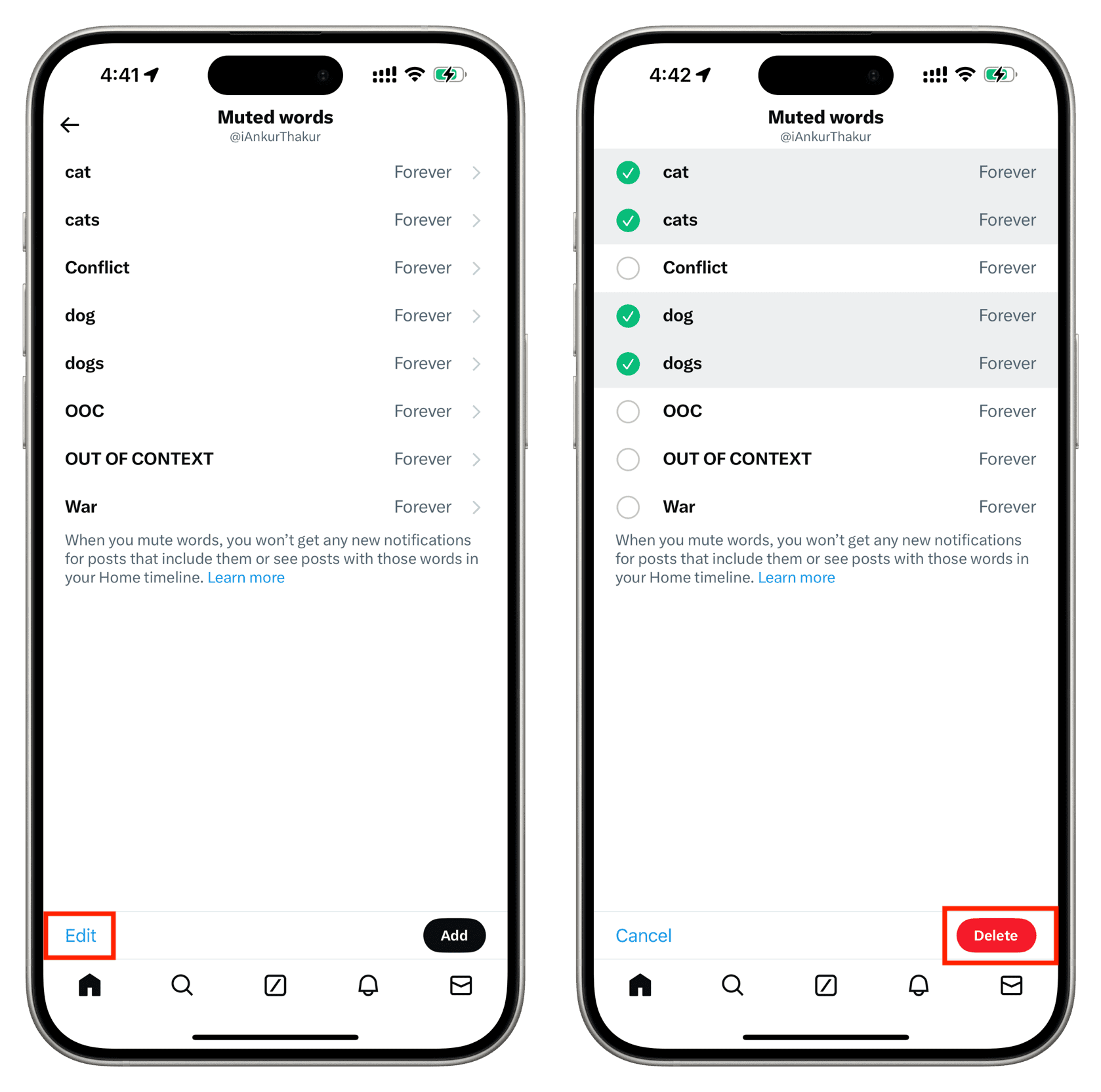
In the future, if you’d like to unmute posts with these words, follow the above steps to go to the Muted words screen. From here, tap Edit, select the words, and hit the red Delete button.
Mute unverified accounts and accounts without profile photos
You can easily filter out posts from accounts you don’t follow, posts from people who haven’t confirmed their email address, or posts from folks who haven’t confirmed their phone number. Perhaps crucially, it’s also possible to mute accounts without a profile photo that trolls often create to obscure their identity. But before you do that, please note that:
- In this context, by unverified, we mean people who have not confirmed their email or phone number. We don’t mean folks who have not subscribed to X Premium.
- Just because a person has not uploaded a profile image doesn’t make them a troll.
- As an unintended consequence of muting accounts without a profile picture or with an “egg” image as a profile picture, you’ll also silence important posts from visually impaired people you happen to follow or from blind users who rarely upload profile images.
With that said, here is how to keep your X notification clean by choosing not to get alerted by certain accounts:
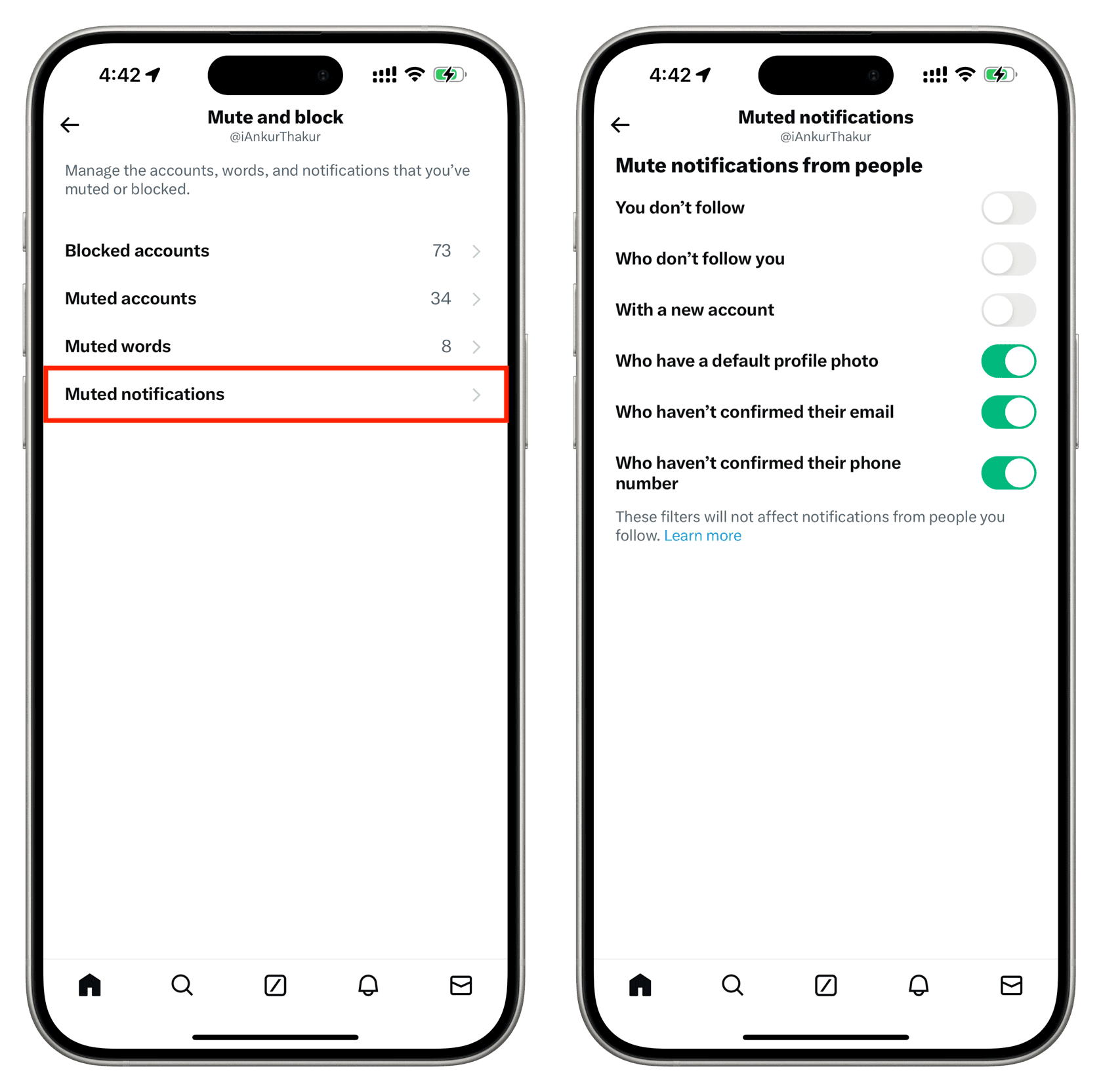
1) Tap your profile picture in the X app and go to Settings and privacy > Privacy and safety > Mute and block.
2) Select Muted notifications and decide whose notifications you don’t want to appear in your notifications section:
- You don’t follow
- Who don’t follow you
- With a new account
- Who have a default profile photo: Mute notifications from accounts with no custom profile picture that are typically used by trolls.
- Who haven’t confirmed their email: Mute notifications from folks who have not confirmed the email address added to their X account.
- Who haven’t confirmed their phone number: Mute alerts from people with unconfirmed phone numbers. Usually, bots may not have accounts with confirmed email and phone numbers.
Do more on X: