Video

Sentry’s new App Switching concept makes it easier to move between apps

We're always in search of ways that iOS can be improved, which is why you'll see a number of iOS concepts and ideas on iDB that are aimed at making Apple's mobile operating system better. Take this recent one on multitasking, for example. It's beautiful.

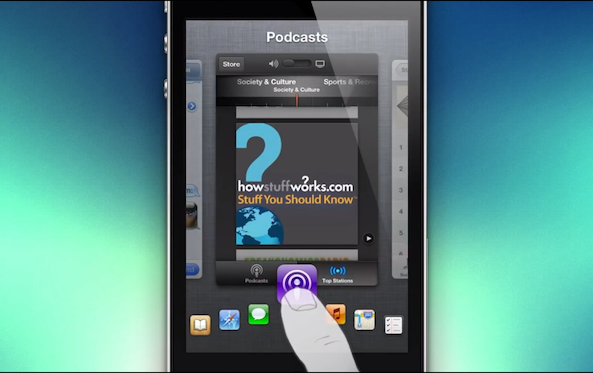
But not all concepts attempt to make iOS better-looking—some try to make it more functional. And that's the idea behind today's concept. It takes the current app switcher, and makes it more efficient by allowing faster access to more of your suspended apps...


Way to go promoting a beer brand, Carlsberg!

http://www.youtube.com/watch?v=Y3rNQ2pTyAY

So along comes Carlsberg with a novel idea: how about we market a new cider brand by piggy-backing on Apple's popularity subtly? The results of the company's brainstorming are, well, hilarious and downright amazing - as you can see for yourself.

The creative concept calls for a tongue-in-cheek reenactment of an Apple-like product launch hype, down to the line sitters, an Apple Store-like environment, lots of cheering and clapping and Carlsberg' version of Geniuses.

You gotta love the ambiguous use of tech jargon and the obligatory Apple superlatives like "amazing". My favorite line: "works perfectly in direct sunlight"...

Chevrolet highlights Siri Eyes Free feature in new TV ad

Last month, we told you that Chevy started offering Siri Eyes Free in its 2013 Sonic and Spark models, officially making it the first automaker, out of the 9+ that will support it, to incorporate the feature into a production vehicle.

Today, the car company posted a new TV ad for its 2013 Sonic sedan showcasing the new Siri integration, which gives compatible users hands-free access to the digital assistant from a built-in button on the car's steering wheel...

webOS-inspired iOS 7 multitasking concept

http://www.youtube.com/watch?v=iRt5qagkGBU

Remember webOS? Say what you will about Palm, but the HP-acquired firm has pioneered what's arguably the most efficient implementation of multitasking on a mobile device to this date (no jailbreak required, of course). For those not in the know, the webOS multitasking metaphor is a stack of cards which represents your running tasks.

Each card can be moved around, dismissed and manipulated with a flick of your finger. It's a remarkably fun and engaging solution to efficiently interact with your apps, one which gets the job done while moving out of the way. Designer Jesse Head took that idea and applied it to the problematic iOS multitasking tray, replacing the boring grid of icons with app tiles sporting nearly full-screen live previews. It appears as useful as it's gorgeous to look at, no?

Nokia boss throws interviewer’s iPhone on the floor

http://www.youtube.com/watch?v=owvtKGlYFVA#!

Wow, this has got to be a new low for the ailing Nokia and its boss, former Microsoft exec Stephen Elop. With everyone trashing Apple these days, from investors to big media to analysts, the Nokia CEO apparently thinks piggy-backing on the trend is the way to go to score a few coolness points.

After an interviewer on a Finnish television said he had an iPhone in his pocket, a petulant Elop - unable to control his manners - nervously quipped "how embarrassing, I'll take care of that" before throwing the device on the floor as if it were a piece of useless junk. That's the first time a big name CEO has exercised such an utmost disrespect for a rival, at least to my knowledge...

LSBackView: view the back of album art on the Lock screen

https://www.youtube.com/watch?v=fZPIWE5wljY

LSBackView is an upcoming jailbreak tweak that allows you to view the "back" of album art for music playing via the stock Music app. This rear view of the album art allows you to switch tracks within the same album when playing music using the Music app, but this feature is not available on the Lock screen. Of course, there are Lock screen controls, but those controls are linear, only allowing to you skip each track one by one. LSBackView, on the other hand, allows you to play the exact track you want to hear from an album.

The tweak can be activated using a simple double tap gesture on the album art found on the Lock screen. Another swipe brings you back to the main album art display. Although there's no solid ETA for LSBackView's release, I'd imagine that it will be soon, and it will be a free download. What are your thoughts?

American Airlines’ new iPad electronic flight bag caught on video

As most of you have probably heard by now, flight bags are going digital. This means that pilots are getting approval to replace their 30-40lb bags of paper company and flight manuals with a 1.5lb tablet—typically an iPad.

American Airlines is on the forefront of the movement, and it has just begun installing iPads in the cockpits of its MD-80 fleet. And the folks over at AOL's Gadling travel blog were able to catch one of them in action...

Doodle Message: compose doodle drawings within the Messages app

A while back, we covered a jailbreak tweak called Grafiti [sic]. It allowed you to instantly create and share drawings via the messages app, by acting as a keyboard replacement. WIth that in mind, it supported a lot more apps than just the stock Messages app; it worked with Whatsapp, Mail, Tweetbot, and more.

Doodle Message is similar to Grafiti, in that it allows you to create drawings from within the Messages app, and send those drawings to your friends via Messages. The big difference here is that Doodle Message only works with the Messages app. There are, of course, other smaller differences, as we'll touch on inside.

How to enable face detection while recording video

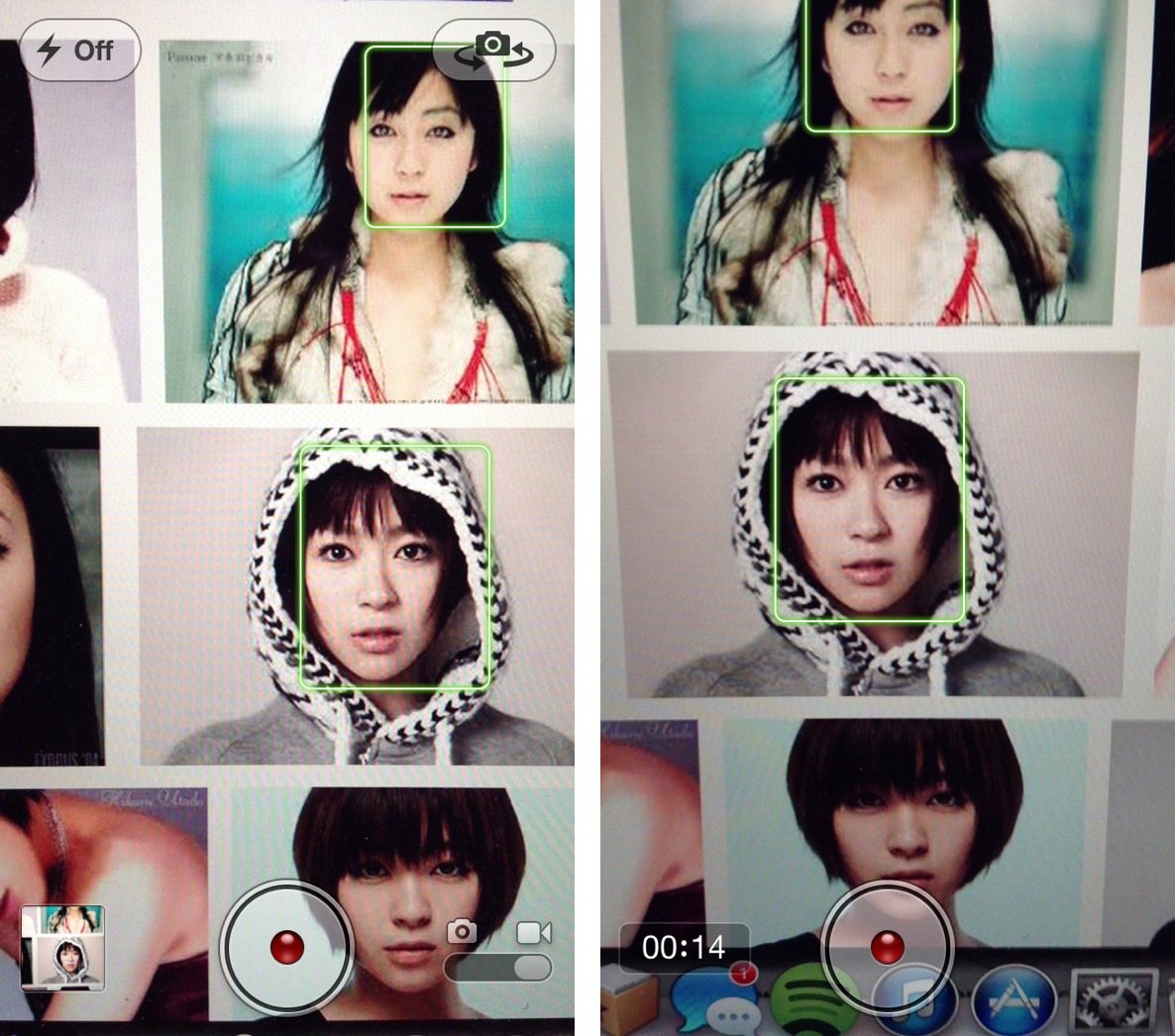
Face detection is a feature that allows the iPhone's iSight camera to focus on the most prominent face in the frame, balancing the camera's exposure across up to 10 faces. It's a feature that works well with the iPhone's still camera, and it also works for shooting video.

The only problem with video, is that the face detection only works prior to the actual filming. That means that you can detect faces before tapping the shutter button while in video mode, but not afterwards. FaceDetectionDuringVideo is a tweak that eliminates that restriction. In other words, it allows you to detect faces in the middle of shooting a video.

Final Fantasy V reportedly landing on iOS later this month

Good news Final Fantasy fans, a new report is out this afternoon claiming that the highly anticipated iOS port of the popular RPG's fifth episode will be happening in the not-so-distant future.

Famitsu is reporting that Final Fantasy V is set to hit iOS and Android devices in Japan by the end of the month, with launches in the United States and elsewhere expected shortly after...

iOS 7 concept visualizes all-new UI for Lock screen, notifications and more

Apple's World Wide Developer Conference is coming up in a few months, and with new leadership in place, a lot of folks are hoping to see some major changes in iOS 7. Many critics feel like the platform is long overdue for a makeover.

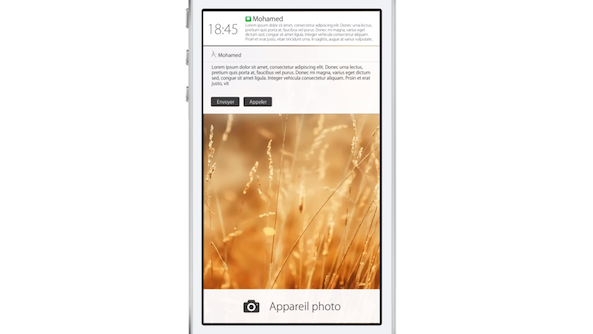
And this prospect has led to the creation of several impressive mockups and renderings of what some hope to see from Apple in the future. Today's concept is no different, as it visualizes some beautiful, all-new UI components for iOS...

Clips of Adobe’s lambasting of iPhone over Flash haunt Apple’s new VP Kevin Lynch

http://www.youtube.com/watch?v=ZNtTfFDena4#!

Conspiracy theorists had a field day with yesterday's confirmation that Kevin Lynch, Adobe's Chief Technology Officer, will soon be taking an executive role at Apple, joining the iPhone maker as its VP of Technology and reporting directly to Apple's SVP of Technologies Bob Mansfield. Lynch joined Adobe after the Photoshop maker snapped up Macromedia in 2005. Macromedia originally developed Flash technology and Lynch has been instrumental in its continuing development at Adobe.

By the virtue of his job, Lynch had to cross swords with Apple as the Cupertino firm refused to support Flash for the iPhone. Watchful fans have dug up this cringe worthy homage to MythBusters, a parody video from 2009 where Lynch attempts to get Flash working on the iPhone by pretending to blow up Apple's handset. He also ran over it with a steam roller and destroyed it in a blender. First day on the job should be fun, indeed! Jump pat the fold for more goodies...