Video

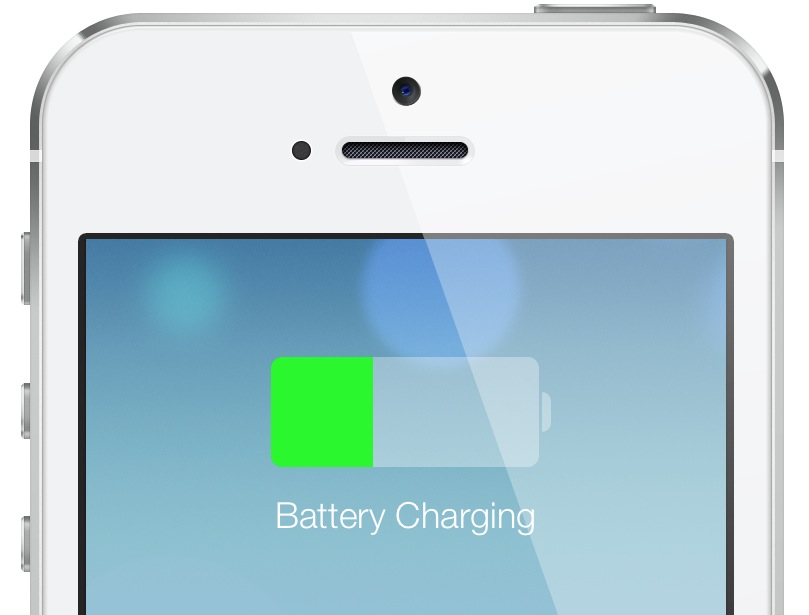
iOS 7: Charging

As you know, many an item has changed with iOS 7 from a visual perspective. We've already covered some of the details of the Lock screen, booting, etc. What about something as subtle as the visual cues when the device begins to charge? Indeed, those have been totally revamped as well, and the changes, I believe, are for the better. Take a look...

Twitter launches #FollowMe highlight reel

The micro-blogging service Twitter has announced an interesting new thingie in partnership with Vizify, called #FollowMe. For those unfamiliar with Vizify, it's a nifty little service which plugs in your favorite social media sites to design a series of interactive infographics that shows "the best of you".

Tapping that capability, #FollowMe lets you create highlight reel videos of your best Twitter moments, with literally little to no effort whatsoever. Go past the fold for the full breakdown...

‘AirPlayServer’ turns any jailbroken device into an AirPlay receiver

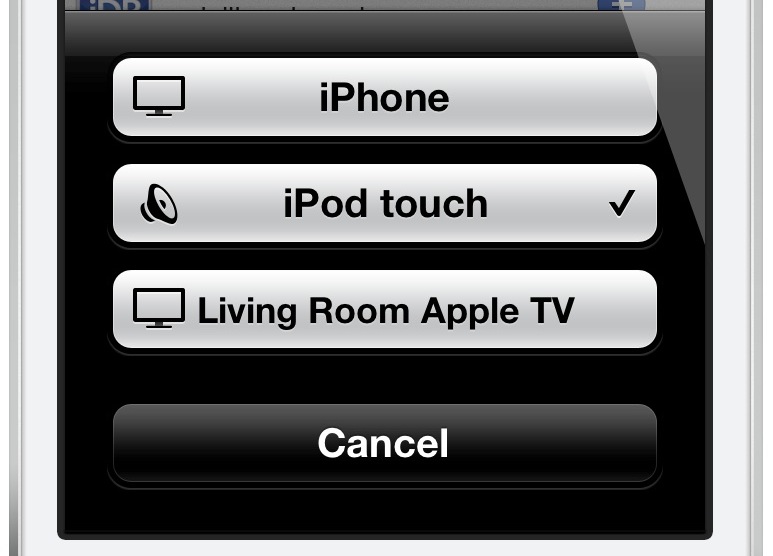
Looking for a quick and dirty way to turn any jailbroken iOS device into an Airplay receiver for audio? Have an old iPod touch laying around that's collecting dust? If so, then you may want to have a look at a recently released tweak called AirPlayServer.

AirPlayServer is a tweak that allows you to use a jailbroken iOS device as an AirPlay speaker. In fact, if you hook a pair of speakers up to the device's headphone jack, you'll really have something special. Have a look inside for a brief video demo that shows how it works...

ScreenshotPlus: pre-crop screenshots using a handy selection tool

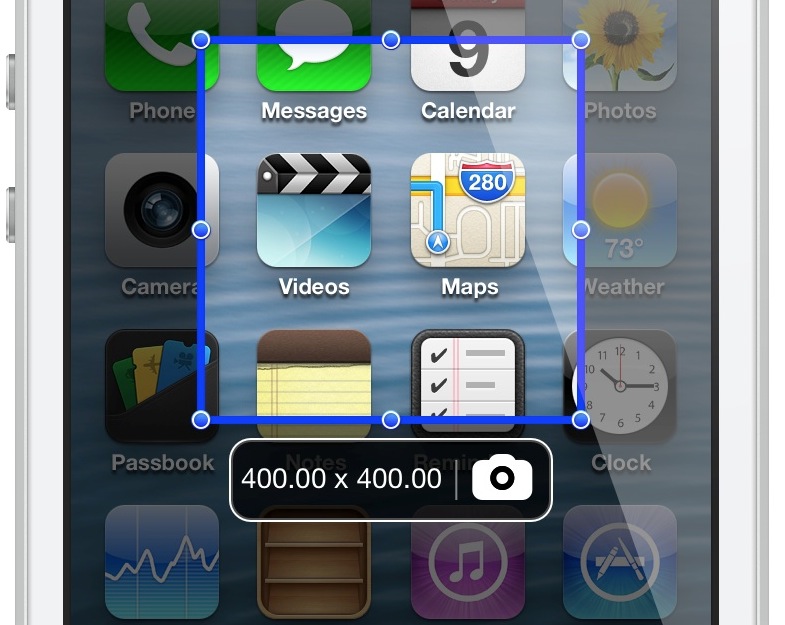
If you're someone who's often taking screenshots on your iOS device, then boy, do I have a new jailbreak tweak for you. ScreenshotPlus is an extremely handy jailbreak tweak that allows end users to pre-crop screenshots prior to taking them.

The tweak is enabled using a standard Activator gesture, which brings up an overlay on the screen. The overlay features drag handles that can be used to adjust the dimensions of the screenshot in question. For those of you who want to get exact dimensions, there's a dimensions readout right below the screenshot area, and next to the button used for taking the screenshot.

Needless to say, this is a tool that can be very time saving if you take a lot of screenshots on your iOS device. Take a look at our video walkthrough inside for more information.

Give your iPhone an iOS 7 makeover with this new theme

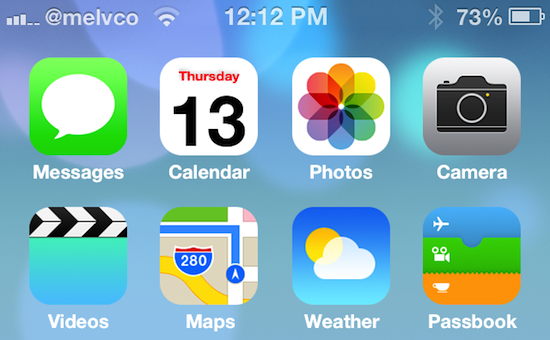
Folks feeling left out of all of the iOS 7 beta festivities will be happy to hear that there is now a way you can get in on the fun—no developer account required. A new theme just popped up in Cydia that promises to give your jailbroken iPhone an iOS 7-style makeover.

Now, obviously it's not going to be exactly like iOS 7. You're not going to get any of the new features that come with the major update, like the control center or the revamped Notification Center. But if you just want your iPhone to look like iOS 7, this theme is for you...

The best apps to watch cable on your iPhone and iPad

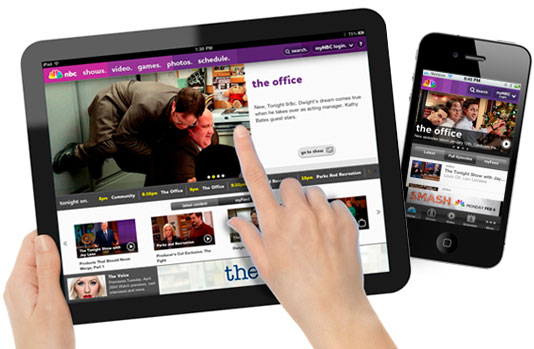
Over the past few years, cable channels have really jumped on the on-demand bandwagon and now offer premium content available on the iPhone, iPad, and Apple TV. If you have a cable subscription, the entertainment-viewing world is your oyster.

I am one of those people who has “cut the cord” of cable television. Actually, I never had the cord in the first place. I’ve just managed to get by on broadcast TV. When the nation went digital, I didn’t even get a converter box for my TV set. I spend most of my media-watching time on Netflix or Hulu Plus on my Apple TV.

However, there are times when watching television is necessary for me, like when there is an earthquake (which actually happened in Sacramento a few weeks ago) or following the presidential elections. For those times, I go to my iPad or iPhone.

Whether you’ve cut the cord on cable and need a way to watch broadcast television, or want to take your favorite cable shows on the go with you, we have a list of apps to suit your needs

MTV iOS app gains second-screen features, on-demand streaming

MTV's beleaguered iOS app has received a massive update which brings it on par with entertainment apps by other major networks. The software has been rebuilt from the ground up "to bring the ultimate MTV video experience to your iPhone and iPad".

Indeed, among the new features are long overdue second-screen capabilities, free clips and on-demand streams of select MTV shows. Second-screen experience entails interactive features like Facebook chat and relevant Twiter feeds, image galleries, polls and quizzes, various backgrounders, behind-the-scenes facts, MTV charts and so forth...

iOS 7: the Lock screen

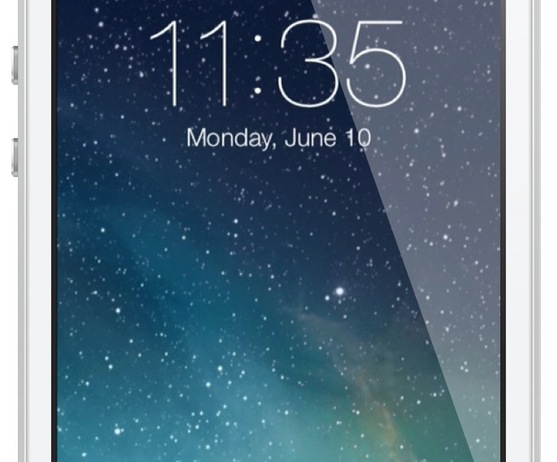
The iOS 7 Lock screen is another significant departure from its predecessors when it comes to looks. The overall functionality remains similar, but it's a whole new ball game when it comes to visuals.

First and foremost, the font for the clock and the date has been replaced with a thinner variety of font. You'll also notice that the clock, status bar, and slide to unlock backgrounds have been nixed for a cleaner look that doesn't obscure the Lock screen wallpaper.

Take a look inside as I go hands-on with the new iOS 7 Lock screen, including demonstrations on how to enable or disable the new and improved Notification Center, and the new Control Center options.

Apple posts new video: ‘Making a difference. One app at a time.’

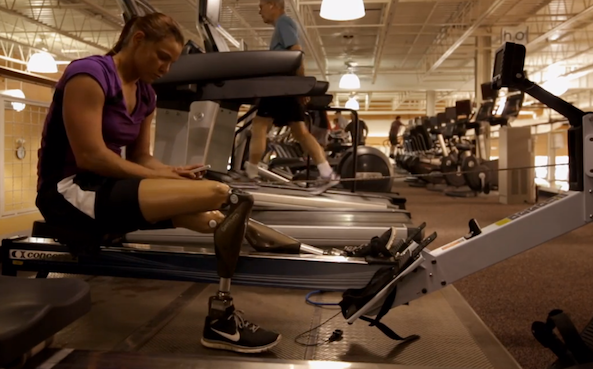
Apple has posted a new, lengthy video to the iOS section of its website today. The 10-minute clip is called 'Making a difference. One app at a time.' and it highlights how folks around the globe are using apps on Apple's mobile products.

As usual, the videography in the short film is beautiful and the message is concise. Apple is showing how iOS apps help make the world a little bit better, and things a little bit easier, for people from all different walks of life. Watch it...

Gameloft teases Asphalt 8: Airborne

French games maker Gameloft is on a roll lately. Hot on the heels of teasing its upcoming Modern Combat 5 for iOS and Android and releasing Gangstar Vegas on the App Store, just a few hours ago it posted the first Asphalt 8: Airborne teaser.

Yup, the next installment in the Asphalt franchise promises to up the ante with high-octane action.

This usually entails smashing vehicles into each other and taking control of crazy fast racing cars that defy gravity and fly all over the place, almost as if someone's watched a tad too many Fast and Furious movies. We're not complaining, though. Asphalt 8: Airborne looks business and we can't wait to get our hands on it. Your action-packed trailer is right after the break...

WWDC 2013 keynote now available for download through iTunes

Shortly following its live-streamed WWDC keynote talk yesterday, Apple has posted a streamable replay to their home page.

I like to keep those keynotes handy for offline viewing, but saving a video stream to a computer is unfortunately a mess which involves too much trickery without guarantees for success.

Luckily, Apple has catered to the archivist in us by making the entire presentation available for download through iTunes...

How to downgrade iOS 7 to iOS 6.1.3

Apple makes it sound like a life or death scenario when developers decide to install iOS 7 beta on a test device. In fact, it's always done so with its beta releases. In the notes for iOS 7, Apple states that "Devices updated to iOS beta can not be restored to earlier versions of iOS."

The thing is, that simply isn't true. I've always been able to successfully downgrade my firmware in the past for a beta test device, and I've confirmed that the process still works perfectly fine on iOS 7. In fact, it's extremely easy to downgrade your firmware from iOS 7 to iOS 6.1.3; it doesn't even require any special tricks or techniques like some downgrades do. Check inside as I walk you through the extremely simple step-by-step process for downgrading iOS 7 back to iOS 6.1.3.