Video

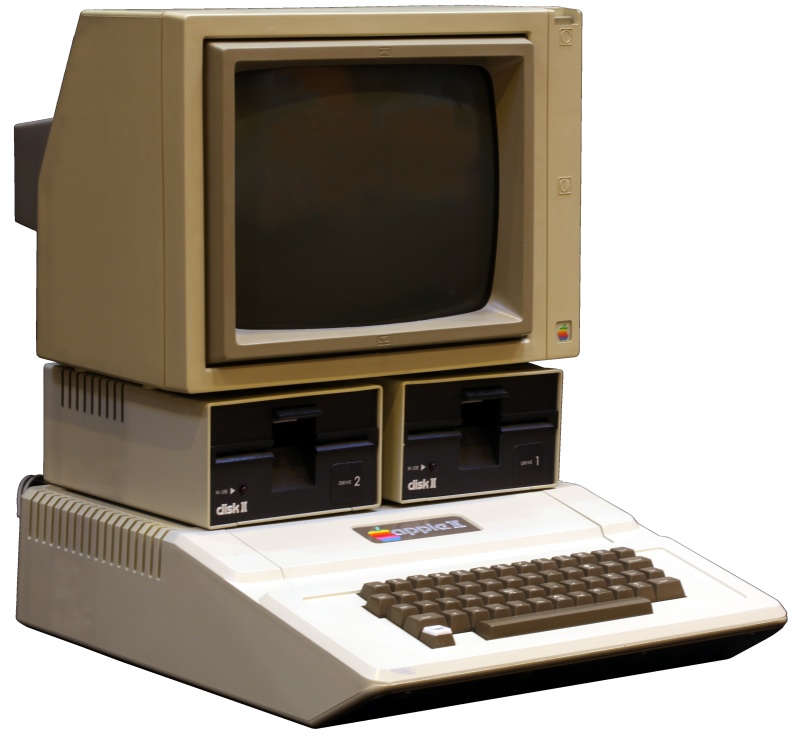
Kids react to Apple II: ‘too much pixelation’, ‘where’s the mouse’ and ‘I don’t get the 1970s’

The Fine Brothers (Benny and Rafi Fine) have made a name for themselves with their popular React video series, comprised of shows like Kids React, Teens React, Elders React and YouTubers React.

In the latest episode of the Kids React show, today's generation of 6-13-year-olds get confused by an Apple II, one of the first mass-produced computers designed primarily by Steve Wozniak...

‘AltKeyboard 2’ is a great sequel to the original keyboard enhancing tweak

AltKeyboard 2 is a follow-up to the uber-popular A3tweaks release, AltKeyboard. It is perhaps only surpassed in expectation by the brand’s Auxo 2, which released earlier this year to much anticipation.

The rumblings about an iOS 7 compatible version of AltKeyboard have seemingly been around since iOS 7 was first jailbroken, or maybe even before that. Needless to say, AltKeyboard is one of the most popular jailbreak tweaks in the community.

It’s understandable why the tweak proves to be so popular. iOS’ stock keyboard is extremely small on the iPhone, and lacks any features like "swyping," or a 5th row of keys. Because the iPhone has pretty-much maintained its diminutive form factor throughout its lifespan, there’s just not a lot of room for keyboard expansion when it comes to literally increasing the size of the keys or the number of available keys available on screen at once.

With that in mind, AltKeyboard 2 builds on the same formula that made the original release such a success. It adds functionality to the stock keyboard without increasing its size. Have a look at our full walkthrough of AltKeyboard 2 after the jump.
‘ActiveBoard’ helps you easily identify running applications

The just released ActiveBoard is the successor to iOS 6’s ActiveDock jailbreak tweak. It allows you to quickly identify active applications without opening the App Switcher.

The tweak, which is again designed by Surenix and developed by Filippo Bigarella, is a bit more ambitious than its predecessor. Whereas ActiveDock only applied to the applications running in the iOS 6 dock, ActiveBoard, as its name so implies, can influence all app icons on the entire iOS 7 SpringBoard.

Not only does ActiveBoard identify running applications, but it can help you to quickly identify apps with awaiting notifications. Have a look at our video walkthrough after the break to see ActiveBoard in motion.

Apex 2 brings iOS 7 compatibility to the popular app-grouping tweak

Apex 2 is the sequel to the original jailbreak tweak, which allowed users to group app icons in folder-like structures. The update, which is compatible with iOS 7, was just released today.

Like its predecessor, Apex 2 allows users to group up to four additional sub-apps to a primary app icon. Each sub-app can be revealed by performing a swipe up, swipe down, or double-tap gesture on the primary icon.

We got our hands on the final build of Apex 2, and like always, we've created a video walkthrough for your enjoyment. Have a look inside to see what makes Apex 2 tick.

Bulb: add a status bar indicator for the iPhone’s LED flashlight

The flashlight toggle in Control Center was a great addition to iOS 7, but it always baffled me why Apple didn't place some sort of indicator in the status bar to tell you when the flash was active. Obviously, most people can see when the flash is on, but there are certain circumstances that one can encounter, which would make such an indicator useful.

What about when you sit your phone down on a table with the LED flash covered? It's possible that the iPhone's battery could die due to the flash being on for a long period of time. I know that may seem far-fetched, but it has happened to the developer of this tweak, and it has happened to me on a few occasions.

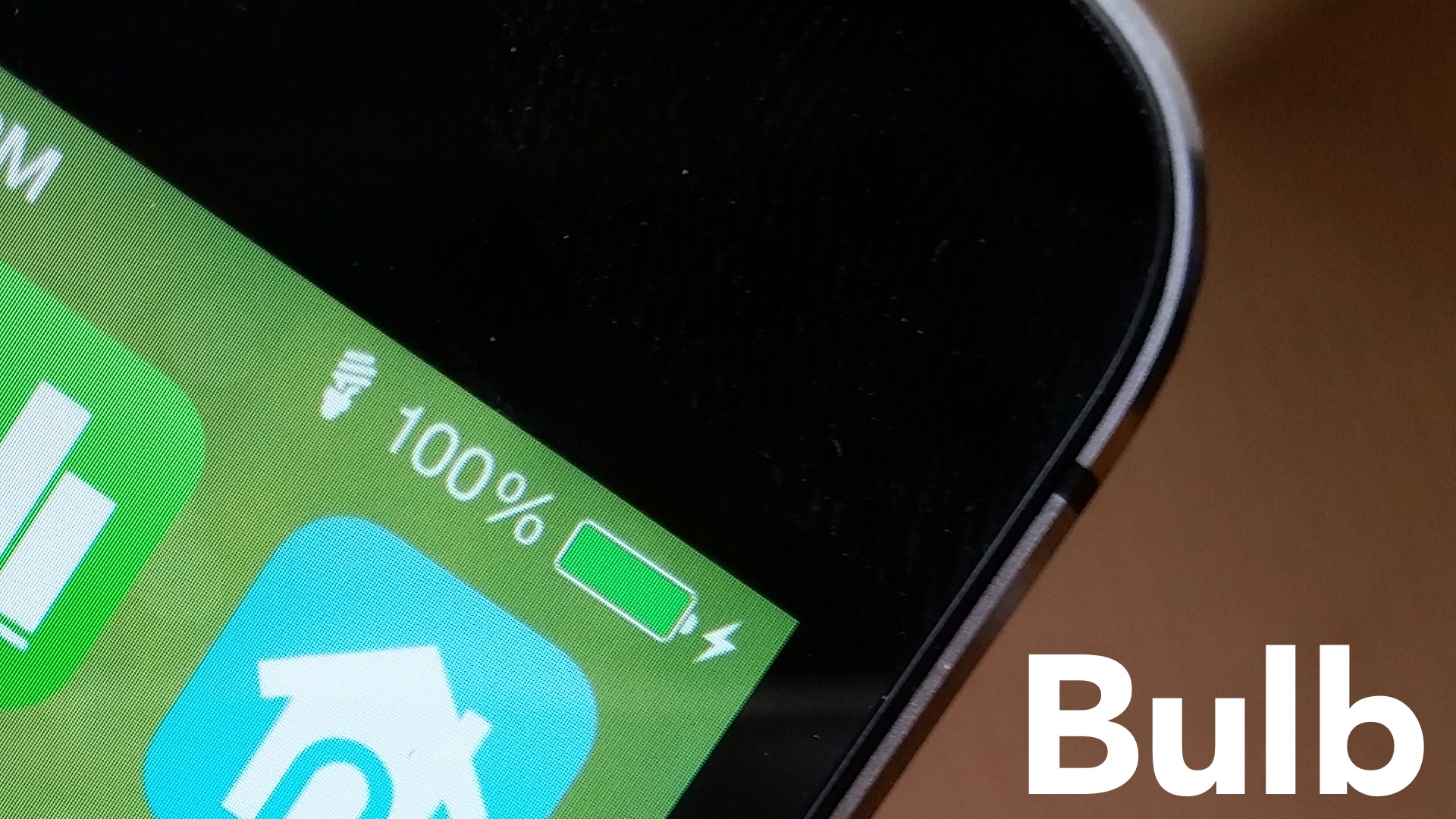
Bulb is a jailbreak tweak that will help make users more aware of the status of the LED flash. It places a lightbulb indicator in the status bar whenever the flash is active. Have a look at our video walkthrough for more info.

How to easily search the contents of the stock Settings app

As a recent Galaxy S5 adopter, one of the features that I immediately appreciated was the ability to perform a search within the phone's Settings. Granted, Samsung is notorious for packing its phones with so many settings that a search is almost a requirement, but it's still a nice feature to have.

Needless to say, ever since I laid my hands on the GS5, I've been wanting for a similar feature on iOS. Well, that feature arrived just a few minutes ago, and it's, unsurprisingly, brought to us by the prolific developer Ryan Petrich.

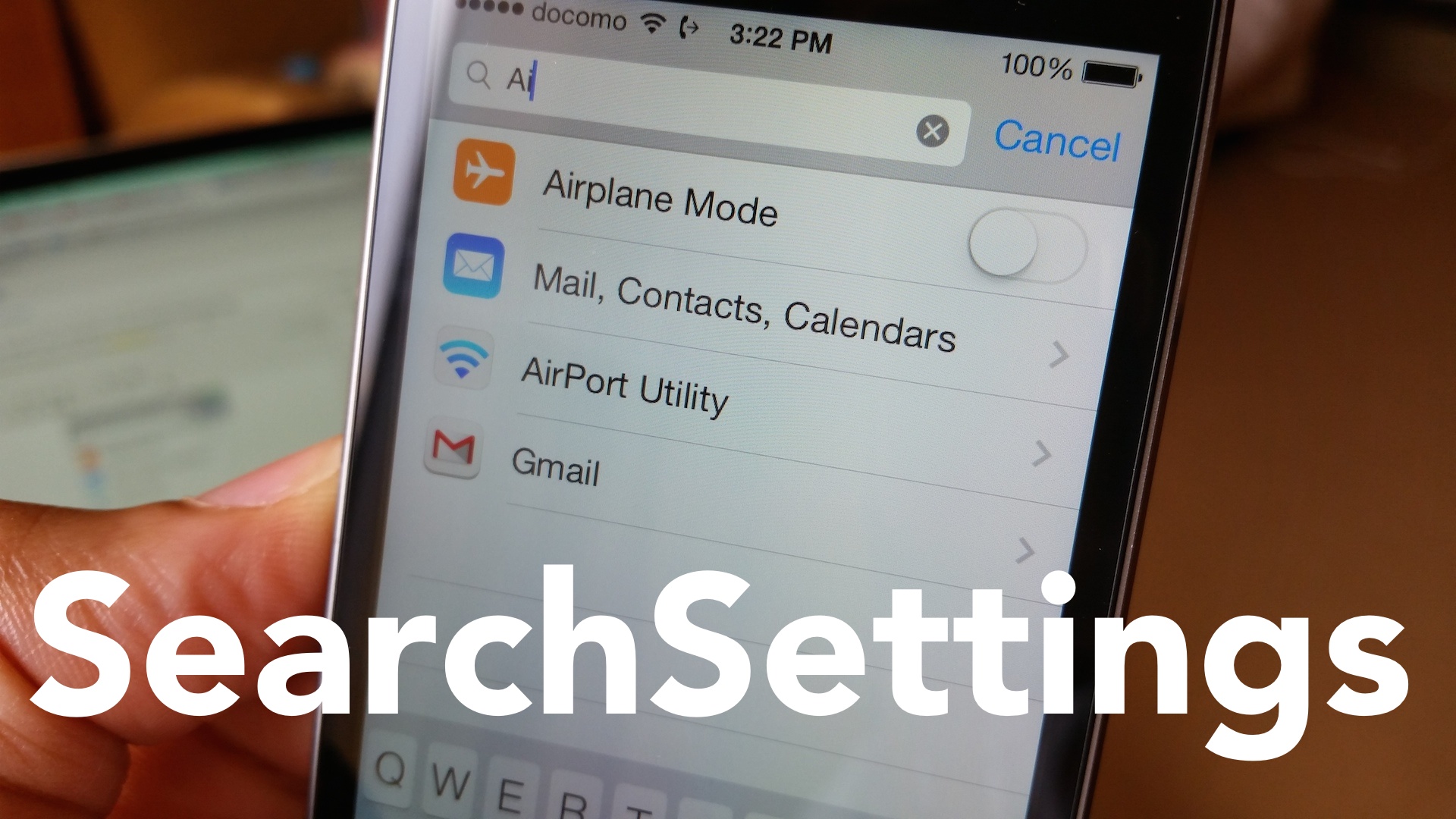
SearchSettings is a new jailbreak tweak available on Ryan's beta repo, and like on the GS5, you can perform searches within the settings app. Have a look at our video demo of the tweak in action after the fold.

WallCycler: get fresh wallpaper every time you unlock your device

WallCycler is a new jailbreak tweak that recently appeared on Ryan Petrich's beta repo. It's a tweak that allows you to cycle wallpaper each time you unlock your device, or cycle manually using an Activator gesture.

There is no preference panel for WallCycler, but the tweak can be enabled by visiting Settings > Wallpaper & Brightness > Choose Wallpaper, and selecting an album. After doing so, you'll receive a pop-up box asking you if you'd like to cycle the photos in the chosen album.

We've take WallCycler for a spin on video. Have a look at our demonstration after the jump.

SlideCut: an innovative keyboard shortcut tweak for jailbroken iPhones

SlideCut is a brand new jailbreak tweak from developer r_plus. Whenever I see this developer's name behind a tweak, it piques my interest, because they're usually innovative and fun to use. SlideCut is no different.

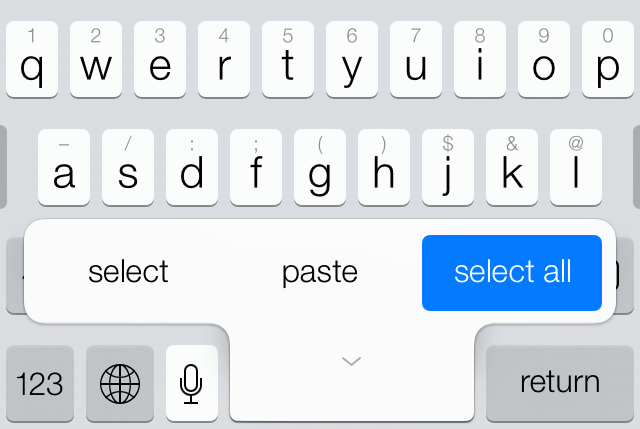
SlideCut allows you to slide from your spacebar key to any shortcut key to execute an action. For example, you can slide from the spacebar to the 'A' key to select all, or slide from the keyboard to the 'C' key to copy the highlighted text.

We've got a full video walkthrough of SlideCut in action. Have a look inside to see how it works.

Supercharge Safari with Canopy for iOS 7

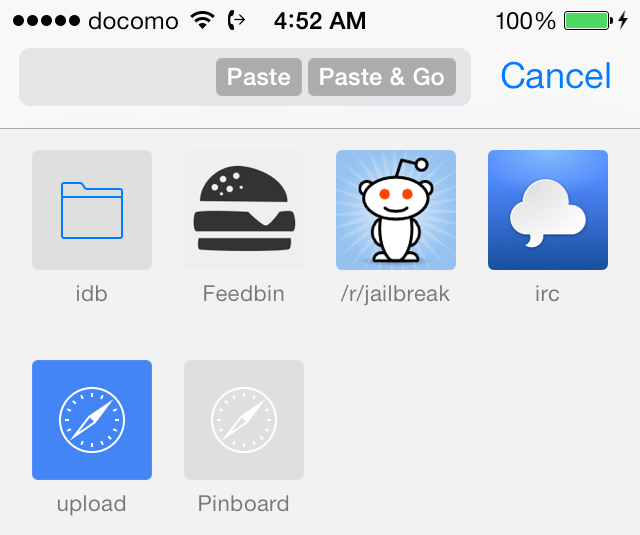
Where do I start? That's the first thing that you'll probably think to yourself after installing Canopy for iOS 7. The original Canopy succeeded in supercharging Safari, filling it with tons of practical new features, and this new version of Canopy for iOS 7 does likewise.

How does adding open in Chrome support sound? Or what about a quick paste and go option like Chrome for the desktop? How about adding quick translation features or accessing recently closed pages? You can do all of that with Canopy for iOS 7 and more.

AlbumSnapper: create and manually select albums right from the Camera app

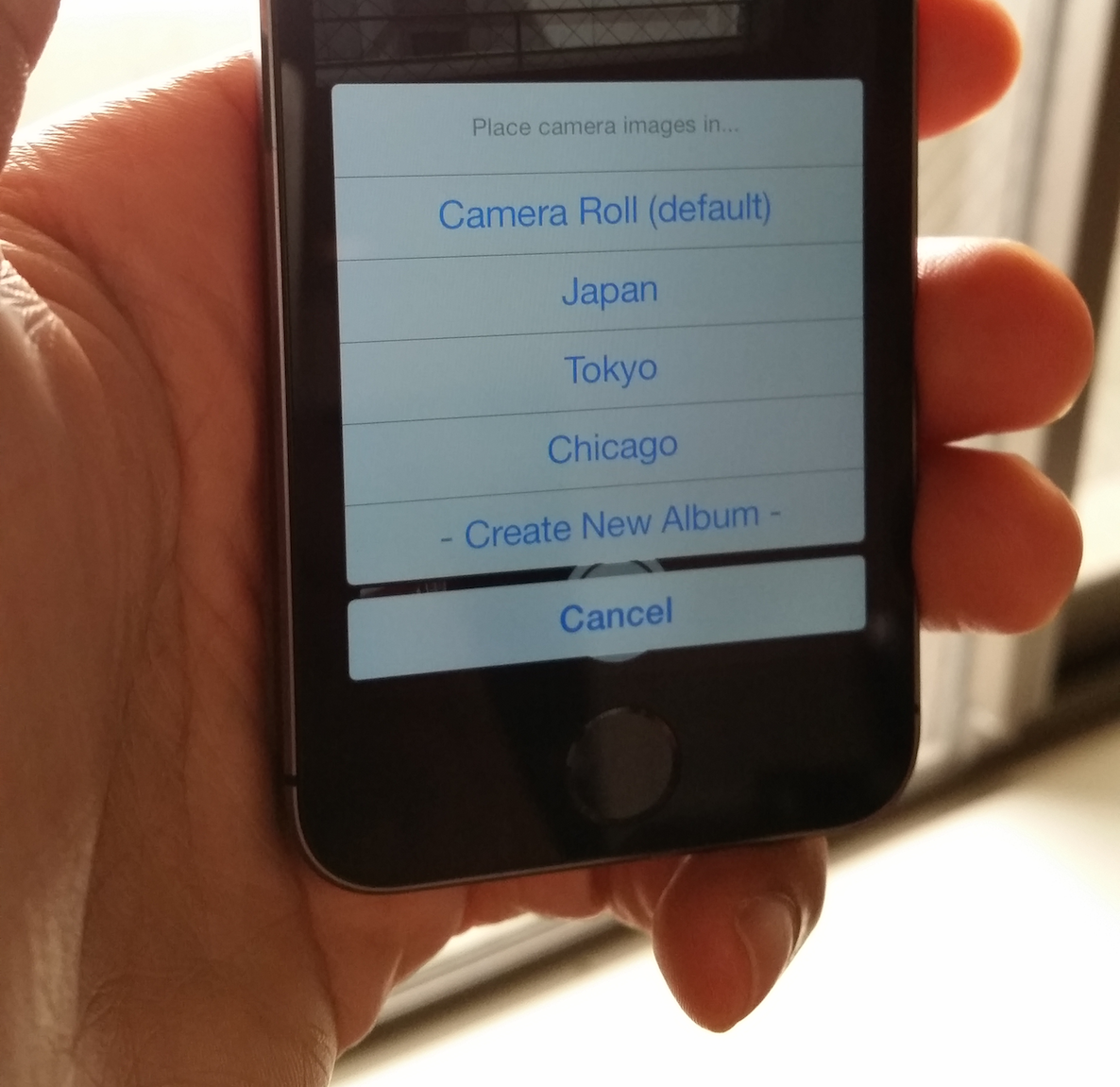
Have you ever faced the need to create an album or filter photos to a specific album right from the Camera app? If you're a frequent photo taker, or a frequent traveller, you've likely faced such a need.

Wouldn't it be nice if you could designate a photo for a specific album before you even take the photo? Wouldn't it be cool if you could create a new album on the fly, right from the comforts of the Camera app?

A new upcoming jailbreak tweak from developer Brandon Sachs allows you to do just that. AlbumSnapper is a wonderful addition to the stock Camera app, and frankly, I don't see why this isn't a native Camera app feature to begin with. Check inside for the full walkthrough.

How to add LG-inspired ‘knock’ gestures to Activator

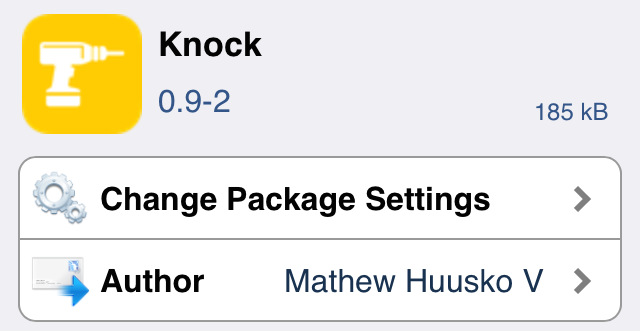
The LG-inspired KnockOn feature seems to be a big hit amongst the jailbreak community. We've already seen Elias Limneos' KnockOn inspired tweak called SmartTap, and now we have Knock.

Knock is an Activator add-on that adds two new gestures to the mix: the ability to knock on (hard tap) the sides of the iPhone or the front and back of the iPhone. Knock uses the device's accelerometer to detect knocks, and a lot of work has been put into its development to prevent false positives. Have a look at our video demonstration for more details.

LSStepCount is a jailbreak tweak that places a pedometer count right on the Lock screen

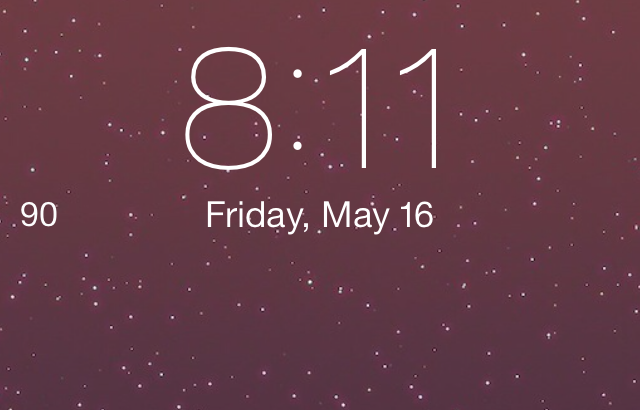
Wouldn't it be cool if you could have a pedometer right on the Lock screen? Some phones, notably the Samsung Galaxy S5, already allow you to do this. Now you can do the same thing on your iPhone 5s courtesy of a new jailbreak tweak.

The tweak, which is aptly entitled LSStepCount, is a beta release that places a pedometer count right on the Lock screen and in the status bar. It's a beta tweak, so it definitely needs some TLC from a design perspective, but it works. Check out our video walkthrough of the tweak after the jump.