Is your iPhone not turning on? In this post, we discuss various reasons why this could happen and potential solutions to get you back into your iPhone or iPad.
What to do if your iPhone or iPad won’t turn back on

Is your iPhone not turning on? In this post, we discuss various reasons why this could happen and potential solutions to get you back into your iPhone or iPad.

Continuity and Handoff are features built into your iOS devices and Macs that allow the devices to work more seamlessly together. With Continuity, you have instant access to a personal hotspot on demand, the ability to send and receive SMS messages and to make and take phone calls from your Mac, and the ability to pick up where you left off on one device from another.
Although they can work well at times, there is always the lingering chance that the functionality may not work right for you or connectivity may be flaky. In this piece, we'll go over several troubleshooting steps you can take if your Continuity and Handoff experience isn't going as expected.

Is your iPhone 17 or older getting too hot? This article discusses what happens when your iOS device overheats and how to solve this problem.
Apple's portable Mac notebooks like the MacBook, MacBook Air, and MacBook Pro are all powered by Lithium-Ion batteries, and these batteries don't last forever. They go through cycles as they're charged up and used over and over. After a number of cycles, batteries tend to lose their effectiveness at storing power, and will eventually need to be replaced.
If you have ever wondered just how close you are to needing a battery replacement in your Mac, then you'll be happy to know that macOS is actively monitoring your Mac's battery and can tell you with a quick keyboard shortcut, which we'll be discussing in this short information piece.

The iPhone's camera may have gotten a lot of upgrades over the years, and it may be one of the most popular point-and-shoot cameras in the world, but that's not to say it's perfect. Just like any other camera, it can be subject to hardware issues and software bugs.
In this piece, we'll go over some of the most common issues related to problems with the camera on your iOS device, whether it's an iPhone, iPod touch, or iPad, and we'll explain some ways to troubleshoot those problems.

If you use the stock Mail application on your iPhone or iPad, you may have experienced a mysterious occurrence where the Mail app icon will display a red badge telling you there are unread emails when there actually aren't any. No matter what you do, it seems that you can't clear that inaccurate number of unread emails.
The Mail app is no stranger to weird bugs, so let me reassure you here, phantom unread emails aren't taking over your iPhone or iPad. In this post, I will share with you a few options to fix an incorrect unread count and hopefully put an end to it all.

In this tutorial, we’ll share some troubleshooting tips to follow if you can’t hear the sound coming out of your iPhone or iPad or if the sound is muffled or distorted.

In this piece, we’ll help you troubleshoot several Apple Watch issues if your smartwatch seems to experience problems and doesn’t work as intended.
Users of the popular open-source Transmission BitTorrent client for OS X were in for quite a surprise this weekend when it was discovered that certain installers for version 2.90 of the application were found to bundle unwanted ransomware with the installation, which is a type of malware that restricts file access across the system to cause trouble for the user.
Dubbed KeRanger by security research firm Palo Alto Networks, the malicious software will try to encrypt the user's system files in such a way as to tamper with the user's access to their Mac and then force the user to pay money to get their access back.
The makers of the Transmission app are now pushing immediate mandatory app updates to remove the ransomware and fix the problem for those that may have been affected, and it's recommended for all users, but how do you know if you're affected?

Within just a single day of launching a support account on Twitter, Apple has well over 130,000 followers and is answering over 100 people with questions about Apple products and services per hour.
Although it's taken Apple quite a while to finally use Twitter as a support medium for its main products, depsite having Twitter accounts for Apple Music, Beats 1, and iTunes for quite some time, it's still great to see Apple is using another method of communication to reach its users.
In this piece, we'll talk about why we think creating the support account on Twitter was a great move for Apple.

In this piece, we’ll explain what a sysdiagnose is, what it contains, and how to create one so you can file a proper bug report to Apple when you have issues with your Mac.
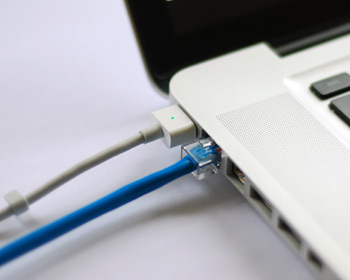
As my colleague Christian reported on Saturday, some Mac models have been plagued by non-working Ethernet ports after installing a new security update outed by Apple. Although a lot of modern Macs don't even have an Ethernet port, many models still carry it and many people still love using a wired internet connection because it's faster, more reliable, and more secure than a wireless network.
The security update, known as "031-51913 Incompatible Kernel Extension Configuration Data 3.28.1," reportedly blacklists the Broadcom BCM5701 driver used by the Ethernet port that comes standard on many Mac machines.
Fortunately, there's a light at the end of the tunnel for anyone experiencing issues with their Ethernet ports after installing this security update. Apple has issued a support document on Sunday that notes how to fix the problem. In this tutorial, we'll go over the steps to fix the problem yourself.