Safari

Make mobile Safari load faster with SafariBlankPage

Are you tired of waiting for web pages to reload every time you launch mobile Safari? If so, you might be interested in this new jailbreak tweak called SafariBlankPage, by Suu (the same developer who did Slide2Kill).

As its name indicates, the tweak forces Safari to open up to a blank page upon launch, meaning you don't have to wait for anything to load. This allows you to quickly perform searches and open new websites...

Platinum helps you complete search queries in Mobile Safari

One of my favorite features found in Google Chrome for iOS is the ability to build on search queries without initiating the search. Unfortunately, stock Mobile Safari doesn't have this capability. That's where Platinum, a new jailbreak tweak available on Cydia, comes in.

Platinum allows you to complete search queries on Mobile Safari with ease. There are no settings or options to configure, just install it and go. Take a glance inside for a look into how it works...

PullAll adds pull to refresh to every WebView

PullAll is a new jailbreak tweak that allows you to add the same pull to refresh functions from the stock Mail app to any WebView. This means that you can add pull to refresh to any apps that use WebView, including Safari, Twitter, Reeder, and more.

Along with PullAll's functionality, the animation, too, is pulled directly from the Mail app. PullAll can also be customized to your liking by means of a handy preference pane. Check inside for a few more details as to how it's all put together...

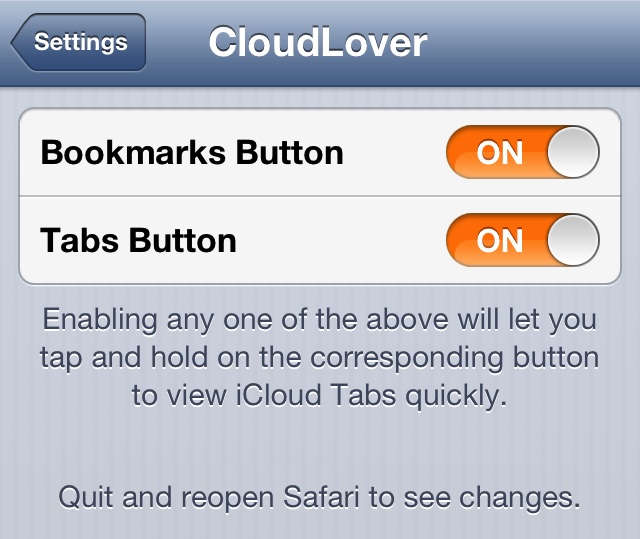
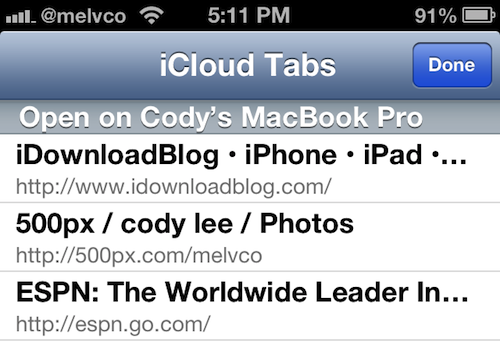
Quickly access your iCloud tabs in Safari with CloudTabs+

I use my MacBook and iPhone all day, every day. If I'm not on one, I'm on the other, and sometimes I'm on both. So I'm constantly using features like iCloud's Safari tab sync to ensure a streamlined experience as I switch between devices.

The sync feature itself, which Apple introduced last year in iOS 6, works great. But I have to admit, it would be nice if it wasn't buried in mobile Safari's Bookmarks menu. Luckily, that's not a problem anymore with this new jailbreak tweak...

Flurry: one-third of app time spent on games

The average U.S. smartphone or tablet user spends two hours and 38 minutes on their device, the majority inside an app.

Just over half an hour is spent inside a mobile browser, while more than two hours each day is spent inside apps, such as Facebook.

According to the mobile analytics firm Flurry, games top the list of most-used apps, while Facebook is threatening to overtake Safari, Apple's dominant web browser, Opera Software's Opera Mini and other popular mobile web browsers as the most-popular way to access social and other content on the web...

Safari continues to dominate the mobile browser space

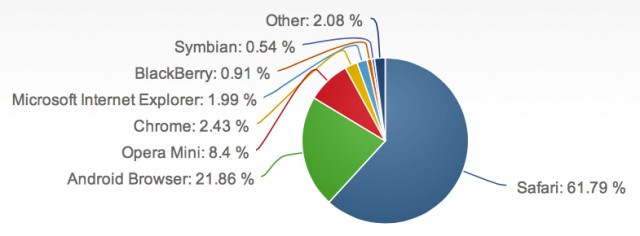
Despite the fact that it has numerous challengers, Apple's Safari has dominated the mobile browser space. And that continues to be the case today, according to a new report from web analytics firm Net Applications.

The firm's data, which stems from its web network that sees more than 160 million visits to more than 40,000 websites each month, shows that last month, Safari accounted for 61.79% of the mobile browser traffic...

How to re-enable background audio playback for Safari videos in iOS 6

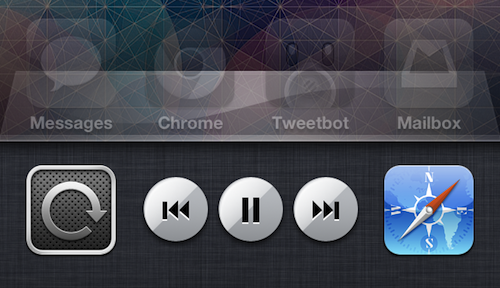
Remember the good old days, in iOS 5, when you could listen to a video's audio in the background on your device while multitasking? All you had to do was double tap the Home button, swipe to the left to reveal the iPod controls, and press Play.

But for some reason, Apple disabled this feature in iOS 6, leaving us without a native way to do things like listen to YouTube videos in Safari while texting or browsing Twitter. But the good news is, we've come across a fairly easy way to get it back...

New iOS 7 concepts: actionable Notification Center, better Safari

http://www.youtube.com/watch?v=NKYvpFxXMSA

What better way to sign off as my weekend starts than a fresh batch of iOS concepts which imagine the capabilities Apple should have long implemented? Above is Shaik Imaduddin's mockup of a more interactive iOS Notification Center with actionable alerts where you could, say, delete email messages, mark them as read and send new ones, all without ever leaving your iPhone's Notification Center.

Very doable and frankly, even Android isn't currently doing that. He's also envisioning making phone calls, responding to text messages (existing tweaks address this) and setting alerts in Reminders to call back a person. The latter makes me wonder how on Earth Apple missed combining Reminders with the Phone app. I've also included a nice iOS 7 Safari mockup right past the fold...

Firefox is not coming to iOS until Apple changes its ways, company exec says

Fans of Mozilla's Firefox web browser may be hoping to use their browser of choice on iOS, but according to Mozilla, that may not be possible anytime soon.

Mozilla has lifted the lid on the reason that it has yet to port the popular Firefox to Apple's mobile platform and, unsurprisingly, it's all down to Apple's tight control over how things are done on its devices according to Jay Sullivan, the company’s Vice President.

Currently, all third-party web browsers that run on the iPhone, iPad or iPod touch have to use Apple’s UIWebView component which is inherently slower than the Nitro used by the company's own Safari browser. Mozilla says that it will only bring Firefox to iOS when that limitation is removed, and Apple seems in no rush to do that...

How to stop Google Chrome’s annoying keychain access request messages

Have you ever had Google Chrome on OS X present a pop up message that states: Google Chrome wants to use your confidential information stored in the...blah, blah, blah...in your keychain?

Even if you select Always Allow, Deny, or Allow, the message continues to pop up each time you visit specific sites. I tried disabling password syncing in Chrome's settings, clearing all saved passwords, etc., all to no avail. Basically, I got to the point where If I saw that message one more time, I was going to rip my hair out!

But I solved the issue, and it was actually easier, and more obvious than I expected. If you're having the same problem, which apparently many Chrome users on the Mac are, then take a look inside for the fix...

‘PassIt’ allows you to open links directly within 1Password

As a newly converted 1Password user, it's always been sort of an annoyance to have to create a javascript bookmarklet in order to quickly open a website within 1Password's interface. If you happen to be jailbroken, however, this procedure just got a lot easier.

PassIt is a new jailbreak tweak that adds an "Open in 1Password" option to Safari's sharing menu. Yes, it's basically just a glorified javascript bookmarklet, but it's much easier to use, and it looks great too.