Review

AppRecs: a search engine that filters out apps with fake or questionable reviews

One of the things that can be annoying when using the App Store is when you are trying to find a good app and dozens of fake reviews push junk apps to the top of the search results when all you want is to find the best of the best. Since not all reviews are honest, it can be difficult to filter the good from the bad on your own.

To help combat this problem, a new web app called AppRecs has been created that claims to be able to filter good reviews from the bad. This way, you can skip everyone's junk reviews and junk apps and just see the best apps in the App Store that are truly worth checking out based off of honest reviews.
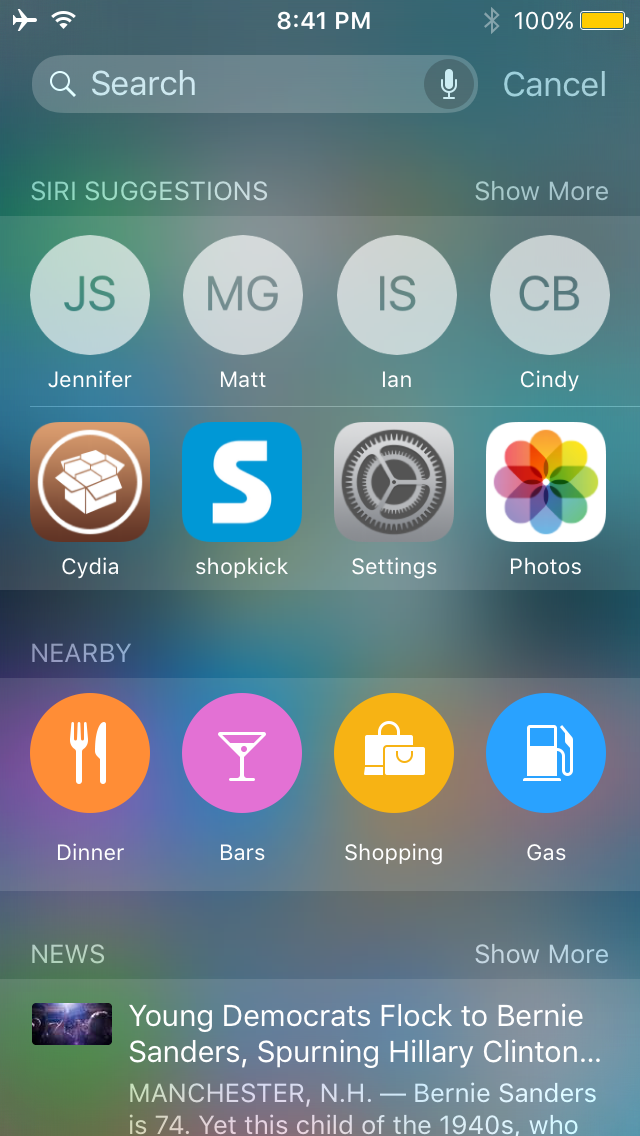

This tweak displays Siri suggestions in all iOS Spotlight interfaces

Starting in iOS 9, Apple introduced Siri Suggestions in the updated Spotlight interface, which is accessed to the left of the first Home screen page.

Interestingly, despite the new Spotlight interface, Apple kept the original Spotlight interface that you can access by pulling down from the top of the screen, and as you might imagine, it doesn't have all the new bells and whistles the new Spotlight interface does.

A new jailbreak tweak called NearbyNews is now available in Cydia's BigBoss repository for $0.99 that will let you bring these features to the original Spotlight interface in iOS 9.

How to turn any photo scene into a snowy one with Snow Daze

Winter may be coming to an end next month, making room for the Spring season, but that doesn't mean you can't keep enjoying the snow!

Snow Daze is a wonderful app that can be had from the App Store for $1.99. The app can turn any photograph scene into a snowy wonderland. With all of the different filters, configurable snow settings, and color options, you can make even the least suspecting photograph look like it was taken in the middle of a blizzard storm.

In this tutorial, we'll be showing you how the app works.

Rototo: a challenging space survival game, now free in the App Store

Are you looking for a fun new App Store game to install on your iPhone, iPod touch, or iPad to entertain your inner gamer? Look no further than Rototo: Space Survival, which is survival game where you actively defend yourself from incoming threats using a rotating shield.

Rototo is normally $1.99, but it's currently free in the App Store for an unknown period of time, and we'd recommend taking advantage of that awesome deal!

Joli Originals offers a premium leather sleeve for iPad Pro

Recently, finding time in my schedule to offer a review has been very difficult. However, some products just beg to have a closer look and Joli Original's iPad sleeve for iPad Pro is one of those accessories. After receiving my iPad Pro, I began the quest to find a protective covering, but was not interested in Apple's expensive cases or the Smart Keyboard. As a fan of using naked devices, I was only looking for a simple, protective case when I found Joli Originals.

After browsing the product site, I felt like a sleeve was the best way of protecting my iPad Pro, but still giving me quick access to the device in its truest form. Based on the product images, I was convinced the Smooth Collection was a high quality sleeve, that would very well match the premium experience of the iPad Pro. Like they say, a picture is worth a thousand words and this case certainly fits the bill.

Review: Channels – watch live TV on your Apple TV with an HDHomeRun [video]

If you want to watch live TV on your Apple TV with an HDHomeRun, you can go the free route by using Kodi, but Channels is by far the best live TV watching experience to be had on Apple TV. Not only does Fancy Bits' Channels app allow you to watch live TV, but you can also pause and rewind local or cable TV directly from your Apple TV when paired together with an HDHomeRun.

If you're unsure what an HDHomeRun is, or how it can help you, then be sure to check out our post on the device. In a nutshell, the HDHomeRun allows you to stream free (or paid) television over your home network. The Channels app can then acquire the stream made available by the HDHomeRun, and display it on your television.

At $14.99 for a limited time (normally $24.99), Channels isn't cheap, but it's a great-looking and overall solid experience for cord cutters. Have a look at our full video walkthrough for more details.

Ryan Petrich’s Treadmill tweak logs how much scrolling you do

Have you ever wondered just how much scrolling you do on your iPhone, iPod touch or iPad? Chances are, you do a whole lot more scrolling than you think.

If you're rocking a jailbroken device, Ryan Petrich has just released a new free jailbreak tweak called Treadmill via his personal beta repository in Cydia that keeps track of how much scrolling you do, and can show you in real time just how much exercise you're giving your fingers.

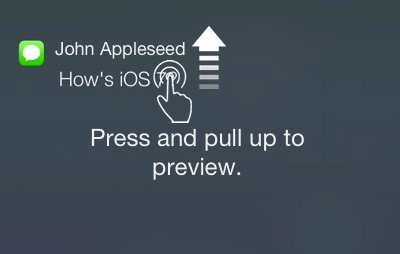
‘3D Touch Notifications’ lets you peek and pop your notifications with 3D Touch

3D Touch is one of the flagship features of the iPhone 6s and iPhone 6s Plus, allowing users to press firmly on various interfaces throughout iOS to reveal hidden menus with shortcuts to commonly-performed actions.

Despite iOS already having a variety of 3D Touch peek and pop menus, the jailbreak community is continuing to engineer interesting new uses for 3D Touch, such as this recent scale concept tweak, and it doesn't stop there. A new jailbreak tweak called 3D Touch Notifications from Cydia's BigBoss repository is about to change the way you interact with notifications on the Lock screen and in Notification Center using 3D Touch.

SpotAlarm tweak lets you play any Spotify track for an alarm

Spotify users: if you've ever wanted to use your favorite song on Spotify as an alarm for when you wake up in the morning, and you happen to have a jailbroken device, then you're in luck!

With SpotAlarm, a new jailbreak tweak available free of cost in Cydia's BigBoss repository, you can set any one song from Spotify to play when your alarm goes off in the morning – or whenever else you may want to have an alarm go off.

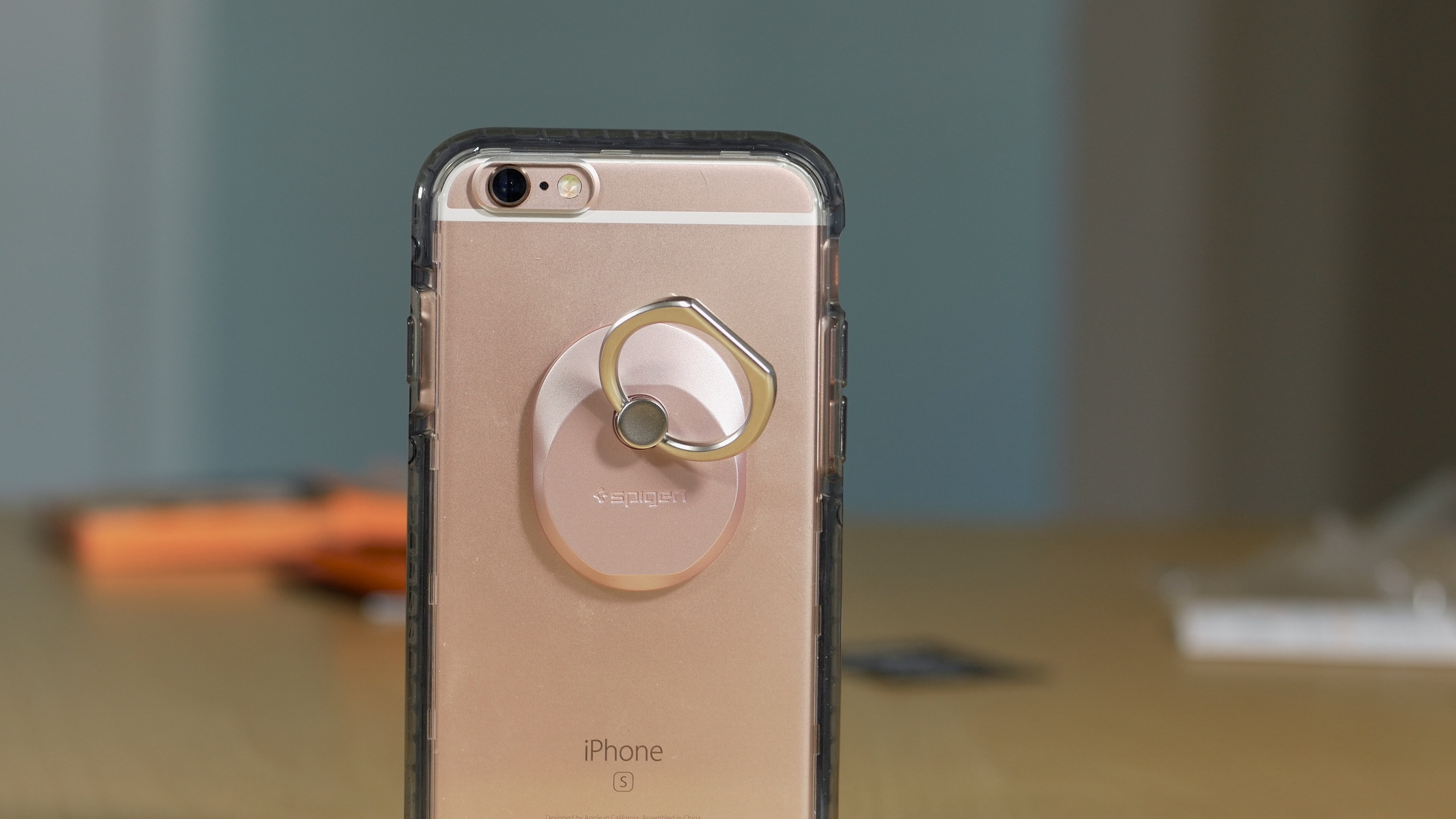
Review: Spigen Style Ring

The Spigen Style Ring ($12.99 on Amazon) is an interesting accessory from Spigen, a company best known for producing smartphone cases. It's a platform-agnostic accessory that attaches to any case or smartphone using an easily-removable, non-residue-leaving, adhesive gel pad.

Once the Style Ring is attached to your case or smartphone, you can use it to assist with grip or let it function as a kickstand. You can also use the Style Ring to mount your smartphone to your car's dash using the included car mount adapter.

If you have problems gripping larger phones, then have a look and see what the Spigen Style Ring might do for you. Watch our video review for all the details.

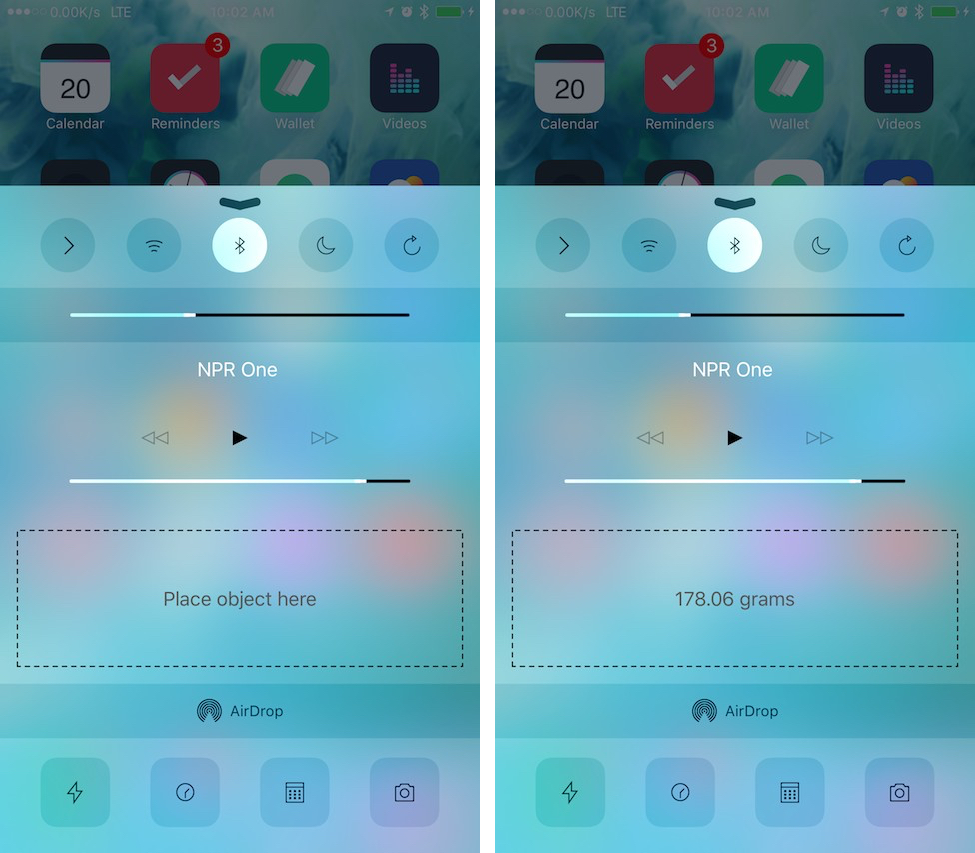
This tweak lets you use 3D Touch to measure an object’s weight

3D Touch gives iPhone 6s users tons of new features throughout the iOS operating system out of the box, but that's not keeping the jailbreak community from coming up with incredible new uses for it.

Grams is an incredible new jailbreak tweak being made available in Cydia's BigBoss repository for $0.99 that allows those with an iPhone 6s or iPhone 6s Plus to measure the weight of light objects by using the 3D Touch display right from Control Center, and in this piece, we'll take you through a few of the details of how it's able to accomplish this.