Review

This new tweak lets you colorize the AirPods/AirPods Pro connect interface

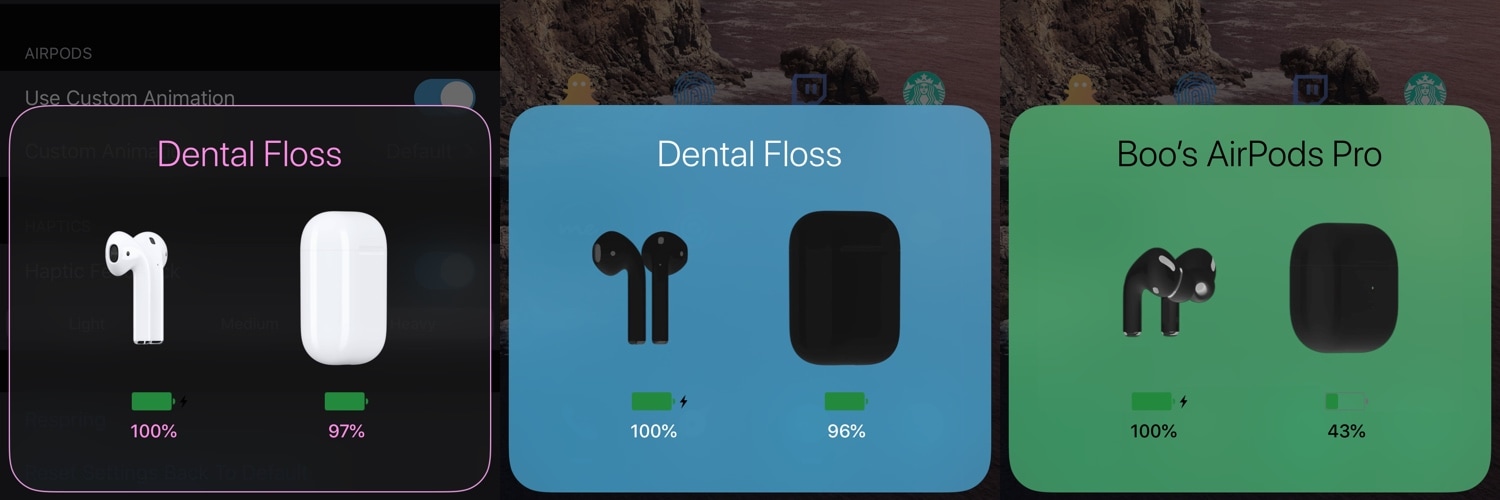
If you’re jailbroken on iOS 13 and you also happen to own a pair of AirPods or AirPods Pro, then you might enjoy the added customization benefits of a newly released and free jailbreak tweak called AirPort (iOS 13) by iOS developer Boo.

If you haven’t already noticed in the screenshot examples above, AirPort (iOS 13) enables users to personalize the appearance of their AirPods/AirPods Pro connection interface. Options include colorizing the interface, the text, and the AirPods/AirPods Pro themselves.
DigitalBattery13: A customizable battery indicator for notched iPhones

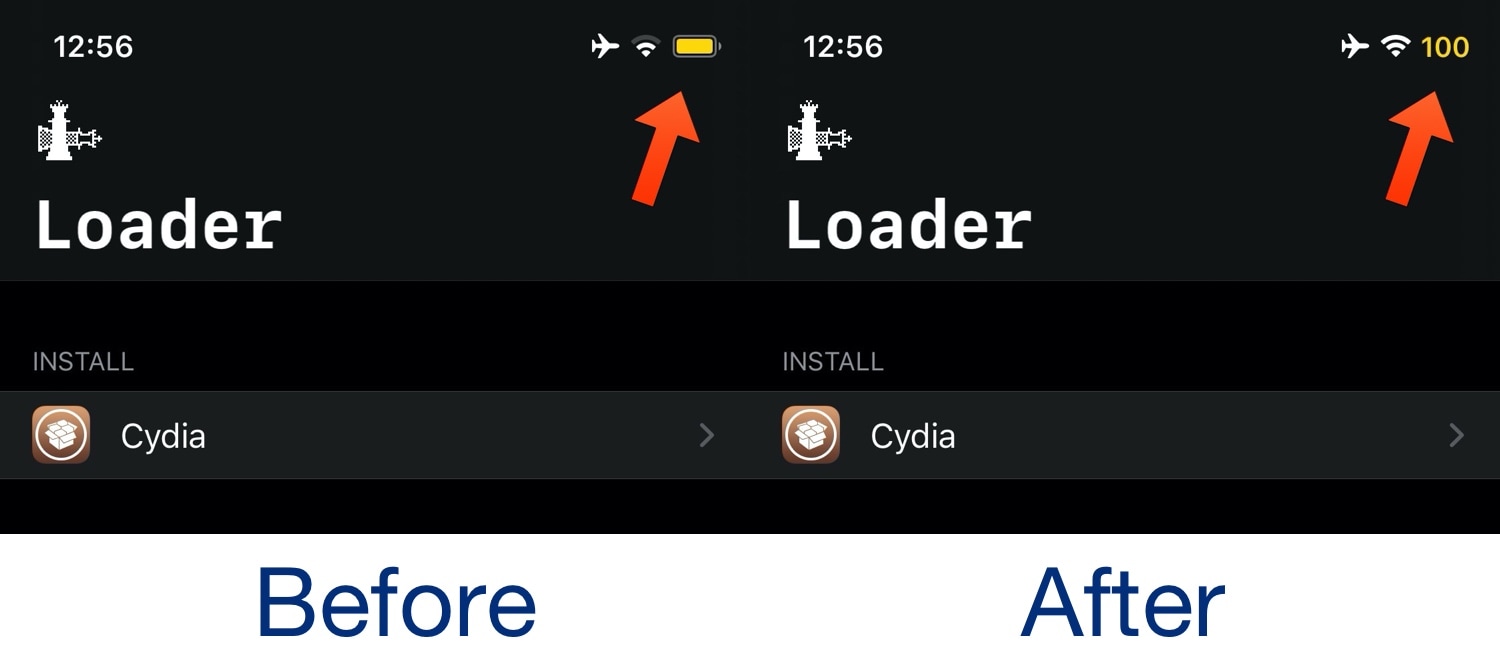
I was always the sort of person to enable the Battery Percentage option on all of my older iPhones, but since the introduction of notched handsets starting with the iPhone X in 2017, Apple appears to have nixed this feature from all but the non-notched handsets, requiring you to open Control Center to see a numeric battery percentage.

Those looking for a better battery indicator solution on their notch-equipped iPhones may want to try out a newly released and free jailbreak tweak called DigtalBattery13 by iOS developer Asterix. Just as the name implies, this tweak gives your handset an actual numeric battery readout as opposed to just an icon.

Jailbreak tweaks of the week: Dots 2, Gravitation, Springtomize 5, and more…

Hot off the heels of an updated unc0ver jailbreak with support for iOS 13.0-13.3 on A12(X)-A13 devices, it is now possible to jailbreak the bulk of all iPhones or iPads in circulation with either checkra1n or unc0ver. The only exception would be A12 or newer devices running iOS 13.3.1.

If you have a jailbreakable device, then you may want to find some add-ons to go along with it. In this piece, we'll discuss our favorite jailbreak tweaks released between Monday, February 17th and Sunday February 23rd. As usual, we'll kick things off by talking about our favorite releases and then wrap things up with an outline of the rest afterward.

Give Control Center a rounder aesthetic with RoundedCC

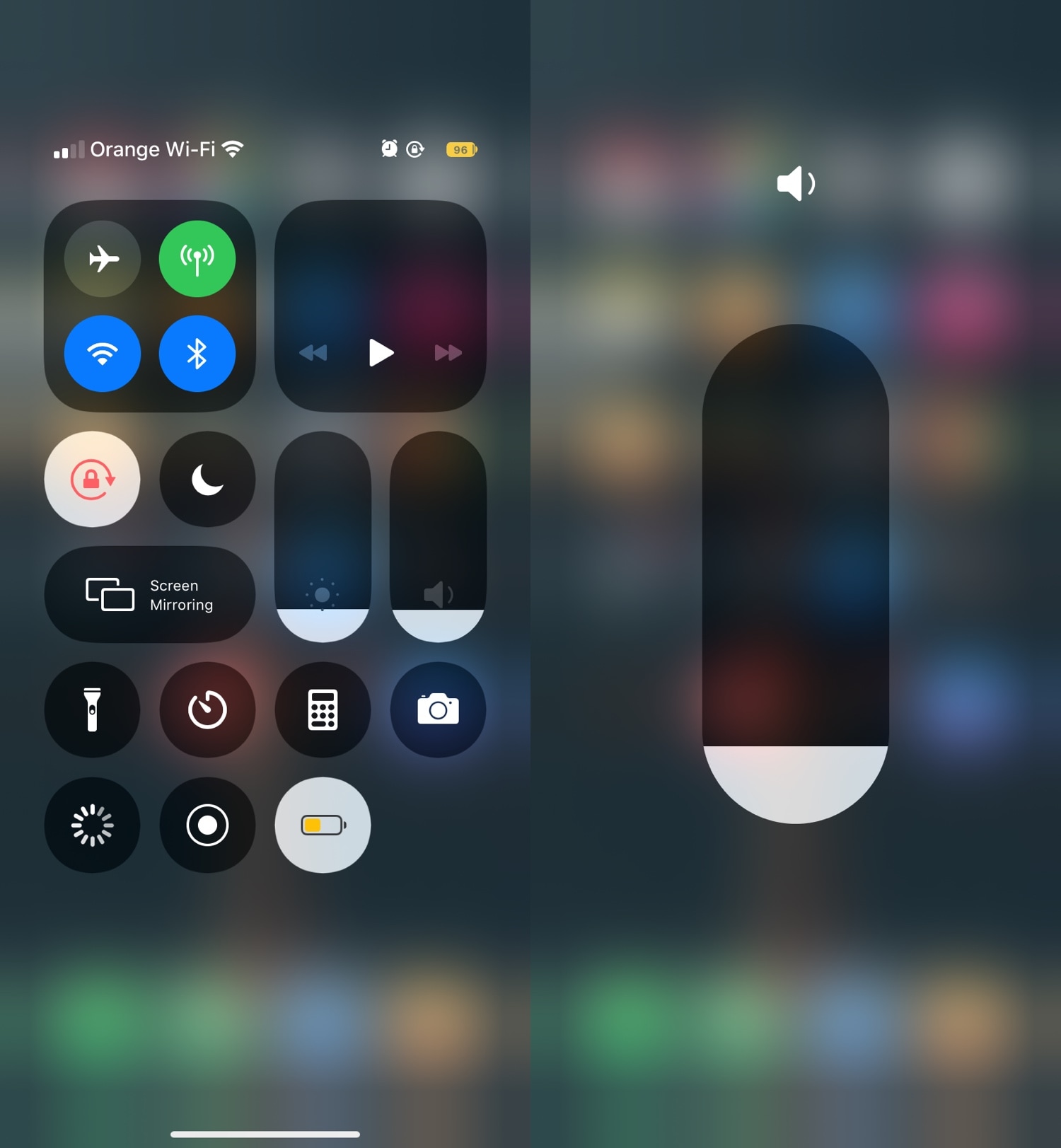
Those looking for a quick and easy way to give their newly jailbroken handset a way to stand out from the crowd might enjoy the likes of a newly released jailbreak tweak called RoundedCC by iOS developer neoney.

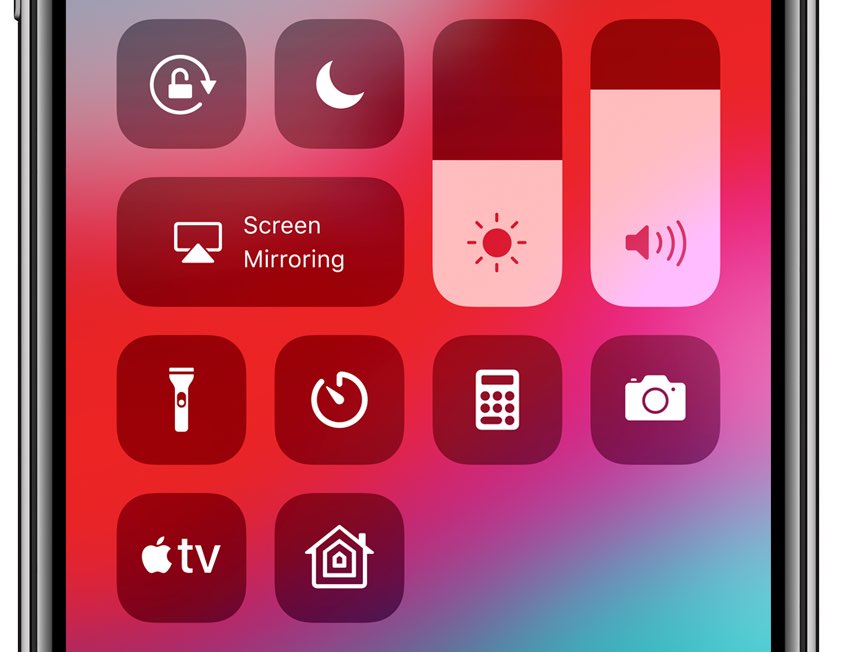
As most would probably infer from the tweak’s rather conspicuous name, RoundedCC gives Control Center a much rounder aesthetic. It replaces much of the interface’s rectangular features and either transforms them into circles or eliminates most of the straight lines.

ReachCC13 opens Control Center with iOS’ native Reachability gesture

Control Center is an incredibly convenient section of iOS that provides instantaneous access to your favorite toggles and shortcuts, but if you have a larger iPhone such as the XS Max or 11 Pro Max, then you might have trouble getting to the interface with just one hand given how the gesture to open Control Center involves the very top-right corner of the display.

Here to solve the aforementioned problem is a newly released and free jailbreak tweak called ReachCC13 by iOS developer Kritanta. Just as the name implies, this tweak modifies the behavior of the iPhone’s native Reachability gesture to launch Control Center when invoked instead.

OneHandWizard 2 makes one-handed usage of massive iPhones easier

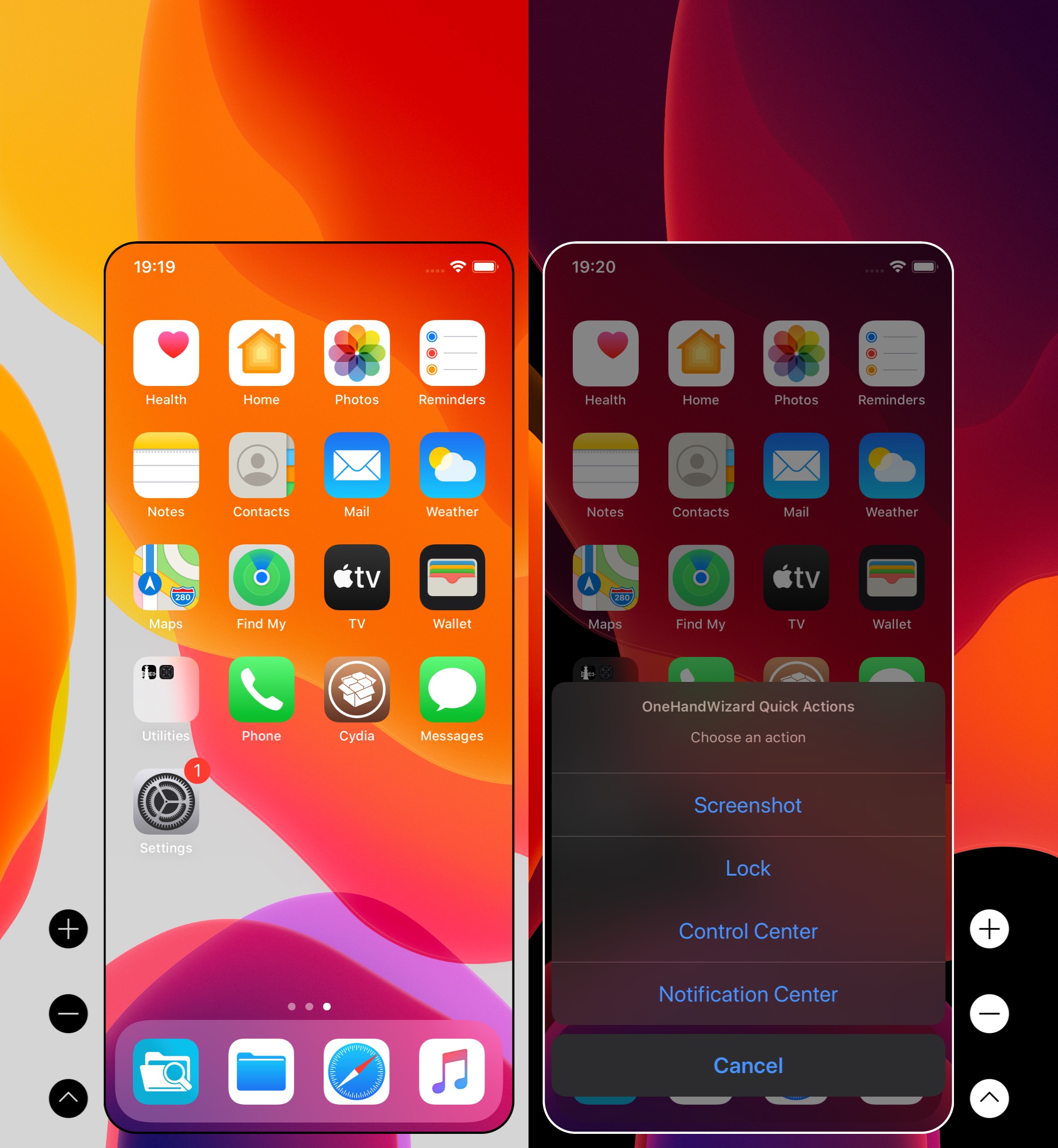
There’s no doubting the fact that smartphones are receiving larger displays by popular demand, and while this can be considered a benefit from the standpoint of media consumption, it also tends to be a shortcoming by way of one-handed usage.

Apple tries to make things on handsets with large displays easier to reach with just one hand through a native Accessibility feature called Reachability, but using it can be cumbersome, and it tends to lack much-needed functionality. For those who demand more out of their one-handed smartphone usage, it’s tough to go wrong with a jailbreak tweak called OneHandWizard 2 by iOS developer sharedRoutine.

ScreenshotActions makes it easier to share and interact with iOS screenshots

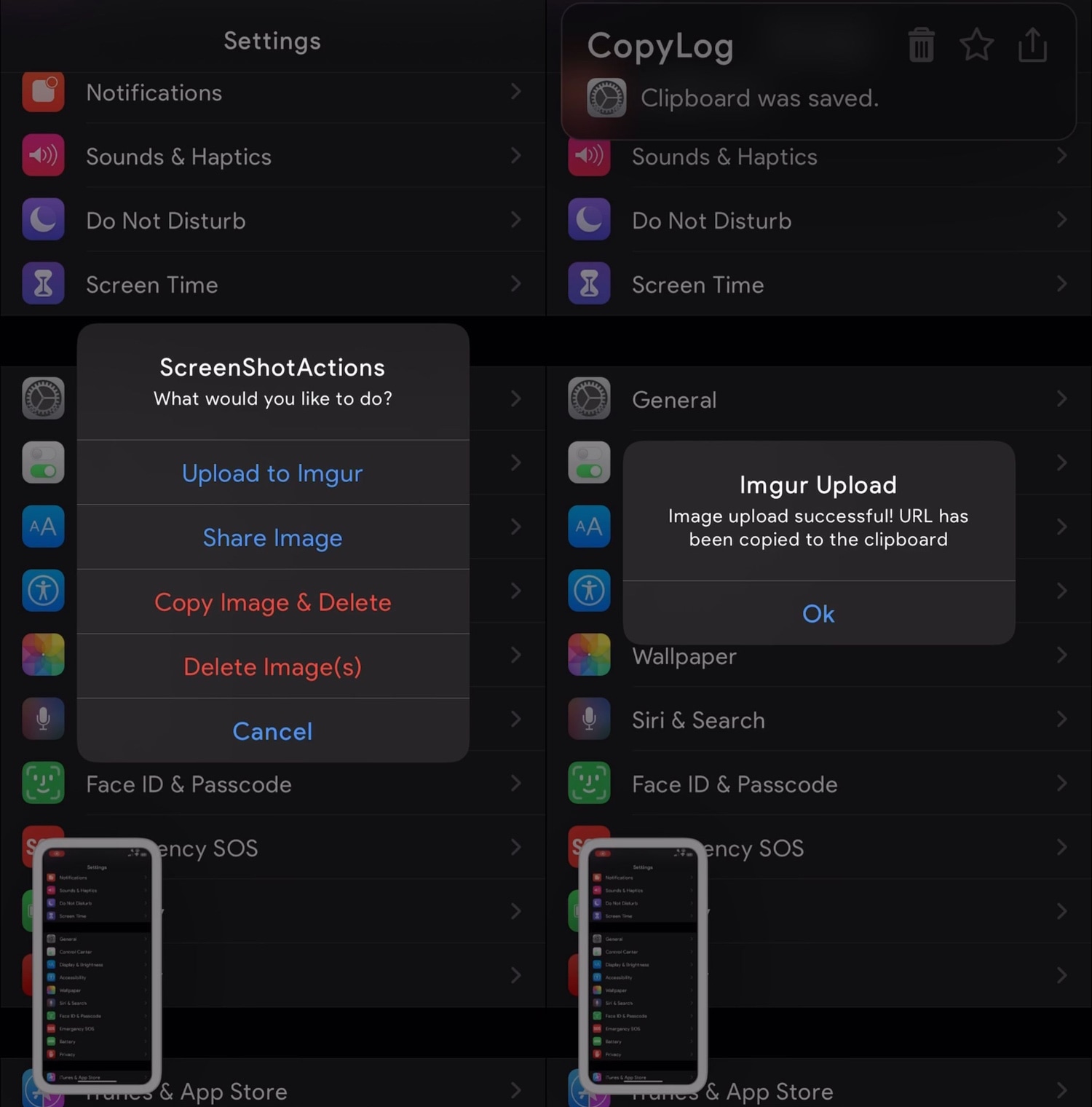
I take so many screenshots on my iPhone day in and day out that I nearly take having the ability to capture my display as an image file for granted. Many others are in the boat I am, but whether you take many screenshots or not, one thing we may all be able to agree on is that Apple could make the screenshot interface a lot more intuitive.

Enter ScreenshotActions, a newly released and free jailbreak tweak by iOS developer P2KDev that makes it a whole lot easier for users to share and interact with screenshots after snapping them.

This tweak centers the final row of apps on your Home screen

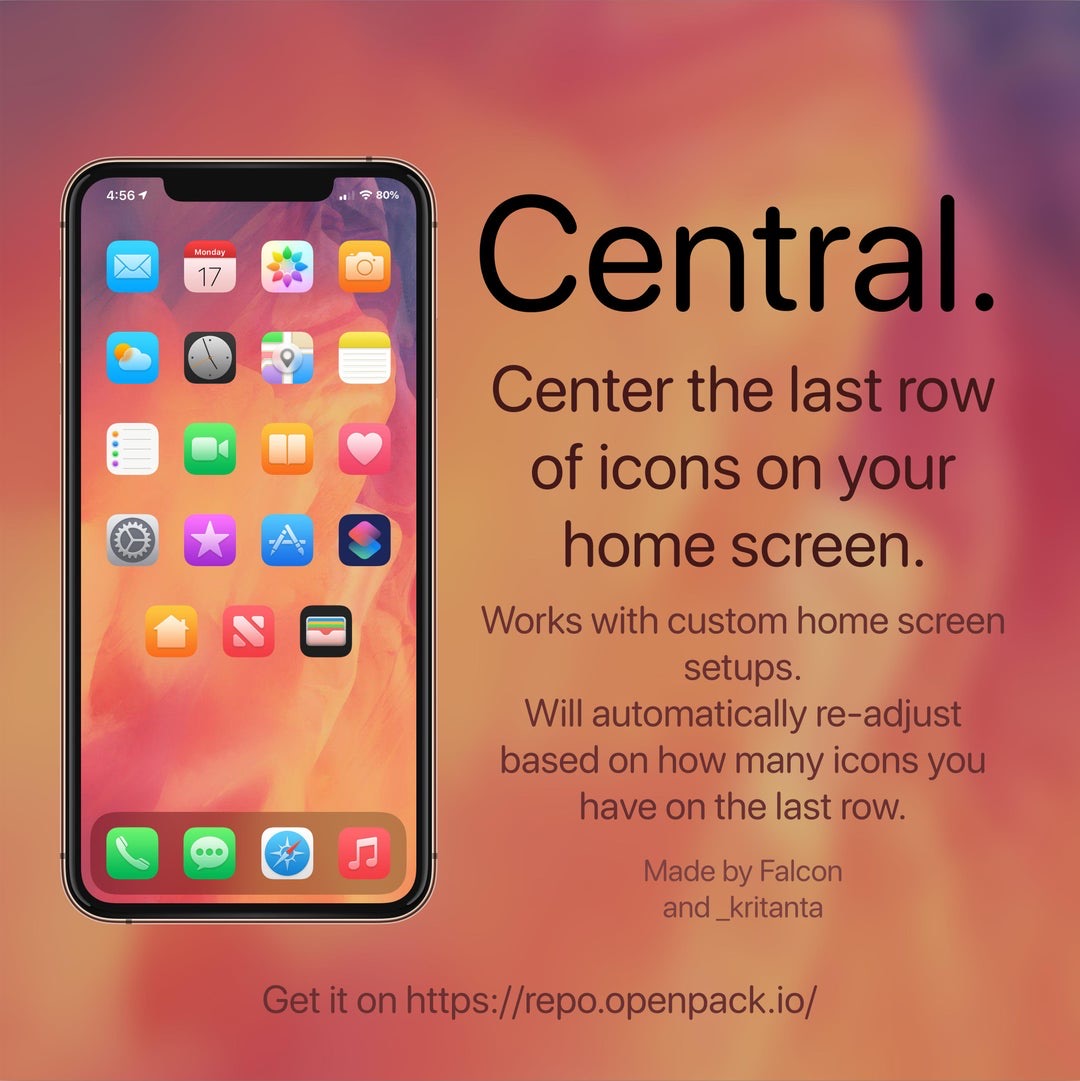
If you’re lucky enough to have a jailbroken iPhone or iPad at your disposal and you’re looking for a fun and quirky way to make your handset’s Home screen stand out from the average Joe’s, then you just might come to appreciate a newly released and free jailbreak tweak called Central by iOS developers Kritanta and Falc0nDev.

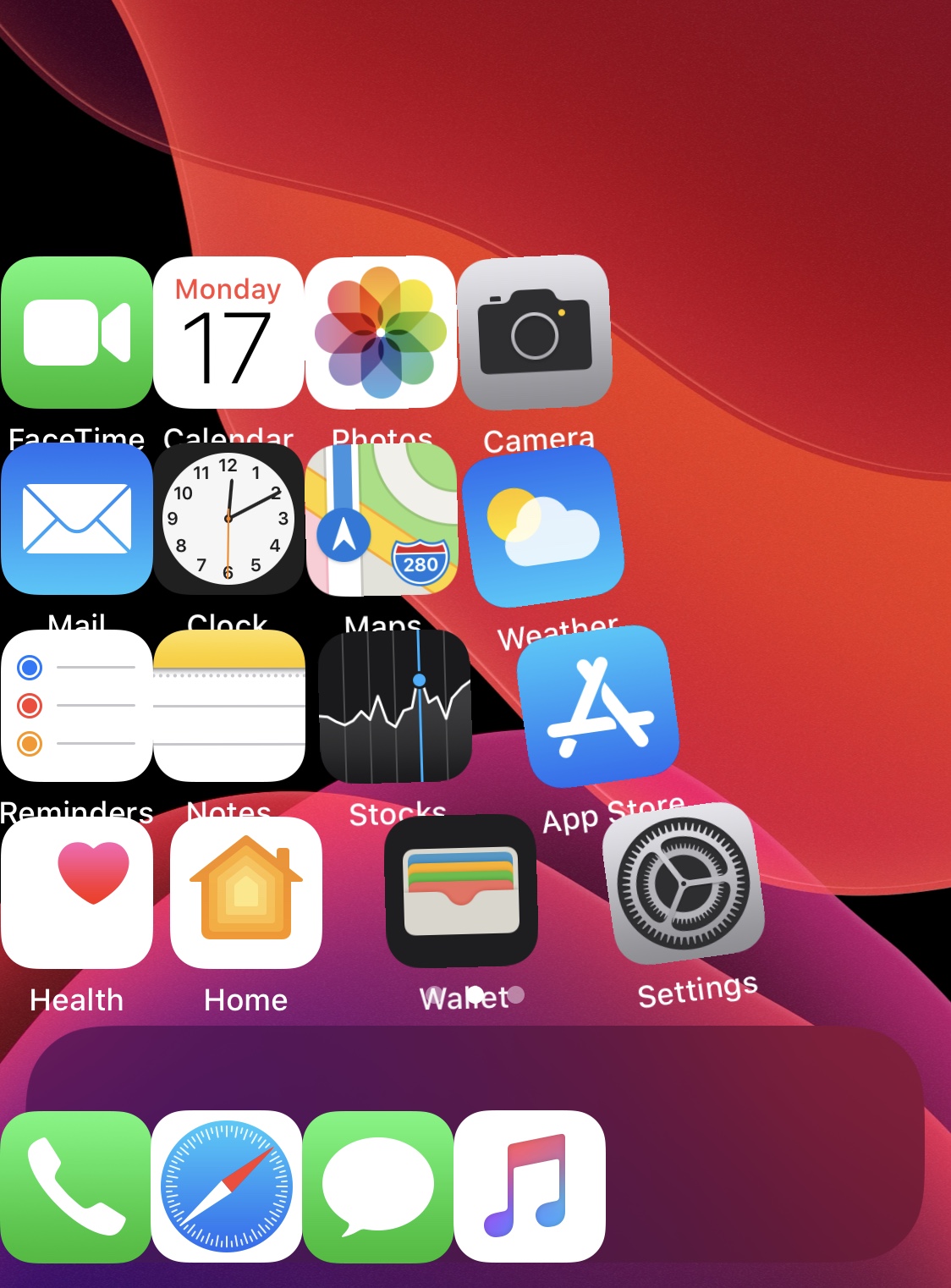
As depicted in the screenshot example above, Central adjusts your Home screen’s application icon layout in such a way that the final row on the Home screen funnels down to just three icons in the center of your display.

ColorFlow 5 gives iOS 13’s Now Playing interface a fresh coat of paint

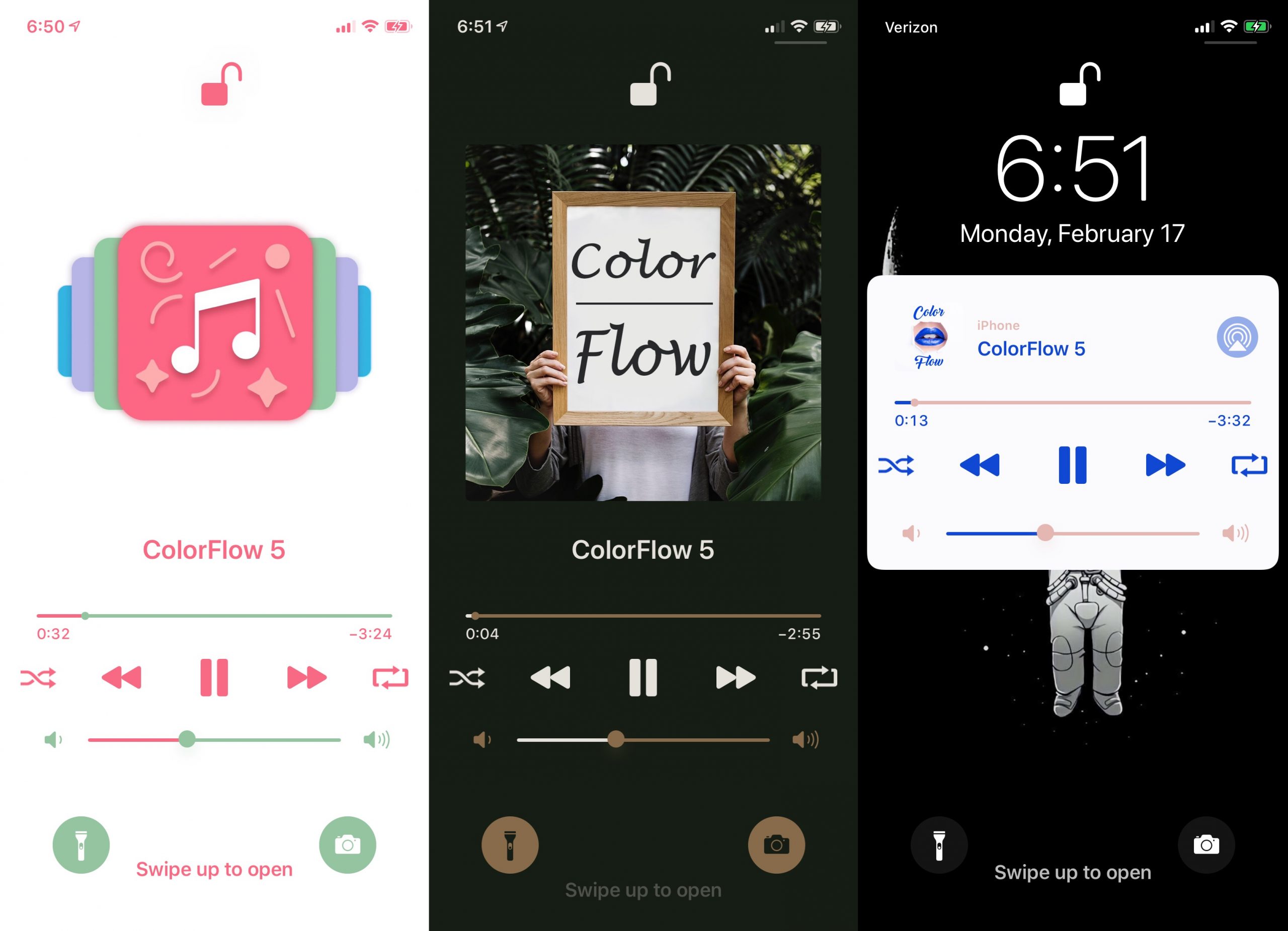
If you’ve recently jailbroken iOS 13 with checkra1n or unc0ver and you enjoy listening to your favorite songs or media through Apple Music or Spotify, then we have a feeling that you might enjoy a newly released jailbreak tweak called ColorFlow 5 (iOS 13) by iOS developer David Goldman.

As you might’ve inferred from the tweak’s name already, ColorFlow 5 is the fifth iteration of this tweak, and it automatically colorizes the Now Playing interface using the dominant colors from the current track’s album artwork. Examples of this are shown in the screenshots above.

Give your jailbroken handset the custom aesthetics it deserves with Cyanea

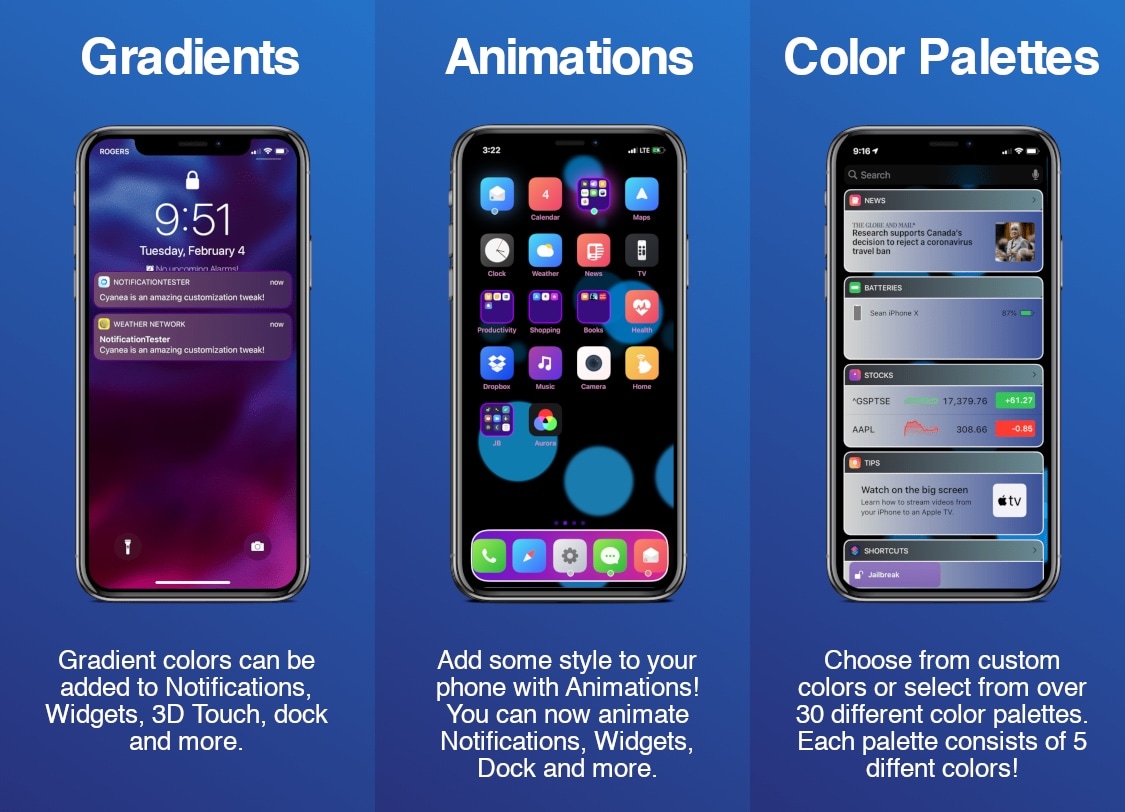
Cyanea is a newly released jailbreak tweak by iOS developer Sirius24 that incorporates a surfeit of fun new ways to customize your jailbroken handset’s system-wide aesthetics and behavior.

Cyanea is the highly-evolved successor of an older tweak called Chameleon that we showed you last year. It permits those users to personalize their device with custom color gradients, color palettes, animations, and more.

Dots 2 gives OLED-equipped iPhones an awesome new notification indicator

Ever since Apple first introduced an OLED display in its smartphone lineup, there’ve been countless jailbreak tweak releases attempting to take full advantage of it. From always-on displays, to revolutionary new notification indicators, there has been no shortage of innovation on this front.

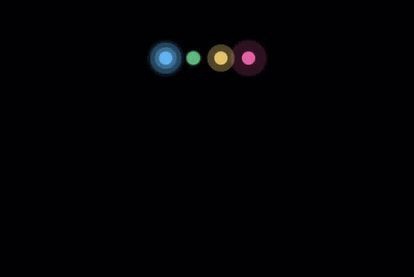
The latest addition to the party is a newly released jailbreak tweak called Dots 2 by iOS developer Shyam Lad, and as depicted in the screenshot examples above, this tweak displays pulsating colorful dots for missed notifications at the top of an always-on pitch black display when the device is locked.

Gravitation brings gravity to your jailbroken iPhone’s Home screen

Longtime jailbreakers like myself will remember those fun and quirky jailbreak tweaks that could be invoked to simulate gravity on your iPhone’s Home screen. Upon triggering a configured Activator gesture, one could watch in awe as their Home screen icons all fell to the bottom of the screen, almost as if there was a gravitational pull being imposed on them.

It’s been a while since we’ve witnessed such a tweak, but with newfangled jailbreaks like checkra1n and unc0ver permitting various iOS 13 devices to be pwned, now seems like a as good a time as ever for such tweaks to surface once more. That’s why iOS developer Kritanta has released a new and free jailbreak tweak called Gravitation.