Review

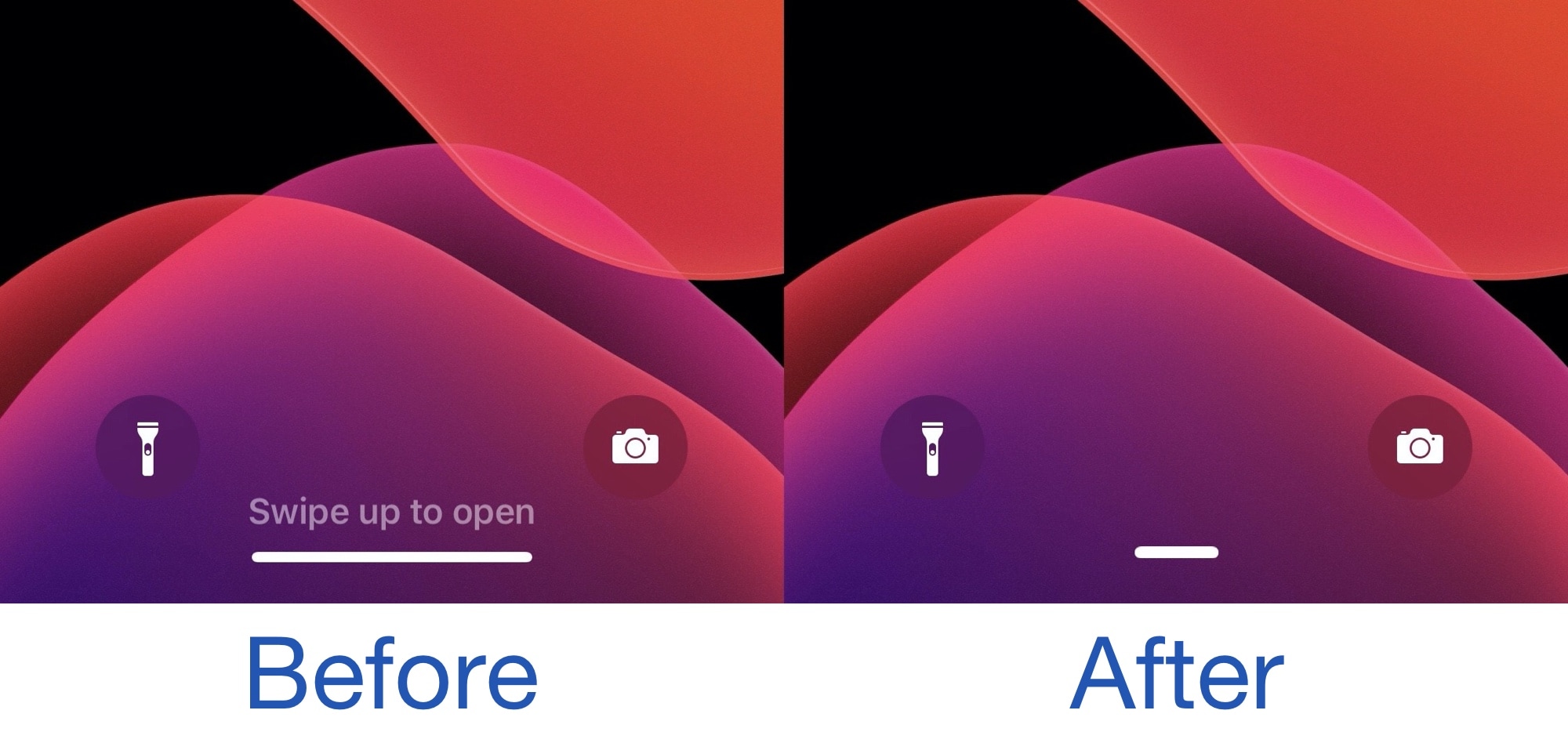
Homepill puts your iPhone’s Home Bar on a diet

When Apple began doing away with the traditional Home Button starting with the iconic iPhone X in 2017, it became instantaneously evident that users would need an alternative means of getting to the Home Screen. It was from this realization that the software-based Home Bar was conceived.

Most have adapted or even gracefully accepted the new Home Bar standard, but for the jailbreak community, is has become something of a customizable element. For those looking to put the Home Bar on a diet, a newly released and free jailbreak tweak called homepill by iOS developer zac shrinks the stock Home Bar down to a pill-shaped object that appears less intrusive to the eyes when hovering over an app’s interface.
Owl upgrades the official Twitter app on jailbroken devices at no extra charge

There are several third-party apps for accessing Twitter on the iOS platform, but there’s no question that the official Twitter app is the most popular by far. Unfortunately, it lacks a number of features that could make the user experience as good or better than many third-party alternatives, which is why they exist in the first place.

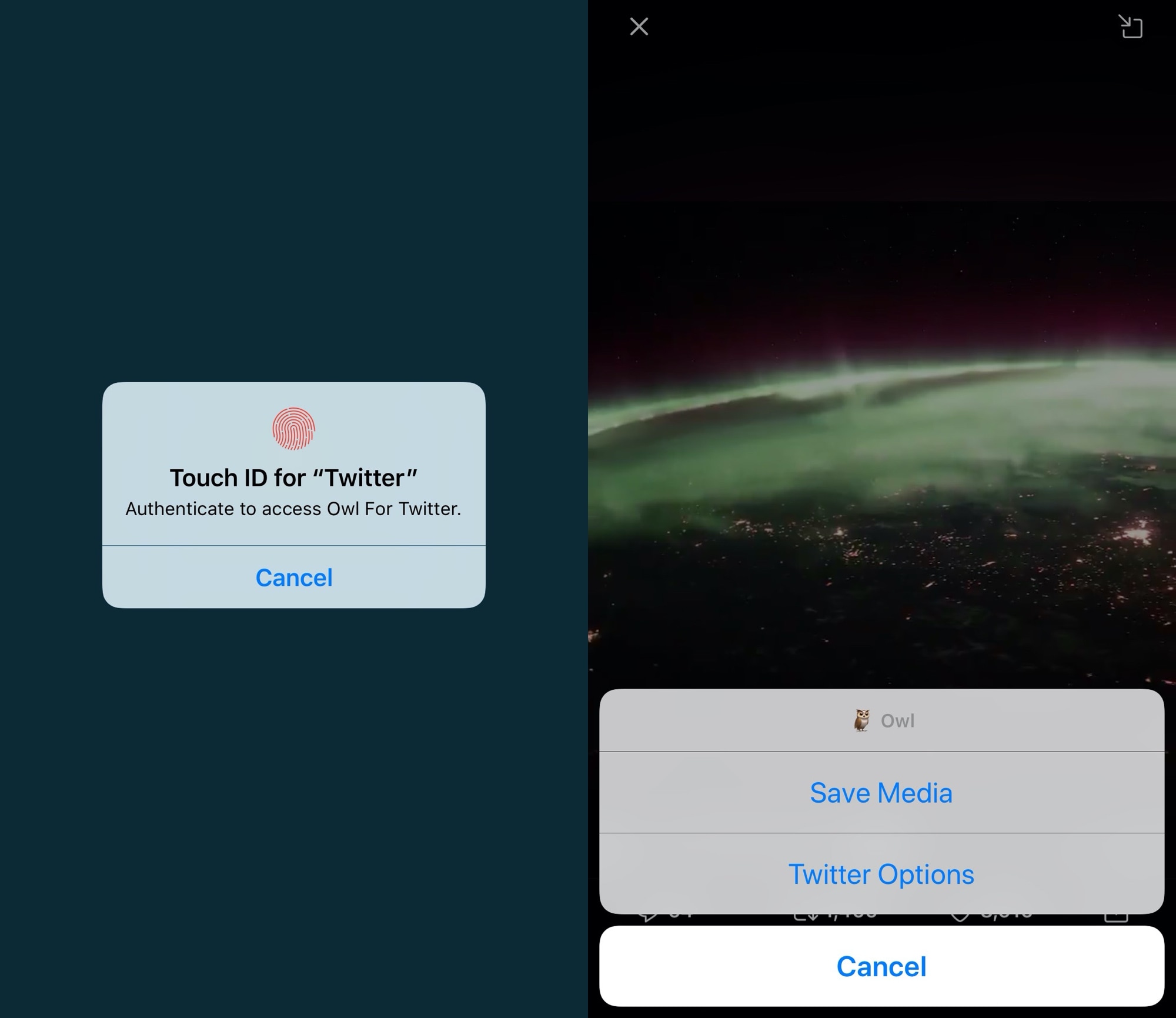
If you aren’t interested in spending money for a third-party Twitter client and you have a jailbroken handset at your disposal, then the good news is that you can take advantage of a newly released and free jailbreak tweak called Owl by iOS developer Michael Lema to breathe new life into the existing official Twitter app.

Glow is Elias Limneos’ take on an always-on display for jailbroken iPhones

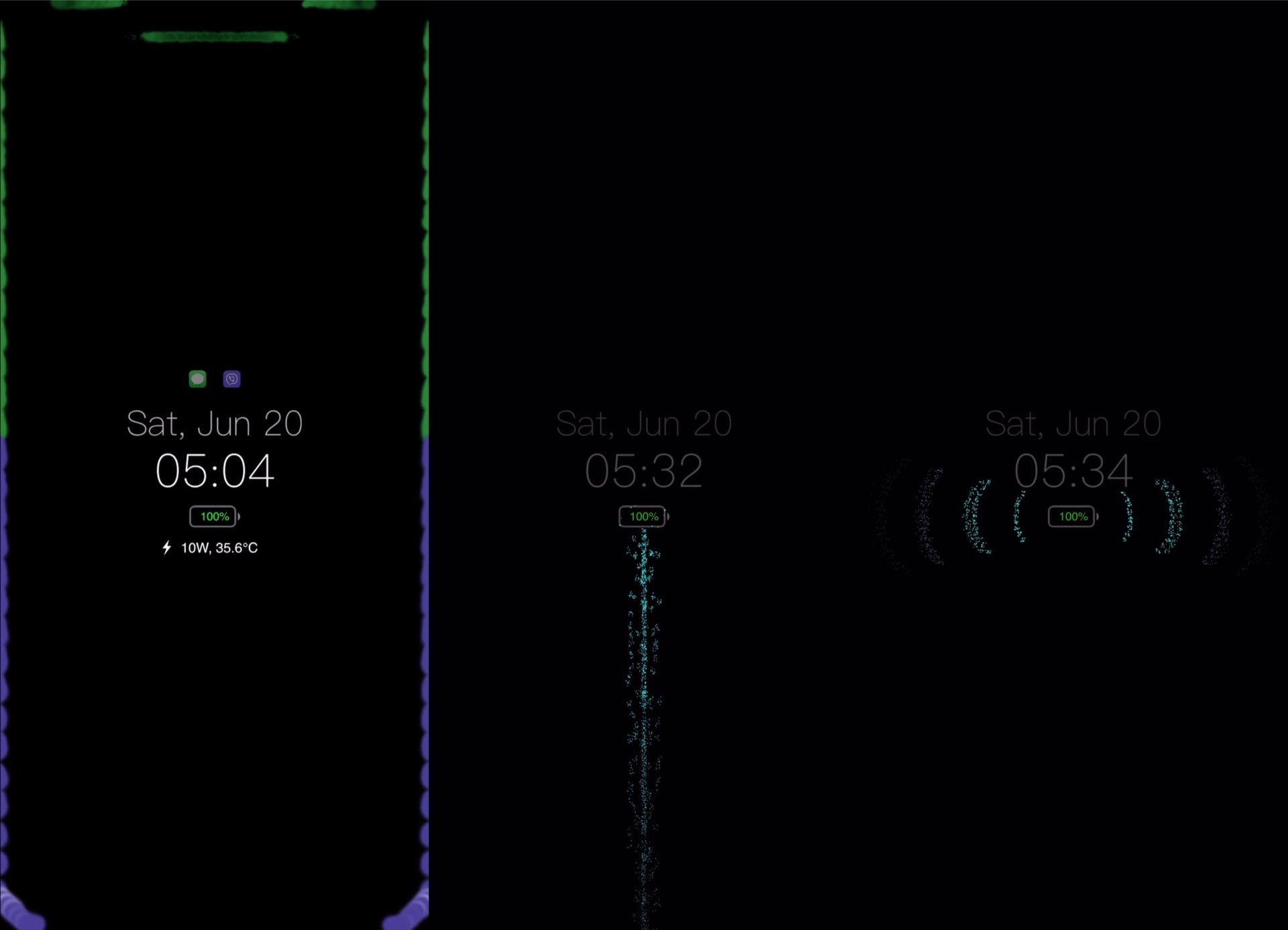
Ever since Apple first started integrating OLED display on its iPhones, starting with the iPhone X in 2017, we’ve witnessed a steady increase in the number of jailbreak tweaks attempting to bring a true always-on display experience to the platform. One of the latest attempts comes by way of respected veteran tweak developer Elias Limneos and has been aptly named Glow.

Like other always-on display tweaks before it, Glow takes full advantage of the OLED display in Apple’s high-end handsets to express true darks for the background. It simultaneously displays pertinent details such as the date, time, and battery level, along an indicator to let you know whether you’ve got any missed notifications. Best of all, it does all of this while consuming as little power as possible.

WhatsTheDate brings a smarter timer display to your iPhone’s Lock Screen

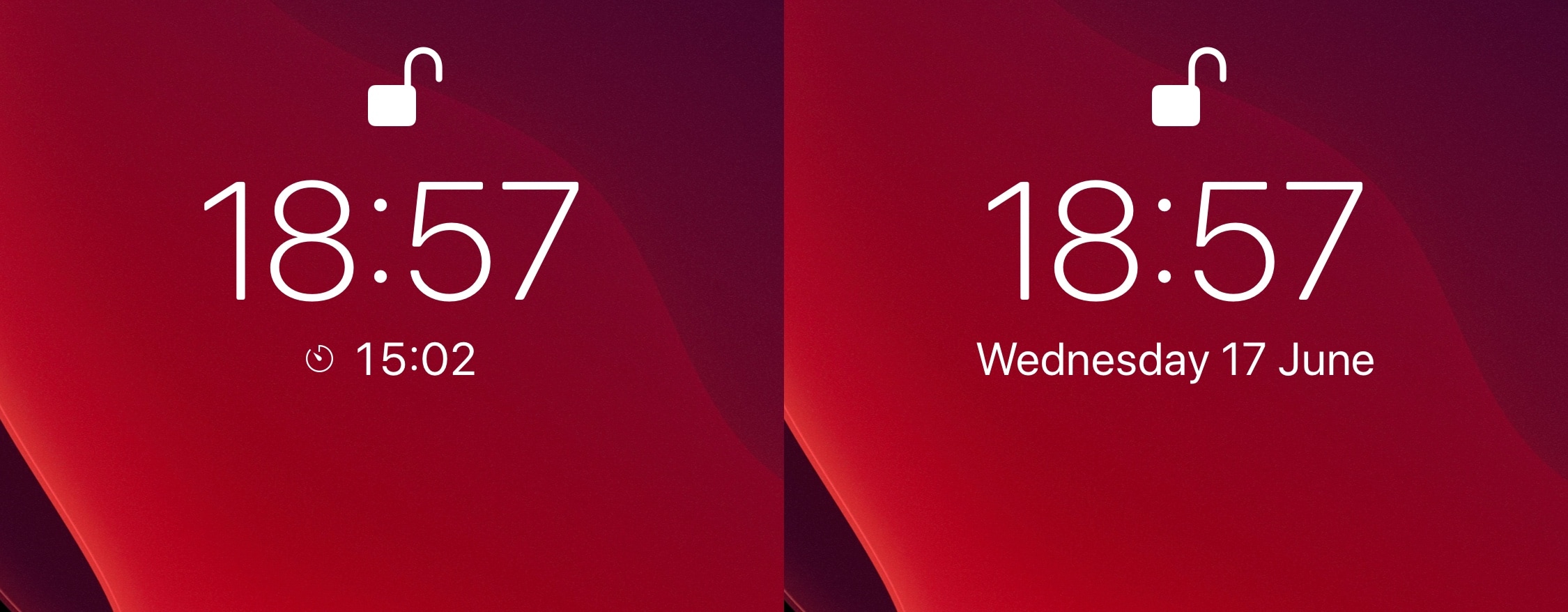
One of the things I like about iOS is how it displays any active timer on the Lock Screen, just below the time. But as much as I like having this subtle reminder when I pick up my iPhone, the implementation is somewhat imperfect. For example, it often gets in the way of viewing the Lock Screen’s native date display, which is something I find equally as useful when glancing at that particular interface.

If you’re in the same boat, then WhatsTheDate by iOS developer iCraze is a newly released and free jailbreak tweak that you won’t want to miss. It effectively solves the aforementioned problem by forcing the Lock Screen’s timer display to disappear after a few seconds, instead transitioning to the current date thereafter.

Dragspring resprings your device with a drag gesture in the settings app

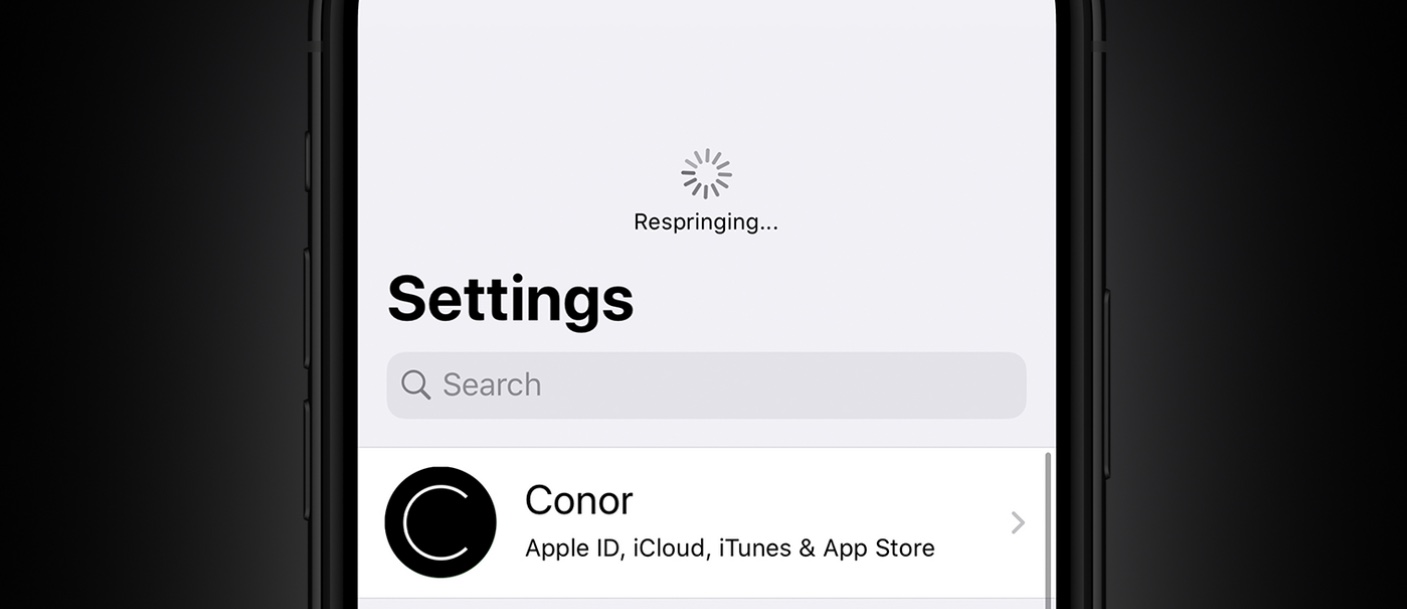
One of the things you might do a lot when you have a jailbroken device is respring. In a sense, a respring could be described as a soft reboot for appending changes to the operating system by way of jailbreak tweaks. Resprings can also be useful for other things, but regardless of why you’re doing it, it can sometimes feel cumbersome hen you’re trying to find a fast and easy way to respring your device.

We’ve covered a plethora of different jailbreak tweaks in the past that allowed you respring your handset on demand, but one of the latest tweaks to join that growing list of releases is an updated tweak dubbed Dragspring by iOS developer ConorTheDev.

MyWall lets you set custom backgrounds throughout iOS

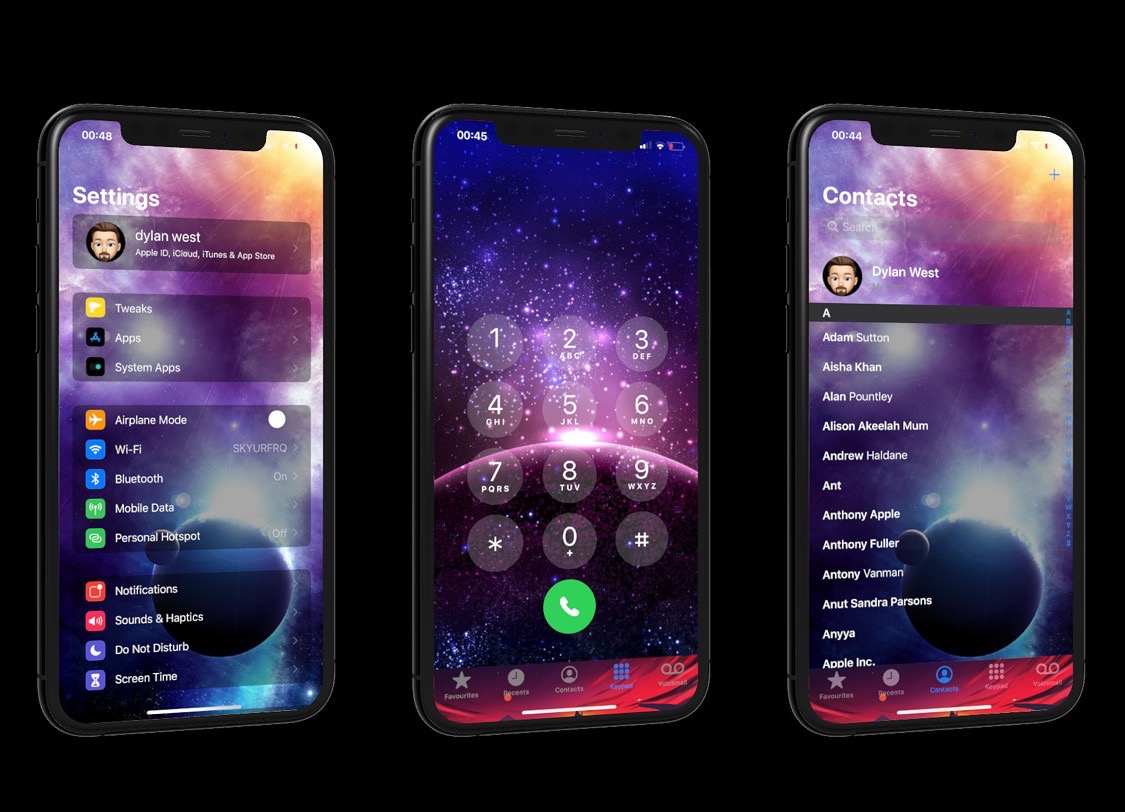
One of the things you can change on any stock iPhone or iPad is the wallpaper image that appears on both the Home Screen and Lock Screen. Unfortunately for Apple device users, that’s just about the extent of background image customization on the iPhone and iPad platforms; but it doesn’t have to be.

Assuming you’ve got a jailbroken handset at your disposal, then you can take advantage of a newly released jailbreak tweak called MyWall by iOS developer iOSthemem0d to customize the background of just about any iOS interface you can imagine.

Handcuff helps you catch iPhone thieves by sending selfies of the perpetrator

It’s a common worry that someone might try to unlock your iPhone without your consent if you leave it somewhere unattended, and since iOS allows several passcode attempts before it initiates a passcode lockout timer, it’s possible for someone to continue guessing your passcode time and time again. Unfortunately, iOS doesn’t provide any way to letting you know when someone does this, leaving the user completely oblivious to such attacks.

Enter Handcuff (iOS 13), a newly released jailbreak tweak by iOS developer Ahmed that alerts users to attacks of the aforementioned variety. If or when a passcode is entered incorrectly or a power down is attempted, Handcuff alerts the user to this activity via email and via text message and includes a selfie image of the offender trying to conduct said mischief.

This tweak blurs your handset’s display before it falls asleep from inactivity

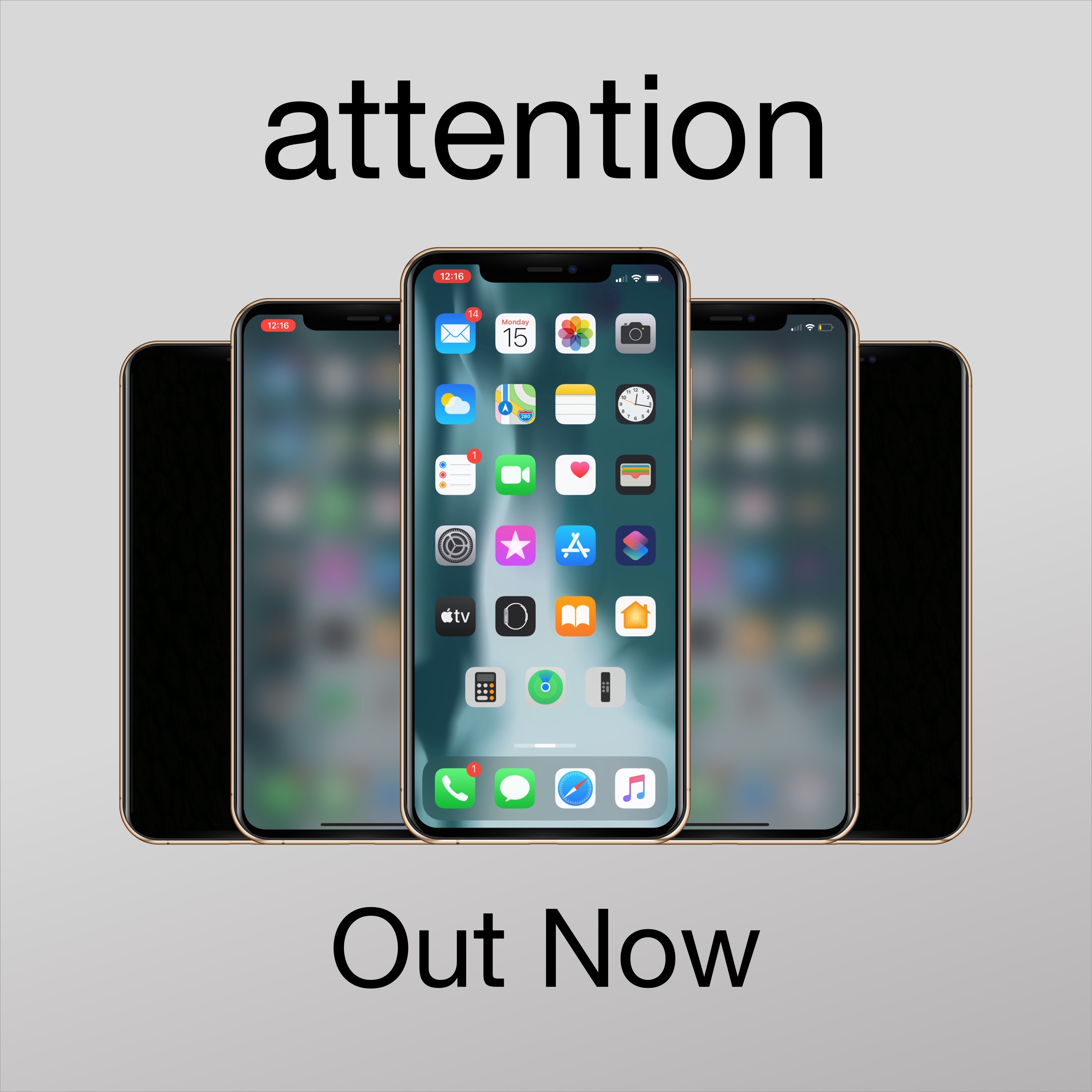
Apple designed iOS in such a way that when you don’t use your unlocked iPhone after a certain period of time, the display will start to dim before eventually falling asleep and locking entirely. Some people like this feature because it helps keep battery drain at bay during times of idle use, but if you’re interested in something different, then you may take a liking to a newly released and free jailbreak tweak called attention by iOS developer woofy.

Upon installing attention, your iPhone will still automatically lock itself after a predetermined period of inactivity. The only major difference, however, is that your handset’s display will exhibit a blurred effect after a period of inactivity and right before falling asleep instead of dimming the display’s backlight.

Chusma notifies users when they’re being tracked via Apple’s ‘Find My’ service

Chances are you probably wouldn’t like it if someone you knew secretively began tracking your every move via Apple’s Find My service, but would you actually ever know if someone was? Apple unfortunately doesn’t provide any sort of straightforward notification to let you know when your handset is being tracked, but the jailbreak community now offers a solution for that.

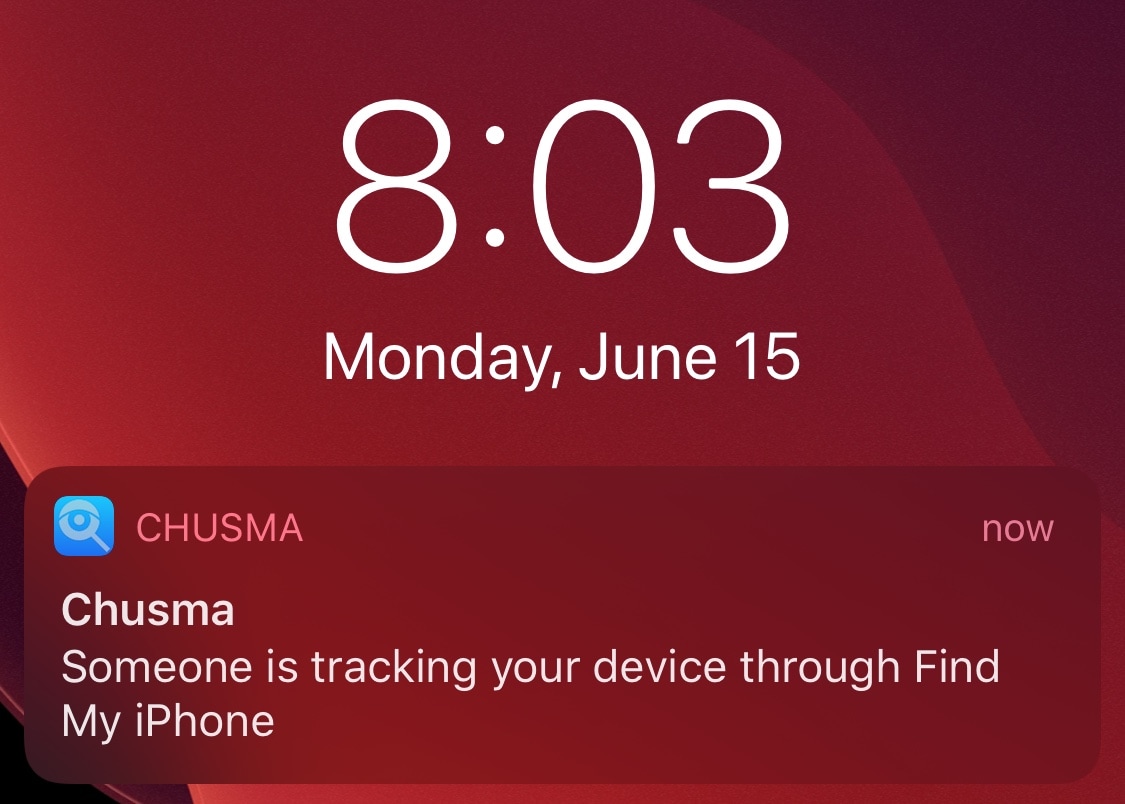
Say hello to a newly released and free jailbreak tweak dubbed Chusma by iOS developer Itaybre. Once installed, this tweak provides its users with real-time push notifications whenever anyone begins tracking your iPhone or iPad with Apple’s first party Find My service.

This tweak pauses your music playback if you turn your volume all the way down

When you’re trying to enjoy music and someone approaches you to say something, you might feel compelled to turn your volume all the way down so you can hear that person’s voice. The only problem is that when you do this, your music continues to play, forcing you to miss bits of your song.

If you can relate to the somewhat frustrating experience described above, then we think you’ll probably have a deep appreciation for the likes of a newly released and free jailbreak tweak called MusicBeQuiet by iOS developer lia, as it can keep you from missing your tunes after turning your volume all the way down.

Location Faker makes it easy for jailbreakers to spoof their location

Location spoofing is one of the hallmark reasons that someone might be willing to jailbreak their device. In fact, it was one of the arguments we mentioned in the top ten reasons to jailbreak your iPhone in 2020. But finding reliable location spoofing tweak can be a challenge, and that’s why we’re particularly excited to share with you a new and free jailbreak tweak release called Location Faker by iOS developer Jonathan Seals.

As shown in the screenshot examples above, Location Faker is powerful enough to trick most of your system’s location-based services into thinking you’re somewhere you’re not. In this example, we’ve pinned our location somewhere in Japan and both the Maps and Weather apps appear to believe that this is our true location even though it isn’t.

HSWidgets is a beautiful and free way to add widgets to your Home Screen

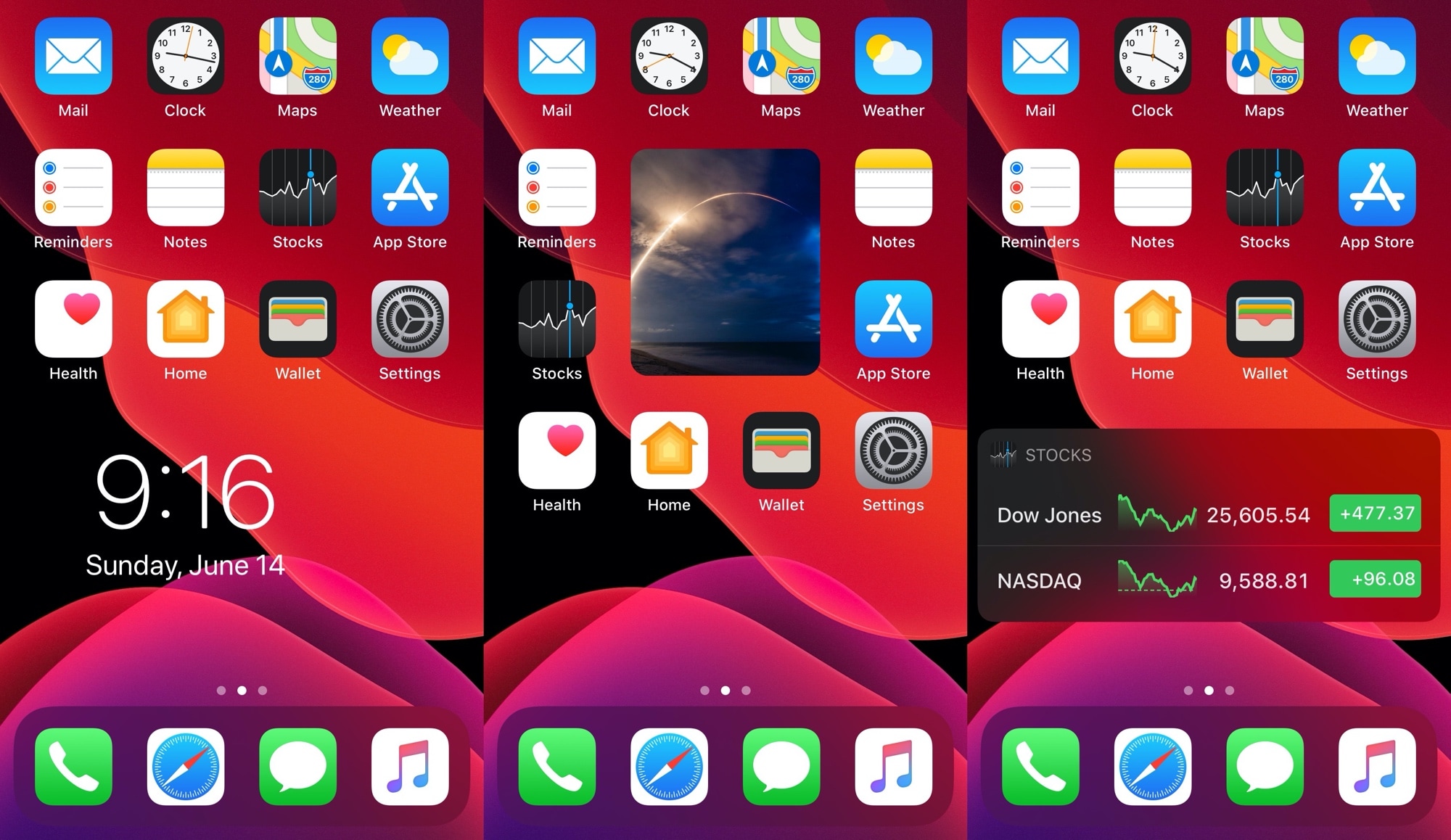
The iPhone is still one of the only mainstream smartphones on the market today that doesn’t offer a way to place widgets directly beside your Home Screen icons. Most Android handsets can already do this, and from what we can gather, Apple may be working on something similar to this for iOS 14. Unfortunately for those on vanilla iOS 13 and earlier, swiping over to the Today page is as close as you’re going to get to this experience.

Fortunately for jailbreakers, these silly boundaries are easy to break. A brand new and free jailbreak tweak called HSWidgets by iOS developer DGh0st lets users inject all sorts of widgets directly into the Home Screen interface, effectively having them ‘snap’ into place alongside the bevy of app icons that you might already have.