Photography

Patent News: A Peek At E-Wallet Icon and Photo Booth for the iPhone

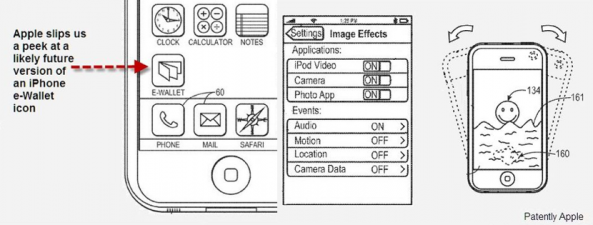
In the latest Apple patent news, two recently awarded patents have revealed future plans for the iPhone. Apple appears to be working on some sort of "e-Wallet" application. It also seems that the "Photo Booth" application from Mac OS X will be coming to iOS.

Some type of Apple-designed mobile payment app corroborates the rumors that NFC technology will be implemented into the iPhone 5. When the iOS 4.3 beta was released, 9to5 Mac found two Photo Booth-related frameworks in the firmware. This new Photo Booth patent only affirms that we will in fact be able to use the dorky filters that Photo Booth has to offer on our iPhones.
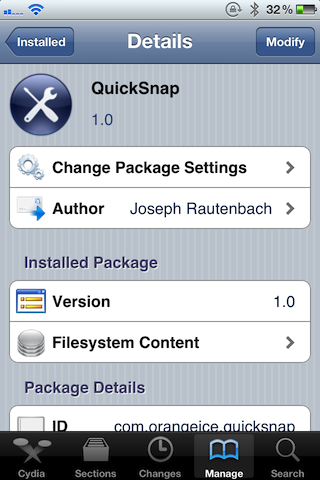

QuickSnap Aims to Be the Right Jailbreak App For Documenting Random Things

It's happened to all of us, we're in a store, we see something, or some piece of information that we'd like to use later, and so we take a picture of it with our phone.

That's okay and all, but the problem starts to appear when you have more random note-taking pictures than actual pictures that you plan on keeping in your Camera Roll.

I know I've found myself having to perform a search and rescue mission for my real pictures amongst the massive amounts of random litter on plenty of occasions, maybe you suffer from this syndrome as well?

That's why a jailbreak app like QuickSnap seemed so appealing to me; it's described as "simple photo taking without saving." Does it live up to its claims?

The 10 Best App Store Apps of 2010

The App Store has never been a very quiet place. 2010 was no exception; thousands upon thousands of new apps were submitted to the App Store. Most of them aren't worth mentioning, but there have been some exceptional apps that have risen to the forefront of what the App Store has had to offer throughout the year 2010.

We've covered a lot of App Store apps this year on iDB, with the goal of keeping our readers in the know.

Now, we’d like to take some time to reflect on our favorite App Store apps of 2010. Being included on this list doesn’t necessarily mean the app was released in 2010, it just means that it was amongst our most utilized of this year. Drumroll, please…

Yet Another Camera App Sneaks Into the App Store With Added “Perks”

A mere 8 days prior to Camera+ making its way back to the App Store after many months of banishment, a similar app up to the same old trick has made its way into the iPhone's ecosystem.

Surely the developers of Quick Snap have to know by now that using physical volume buttons for anything but volume can earn their app a lengthy timeout, but seeing as this is such a brash move in light of the recent events, we're going to have to side with the developer and claim ignorance...

Camera+ is Back in The App Store

The Camera+ fiasco has been an interesting one to follow. The popular photography app was a sensation when it was first released in the App Store. Then, it was pulled. Just like that. The app was updated with a backdoor to allow a volume button camera shutter, which apparently Apple didn't like.

At the time of it being pulled, Camera+ was considered the crème de la crème of photography apps. Most felt as though Apple should have lightened up on Camera+ by not pulling the app for simply adding a cool and innovative feature. The problem was that Camera+ violated Apple's guidelines on how an app can interface with the iPhone's controls.

We recently reported that Camera+ had announced that its return to the App Store would be very soon. After many months of silence, Camera+ is back and better than ever...

Camera+ On Its Way Back After Volume Button Shutter Debacle

The entire situation that went down with Camera+ probably ranks near the top as one of the weirdest events of 2010 for iPhone owners. This rings especially true if you happened to own or were considering purchasing Camera+ at the time of its banishment.

Essentially the story went like this, tap tap tap -- the app's developer -- snuck in a hidden method to enable the volume buttons to function as physical shutter buttons for the iPhone's camera. Apple didn't like this, and as expected, removed all traces of Camera + from the App Store...

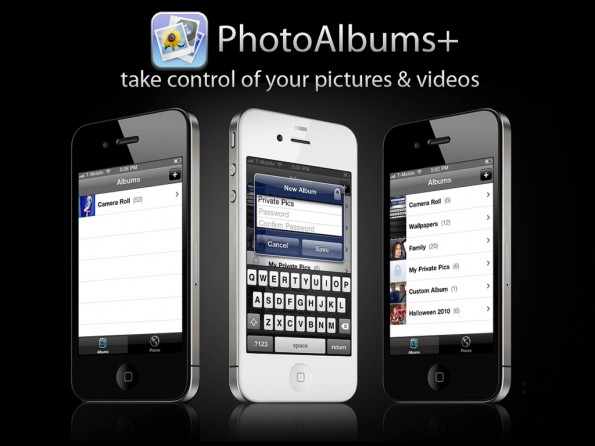
PhotoAlbums+ Makes Managing Your iPhone Photos a Walk in the Park

Call me crazy, but I'm convinced that there's a special roundtable meeting each week at Apple where all they do is sit around projector and examine what jailbreak apps released the previous week.

I can hear it now; "Uh, yeah, and uh, PhotoAlbums+! Yeah, uh, that looks like something we should have had from the, uh, very beginning, let's use that!"

Okay, so that probably doesn't happen, but PhotoAlbums+ is the latest example in a long line of Cydia store releases that will inevitably appear in an upcoming release of iOS. Why do I say this? Take a look inside and see what makes this tweak a no brainer for Photo Album users.

Glif, Now Available for Order

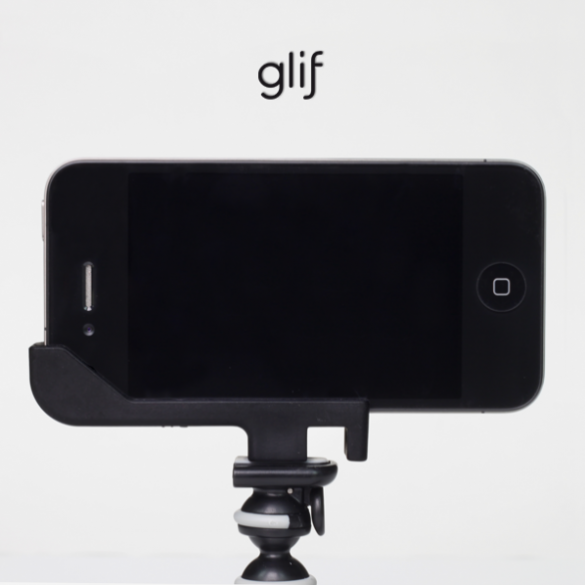
Remember when we told you about an upcoming iPhone accessory called the "Glif"? Well, this highly anticipated all-in-one tripod/mount for the iPhone 4 has finally become available for order.

The product's creators summarize their invention,"The Glif is a simple iPhone 4 accessory with two primary functions: mounting your iPhone onto a tripod and propping up your iPhone at various angles."

If you use your iPhone for causal photography or for viewing videos, this accessory is a must buy...

An iPhone Screen Seen Through Oil And Water

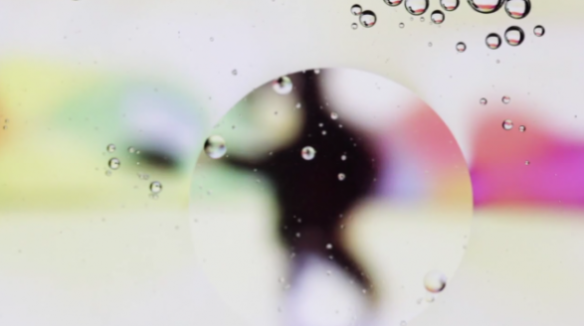
There have been plenty of weird things done to the iPhone. It's even been turned into a stun gun. A recent video of an iPhone's screen through an interesting perspective has surfaced.

This particular video is mesmerizing to watch. A photographer, named Jesse Zanzinger, recently shot a very creative video of his iPhone's screen through a oil and water...

Canon Easy-PhotoPrint Enables Direct Printing from iPhone [No AirPrint Required]

Recently I scored a new Canon Pixma MG5200 printer. One of the nice things about this printer is that it allows you to wirelessly print photos from your iPhone without the need for Apple's AirPrint functionality.

With options to queue up a seemingly unlimited amount of photos, this is a quick and dirty way to easily print from your iPhone. Check out the video inside as we show you how the process works.