Photography

Photo Stream Makes Manually Syncing Photos a Thing of the Past


Syncing photos from your iPhone to your desktop and other devices has always been a bit of a pain. Most iPhone users have taken to services like DropBox to upload photos to their desktop, to avoid the old plug-and-play method.

What if you wanted to show off your iPhone photos on your iPad? In the past you had to upload the photos to your desktop and then sync them to your iPhone using iTunes. The new iCloud feature Photo Stream takes away all of the headache with instant, wireless photo syncing...

Hybrid iPhone-Leica Camera Concept

If you are into photography at all, chances are you have heard the name Leica. The brand is world-renowned for its line of quality cameras that have a very distinct, classic-looking build.

Well it seems like an L.A.-based consultancy firm wants to put a modern twist on the classic camera. Black Design Associates have developed a hybrid device that combines the power of an iPhone 4 with the photography skills of a Leica camera...

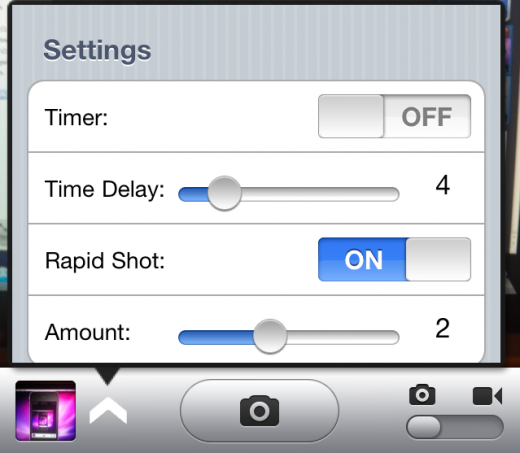
PictureMe Adds Timer and Rapid Shot Functions to Your iPhone Camera

While the stock Camera.app in iOS lacks many basic functions, applications in the App Store and Cydia usually do a good job of filling in for the missing features.

There are apps that allow you to take panoramic photographs and there are even apps that will automatically stamp your pics with the time and date. Well, word on the street is that another tweak is on its way to Cydia, and it's bringing some interesting photo-taking features to the stock Camera app...
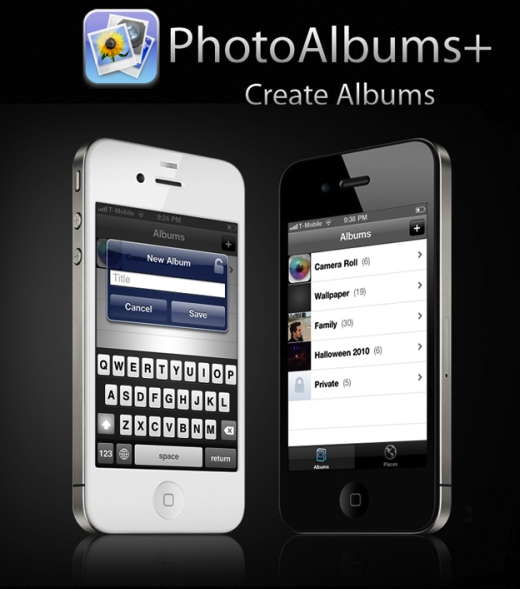

PhotoAlbums+ Gets an Update, Still the Best Photo Management App for iPhone

I don't know about your guys, but I'm kinda ticked we can't create photo albums on the fly on our iPhone or iPad. Thankfully, the jailbreak community is once again taking over where Apple slacked. We've already covered PhotoAlbums+, a jailbreak app that allows you to create albums and move pictures from/to these albums, directly from your iPhone, without the need of iTunes.

PhotoAlbums+ just got an update, and while it doesn't bring anything really new to the table, I felt like talking about this app again because it deserves publicity...

Stampr, a New Jailbreak Tweak That Timestamps Your Photos for You

For those who haven't heard the news yet, the iPhone isn't just a popular smart phone, it's also a popular camera. In fact, studies show that Apple's smartphone is among the most-used point and shoot cameras in the world.

If you too love your iPhone camera, but find yourself missing your old 32mm, Cydia has a tweak for you. Stampr gives your iPhone photos a touch of nostalgia by adding the time and date stamp to the bottom of each snapshot...

The Olloclip is a Multi-Purpose Clip-on Lens for Your iPhone

It's no secret that the iPhone is the most popular camera in the world. The new iPhone 4's 5 MP shooter is pretty solid when it comes to mobile phone cameras, but unlike standalone picture-takers, it doesn't have many options to tweak. There's no white balance or shutter settings, and no interchangeable lenses.

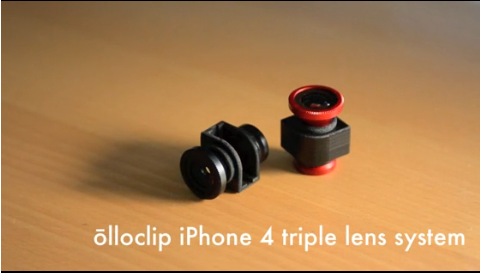
Patrick O'Neil and Chong Pak are looking to change that with their olloclip accessory. The tiny lens just slides on your iPhone 4, instantly giving you the ability to shoot fisheye, wide angle, and macro photos...

FBUploader Jailbreak Tweak Sends Pics Straight to Facebook From Photos App

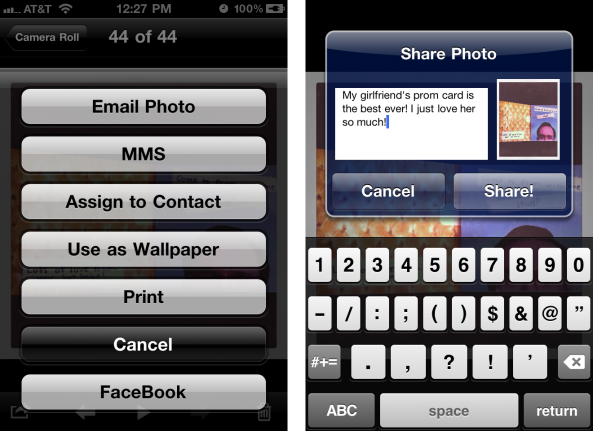
If you've been looking for Facebook integration in iOS, a new jailbreak tweak called FBUploader allows you to upload photos straight from the iPhone's Camera Roll to Facebook. Typically, you would have to open the Facebook app, attach an image, add a caption, tags, etc. and upload from there.

With FBUploader installed on your jailbroken iPhone, you will have the option to upload to Facebook from inside the iPhone's Photos app...

Want to Make Money by Taking Pictures With Your iPhone? There’s an App for That.

Gigwalk is a fairly new project with an interesting approach to user involvement. Instead of paying the folks at Gigwalk, they pay you. Sounds like a good deal, right?

Gigwalk gives you the opportunity to make some extra cash by taking pictures and video with your iPhone. There's no catch, and that's about as simple as it gets. Companies pay Gigwalk to receive photos of various establishments and locations in major cities. And you do the photography.

iPhone App Prints a 3D Model of Your Face

We've seen some pretty cool ideas come from software developers and engineers involving the iPhone. Although many of these technology demos never make it to consumer products, it's always fun to see what people dream up.

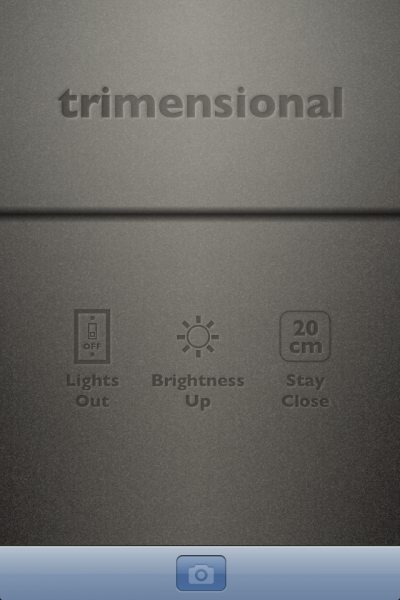
This time we have an application that's already made it to the App Store, but the innovation it uses is still astounding. Trimensional is an app for the iPhone that has the ability to scan 3D objects. While that alone might seem boring, it's what you can do with the scanned image that's so interesting...

Start Up Looking to Change the Way the iPhone 4 Shoots Video

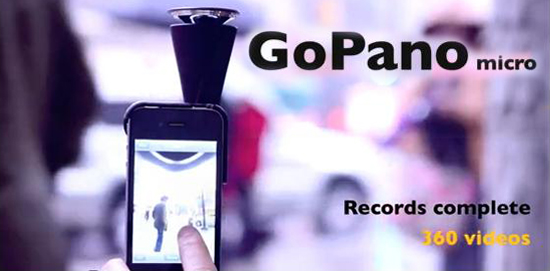
If you've been looking for a way to shoot 360-degree videos with your iPhone 4, get out your checkbook. The start up company EyeSee360 has a working prototype of a lens that will fulfill all of your multidirectional photography needs.

The company isn't just hoping to change the way we shoot videos on the iPhone, they want to change the way we interact with videos completely. EyeSee360 has decades of research in robotic vision and image rendering under the hood of their GoPano micro concept. Their lens not only lets you capture 360-degree videos, you can manually pan around the video during playback...

More Evidence of “Photo Stream” in iOS 4.3, Possible iOS 5 Feature?

With an official demo still 2 months away, we can only rely on rumors and speculation to paint a picture of what iOS 5 might look like. Clues hidden inside iOS 4 can also help us predict future iOS characteristics. Some are found through hours of code searching, others are found by pure dumb luck.

9to5 Mac is reporting that one of their readers has stumbled upon some hidden clues in iOS 4.3 that once again point to the rumored Photo Stream feature. The reader uncovered the hidden references while browsing his photo library on his iPhone via a 3rd party editing app. What could these secret features possibly mean for iOS users?