Photography

The First iPhone Dedicated Printer

The "Bolle BP-10" is the world's first iPhone dedicated photo printer. You may be asking, "Why?" Well, with the release of iOS 4.2, AirPrint, and other options like Printopia, printing has become much more of a reality on iOS devices.

All available methods for printing from an iOS device rely on either another computer to serve the actual files, or a wireless printer. The "Bolle BP-10" lets you dock your iPhone and print directly. I could see iPhone-based printers like this one become a huge hit in the technology consumer market...

Mimicking the “Launchpad” With Your iPhone’s Wallpaper

In the recent Steve Jobs keynote, Apple introduced the next major version of Mac OS X. "Lion" boasts many new graphical innovations, and iOS seems to have been sewn into the new interface. One of the most interesting additions to Lion was the "Launchpad."

Launchpad brings the iOS home screen to OS X. In OS X Lion, when you activate your Launchpad, your desktop wallpaper is blurred and given a nice vignette so that you can clearly see your app icons. The effect is very pretty. And, fortunately, it's fairly simple to duplicate this visual effect with your iPhone's locks screen and home screen...

Enable Photo Privacy with SwapCamRoll for iOS 4

Never mind the reasons why you want to hide some pictures, we're just telling you this jailbreak app makes it easier to do. SwapCamRoll is an app for iOS 4 that essentially gives you two camera rolls on your iPhone. Only one is active at a time while the inactive one hides on the "flip side", completely inaccessible on the phone until you activate SwapCamRoll. (You can navigate to either folder through SSH though).

So if you have some er, private pictures that you don't want others to see when they're scrolling through your photos, then you can create an entirely new camera roll that can be swapped out for the default. For some, it just might be the app you never knew you needed!

So how does it work? The app is pretty bare bones, but does have some options that may be confusing to new users. Read on for the breakdown:
Instagram: A Beautiful Photography App And Social Network

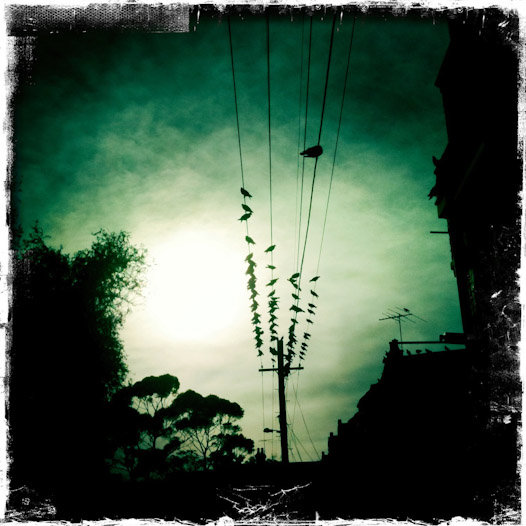
Instagram is a new camera app for the iPhone with a focus on social networking. The app offers some wonderful, lomo-like filters to make your photos not look so crappy. There are dozens of photography apps that do this well, so what makes Instagram special?

Sharing your photos through social networking is a huge part of Instagram. The app’s developer, Kevin Systrom, descibes Instagram as not merely a camera app, but  “a community focused on helping you collect, organize, and share the images of your life from your mobile phone.” Instagram packages this community very elegantly. The look and feel is clean and fast, and there aren’t any gimmicks...

Australian Photographers Host a Photo Contest Exclusively for the iPhone 4

I wondered when a contest would emerge that featured the iPhone 4, which I figured would be focused on films. Turns out I was wrong in sense that the Australian Commercial and Media Photographers held a competition for photos taken on the new phone.

TUAW reports that the only other rule was that the pictures must be took using Hipstamatic, an App Store entry that offers old styles of lenses and film emulators. Any other manipulation and they'd bounce you down to New Zealand to box a kangaroo...

Former Stripper Wants Police to Hand Over Her iPhone and Naked Pictures

I love this story. A woman in Illinois is apparently furious at her local police department for confiscating her iPhone that houses multiple naked pictures of the former stripper. Her iPhone was seized as evidence relating to a criminal damage to property case that involved a car being keyed.

The now club owner, Bridget Polaski, is reported as saying the following to the Chicago Sun Times:

Will iOS 4.1 Fix the iPhone 4’s Camera Issues?

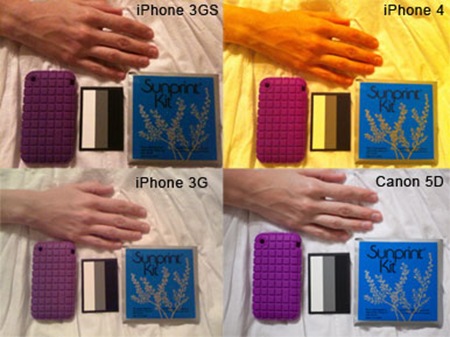
There were certainly no shortage of complaints when the iPhone 4 was released, or perhaps there was no shortage of coverage relating to every issue users experienced. Whatever perspective you take there was an issue that didn't receive much attention compared to the rest. There seemed to be a couple problems relating discoloring of photos in certain light.

TUAW reported on it briefly while forums seem to run wild with complaints. This wasn't the only complaint regarding the camera as Apple's discussion board showed us. Other users seemed to be getting a green blob appearing in their photos with the intensity of the discrepancy occurring while indoors with florescent style lighting.

Screenshots of iOS 4.1 Show HDR Photography & HD Uploading Abilities

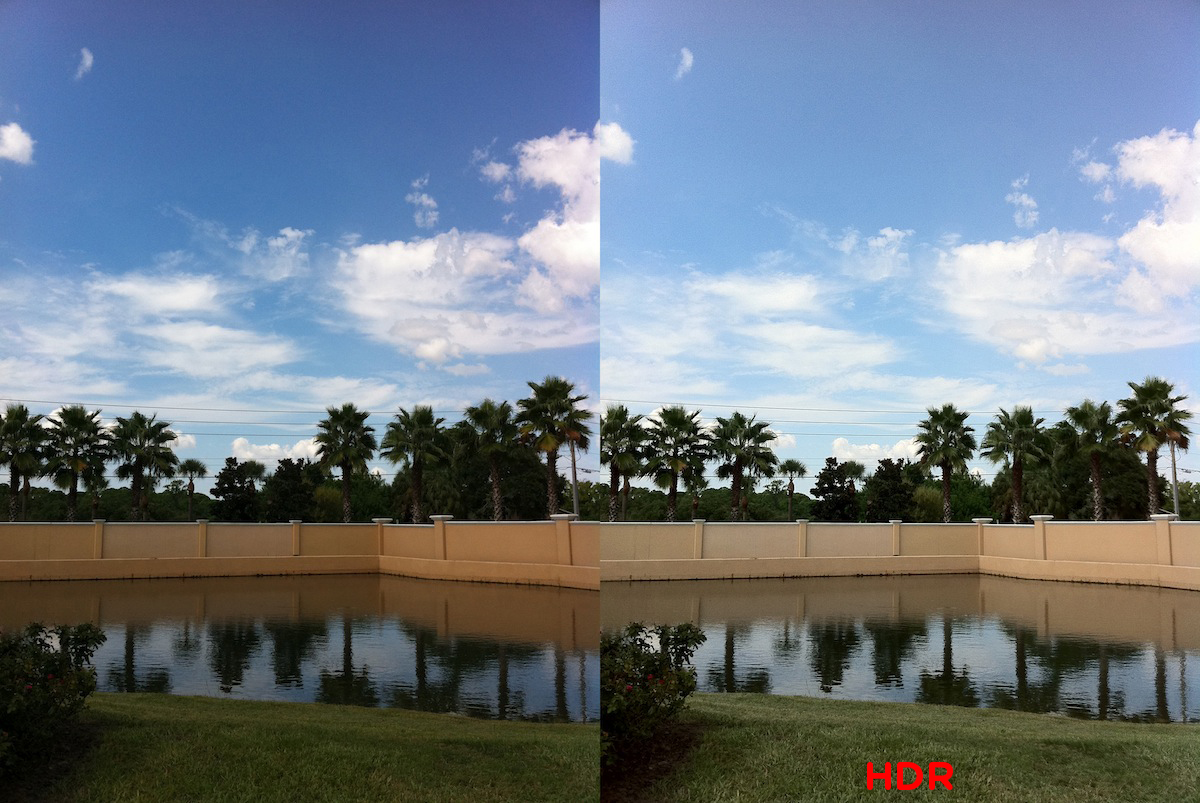
The release of iOS 4.1 will come next week sometime but Gizmodo has gotten ahold of some screenshots that show off the new operating system's fanciest feature. As Steve Jobs announced today the new OS will enable high dynamic range photography, otherwise known as HDR.

For those who are unaware of the premise behind HDR, the feature takes multiple images to create a more colorful splash and sensation for the final product. Whether your a highly tuned photographer or just like snapping shots with your iPhone you'll be able to experience the benefits of having such an ability within your native camera app...

How to Wirelessly Back Up Your iPhone Photos

Depending on how you charge your iPhone you may or may not regularly backup your photos. Having to perform a hard reset could erase priceless pictures if you happen to charge your phone the old fashioned way via wall connector.

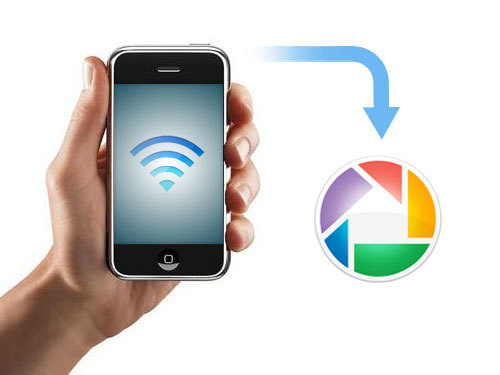
That problem is now gone thanks to an article by LifeHacker that shows you how to wirelessly sync your photos. The only catch is that you'll need a jailbroken iPhone, which shouldn't be an issue for most of you...

Take Better Night Pictures With Night Camera

Ever since the iPhone came out in June 2007, one of the main criticisms of its hardware is the less-than-impressive specs of its camera. These days, a 2 megapixel camera with no auto-focus or flash doesn't cut it for a smartphone. Pictures taken at night or in low-light especially suffers from blurs, despite my best efforts to hold it still, like in this photo:

The app Night Camera [iTunes link] helps with this specific problem.  The program uses the accelerometer to figure out if you're holding your iPhone steady enough to take a picture.  When it knows the iPhone is steady, it automatically takes a picture.  Check out the result:

For only $.99, night pictures and pictures in low-light are greatly improved.  I also think this is one of the most useful and innovative ways to use the iPhone's accelerometer.  Just keep in mind that this program does not fix the iPhone's deficiencies which could be rectified with flash or auto-focus.  Still, for a buck's upgrade and as an avid iPhone photographer, this app is well worth it.