Lockscreen

How to customize the Lock screen on iOS 7

One of the biggest advantages to jailbreaking an iOS device is the ability to customize nearly any aspect of the user interface. In fact, being able to customize or theme is one of the primary reasons that I jailbroke my first-generation iPod touch over six years ago—and I've been doing so ever since.

An important and sometimes overlooked element is the Lock screen. It can be a lot of fun to customize your Lock screen, and the results often look beautiful, so look inside for a few tips on how to perfect yours… 

Spectral: Improved Lock screen album art backgrounds

Spectral is a new jailbreak tweak from one of my favorite developers, Adam Bell. It's a tweak that improves the look of the now playing album artwork on iOS 7's Lock screen.

The stock Lock screen on iOS 7 features a boring blue background when music is playing. Spectral spices up the Lock screen's background by utilizing a blown up and blurred version of the now playing album art as a background.

I've created a comparison video and have a comparison screenshot inside for you to analyze. I think you'll be surprised when you see how much of a difference Spectral makes to what most would consider to be a minor change.

How to access your calendar app from Notification Center

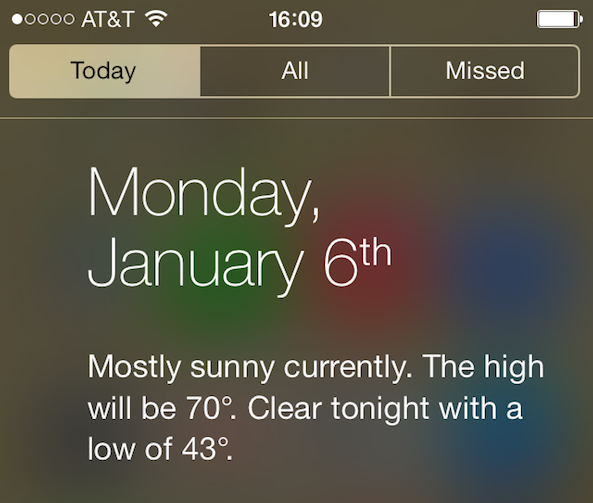
You've probably noticed how you can access the Weather app just by tapping on the weather condition in the Today tab of Notification Center. If you've tried to do the same with the calendar app, then you probably realized that tapping on today's date in Notification Center doesn't do anything.

This is a minor annoyance that a new jailbreak tweak called TapTodaysCalendar is now eradicating...

SkipLock lets you bypass the Lock screen altogether

Regular iDB readers may remember a tweak we talked about last year called SkipLock. SkipLock is a simple tweak that allows you to bypass the Lock screen of your device, unless it is password protected, or unless there is a pending notification on the screen, in which case, you will still have to slide to unlock your device.

An original idea by yours truly, and developed by famous jailbreak dev Filippo Bigarella, the tweak was only available on Filippo's repo and never made it to the public.

iOS 7 broke SkipLock so I asked Filippo if he could do something about it. A few minutes later, he came back to me with a .deb file which I quickly installed on my iPad mini, and it worked just as advertised. The good news is that SkipLock is now available on Cydia...

MultiLS: Place Lock screen notifications on a hidden page

MultiLS is a brand new jailbreak tweak that just appeared on Cydia's BigBoss repo. The tweak, which is a $0.99 purchase, allows its users to hide the notifications that would normally appear on the Lock screen.

An iOS 6 only tweak, MultiLS completely moves the entire Lock screen notification list off of the primary Lock screen. When you receive a new message while on the Lock screen, MultiLS will display a pulsating blue bar on the right-hand side of the screen. This glowing bar lets users know when new Lock screen notifications have arrived.

We've taken the initiative to create a video walkthrough showcasing MultiLS in action. Have a look inside for all of the details.

How to add iOS 7 slide to unlock functionality to older firmwares

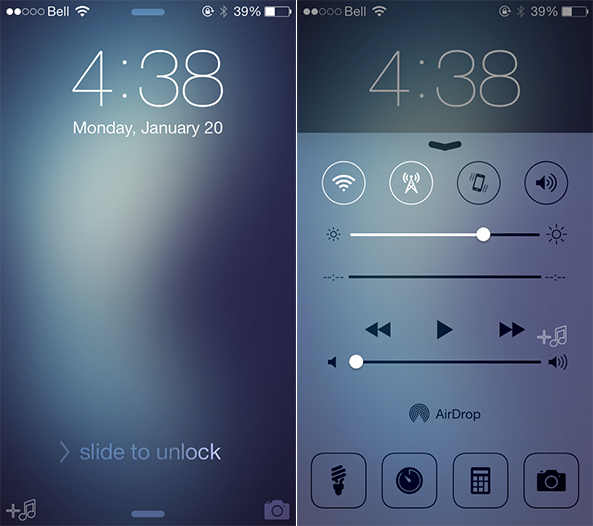
One of the biggest differences between the Lock screen in iOS 7 and the Lock screen found on previous firmware, is the way one goes about unlocking the device. Gone are the days where you had to position your finger in just the right location in order to do so.

With iOS 7, users can slide their fingers anywhere on the Lock screen to unlock, as long as the motion is from left to right. Unlock7 is a recently released jailbreak tweak that seeks to mimic this functionality for devices not running iOS 7. How does it work? Have a look at our hands-on session inside.

‘Simple Mode’ puts an interesting spin on the Lock screen launcher

I know what you're thinking. "But Jeff, we don't need any more walkthroughs of Lock screen launchers, we've already been inundated with them."

To be honest, I thought the same thing.

We went through a period where it seemed like there was Lock screen launcher, after Lock screen launcher, after Lock screen launcher. And it's not that any of the releases were bad, the niche just got a little too crowded.

Well, you'll be happy to know that Simple Mode, although it falls firmly within the genre, adds an original flavor to the typical Lock screen launcher. Simple Mode will actually learn your app usage patterns, and adjust the apps available on your Lock screen automatically.

iOS 7 vulnerability allows anyone to bypass Lock screen

The highly-anticipated iOS 7 update just started hitting iPhones and iPads yesterday, and already a major vulnerability has been discovered. Just like iOS 6.1 before it, the exploit involves a sequence of touches that allows a user to bypass a device's Lock screen.

The bug isn't easy to reproduce, but I was able to replicate it on my iPhone 4s. And despite having a passcode, it gave me access to a number of apps that contain personal data like photos, email, text messages, and both my Facebook and Twitter accounts...

GingerLock: yet another Android inspired Lock screen launcher

Yes, indeed. We've been graced with the likes of yet another Lock screen launcher, this one being inspired by Android no less. GingerLock emulates the style of Android's now long outdated Gingerbread release, and brings it to iOS. It's not as heavy on features like other Android inspired Lock screen launchers, but it does feature a few areas of customization that may pique your interest.

Per the norm, we've taken the opportunity to go hands on with GingerLock. Have a look at our full video walkthrough inside.

Upcoming jailbreak tweak lets you unlock your iPhone with virtual NES controller

Over the years, we've seen some pretty cool jailbreak tweaks that allow you to unlock your device in unique ways. There's PatternUnlock, which allows you to unlock your device by drawing a pattern, and Piano Passcode, which lets you do it by playing a tune.

And today we're adding a new one to the list, which might just be the coolest of them all. It's called NESUnlocker, and it's a new jailbreak tweak that allows you to unlock your iPhone by entering in a custom sequence of button presses on an NES controller...

LockToggle adds handy settings toggles to your Lock screen

Folks who have yet to find a Lock screen-settings-toggle tweak that suits their needs will be happy to know that another one has been added to the pile this weekend. LockToggle, by developer Haifisch, gives you quick, one-touch access to some of the most common iOS settings, without you having to unlock your device...