Keyboard

Bill Gates: you’re frustrated because your iPad lacks real keyboard and real Office

Microsoft Chairman Bill Gates thinks Apple’s iPad is "frustrating" to use because it lacks a physical keyboard and doesn't run Office. The Surface, he says, brings the "portability of the tablet but the richness of the PC" to mobile productivity.

Being a Google Apps fan, I'm obviously biased and not exactly the right guy to comment on the Office part of Bill's comment.

Now, I'm underestimating the real world outside the Apple bubble and obviously there are heavy Office users out there who agree with Gates on Office for iPad. Regardless, you'd think Microsoft's co-founder should know that any Bluetooth keyboard works with iPads.

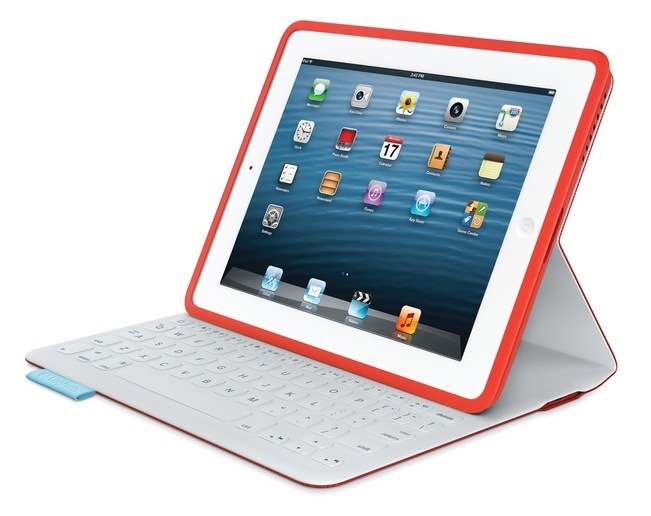
On top of that, a bunch of iPad cases incorporate physical keys like NIBIQÜ's and Logitech's Surface-like iPad cases, the latter featuring physical keys seamlessly fused into its interior fabric. Go past the fold for the full quote and video evidence...

Review: Belkin Ultimate Keyboard Case for iPad

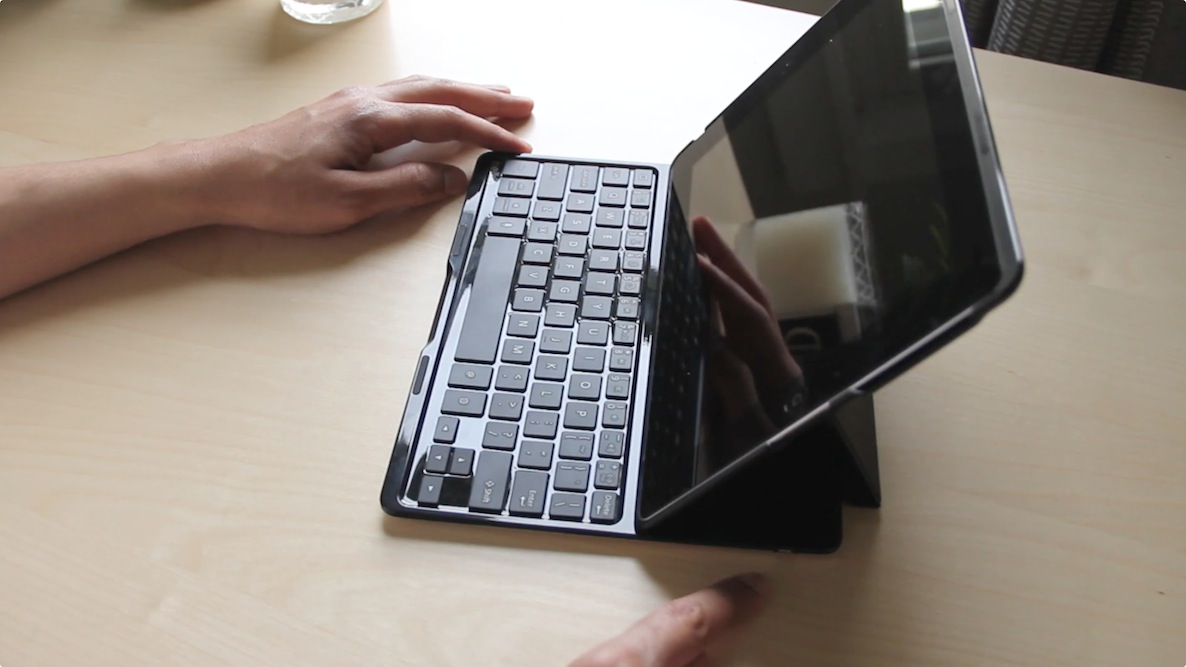
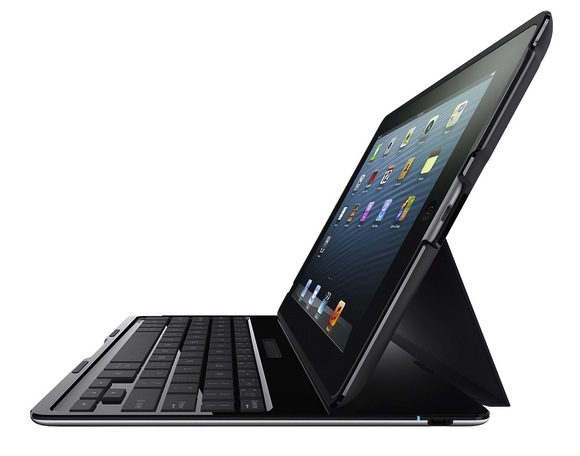
As someone who's relegated the full sized iPad to the back burner, it's admittedly a bit awkward to pull this thing back out. But the folks at Belkin have a new product for me to try, and it looks cool enough to convince me to dust off my iPad 3.

Belkin is no stranger when it comes to iOS accessories, but this — the Ultimate Keyboard Case for iPad — is perhaps its most thoughtful. The case, which officially launches in May, was created for people who want to get things done on their full sized iPads. It works with any currently available full-sized iPad, including the iPad 2, iPad 3, and iPad 4. It's not the prettiest keyboard case on the block, and perhaps not the most durable, but it screams functionality.

Belkin sent me a product sample about a month ago, and I decided that I was going to put this thing through the paces. Instead of using it for a few days and reviewing it, I wanted to see if the case actually lived up to its moniker.

Swype talked to Apple over its keyboard tech

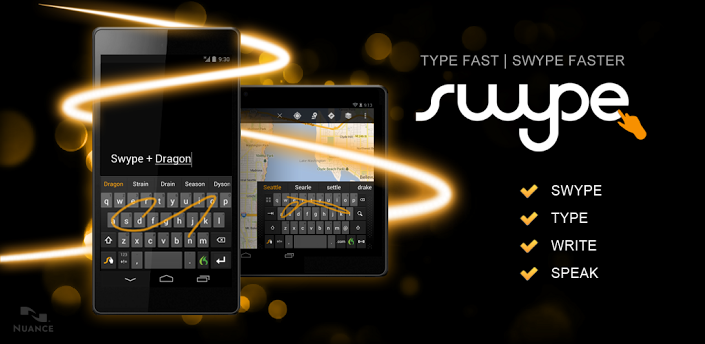
Swype virtual keyboard technology is pretty popular on Android devices, and it's easy to see why. With error-correction algorithms and a powerful language model to guess the intended word, Swype lets you enter words by sliding a finger from the first letter of a word to its last letter, lifting only between words.

While Swype's owner Nuance partners with Apple on the voice recognition technology powering Siri, the iPhone maker never implemented the Swype input method on iOS devices, instead choosing to advance its own intelligent virtual keyboard technology. That said, it's interesting that Swype and Apple have had discussions concerning the feature...

Logitech unveils Surface-like $149 FabricSkin Keyboard Folio

A month ago, accessory maker Logitech launched colorful new Keyboard Folios for iPads. Prior to that, the company announced the Ultrathin Keyboard for the iPad mini (our own Jeff Benjamin liked it) and a solar-powered Bluetooth keyboard which doubles as an iPad protective sleeve.

Tapping all that expertise and knowledge and taking a page from Microsoft's book, logitech today announced new iPad keyboard covers which behave a lot like Microsoft's Touch Cover and Type Cover for the Surface tablet.

These new covers are available with or without built-in keyboard, come in a range of colors and are billed as the first Bluetooth keyboard solution with keys seamlessly fused into its interior fabric.

I've included more information and two nice promo clips so jump past the fold to learn more about these Surface-like iPad cases...

A chiclet keyboard for iOS? It’s in the works

I'm usually not a sucker for themes and other elemental changes to stock iOS, but sometimes, a man just can't deny a good thing when he sees it. That's exactly the case with this new chiclet styled keyboard, which is currently in the works.

They keyboard, as you can see, is a thing to behold. It's so simple, yet so elegant, and I want it right now. Unfortunately it's not quite ready for release, but according to the designer, who posts on Reddit under the name RugratsReRuns, the keyboard may be ready as early as tomorrow.

‘TouchPal’ is a free Swype inspired jailbreak tweak

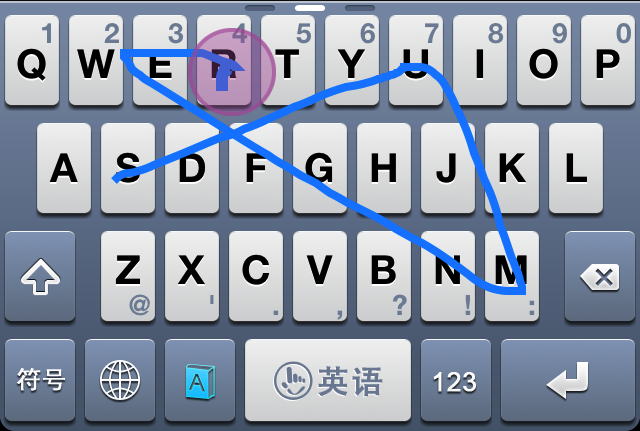
TouchPal is a very under the radar jailbreak tweak that allows users to replace their stock iOS keyboards to a new Swype inspired keyboard that's downloadable from the App Store. I know that probably sounds a bit odd, so let me explain a bit.

TouchPal is actually two different things. First, it's a legitimate App Store app that can be downloaded by anyone, whether or not they are on a jailbroken device or not. The standalone app was created as a multi-language keyboard that allows you to have accurate predictive text by means of standard taps on keys, or swipe gestures, which are inspired by Swype.

Unfortunately, by itself, you can only use TouchPal as a standalone app, and then copy that text to other applications, or take advantage of an app's built in URL scheme for inter-app communication. The good news is, that there's a second part to this puzzle piece, and it comes in the form of a jailbreak tweak that's adorned by the same name — TouchPal. This jailbreak tweak allows you to incorporate the keyboards featured in the standalone app, right into stock iOS. This means that you can use the TouchPal keyboard within normal apps like Notes, Mail, Safari, and any other app that you use on your iPhone.

Needless to say, TouchPal is really neat. Take a look inside as I demonstrate how it works in our full video walkthrough.
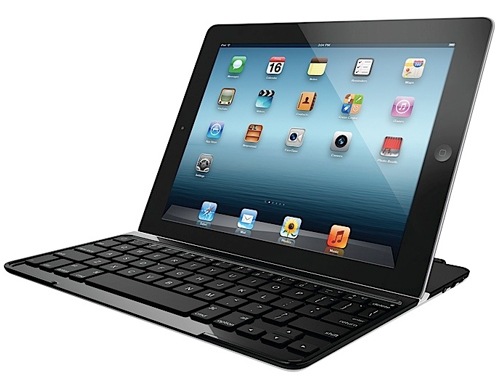
Belkin launches new Ultimate Keyboard Case for iPad

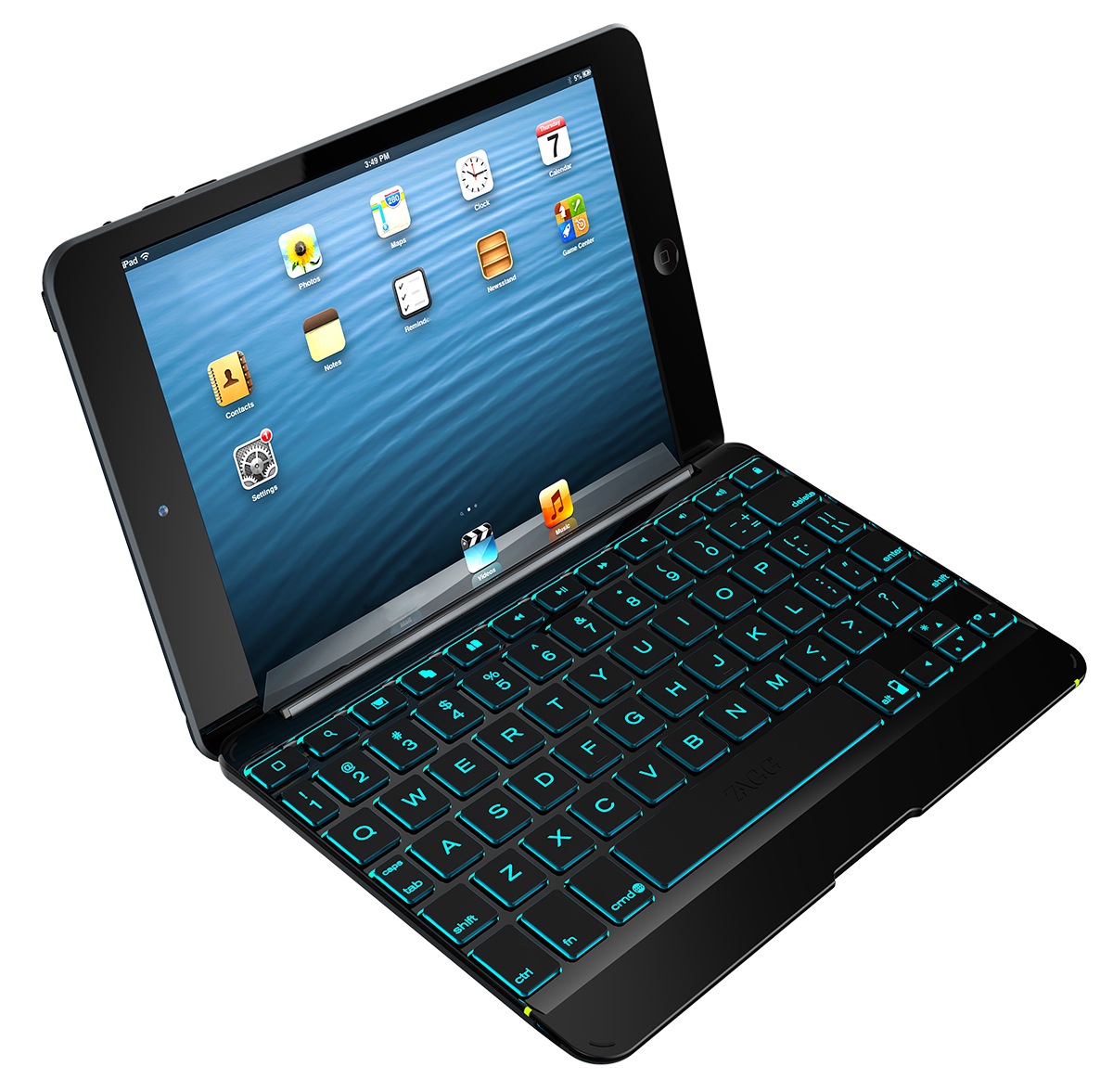
Belkin today announced the online availability of its newest iPad accessory, the Ultimate Keyboard Case. Well, it's available for pre-order today, and will start shipping to select retailers in May.

So what's so special about the Ultimate Keyboard Case? With a keyboard that is just 6.4mm thin and weighing 17 oz, it's now the slimmest and lightest keyboard folio of its kind on the market...

Logitech unveils colorful new Keyboard Folios for iPad and iPad mini

http://www.youtube.com/watch?v=_9wi_OX0Rvo

Logitech today launched two new interesting accessories for your iPad: the Keyboard Folio and Keyboard Folio Mini. As the names suggest, the former is for your full-size 9.7-inch iPad and the latter is for its little brother, the 7.9-inch iPad mini. These act as both a protective cover which attaches to your device magnetically and a physical Bluetooth-enabled keyboard with custom iPad shortcuts. Additionally, a hands-free flip stand props up your device in two comfortable viewing angles...

Review: Logitech Ultrathin Keyboard Cover for iPad mini

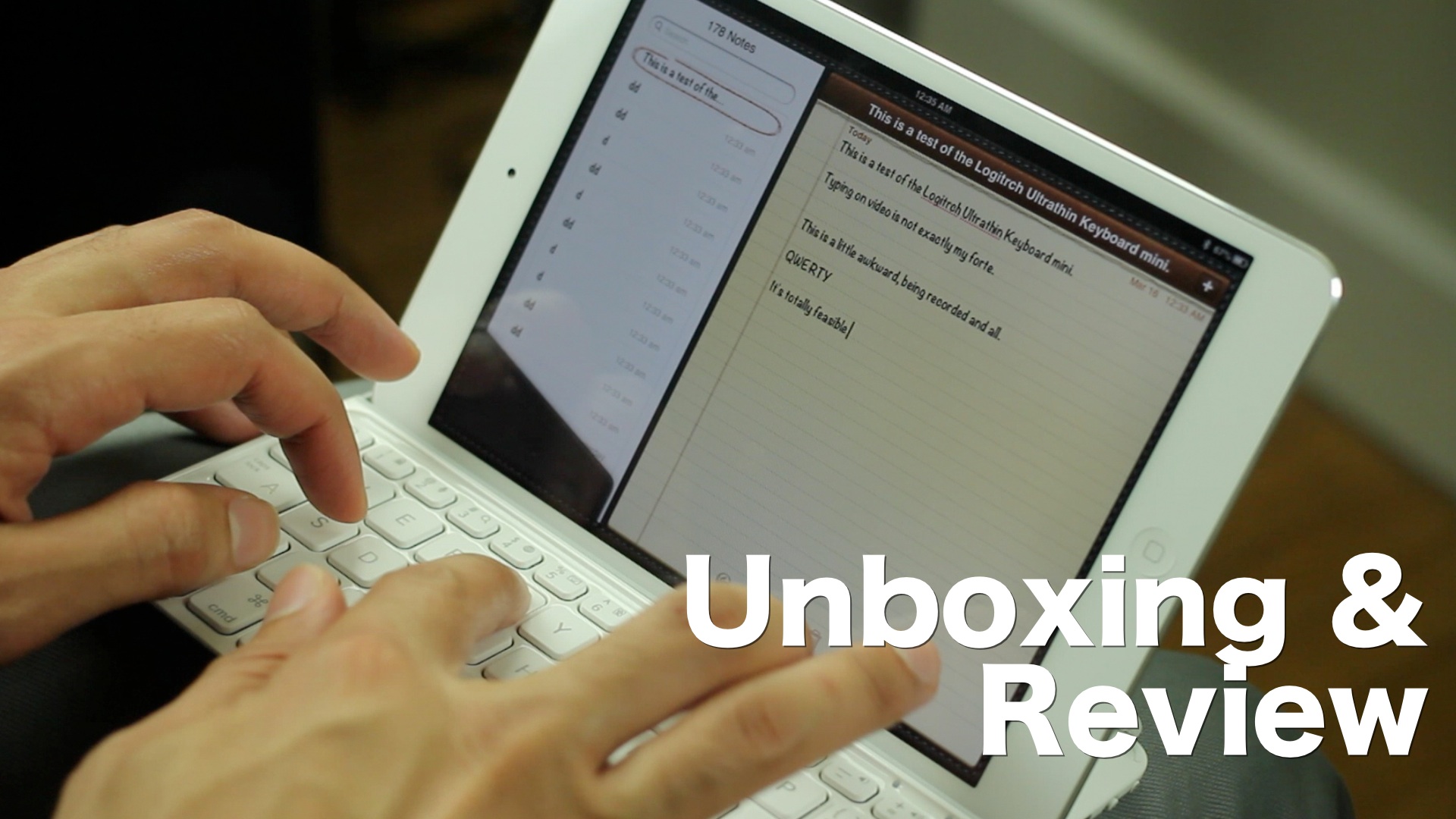
My goal was to type more efficiently on my iPad mini, without sacrificing the device's portability. I also wanted a keyboard that would actually improve my typing ability, not hinder it. I found such a product with the Logitech Ultrathin Keyboard Cover for iPad mini.

I know — that's a whole lot of name for such a diminutive product. Let's just call it the Ultrathin mini hereafter, shall we? Good. Let's talk about what makes this little device so special, and how it has significantly improved my iPad mini based workflow.

‘PasteboardKey’ makes it easy to access previously copied text

I'm a huge fan of Alfred for OS X. Alfred is a productivity app for the Mac that allows you to launch apps, search, and do a whole host of other things via its sprawling settings. One of my favorite Alfred features is the pasteboard manager. It's basically a place where you can go back and access anything you've copied to your pasteboard.

Understandably, iOS doesn't have anything like this built in, but a new jailbreak tweak allows you to have quick access to your pasteboard from virtually any app as well. The tweak is called PasteboardKey, and it's accessed via the language button on the iOS keyboard. Have a look inside for our full video walkthrough...

The best iPad jailbreak tweaks

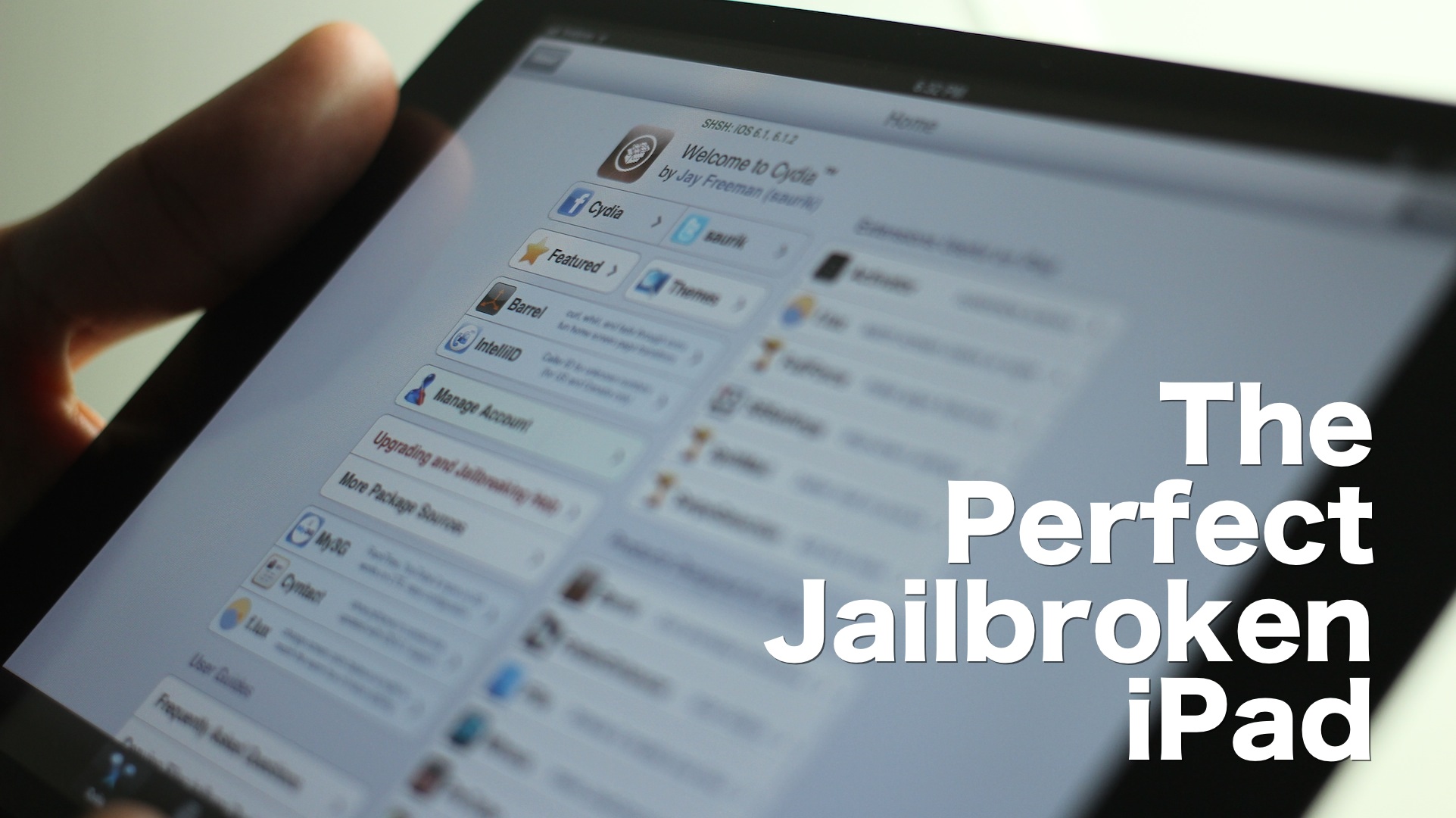
I’m going to be honest with you — jailbreaking an iPad hasn't been nearly as appealing to me as jailbreaking my iPhone. But as I started working on this list, I realized that there really are some awesome, and I mean awesome ways to trick out your iPad once it's jailbroken.

Considering that I do a lot of writing on my iPad, I found that a many of these tweaks immensely helped my writing workflow. Tweaks like BeeKeyboard, and SwipeSelection are absolute essentials for iPad writers, even if you're not really into the jailbreak scene.

Obviously that's not all, as virtually everyone will find a jailbreak app or tweak that suits their fancy. Yes, the iPad jailbreak scene is alive, and it's better than ever. Despite my initial doubts, I was able to come up with this solid list of 15 best jailbreak tweaks for iPad running iOS 6. There's no filler here, and no fluff — each of these tweaks represent, what in my opinion, is the best of the best. Take a look inside, and see for yourselves.

‘Haptic Keyboard’ tries to make your typing experience more engaging

Haptic Keyboard is a new jailbreak tweak that institutes haptic feedback with each press of a key on the iPhone's keyboard. Similar tweaks have appeared on Cydia in the past, but their compatibility has been spotty with recent iOS updates.

The purpose of haptic feedback, is to give the end user the sensation of actually typing on a physical keyboard, instead of a piece of smooth glass. Unfortunately, in the case of this latest version of Haptic Feedback, the idea is much better than the final execution.