iPad

From the latest news to the most comprehensive tutorials, learn how to get the most out of your iPad with our step-by-step guides and expert tips.

How to show, add and edit musical notes in GarageBand

GarageBand editing screen on iPhone

If you want to work with the musical notes in GarageBand for your song, you can show, add, and edit notes. In GarageBand on Mac, you can work with notes for MIDI regions, and on iOS, you can work with them for green touch instrument regions.

Here’s how to show, add, and edit musical notes in GarageBand on Mac, iPad, and iPhone.

Unc0ver jailbreak picks up support for A12(X) devices running iOS 12.0-12.4

After a much-anticipated wait, hacker Pwn20wnd has incorporated full-fledged A12(X) device support into the unc0ver jailbreak tool and released it for public testing in the form of unc0ver v3.7.0 beta 1.

The new beta was made available for public testing Sunday afternoon following a series of suspenseful Tweets shared by Pwn20wnd himself along with some of his internal beta testers:

Jailbreak tweaks of the week: 3DTools, BottomToolBar, SmartBattery, and more

Apple officially dropped iOS 13 to the general public this week, but for those happily jailbroken on iOS 11 or iOS 12, it's possible to obtain many of the software update's new features with the right combination of jailbreak tweaks.

In this roundup, we’ll showcase all the latest jailbreak tweaks to be released from Monday, September 16th to Sunday, September 22nd. As usual, we’ll kick things off by discussing our favorites first and then wrap things up with an outline of the rest afterward.

This tweak makes iOS’ auto rotation feature more intelligent

iOS’ automatic screen rotation feature can be great when you’re indulging in activities during which landscape orientation would offer an improved reading or viewing experience, but some instances exist in which it becomes more of a headache than it’s worth.

If you’re a chronic Rotation Lock user because you feel that iOS’ auto rotation feature needs improvement, then we have a hunch you’ll come to appreciate a newly released jailbreak tweak dubbed I’mLyingDownDamnit by iOS developer CardboardFace.

Unc0ver with A12(X) support moves on to internal testing as public release looms

It was only a few days ago that Pwn20wnd teased that significant progress had been made on adding full A12(X) device support to the unc0ver jailbreak tool, and as it would seem, we’re now closer than ever to a public release.

Pwn20wnd took to Twitter this afternoon to share that unc0ver with A12(X) device support had entered the internal testing phases, and assuming everything goes smoothly with this phase of testing, the first official public release could follow shortly after:

Retro review: Tiny Wings

Who would've thought a tiny bird who couldn't fly would end up being such a popular mobile game. Keep in mind this was before Flappy Bird. I'm talking about Tiny Wings, a game that released back in 2011 on the App Store. This game was really successful, becoming the highest-grossing game for a couple of weeks after its release.

It has sold over 12 million copies for the iPhone and iPad. What's more impressive is that this game was developed by a single person, Andreas Illiger. Nowadays, Tiny Wings is not getting many updates, and it seems like there won't be more content in the future.

Apparently, the game has been forgotten by its developer, but does that mean we should forget about it too? That's what we'll discuss in today's retro review of Tiny Wings.

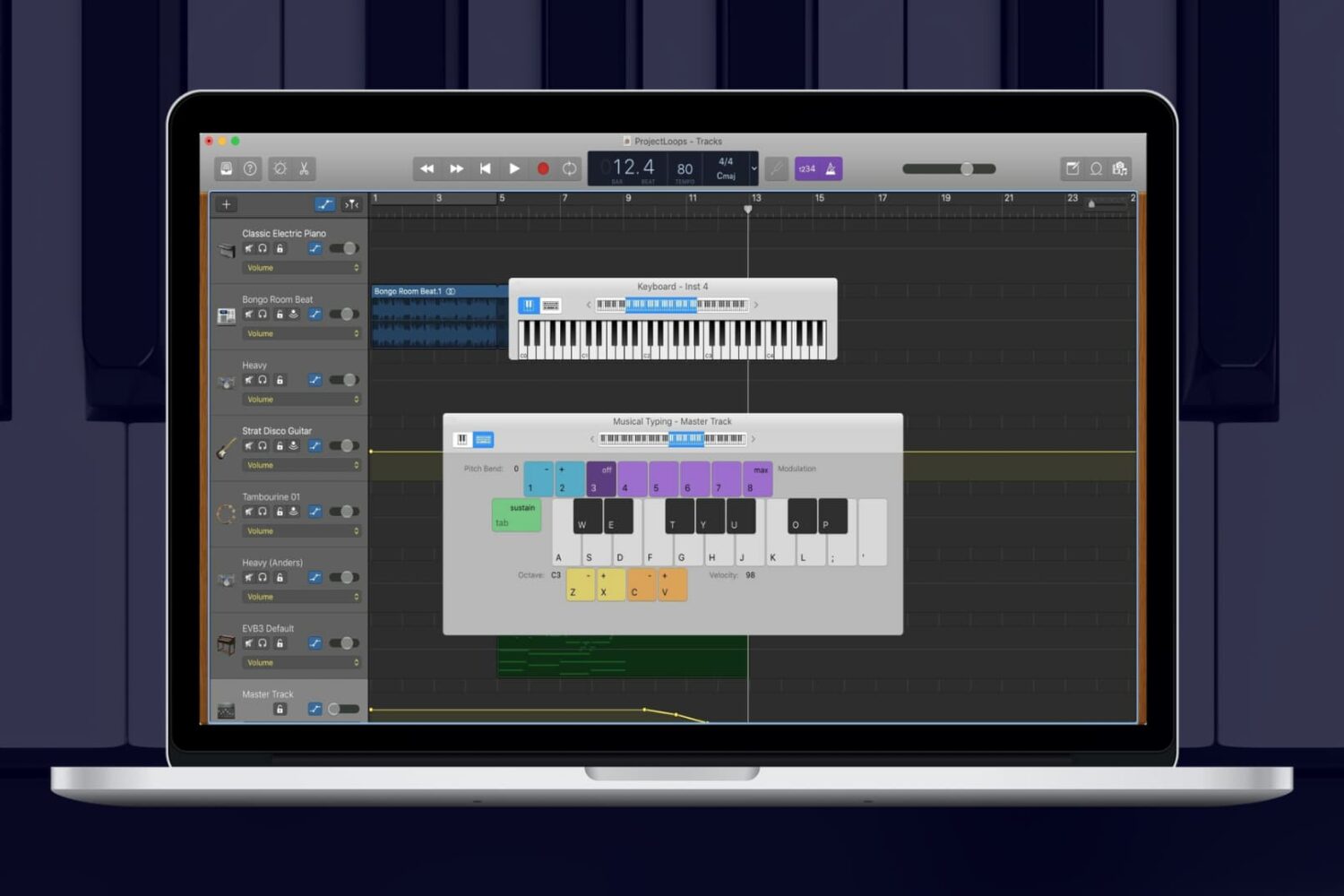
How to adjust track volume in GarageBand on Mac, iPad, and iPhone

Adjust track volume in GarageBand

When you’re making music in GarageBand, you’re mixing regions and tracks to create your song. Whether you’re using vocals or instruments, not every track needs to have the same volume. You might want an instrument to play subtly in the background while emphasizing vocals, for example. Or you may want the volume of a track to increase and decrease at certain points.

Here’s how to adjust the track volume in GarageBand on Mac, iPhone, and iPad.

This tweak puts an iOS 13-like ‘Rearrange Apps’ button in your 3D Touch menus

In case you didn’t already know, iOS 13 brings a new ‘Rearrange Apps’ option to those 3D Touch/Haptic Touch Home screen menus that we all know and love. Fortunately, those with jailbreaks can already enjoy this feature ahead of the official iOS 13 release.

Edit3d is a newly released and cleverly named jailbreak tweak by iOS developer Wh0ba that ports a similar feature to the native 3D Touch/Haptic Touch Home screen menus on jailbroken iOS 11 and 12 devices.

Be prepared to recover your iPhone data after upgrading to iOS 13 [sponsor]

PhoneRescue Recovery Complete

When you’re updating to the newest version of iOS on your iPhone, things can go just perfect. But then again, things can also go very wrong. Backing up your device on a regular basis is key to recovering that data when you need it. And to help you is the data recovery tool PhoneRescue by iMobie.

If you’re planning to upgrade to iOS 13, it’s best to prepare now with a recovery plan using PhoneRescue. This handy tool lets you recover data from your iOS device, an iTunes backup, or iCloud. In addition, you can check out helpful iOS repair tools when you need them.

Add useful new options to your Home screen’s 3D Touch menus with 3DTools

Whether you have a handset that already supports 3D Touch or Haptic Touch out of the box or you’re using a jailbreak tweak to simulate similar features on an unsupported handset, chances are you’ve used the Home screen-centric app icon menus at least once in your travels.

This interface is somewhat lacking on a bone-stock handset, but with the help of a newly released tweak called 3DTools by iOS developer smokin1337, you can add several useful new items to these menus that promise to augment your Home screen usage exponentially.

BottomToolBar makes it easier to access your iPhone’s most important features

Those sporting jailbroken iOS devices understand what those without jailbroken iOS devices don’t: the seemingly endless itch to customize and improve your device’s software beyond what Apple designed it to be. Fortunately, we’ve got a tweak that fits this necessity quite well.

Enter BottomToolBar, a newly released jailbreak tweak by iOS developer XCXiao that puts an easy-to-summon shortcut bar at the bottom of your display with fast access to useful shortcuts and information.

Learn about the new features of iOS 13 on iPhone and iPad

iOS 13 get ready

With all of the enhancements and new features accompanying iOS 13 and iPadOS, it can be hard to keep up with it all.

Not only are there useful improvements to the systems themselves like Dark Mode, faster scrolling, and text editing gestures, but also new features for apps like Notes, Photos, and Safari.

Here’s a handy roundup of how to use the new features of iOS 13 on iPhone and iPad (iPadOS) that you can bookmark and revisit as you begin using it.