iCloud

How to Push Links from iOS to Your Desktop

How many times have you realized you needed to continue your iPhone browsing session on your laptop or desktop PC? What about when you come across an app for your Mac that you want to download to your PC, not your iPhone?

Sure, there are plenty of options for downloading something to your iPhone or iPad, or even to Dropbox , but there is an unparalleled advantage to seamlessly transferring a link or webpage to your Mac. Whether you want to send a DMG, an installer package, a torrent, or a website that only supports Flash, your options are limited when you try to view them from an iOS app.

Luckily, there are several solutions that have sprung up over the past year. Pushing from a browser to an iPhone has been relatively simple for quite some time, but one-tap solutions to go from iOS to Mac are finally available. Read on for our list of creative services that offer you just that…
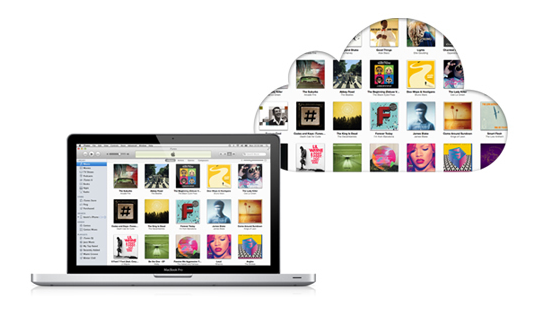
What Apple Got Right and Wrong with iCloud

All the rumors and all the betas are over. Now we're all using Apple's iCloud. We're syncing, we're backing up, and (to certain extent) we're streaming. Life is good... kind of.

For those of us who remember the debacle that was Apple's launch of the now-replaced MobileMe. the initial iCloud launch is undoubtedly leagues ahead of the chaos and server failures that accompanied the arrival of Apple's previous cloud service. iCloud seems to be more robust, but does it actually do what most of us want?

First, let's take a quick look at the good parts of iCloud before moving onto the bad and the crazy...

How iCloud Syncing Integrates With iWork [Video]

Caught up in all of the hoopla about the iPhone 4S and iOS 5 was the release of an updated iWork suite for iOS.

The new iWork features iCloud syncing compatibility, a feature that has been in beta for months, but was finally released to the public last week.

Inside, we showcase iWork's new cloud syncing functionality, which allows you to sync documents on your iPod touch, iPad, iPhone, and even your Mac in limited fashion...

How to Use iCloud to Share Your Reminders on iOS 5

Reminders in iOS 5 is Apple's kick in the teeth for all those To-Do apps that litter the App Store right now. A walk through the App Store will reveal more To-Do apps than you can shake a stick at, but Apple's own Reminders app does pretty much everything you could ever need in iOS 5.

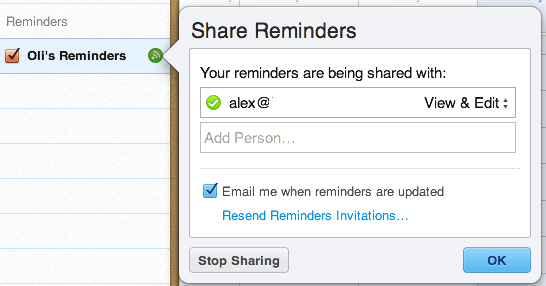
There's one Reminders feature that Apple hasn't made a very good job of promoting. You can use iCloud to share and sync your reminders and tasks with other people...

Apple Really Wanted to Buy Dropbox, Steve Jobs Got Personally Involved

Those with memories spanning more than a few weeks may remember all the rumors going around that Apple was trying to buy Dropbox. The original story claimed that an $800 million deal was on the table, but the people at Dropbox decided not to sell.

Today we have confirmation that Apple did indeed want to acquire Dropbox, and more specifically, Steve Jobs himself personally lobbied for the purchase. Dropbox decided that selling to Apple wasn't the best course of action at the time.

The revelation comes as Forbes profiles Dropbox and its two co-founders, Drew Houston and Arash Ferdowsi. Understandably, the Apple buyout came up, and Houston admits that the syncing and backup company turned down a nine-digit figure from Apple, and even got a visit from the man himself, Steve Jobs...

Apple Posts iCloud Status Page After Multiple Outages

Every year when Apple launches a new smartphone, carrier servers get slammed with activations to the point where they are non-functional. Even iTunes has its hiccups, as millions of users logon in attempt to setup their newly acquired handsets.

Along with the iPhone 4S this year, Apple rolled out an automated sync and storage service known as iCloud. And it too seems to be buckling under the massive traffic. If you're having troubles restoring from iCloud today, don't worry, you're not alone...

Pro Tip: How to Delete Photos from Photo Stream

One of my favorite features of iCloud has to be Photo Stream. My previous methods of wirelessly sharing photos between my iDevices and my computer involved emailing or using DropBox. Photo Stream eliminates all the extra work.

Much like the other components of iCloud, the automatic photo syncing service works great. But what do you do if you want to delete the photos from the Photo Stream? Don't worry, iDB has you covered. Hit the jump for our step by step guide...

Apple is Not Going to Let You Merge Apple IDs

We've been hearing murmurings that Apple was considering giving users a way to merge two separate Apple ID for a month or so now, but it appears that any hopes of those coming dreams coming to fruition have just been dashed to pieces.

With Apple launching iCloud to the public over the last few days, many had been wondering if the rumors were true, and if Apple was going to offer a way for users to consolidate multiple Apple IDs into one "super" account. This would have been perfect for households who want just one iTunes bill, one master account, but multiple IDs associated with it.

Alas, Apple now says that's not going to happen...

iWork for iOS Updated With iCloud Support

If you're just tuning in to iDB today, Apple is in the middle of seeding several major software updates and releases. The Cupertino company just released iOS 5, and now they've pushed out updates for the iWork software suite.

Along with the new mobile software, iCloud has started rolling out to the masses. Pages, Numbers, and Keynote have all been updated to support Apple's new sync and storage service...

OS X Updated to 10.7.2, Now Supports iCloud

Apple is very busy this week, as is evident by their release of iOS 5, iCloud.com, iWork updates, new apps like Find My Friends, AirPort Utility, and more.

Just moments ago, Apple pushed out OS X Lion 10.7.2, which implements iCloud directly into OS X.

iCloud is Apple's flagship cloud service, which will allow you to push contacts, bookmarks, email, and more directly to all of your iOS devices wirelessly..

iTunes in the Cloud Launching Internationally Right Now

Back when Apple first announced iCloud, and the subsequent beta, one of the new features to make the biggest splash was iTunes in the Cloud. Up until that point, if an iTunes customer bought a song and deleted it they were stuck with no option but to either call Apple support and try to sweet talk them into issuing a refund or replacement track, or to simply stump up the cash all over again.

With iTunes in the Cloud, that was no-longer the case.  Now, a new Purchased section in iTunes lists all bought music as well as apps and books, and the world is a better place for it.

Unfortunately, while books and apps found their way outside the US, music did not. Until now...

iCloud.com Updated, No Longer Marked “Beta”

Apple is in the middle of one of its busiest weeks in recent memory. It's releasing multiple major software updates, including iOS 5, and it's launching a major sync and storage service. Oh, and it has to deliver a million iPhone 4S orders by Friday.

Apple kickstarted the festivities yesterday afternoon by rolling out iTunes 10.5. Now the company has moved on to iCloud, giving the service's website a noticeable update. Along with a new login screen (above), iCloud.com also lost its 'beta' status...