iCloud

OmniFocus Gains Siri Support and iCloud Syncing

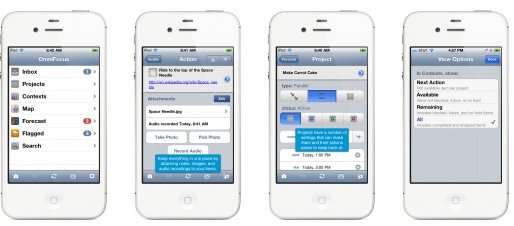
For those that really take todo systems seriously, the OmniFocus app is often at the top of the list for getting things done. With a suite of apps that covers the Mac, iPad and iPhone, OmniFocus creators The Omni Group have created a real powerhouse of applications that many swear by.

In the latest update for the iPhone version of their OmniFocus app, the developers at The OmniGroup have taken Apple's lack of a Siri API and gone all Chuck Norris on it. Instead of waiting for Apple to give them permission to use Siri to create tasks, they have linked OmniFocus with iCloud, which in turn gives the app full access to reminders created using iOS 5's built-in Reminders app.

The end result? You can now tell Siri to create reminders in OmniFocus...

How to Pitch iCloud to Your Friends [Infographic]

Have you been looking for the right way to pitch iCloud to your reluctant, non-geeky friends? While Apple's new cloud service is based off a simple premise, describing what iCloud actually does can be a little difficult.

Luckily, the folks at Infographic World have put together a 10,000-foot view of iCloud in the form of a helpful infographic...

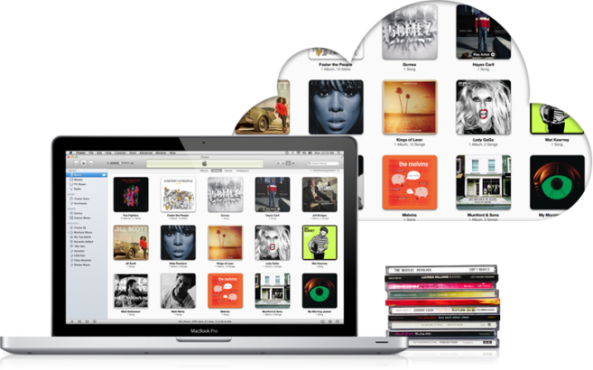
Understanding iTunes Match: iCloud and More Details

Apple finally released iTunes Match in the US yesterday, and many have already subscribed to the $24.99 a year cloud service. We gave you the complete rundown of iTunes Match yesterday, and we also showed you how to enable the service on your devices.

While iTunes Match is fairly simple to use, there are some more technical details that many will find helpful...

There’s a New iOS-Friendly Cloud Service on the Block

The consumer cloud storage market is getting pretty crowded. There's SugarSync, Amazon's CloudDrive, and the ever-popular Dropbox. Not to mention that one of the biggest names in tech, Apple, just joined the game with iCloud.

But that's not going to keep new-comer Pogoplug from trying its hand at cloud services. The company just announced that Pogoplug Cloud is now live for all of your online storage needs. And like its iCloud counterpart, new users get 5GB of free storage...

How to Use iTunes Match: The Complete Walkthrough

After a little bit of a delay, iTunes Match was released to the public today. iTunes Match is a service that's built into the latest version of iTunes. It lets you match, upload, and play music on a variety of different devices.

This is an extremely cool service that allows you to take your entire iTunes library with you on the go, even if you have a measly 8GB iPhone.

Unfortunately, we don't think that Apple has done a very good job explaining the full benefits of iTunes Match. For that reason, we've created this ultimate iTunes Match tutorial, FAQ, and video walkthrough...

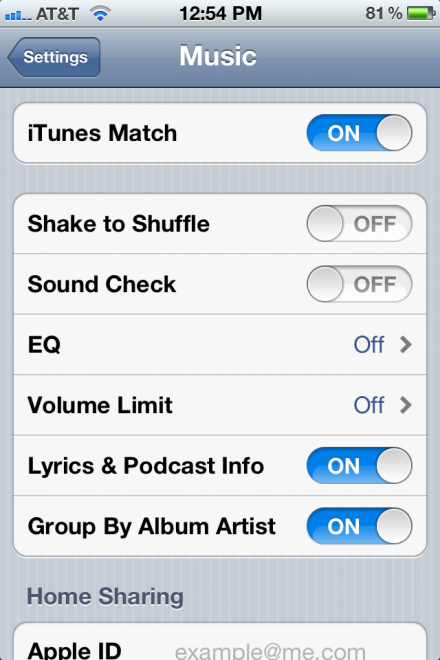
How to Enable iTunes Match On Your iPhone or iPad

Apple released iTunes Match today, and users can now access their entire music library in iCloud on any authenticated iDevice running iOS 5. On the iPhone and iPad, iTunes Match can be easily enabled in the device's Settings.

Once enabled, iTunes Match will allow you to download and start playing any uploaded track at any given time on multiple iDevices.

Apple Releases iTunes Match to the Public

Apple has officially released iTunes 10.5.1 to the public following several developer betas. iTunes Match has been in the final testing stages for months, and beta 3 of the cloud music service was seeded to developers over the weekend.

Alongside iTunes 10.5.1, Apple is finally releasing iTunes Match to the US public today after a two week delay. It's finally here...

iTunes 10.5.1 Beta 3 With iTunes Match Seeded to Developers

Admittedly, we were expecting a final version of iTunes with iTunes Match to hit the scene any day now, but it looks like Apple is still squashing some remaining bugs.

In other words, iTunes 10.5.1 Beta 3 with iTunes Match was just seeded to developers a few minutes ago. We've installed it, and we can report that the overall experience is much faster than previous betas...

How to Manually Backup Your iDevice to iCloud

We love iCloud here at iDB, and we love backups, too. That said, it isn't really surprising that we're huge fans of the ability to backup our iDevices to iCloud.

It has been said before that the best backup strategy is the one you can set and forget. That's where iCloud comes into its own, with backups being done automatically each night, so long as the device is plugged in.

There are times when you might want to be absolutely sure that the backup in the cloud is up to date, and Apple has thought of that, too. Here is a quick guide that shows you just how to manually perform an iCloud backup...

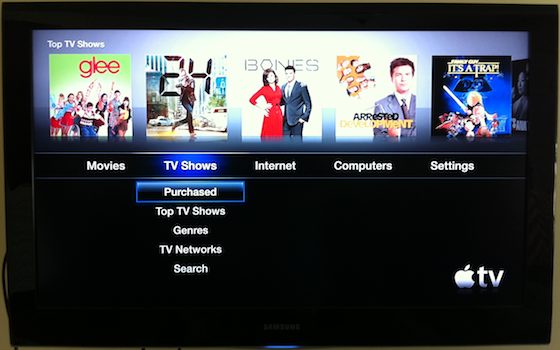
How to Enable iTunes Match on Apple TV 2 [Video]

So by now you've probably heard the news: Apple has released iTunes 10.5.1 beta 2, and along with it comes iTunes Match Support for Apple TV 2.

But how do you go about enabling iTunes match on the Apple TV? It's actually much easier than one would expect.

Check out our video demonstration of iTunes Match on Apple TV inside...

Apple Airs Commercials Featuring iCloud, Siri, iPhone 4S Camera

With each new product release, Apple launches a whole new advertising campaign around whatever fancy new features have been added, and the iPhone 4S is no exception.

Starting today, Apple is airing three new ads to help spread the word about the "most amazing iPhone yet." The 30-second spots feature iCloud, Siri, and the supercharged 8 megapixel camera packed into the iPhone 4S. And in typical Apple fashion, we're not sure where real products end and the hype machine begins...