iOS 13

Dock Controller lets jailbreakers supercharge their iPhone’s Dock

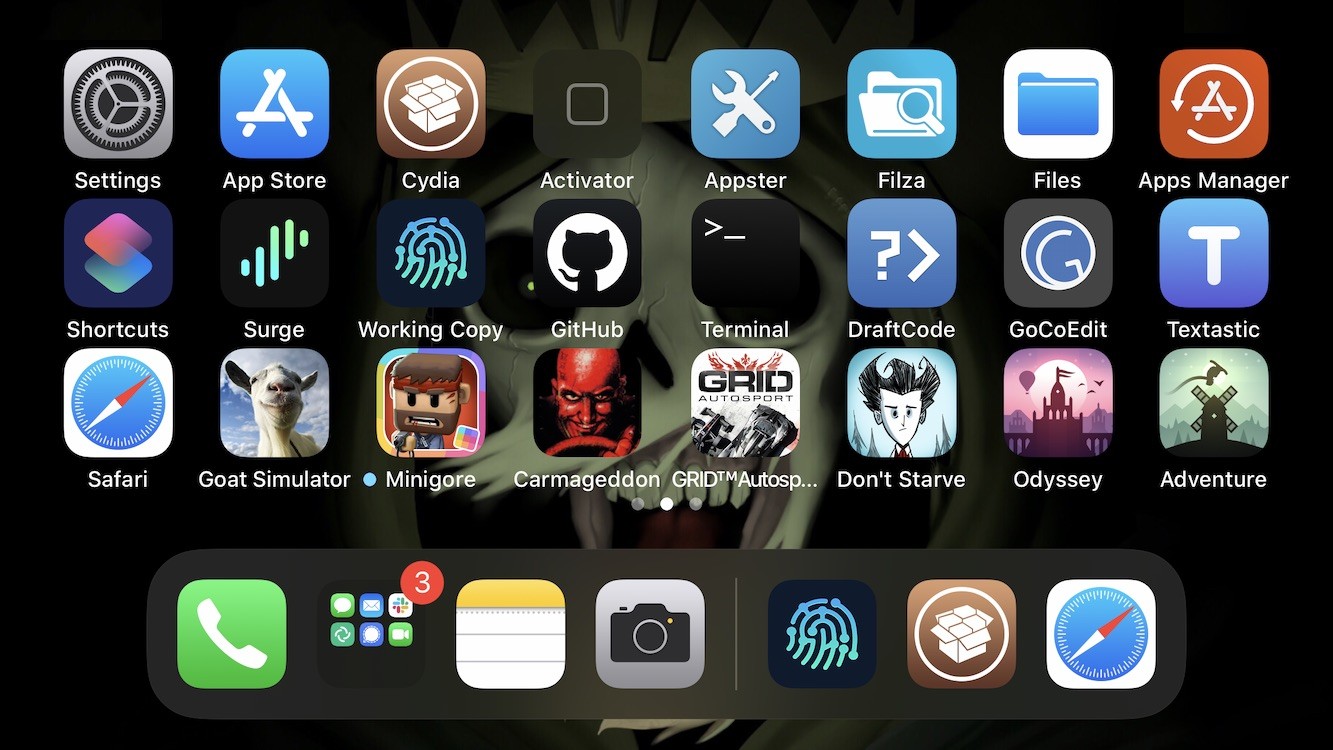
The Dock is an integral part of the Home Screen on any iPhone or iPad, and if you’re familiar with both platforms, then you’ll already know that Dock behavior varies from one device to the next. iPads, for example, have a much more robust Dock experience with a separated section for recently-used apps, whereas the iPhone’s Dock is much more simplistic.

If you wish you had more control over your handset’s Dock experience, then we think you’re going to love a newly released and free jailbreak tweak dubbed Dock Controller by iOS developer Tomasz Poliszuk. Just as the tweaks’ name implies, Dock Controller gives users quite a bit more control over their handset’s Dock aesthetics and behavior.

How to remove the unc0ver jailbreak without restoring your iPhone or iPad

If your handset is jailbroken with unc0ver and you’ve either decided that you revert to a vanilla version of iOS or that you want to start over with a different jailbreak tool, it’s important to know that the unc0ver jailbreak incorporates a mechanism for rolling your handset back to a pre-jailbroken state.

In this step-by-step tutorial, we’ll walk you through the steps necessary to remove the unc0ver jailbreak and all of its components from your iPhone or iPad. This process is recommended over totally restoring your handset because it will preserve your valuable personal data and ensure that your device can still be jailbroken in the future if you happen to change your mind.

Give your Control Center interface a fresh coat of paint with CustomizeCC

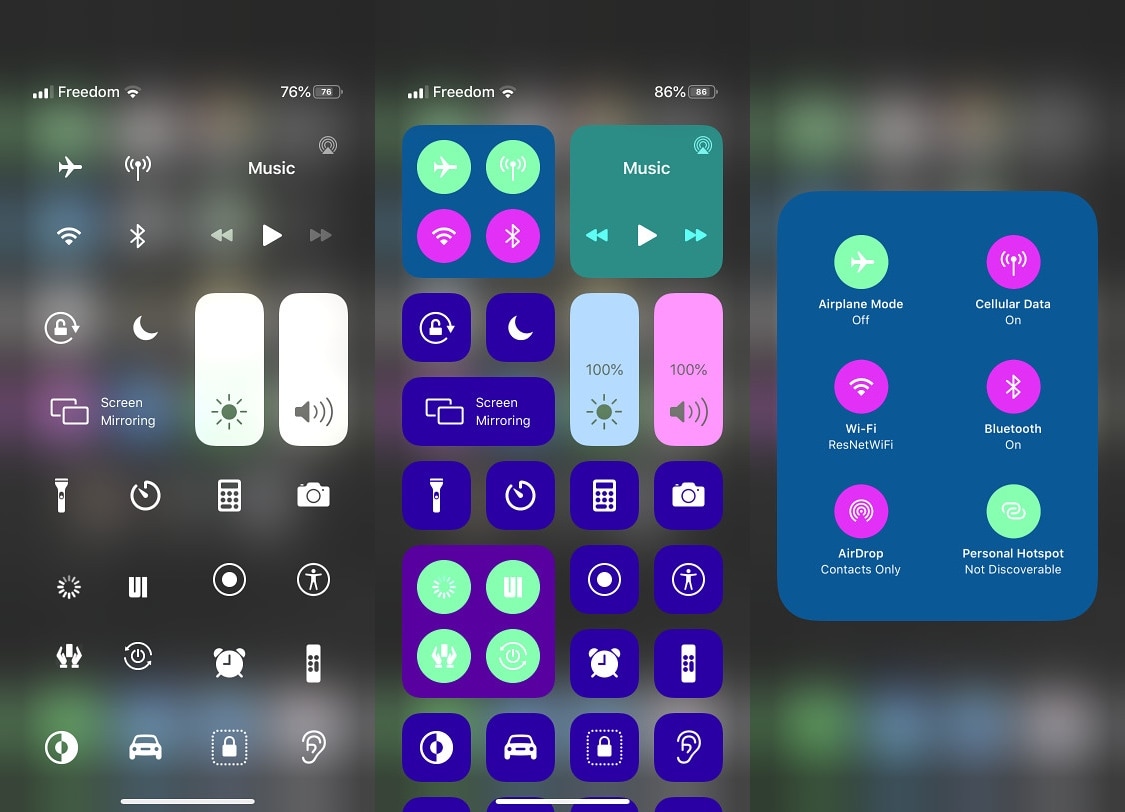
One of the iOS interfaces that the vast majority of iPhone users take advantage of on a daily basis is Control Center. It’s functionally straightforward and convenient to use. Apart from customizing the controls that appear in Control Center, however, Apple doesn’t provide much by way of customization, especially in terms of aesthetics.

Enter CustomizeCC, a newly released and free jailbreak tweak by iOS developer Miguel that lets jailbreakers take unfettered control over the appearance of the Control Center interface. As you might’ve discerned for yourself via the screenshot examples above, CustomizeCC imbues users with a slew of new colorization options for making your Control Center interface unique.

How to get Cydia on the Odyssey jailbreak

Just as promised, the Electra Team’s new Odyssey jailbreak for iOS 13.0-13.5 lets users install Saurik’s tried and true Cydia package manager (and others) alongside the jailbreak’s default Sileo package manager.

While some people prefer the Sileo experience over Cydia, the fact remains that many remain loyal to the package manager they’re most familiar with. With that in mind, we’ll be showing you how you can install Cydia on your Odyssey or Odysseyra1n device in this step-by-step tutorial.

How to install the Odyssey jailbreak with AltStore

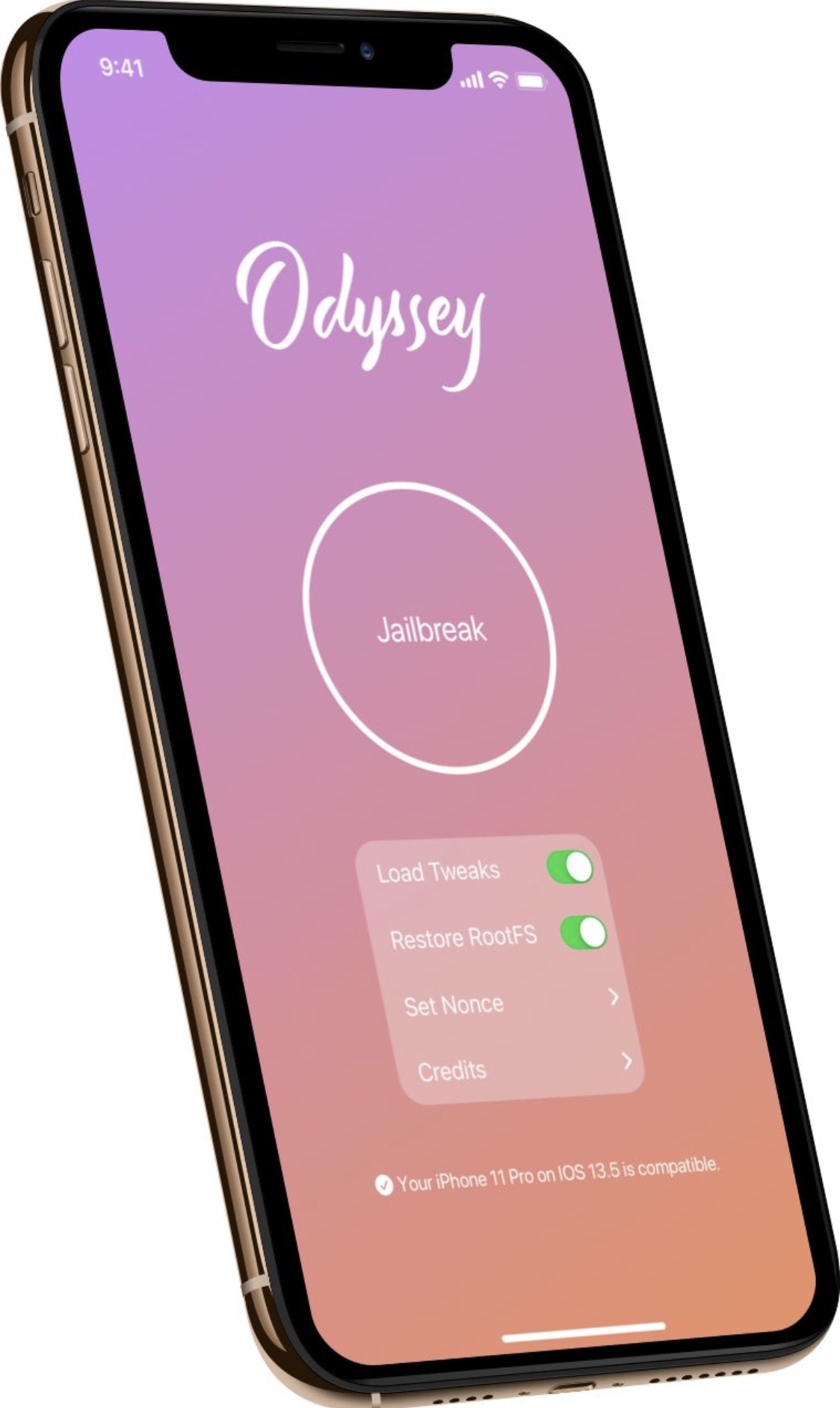
Odyssey is the Odyssey Team’s latest creation, and it’s specifically intended for jailbreaking iOS & iPadOS versions 13.0-13.7. Much like the competing unc0ver jailbreak, Odyssey is a side-loadable jailbreak app that installs a semi-untethered jailbreak.

The Odyssey jailbreak by default uses the Sileo package manager for installing packages and libhooker for tweak injection. Additionally, it installs the all-new Procursus bootstrap, which powers everything that makes this jailbreak tick. If you’re interested in using this concoction, then you’ve come to the right place because this tutorial will show you how you can jailbreak your iPhone or iPad with Odyssey.

CoolStar Tweets download link for Odyssey jailbreak public beta

Odyssey jailbreak for iOS 13.

Ever since the unc0ver team issued a DMCA take down request for the Odyssey jailbreak GitHub page, many avid jailbreakers have been waiting for the smoke to clear. At this time, the investigation is still pending, and no official verdict has been declared. Odyssey lead developer CoolStar did, however, respond to the DMCA take down with an appeal. Now we wait to see what happens...

In the meantime, those avidly waiting for the Odyssey jailbreak to launch have been forced to wait longer than expected to download and use the tool. CoolStar’s most recently ETA for release is ‘whenever GitHub restores the repository,’ but things took an interesting turn early Sunday morning when CoolStar Tweeted a link encompassing what appears to be a beta pre-release version of the Odyssey jailbreak tool:

Jailbreak tweaks of the week: Axon Reborn, Lyricize, QuickConnect, and more…

It's been an interesting week for the jailbreak community. Not only did the unc0ver jailbreak receive an important update with support for the latest iOS 12.4.8 on the iPhone 5s, iPhone 6, and iPad Air 1st generation, but two important tidbits of news surfaced involving the Pangu Team, including an iOS 14 jailbreak demo and a successful hacking of the iPhone's SEP; but more on that later. At the start of this piece, we'll talk about all the latest jailbreak tweaks that you may have missed because of life.

As usual, we'll start off by showcasing our favorite releases of the bunch first and then wrap things up with an outline of the rest afterward.

How to remove the checkra1n jailbreak without restoring your iPhone or iPad

Whether you’ve jailbroken with the checkra1n tool and fancy reverting back to a vanilla version of iOS or you merely want to uninstall checkra1n to try a different jailbreak tool, the checkra1n jailbreak includes a convenient built-in utility for removing the jailbreak with just a few simple taps.

In this tutorial, we’ll show you how to remove the checkra1n jailbreak without completely restoring your iPhone or iPad. This method is traditionally recommended over a full-blown device restore because it doesn’t erase your data and it preserves your version of iOS. The latter is especially useful if you’re removing checkra1n to try another jailbreak since other jailbreaks can be picky about the versions of iOS they support.

DockChanger brings the classic Dock to notched iPhones and vice versa

If you owned an iPhone before the days when Apple began incorporating Face ID and the infamous ‘notch,’ then you probably remember the classic Home Screen application Dock with the edge-to-edge background. Fast-forward to now, and modern iPhones’ Docks sport a floating appearance rather than the traditional edge-to-edge background.

Whether you’ve got a notched iPhone at your disposal and you’re feeling nostalgic over the traditional Dock UI or you’ve got a notchless iPhone and feel left out because your Dock doesn’t have the same floating aesthetic that newer handsets have, a newly released and free jailbreak tweak named DockChanger by iOS developer Thomz could be just what you’re looking for.

Axon Reborn groups missed notifications on the Lock Screen by app

Longtime jailbreakers will probably remember Priority Hub as one of the best notification-centric jailbreak tweaks of all time. It was so popular that after the original developer stopped maintaining it, iOS developer Nepeta came out with an alternative to Priority Hub dubbed Axon mid-last year that brought with it full-fledged support for pwned iOS 11 and 12 devices.

We entered the age of the jailbroken iOS 13 device a rather long time ago, and as you might come to expect, history tends to repeat itself. With that sentiment in mind, it may be too surprising that Nepeta has released a new and free jailbreak tweak called Axon Reborn with novel support for pwned iOS 13 devices.

Access your favorite contacts from anywhere in iOS with QuickConnect

By now, most folks already know that iOS 14 will permit users to pin their favorite conversations at the top of the Messages app. But wouldn’t it be nice if you could pin your favorite contacts to various parts of iOS system wide as opposed to being confined to just one app?

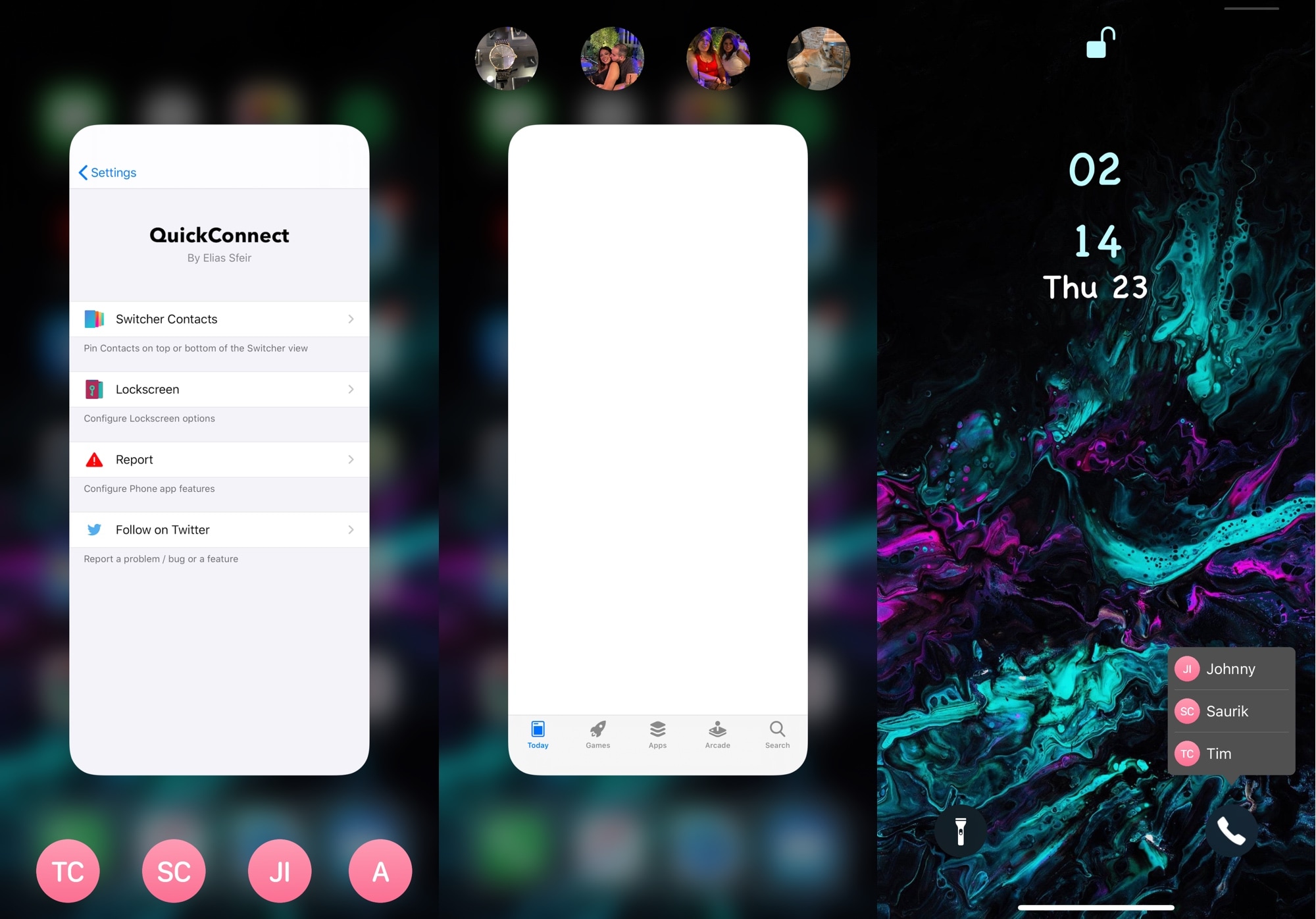
That’s the thinking behind a newly released jailbreak tweak dubbed QuickConnect by iOS developer Elias Sfeir, and as depicted in the screenshot examples above, the tweak lets users pin their favorite contacts to frequently used parts of the iOS platform, including the App Switcher and the Lock Screen.

MusicGround complements music playback on iOS with animated wallpapers

Lots of folks rely on their iOS devices as their primary music consumption devices, and so it’s sort of a head-scratcher as to why Apple doesn’t provide more of an interactive listening experience. In the jailbreak community, we’ve seen a plethora of workarounds for this, including the introduction of music visualizers for the Now Playing interface and more.

A newly released and free jailbreak tweak dubbed MusicGround by iOS developer Tr1fecta, on the other hand, takes a slightly different approach. Instead of giving users an animated Now Playing interface, this tweak provides users with an animated Metal Lyrics-inspired wallpaper that comes alive whenever music is playing.