How to

The best ways to store your iPhone photos in the cloud

Save iPhone photos to best cloud storage options

Those high-quality snaps and videos you take on your iPhone, iPod touch or iPad can pretty quickly eat up all of the available storage space on your device.

There are a number of techniques to increase your free storage, like deleting apps you no longer use, emptying system caches and so forth, but they all pale in comparison to the simplest of solutions—actually moving storage-hungry photos and videos off your device to safely store them in the cloud.

In this post, we'll tell you all you need to know about the most popular cloud storage solutions. We're going to detail backing up your media to each of them and discuss recommended strategies for freeing up as much storage space as possible without destroying your personal memories or changing your workflow much.

How to fix ‘Outlook can’t upgrade your database’ errors when launching Microsoft Outlook on Mac

Last night, I decided that I would give the desktop version of Outlook a chance. Unfortunately, I ran into a problem when first launching the app. After doing a bit of troubleshooting, and lurking around the app's bundle, I was finally able to fix the issue.

If you've ever ran into the "can't upgrade your database error" when launching Outlook, then you may want to give this fix a try.

How to control your Mac with the Siri Remote

Better Touch Tool, one of the most useful power-user utilities available for macOS has been updated to include support for Siri Remote control. The update, which is currently available as an alpha version download, lets you control your mouse with the Siri Remote, as well as assign shortcuts and mouse clicks to the Touch Surface and each of the remote's buttons.

How to disable password prompts for free iBooks downloads on the Mac

Since last year's iOS 8.3 software update iOS devices have had the ability to stop asking for a password when downloading free applications from the App Store. Soon after, that feature found its way into iTunes and iBooks for Mac.

As electronic books are no longer managed through iTunes, disabling password prompts for iBooks Store downloads is now handled in iBooks for Mac. In this post, you will learn how to disable Apple ID password prompts when downloading free electronic books from Apple's iBooks Store, and we'll also show you how you can manage password settings for paid items.

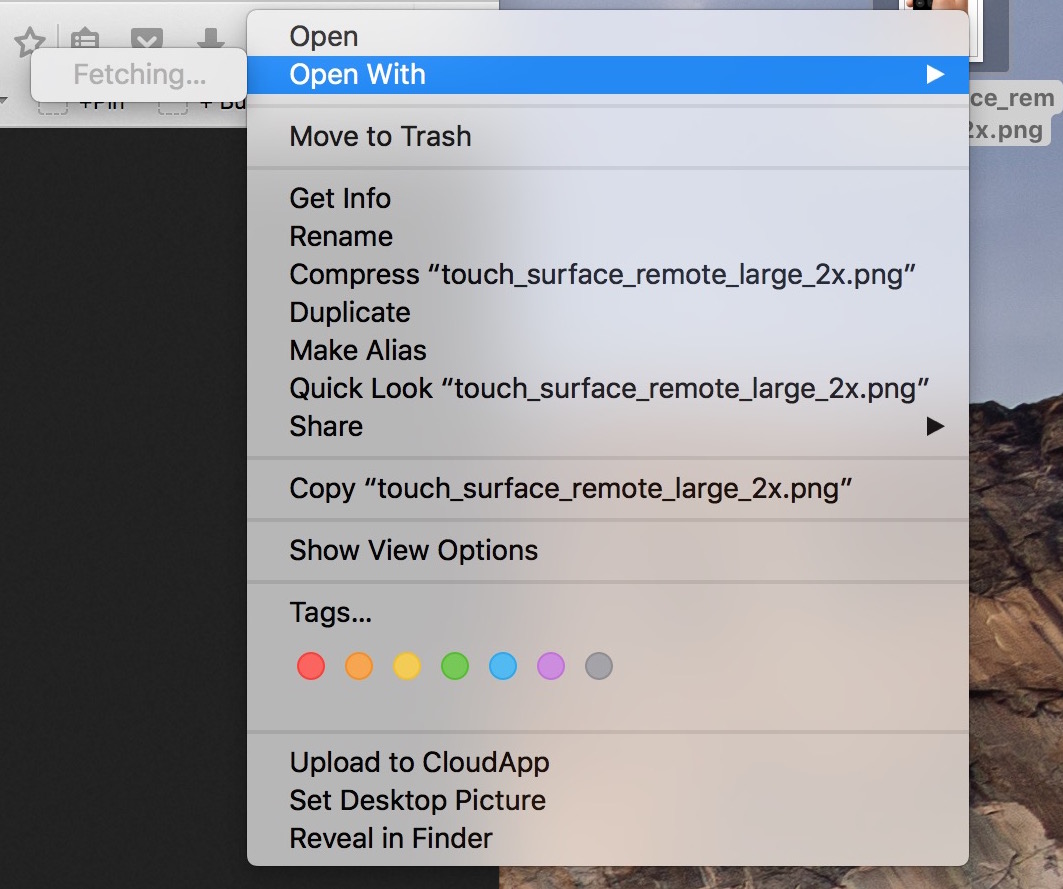
Fix “Fetching” delay when selecting “Open With” on Mac

In my mind, computers are always supposed to work the way they should. And because they are computers, I shouldn't have to wait for them to process basic tasks. That's all in my mind of course, because in reality, things don't always go the way they should.

A perfect example of that is the Open With menu you get when right clicking on a file. Sometimes, for no apparent reason, my iMac will spend several seconds "fetching" the applications that can be used to open that specific file type.

Like with most things computer-related, the fix is pretty simple.