Email

Get Your Gmail Contacts and Calendars in Sync on Your iPhone

This little trick has been around for quite some time. But if you are a new iPhone user, or plan on becoming a new iPad user soon, listen up! If you are using Google's email service, then there's a good chance you are using Google's calendar and their contact management system.  This holds especially true for you, former Android users, who are forced to use the previously mentioned services by design.

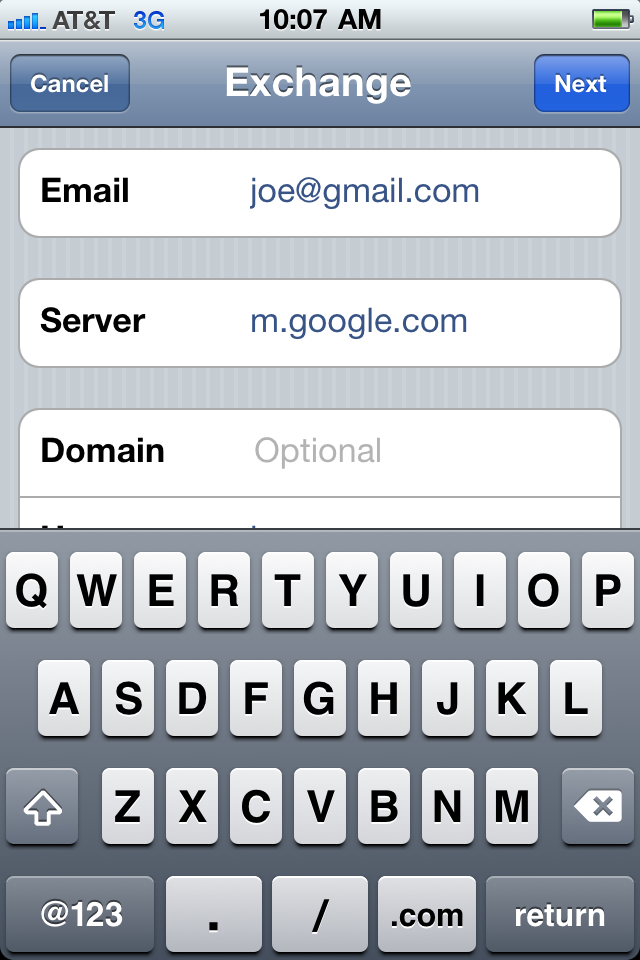
Now I know you're thinking, "Cody, I already have my Gmail setup on my iPhone," and you're probably right. But if you set it up as an actual Gmail account and not under the 'Exchange' account profile, you might be missing out on some cool features. Setup as an Exchange account, your Gmail can automatically sync your contacts, your calendars, and even push your email! The best part is, it's so easy, let me show you how...

‘Mail Enhancer’ for iPhone Gives You a Crazy Amount of Email Customization Options

In itself, the iPhone's email works fairly well. It's simple, and reliable. In fact it's almost too simple, being devoid of many customization options that you think would be a no-brainer.

Mail Enhancer is a jailbreak tweak that aims to provide your iPhone's email with some much needed depth in the way of customization.

As you'll see inside, it more than lives up to its name...

Gmail’s “Priority Inbox” Now Available on the iPhone

Gmail's "Priority Inbox" feature has been implemented into Gmail's web app on the iPhone. Priority Inbox is a relatively new feature in Gmail that helps show you the most important emails in your inbox.

Google's Priority Inbox algorithm studies your email habits, and determines which messages deserve your attention first. If you've enabled Priority Inbox in the standard web version of Gmail, the same functionality will now be available in Gmail's iOS web app...

PhotoMail Makes Attaching Photos to Emails on Your iPhone Easy

Until now, there was no practical and logical way to attach a picture to an email on your iPhone. You either copy/paste the image, or you can select it in your camera roll, and select it to be shared via email. But what happens if you want to insert a picture in an email you are currently working on?

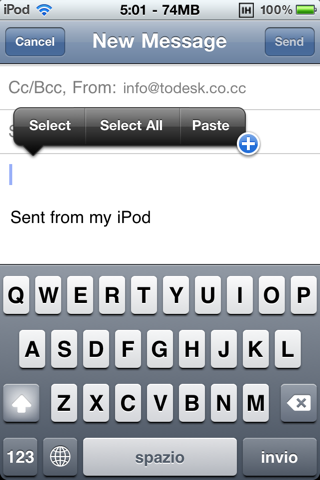
That's where PhotoMail comes in. With this new jailbreak app, you'll be able to send any photo directly via the Mail.app. Just access to the copy/paste menu, and you'll see a (+) button, from which you'll be able to attach multiple images...

Apple Patent Indicates Plans For A Social Network iPhone App, With A Focus On Shopping

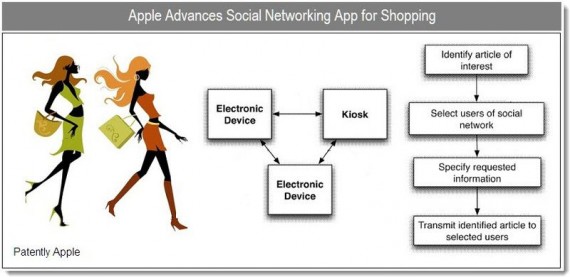
More and more shopping is happening online these days, but plenty of people still prefer brick and mortar stores to buy their jeggings in. On December 30th, 2010, Apple's latest patent was published. This patent hints at a native social networking app that Apple may implement in a future version of iOS. Such an app would merge social networking into a shopping experience.

This Ping-like, social-shopping network would allow users to have an enhanced shopping experience with participating merchants. Apple's patent is titled "Social Networking in Shopping Environments."

Mail Rules Aims to Add Structure to Your Inbox

Since I'm a Gmail user, all of my email is already organized on Google's servers before hitting my iPhone. This is done by means of filters, which are essentially rules in Outlook-speak.

Rules have been noticeably absent from the iPhone's cache of email features, but that's probably because most people have setups like I do, meaning that their email is sorted and filtered prior to being downloaded to the iPhone.

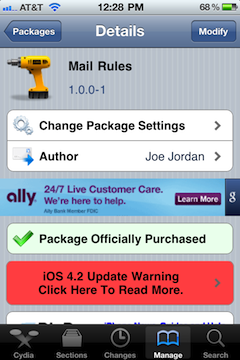
For those of you that don't have this luxury, Mail Rules -- a jailbreak tweak for iOS 3.2 and up -- aims to fill in the gaps. But does the tweak's shortcomings rule it out?

140,000 Emails from Steve Jobs Released by WikiLeaks

Steve Jobs is probably the only CEO of a major tech company to personally reply to emails every once in a while. Sometimes revealing future product updates or simply commenting on current affairs, Jobs is known for his short and precise emails that spread around the web in no time.

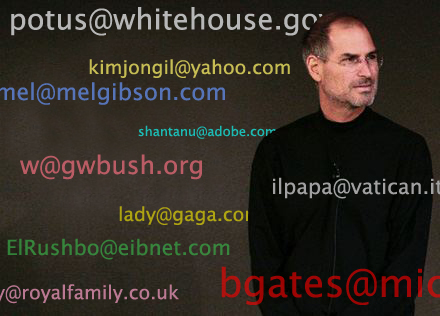
WikiLeaks, the very controversial website that has leaked hundreds of thousands of classified documents has recently leaked 140,000 emails from Steve Jobs, as unveiled by Scoopertino, which dug into the emails and found a few interesting tidbits for us...

iPhone Quick Tip: How to Email a Photo

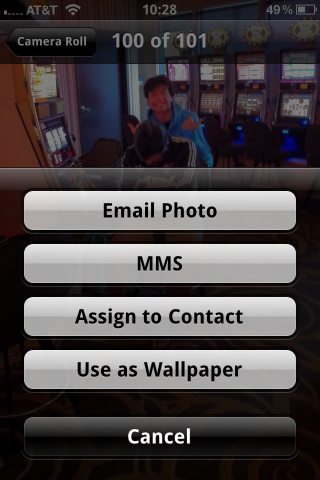
My cousin jut got his first iPhone a few months ago and he's what I'd call a total noob about it. A couple days ago when we were in Vegas, he asked me how to email a photo he had taken with his iPhone. I couldn't help laughing at him but I quickly realized that if he didn't know how to do that, there's probably other people out there in the same situation, which is why I thought it'd be a good thing to write up a quick tip about this.

Obviously, this is a tip for beginners. If you've had an iPhone for a while, you most likely already know how to do that.

In this post, I'll show you 3 ways to email pictures from your iPhone...

AskToSend Helps You Avoid Those Embarrassing Messaging Moments

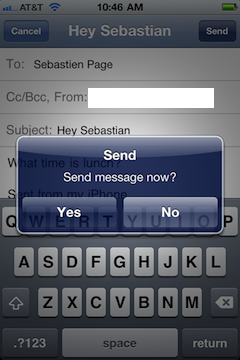
How many times have you accidentally sent an email that wasn't finished? Or worse yet, how many times have you sent an email to the wrong recipient? Yeah, our mistakes can yield some pretty embarrassing results if we're not careful.

Wouldn't it be nice if your mail and SMS apps asked you if you wanted to send, before sending? AskToSend is a jailbreak app that teaches your iPhone some lessons in etiquette...

iPhone Quick Tip: How to Quote Text in an Email Reply

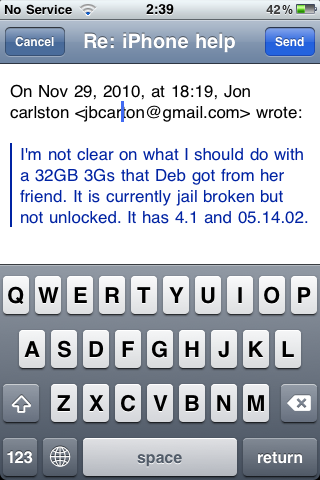
This is a ninja tip that was sent to me by an anonymous reader about how to quote text in an email reply. Let's say you receive an email from someone. In your reply, you want to quote some of the text to comment on it for example.

To do that, simply select the text you want to quote and hit the "reply" icon. This way, only your selected text will be copied in your email reply...

Pull To Refresh for Mail brings Twitter Styled Refreshing to Your Email

Pfft, refresh buttons, who needs 'em, right? Head into the new decade with style by adding Twitter app-esque refresh functionality to your email, courtesy of this latest jailbreak tweak.

That's essentially all that the cumbersomely named Pull To Refresh for Mail does, although it performs quite well. The only suggestion I have for the developer is to perhaps fire their entire "app naming department." Check inside for the full scoop.

OMG Steve Jobs Emailed Me for My Birthday [OMG]

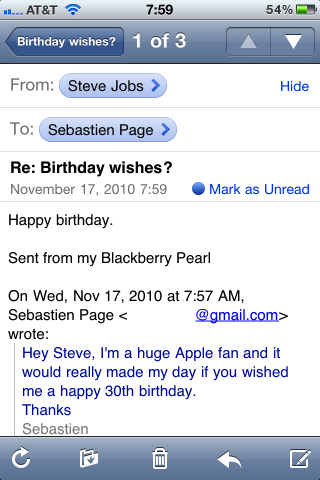
So today is my 30th and I thought it'd be nice to have birthday wishes from Steve Jobs. So I emailed and asked him if he'd mind wishing me a happy birthday. Just minutes later I received this reply from him. Amazing. Unbelievable. I know Steve and I had our rough moments in the past so I honestly didn't expect a reply back from him.

There is something wrong with this email though, but I can't figure out what it is exactly. Is there anything out of place in there?

One last thing... Don't tell me it's a fake, because it's not... Not!