Call

LiveRinging brings video ringtones to your jailbroken iPhone

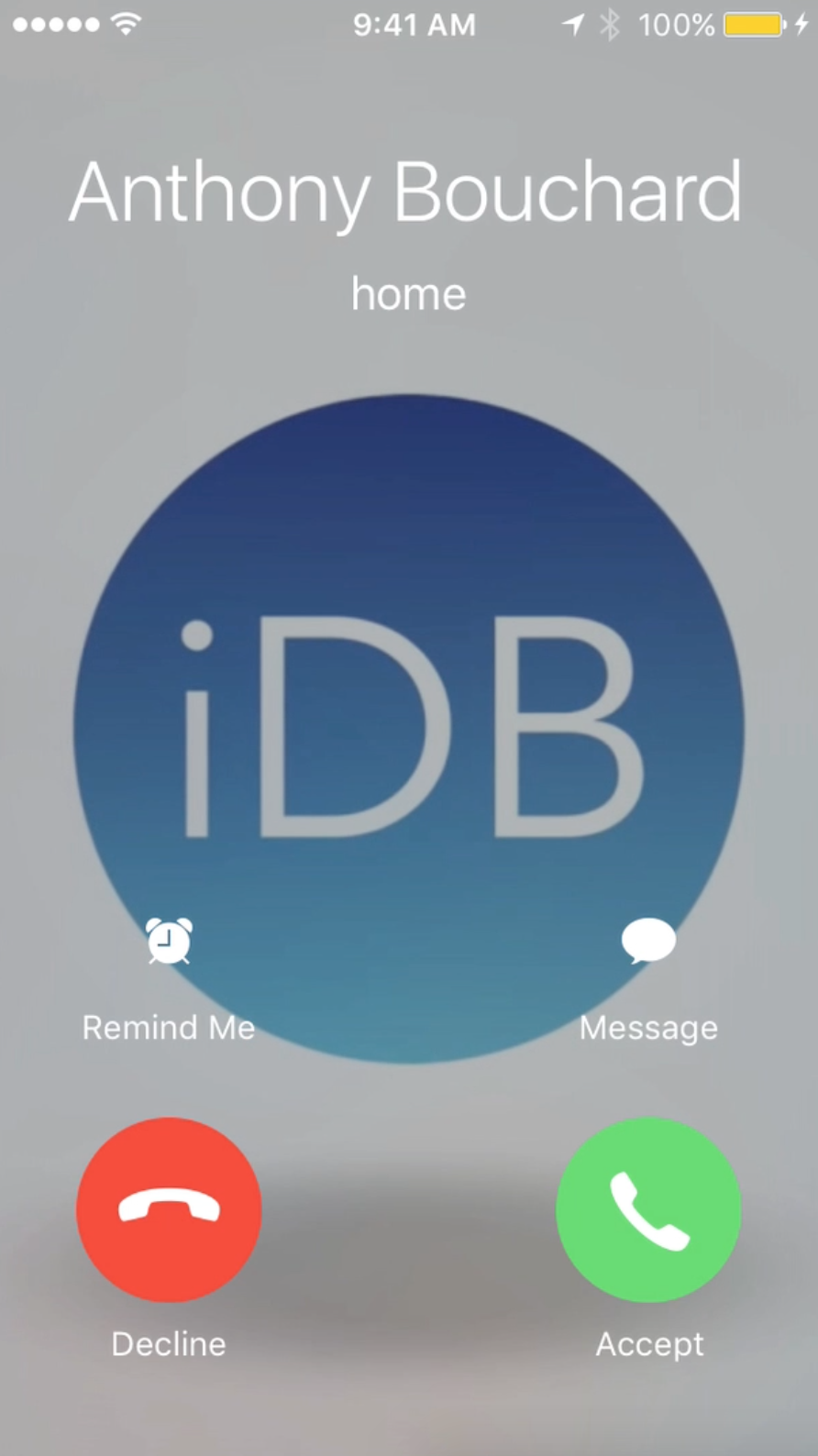
For deeper customization of the incoming call screen from iOS that goes deeper than just blurring your wallpaper background or showing the contact picture of the person who is calling you, you may want to check out a new jailbreak tweak called LiveRinging.

This tweak replaces the background of the incoming call screen with a video of your choice and gives iOS a feature Android users know and love known as video ringtones.

In this review, we'll show you how LiveRinging works and demonstrate its capabilities.

This tweak keeps music from resuming after hanging up a call on your iPhone

Anyone who uses their iPhone to pick up calls, whether they're phone calls or FaceTime calls, knows that when music is playing, iOS will automatically pause the music until the phone call ends. When it does, iOS will resume the song where it left off.

Those who don't like how the music resumes after a phone call really have no way to disable the feature on a stock iPhone; instead, you would have to go back to the app that is playing the music and pause it manually.

A new free jailbreak tweak called PauseAfterCall solves this problem.

New in iOS 8.3: placing phone calls through speakerphone via ‘Hey Siri’ command

Users who upgrade their iPhone to iOS 8.3 when it's released next month will be finally able to tell Siri to make a phone call through the device's speakerphone when the 'Hey Siri' option is enabled, reports 9to5Mac.

You can say, for example, 'Hey Siri, call my Mom on speaker' and the call will be automatically transferred to the iPhone's speaker, like it should have always been, may I add.

Again, provided the 'Allow Hey Siri' option is enabled in Settings > General > Siri and the phone is plugged into power.

Google Hangouts for iOS updated with free voice calling and more

Google has posted an update for the official iOS client of its Google Hangouts platform The update, which brings the app to version 1.3, includes a handful of new features like support for animated GIFs, Google Voice and more.

But the most significant addition in version 1.3 is the ability to make phone calls. The feature, which is free for folks in the US and Canada, will allow users to call actual phone numbers using their iPhones, iPads or iPod touches...

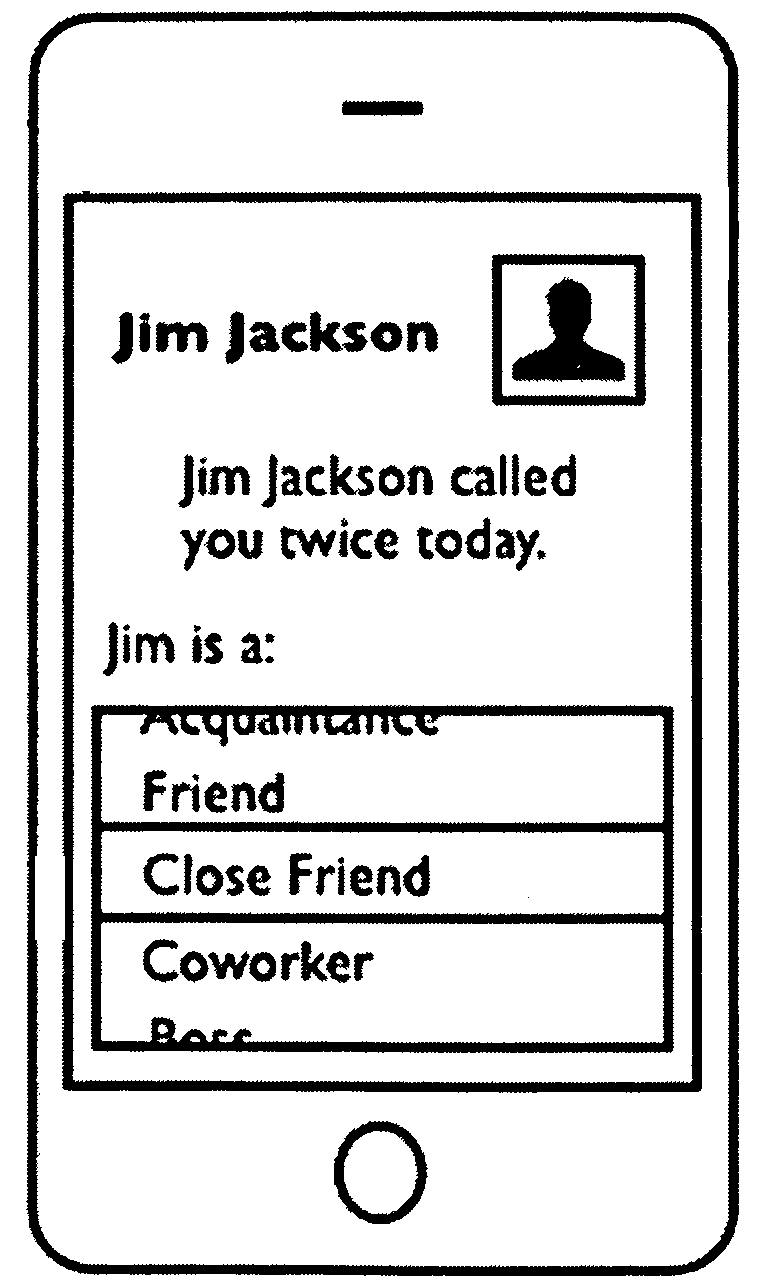
Apple patent suggests whether best to call or text

While in the middle of being told Apple is washed-up, a has-been being overtaken by Android, comes a patent which reminds us the company actually has some good ideas left.

Take, for instance, those annoying calls which seem to arrive in the middle of dinner. The gear heads at Apple also find them annoying and created a way to put you in control of who calls you when and whether a text might suffice. Particularly when you have a mouth of spaghetti.

The granted patent describes a "system for facilitating contacting people using electronic devices."

Instead of taking the usual path most technology firms selling smartphones would follow - creating multiple ways to blast messages to you - Apple goes for a more zen-like approach, realizing that understanding when not to make a call could make for the ultimate smartphone...

Facebook begins rolling out free Messenger VoIP feature to the US

Earlier this month, we told you that Facebook had added a free VoIP calling feature to its Messenger app in Canada. It was clearly a test, to ensure that the social network's servers could handle the added bandwidth. And apparently the tests went well.

Today, many users, including us, have noticed that Facebook has quietly started rolling out the VoIP feature to the US version of its Messenger app. It comes by way of a new 'Free Call' button, which will allow you to telephone your FB contacts for free...

Test finds that Sprint iPhone 5 has the best call quality

According to Apple, the iPhone 5 has much better call quality than its predecessor thanks to its new wideband audio technology. Unfortunately, no US carrier supports this feature yet.

This means that call quality on your iPhone 5 still greatly depends on your location and who your service provider is. And according to a new report, Sprint is the one to beat in this category...

RingerX VIP Now Available on Cydia

[tube]http://www.youtube.com/watch?v=gL4hO0zvYGM[/tube]

A couple of days ago we provided you with an in-depth preview of RingerX VIP, the jailbreak tweak that lends fine grain control over your iPhone's vibrate and ringing behaviors. It's now available for download on Cydia's BigBoss repo. If you haven't seen our preview, be sure to check it out.

RingerX VIP: Control Ringer and Vibrate Behavior for Calls and Messages

Don't you just hate it when you miss an important call because you forgot to turn your iPhone's mute switch off? Or what about that one annoying person that always calls at 3 in the morning? Wouldn't it be nice if you could forever silence their calls?

With RingerX VIP, all of these scenarios feature easy solutions.

This is a jailbreak tweak for those who require fine grained control over how various contacts are treated whenever they call you or message you...

Add Calling and Messaging Shortcuts to Your Home Screen with QuickContact

The current trend of finding ways to get icons on an iOS device's Home screen with the intent of creating shortcuts for actions is nothing new. It was originally one of the big jailbreak advantages, and now it's back. This time, you don't need to jailbreak anything.

QuickContact is the latest in a long line of apps that offer the user a way to create shortcuts on the Home screen, and now sending SMS messages and making phone calls are the order of the day.

The best part about this is the fact it's not actually an app at all, but rather a web app.