Jeff Benjamin

Jeff has been with iDownloadBlog since 2010, acting as resident video specialist, and tutorial expert. He earned his degree in Computer Network Systems back in 2001, but decided Cisco routers and the like just weren’t for him. Since then, he’s been heavily involved with online writing. He’s written for numerous tech and video game sites since the late 1990′s, and has a knack for explaining things in a simple, clear, and concise manner. Jeff works primarily from the east coast on his Retina Macbook Pro, and shoots video with a Canon DSLR. During downtime he likes to travel the world, visiting the various Apple Stores across the globe. You can email him at jeff [at] idownloadblog.com and follow him on Twitter @JeffBenjam or on Google+.

Apple Store app finally updated for the iPhone 5

The Apple Store App was finally updated for the iPhone 5's bigger display, after being left out of the initial round of updates to Apple's in house developed apps.

No other changes were added to the app, but this change is what most have been waiting for since the iPhone 5 launched. I can confirm that the Apple Store app looks glorious on the iPhone 5's four inch display. Check inside for more pictures...

Netbot is like Tweetbot, but for App.net

Netbot, an App.net client for iOS users, and the sister client to the popular Tweetbot, has been unleashed on the App Store.

Just in case you weren't aware, Twitter has been making some changes as of late, and it's safe to say that they have't been very popular among the tech community. As a result, a few alternative services to Twitter have emerged, and one of those is App.net.

Though there are some key differences between it and Twitter's methodology, both from a technical level and a company level, the services are similar enough that it's entirely possible to confuse NetBot with Tweetbot at first glance.

Take a look at our hands-on video inside for more details...

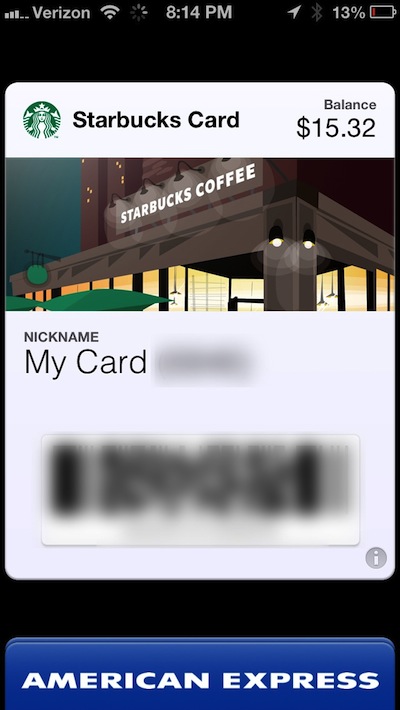
Starbucks app now supports Passbook: get your skinny vanilla latte orders ready

Finally, the moment we've all been waiting for. The real reason Passbook was invented — Starbucks.

Indeed, the official Starbucks app was just updated, and it brings the long awaited Passbook support with it. This means that you can now create a pass to store in Passbook, and pay directly with said pass.

It's super easy to setup, and apparently, it uses the same scanners that scan the "touch to pay" feature inside the official app. In other words, it's ready to use out of the gate.

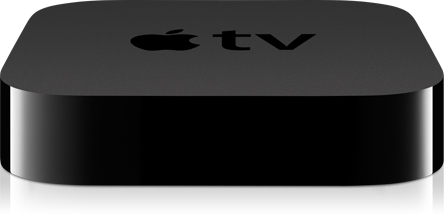
aTV Flash (black) 2.0.1 adds improved trakt.tv syncing and bug fixes

Popular Apple TV 2 jailbreak software, aTV Flash (black), has been updated to version 2.0.1, and brings multiple bug fixes, along with improvements to trak.tv features, and nested favorites.

aTV Flash (black) is popular, because it allows you to quickly add many new features to a jailbroken Apple TV 2 in one fell swoop. It also features a built in maintenance mode for easily updating to the latest version.

Take a look inside for the full change log...

Things updated with iPhone 5, iOS 6, Siri support

One of the best task management apps available on iOS or the Mac, just received a fairly substantial update.

Things, a darling app among many Apple enthusiasts and the Getting Things Done crowd, receives support for the iPhone 5's larger display, support for iOS 6, and the ability to create new inbox items using Siri.

New jailbreak app integrates Facebook and Google Chat into iOS

QuickIM is a new jailbreak tweak that allows you to quickly send Facebook messages and Google chat messages from anywhere within iOS.

Seeing as this feature is totally relegated to standalone apps on non-jailbroken phones, QuickIM is an app that's sure to catch the eye of fans of either of the aforementioned instant messaging services.

How exactly does it work? Check inside for a brief video explanation.

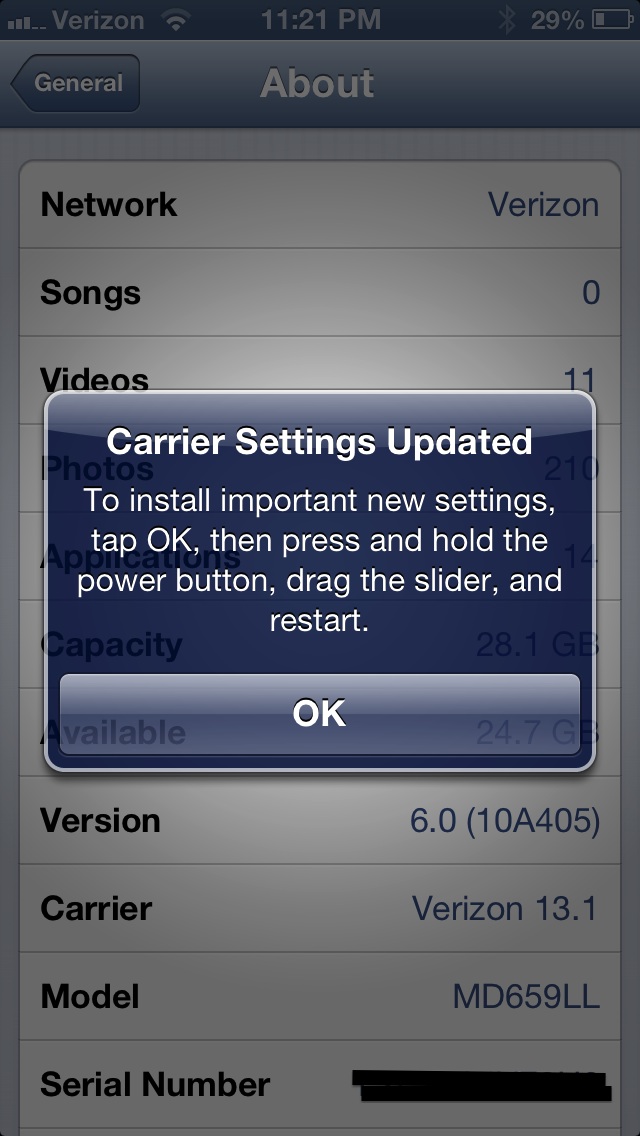
Carrier update for iPhone 5 pushed to Verizon subscribers

Have you noticed Verizon cellular data usage increments on your iPhone 5 while connected to Wi-Fi? If so, then you definitely want to apply a recently released carrier settings update, which was issued to Verizon subscribers to fix the issue.

The update will change the Verizon carrier settings from 13.0 to 13.1. Although, under most circumstances, cellular data should not be used while connected to a Wi-Fi network, that appears to be exactly what has been happening for some customers.

Emblem brings OS X inspired notifications to the iPad

Today at WWJC, Joshua Tucker revealed a new tweak that he created in collaboration with fellow developer, Kyle Howells. The tweak — Emblem — is an iPad exclusive that brings OS X inspired notifications to iOS.

Emblem features smooth animations, and swipe to dismiss among other things. Take a look inside as we give you a sneak peak of Emblem via our video walkthrough...

Merge is a brilliant jailbreak tweak that combines messages by contact instead of by address

The idea of iMessage is great. It allows you to easily chat with friends and family across all iOS devices and Macs without incurring SMS fees from carriers.

Though iMessage is extremely convenient, it does have plenty of opportunities for improvement, which isn't surprising, considering it's only been out for a little over a year. But Apple has been steadily making improvements, for instance, the latest update to OS X, allows Mac users to sync iMessages sent and received from phone numbers.

Another major issue that iMessage runs into is organization. For example, if you're chatting with a friend that has three separate iMessage ID's, each chat started with each individual ID will result in a new iMessage thread for that contact. That's a total of three threads, just to talk to a single contact. This, obviously, can become extremely disconcerting when trying to carry on a conversation. Wouldn't it be nice if you could easily combine messages by contact, instead of iMessage ID?

That's the exact premise behind Merge — a new jailbreak tweak from developers Joshua Tucker, and Andrew Richardson. Take a look inside as we explain how Merge works...


How to downgrade iOS 6 to iOS 5.1.1 on A4 devices

Have an iPhone 4, iPod touch, or below running iOS 6, and would like to downgrade back to iOS 5.1.1? Doing so is easy is you have your SHSH blobs saved for iOS 5.1.1 and can follow the steps inside. Unlike the beta period of iOS 6, you must have your SHSH blobs for iOS 5.1.1 save for you device now, because Apple has stopped signing iOS 5.1.1.

To downgrade, you will need the latest public version of RedSn0w. We will use the SHSH Stitching feature to combine the appropriate IPSW file for 5.1.1 and your corresponding SHSH blob for the device you wish to downgrade. It may sound a bit confusing, but it's extremely easy if you follow along carefully.

Take a look inside for the full walkthrough and video how-to.

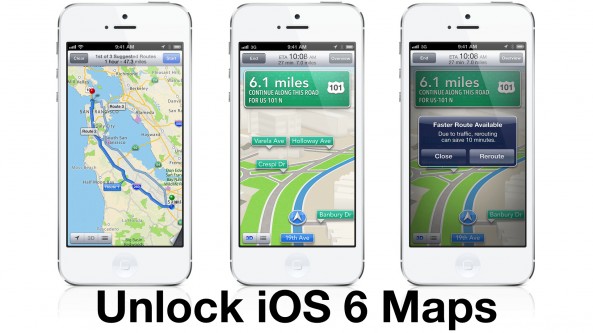
How to unlock the full iOS 6 Maps app on older devices

iOS 6 Maps is stepped in controversy, but not everyone hates it, including yours truly. I've never personally experienced any navigation issues with the iOS 6 Maps app, and for me, it's a huge upgrade over the stock Google Maps app of yesteryear.

One problem that I do have with iOS 6's Maps, however, is how dumbed down the feature is on older devices. Devices like the iPhone 4 get left out when it comes to true turn-by-turn navigation and Flyover (3D) support.

As usual, the jailbreak community comes to the rescue with a new tweak that unlocks iOS 6 Maps on older devices. It's appropriately titled: Unlock iOS 6 Maps, and it's a free download on Cydia's Big Boss repo. Take a look inside for a video walkthrough...