Learn about these cool Gmail tricks if you’d like to disguise your email address or have an easier way to triage and filter your inbox.

Creating a Gmail alias is a great way to email without revealing your primary email address.
Thanks to a reader tip and a little research, we have two more ways to disguise your email address and manage your inbox better.
Add specific characters to your Gmail address
With both these tricks, you’re only changing the part of your email address before the @ sign. The email domain (i.e., the @gmail.com portion) must remain intact.
1. Use the dot
Gmail ignores dots in your email address, so you can use them to make it look different even though it’s the same email address. As an example, the following email addresses are the same as mygmail@gmail.com:
- my.gmail@gmail.com
- m.y.gmail@gmail.com
- m.y.g.m.a.i.l@gmail.com
I use this trick to sign up for mailing lists all the time. No matter how many dots you use, Gmail will ensure the emails hit your primary inbox. Just make sure not to put two dots together.
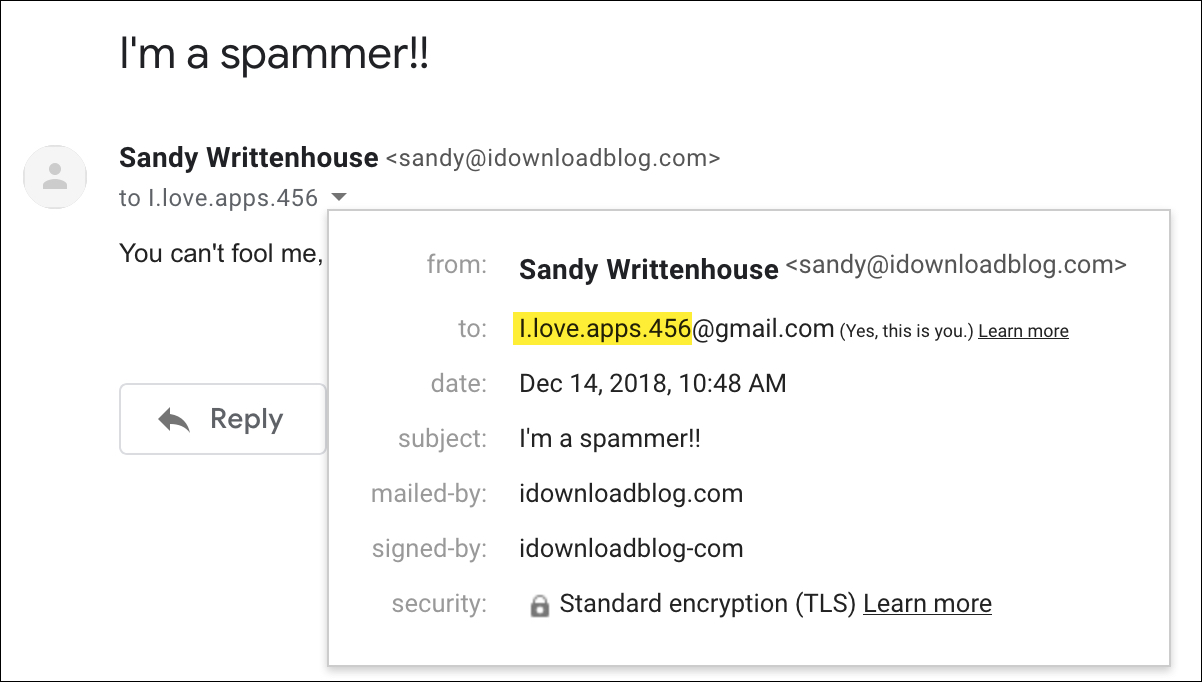
Important: This trick won’t work for emails on hosted domains. For example, an email sent from san.dy@idownloadblog.com instead of sandy@idownloadblog.com was returned as undeliverable even though we use Google’s services on our domain.
This isn’t a problem for email addresses on the Gmail.com domain. For example, our emails sent to i.love.apps.456@gmail.com were delivered just fine to our iloveapps456@gmail.com inbox.
2. Use the plus sign
The second way to adjust your email address is the plus sign that you can use with other characters in your email address.
As an example, you could use mygmail+newsletters@gmail.com for newsletters.
Gmail ignores everything in your email address after the plus sign, so those emails still arrive in your main inbox. Plus, they’re listed with the +newsletters part, making them easy to spot in your inbox.
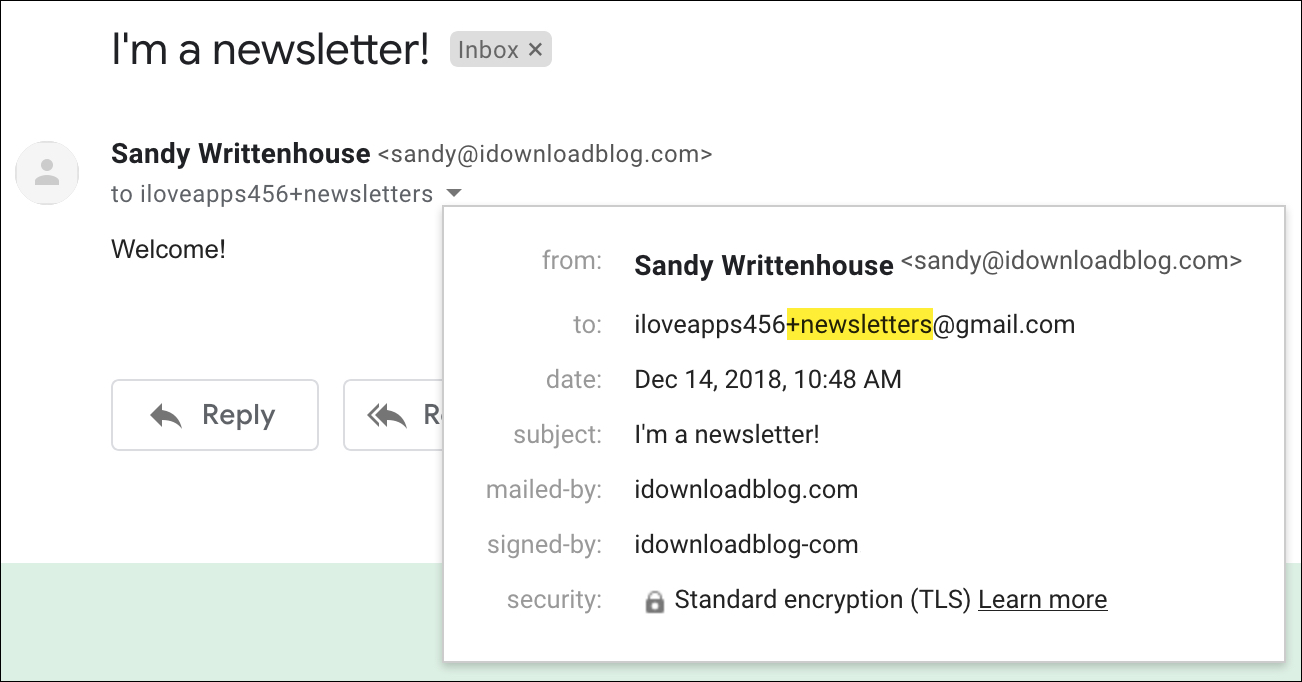
This trick also works for hosted Google accounts that don’t end in @gmail.com. For instance, sandy+newsletters@idownloadblog.com and info+newsletters@sandystachowiak.com both work.
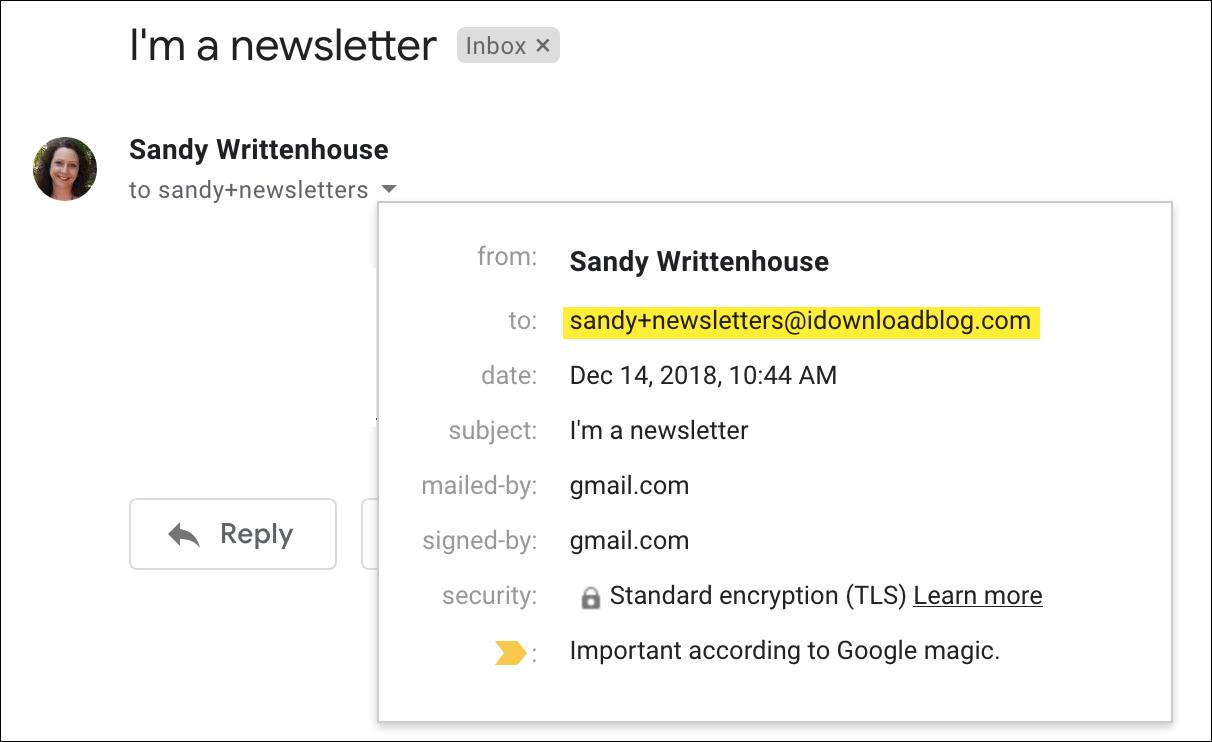
The plus sign also works with other email providers, like Outlook and iCloud.
Disguise or filter
Regardless of the method used, you can make your Gmail address appear somewhat different, although not completely. These tricks enable you to manage your inbox even better than before.
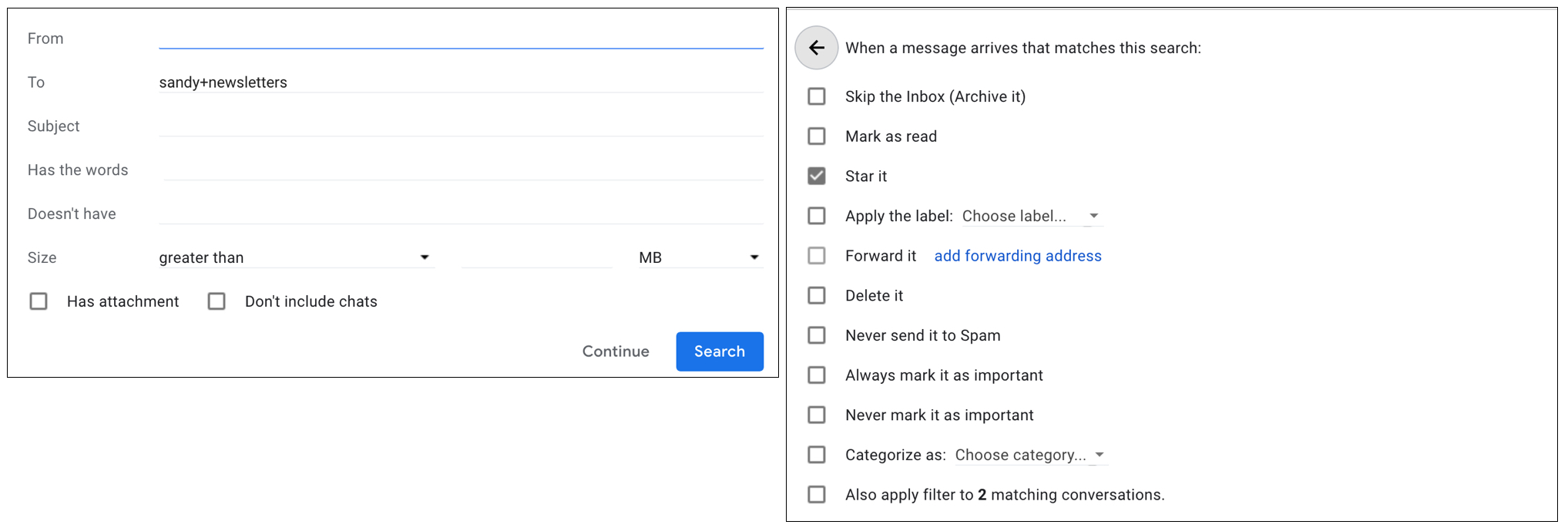
For instance, you can set up Gmail rules with filters to perform actions on any emails sent to mygmail+newsletters@gmail.com, like moving them to a dedicated folder, flagging or marking them as read, and more.
Such small tweaks to your Gmail email address give you more flexibility and improve your privacy. Are you planning to use these Gmail tricks to alter the appearance of your email address? If so, let us know in the comments!
Other Gmail tips for you: