Video

As expected, the Dream JB is a fake – updated

Okay, I'll bite. Again.

Yesterday I called out the developer of "Dream JB" for promising to bring a jailbreak to the iPhone 5 when he knew good and well that he couldn't fulfill that promise.

Understandably, a lot of readers were miffed that I had the audacity to dash their hopes for a jailbreak. We've waited a long time for a jailbreak for iOS 6 and the iPhone 5, so it didn't really surprise me when I was labeled a pessimist, although I was surprised a bit that my journalistic integrity was questioned. Fair enough, I was pretty positive that in due time this "jailbreak" would be exposed for what it really was.

Due time came today.

As I stated, I too wish for a jailbreak, it's in my best interest to have one...but I and many others saw through this for what it was — a fake. Now the developer has released a video showcasing his fake work. And although it's a pretty ambitious job of fakery, at the end of the day it's still fake.


The Daily Recap – Dec 11, 2012 edition

http://www.youtube.com/watch?v=mq2-taRl-Nk

Welcome to The Daily Recap for December 11th, 2012. Watch our video for a quick look at some of the top stories from the day in less than two minutes. If you missed out on any of today's big news, this is a great way for you to get caught up fast.

For your convenience, you'll also find links to all of the stories listed in today's recap inside...

Reports of an iPhone 5 jailbreak releasing on December 22nd are probably fake – updated

Over the last few weeks there's been a slight buzz about a so-called iPhone 5 jailbreak from some unknown and unproven entity. So as not to draw attention to the folks behind what is almost assuredly a hoax, we'll refrain from linking or name dropping.

The bottom line is this, if you don't see word from a respectable member of the community, a member from proven teams like the Chronic Dev Team or the iPhone Dev Team, then it's almost always fake. Please don't get hyped up over something that isn't real, only to be highly disappointed in a few weeks...

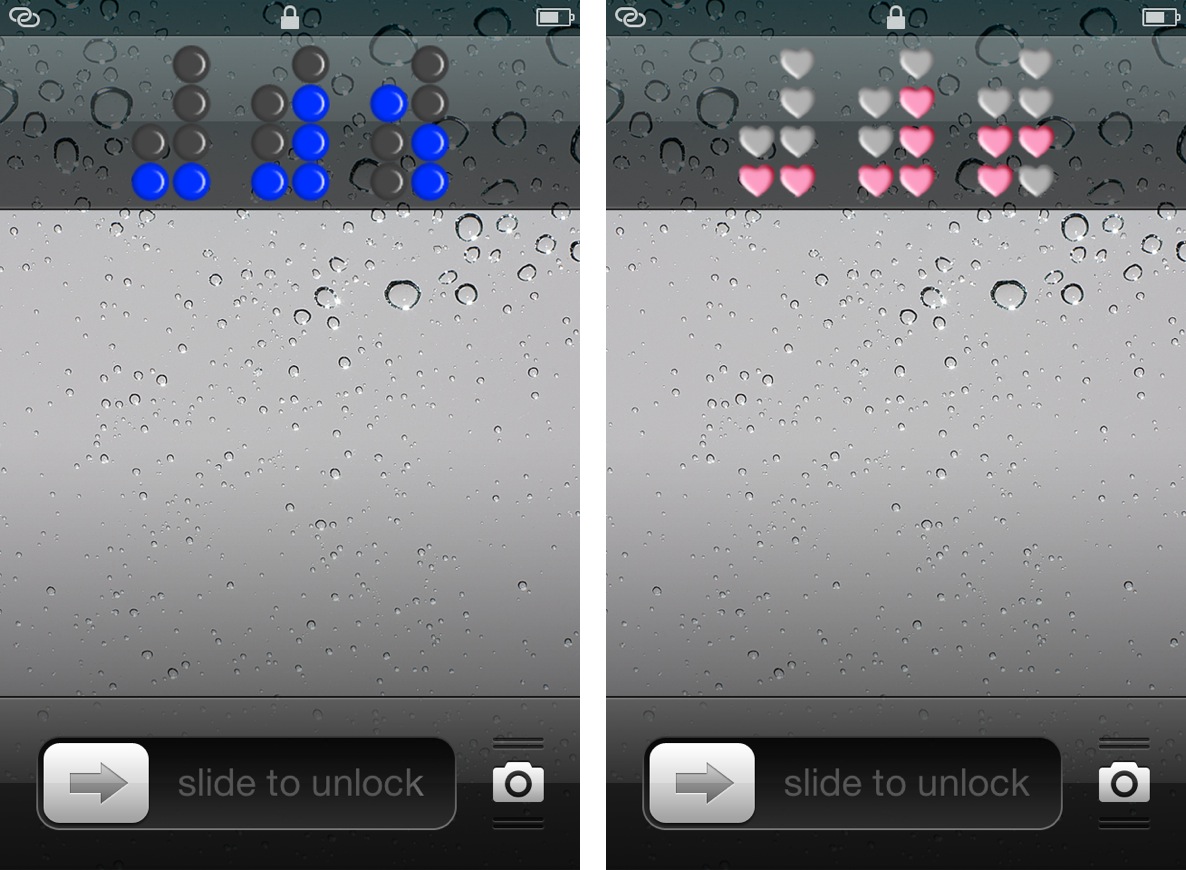
Binary Clock replaces your iPhone’s stock Lock screen clock

Binary Clock is a new jailbreak tweak that outright replaces the stock Lock screen clock on an iOS device. The tweak features over a dozen different themes of various colors or shapes, along with the ability to hide or show the Lock screen date string.

Obviously, you'll need to know how to tell time in binary, unless your plan is to simply stare aimlessly at the pretty flashing lights. Don't worry, inside I'll not only showcase this awesome tweak, but I'll also teach you how to tell time in binary in less than a couple of minutes.

How Bluetooth can make Apple TV more than a ‘hobby’ device

News that the Apple TV software will support Bluetooth could make the streaming device largely viewed as a "hobby" into something more. Much more. More than simply replacing the Apple remote with a keyboard, the new software potentially does for video what the iPhone did for grainy phone snaps.

While speculation is rampant (and likely quiet wrong) about when Cupertino will enter the television business, the Apple TV box is a gold mine just gathering dust, here's why...

The Daily Recap – Dec 10, 2012 edition

http://www.youtube.com/watch?v=QTCqoY6N-RI

I've been working on these recap videos for the past week, but today is the first day that I've posted one on iDB. It's basically a culmination of all of the top stories from the day, with some Emmy nominated commentary by yours truly.

I'll be working on making subtle improvements to the style as time goes on, but the basic concept remains the same. If you missed some of our content throughout the day, then The Daily Recap is a great way to get caught up with all of the important Apple related tidbits.

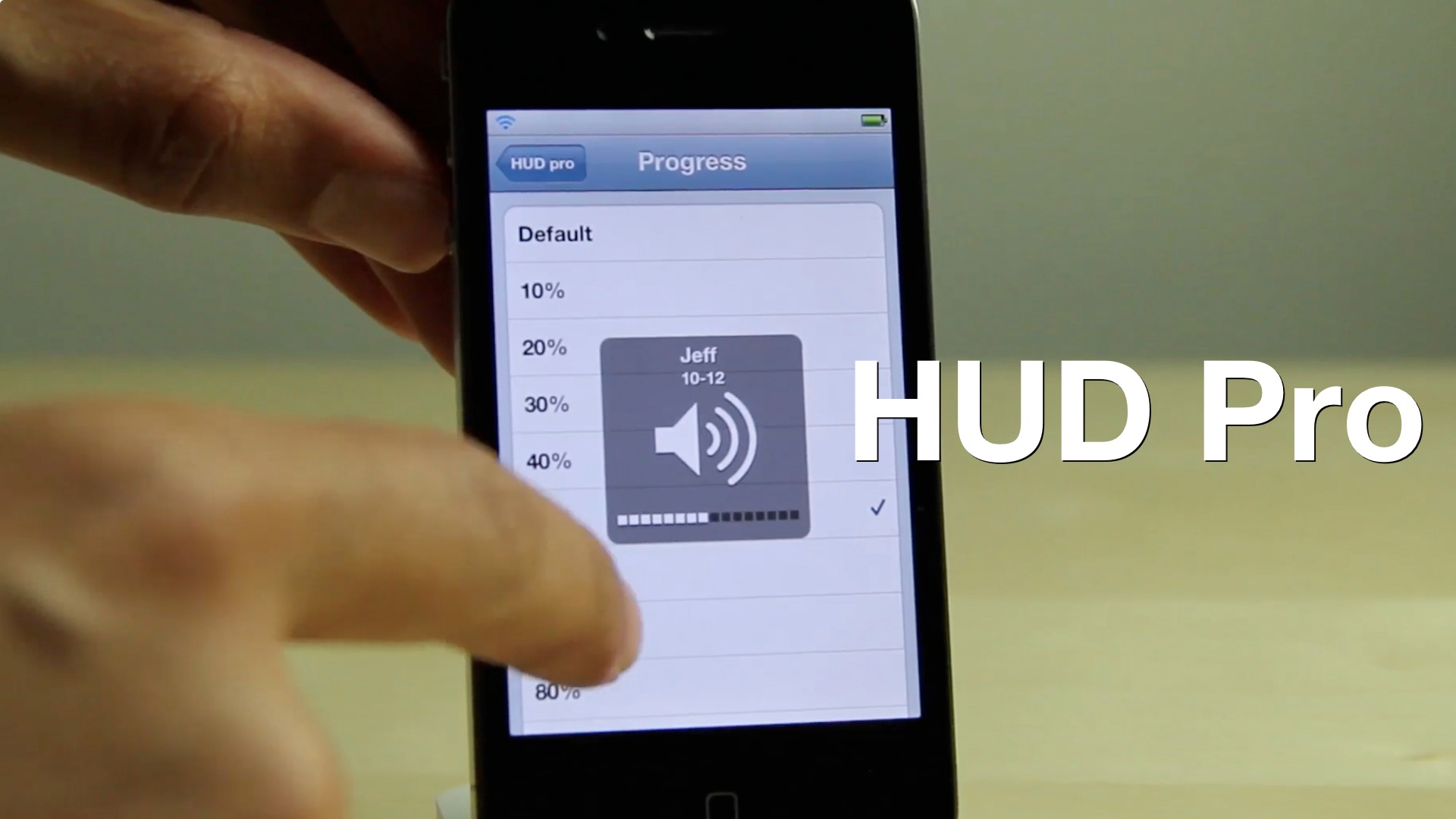
HUD Pro adds additional options to the iPhone’s volume HUD

Looking to add some additional functionality to the iPhone's volume HUD? If so, then you might want to take a look at HUD Pro — a new jailbreak tweak available on Cydia's MacCiti repo.

At $1.50, I feel HUD Pro is a bit pricey for what it offers. It features things that venture more toward the gimmicky side than actually being useful, but perhaps this video will make it easier for you to decide on that...

Here’s how the Apple TV’s new Bluetooth keyboard support works

Earlier today we told you about how the latest beta version of the Apple TV firmware adds Bluetooth keyboard support. Why Apple is just now getting around to adding support for keyboards is anyone's guess, but it's better late than never.

No longer will you have to tediously type in hidden WiFi SSIDs and passwords in order to setup a WiFi connection. No longer will you tear your hair out in frustration as you search YouTube for your favorite videos from iDB.

We've downloaded the beta version of the latest Apple TV firmware, and tested out the Bluetooth keyboard support for ourselves. Now we'd like to share with you the entire setup process just to show you how incredibly easy it all is. Take a look inside...

Transloader: download files remotely to your Mac via iOS

Transloader is a new Mac app available on the Mac App Store, which allows you to remotely download files to your Mac via an iOS app. The two apps speak to each other via iCloud, with the iOS app acting as a means to forward a download URL for the listening client running on the Mac.

If you're like me and always on the go, Transloader is a great way to save time by downloading files while away from the home or office. Take a look at our video walkthrough inside for a glance into how it works.

Tim Cook discusses Apple TV, the Maps debacle and more in TV interview

Earlier this evening, Tim Cook sat down with Brian Williams on NBC's Rock Center and gave his first TV interview since he became Apple's CEO. The two talked about a number of things including Steve Jobs, Apple's plans for the television, and the Maps debacle.

If you missed the show, don't worry, iDB has you covered. We've got part 1 and part 2 of Cook's interview for you after the fold. Unfortunately, NBC still insists on using Flash to post its videos, so you'll need to be on compatible hardware in order to view them...

Tim Cook says he’s ‘ditched physical keyboards,’ uses iPad 80% of the time

Between his recent sit down with Bloomberg Businessweek, and his upcoming interview with NBC's Brian Williams, Tim Cook has captured a lot of headlines today. And that will continue tonight, as Cook appears on TV for the first time.

The CEO will be featured on Rock Center, a weekly newsmagazine broadcast akin to Dateline, this evening. And just ahead of the broadcast, NBC has published a teaser clip with Cook talking about virtual keyboards, his iPad and more...