Review

LocationHolic: Fake Your iPhone’s Location [Sponsored]

Want to travel across the globe without leaving the confines of your humble abode? If so, then look no further than LocationHolic, a location-spoofing jailbreak tweak for the iPhone, iPod touch, and iPad.

LocationHolic works by essentially overriding your device's location data with a location of your choosing. Choosing the location is as simple as searching or even placing a pin on a map. It really doesn't get any simpler than LocationHolic, as you'll see in our video walkthrough...
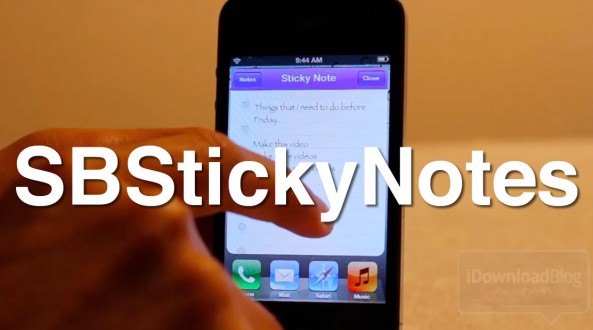
How to Save Favorites Notes to Your Home Screen With SBStickyNotes

The Notes app is a great app for saving quick items that you need to get back to later, but often it's easy to forget that you wrote anything down in the first place.

With SBStickyNotes, forgetting just became a tad more difficult. That's because this tweak allows you to save favorite notes to you Home screen as a bookmark.

We've gone hands-on with SBStickyNotes on video; check inside to view the full walkthrough...

Griffin HeloTC iOS-Controlled Helicopter Review

The market for iOS-controlled vehicles has become rather crowded over the last 12 months. We've seen everything from robots to helicopters and everything in between. But most of these remote control devices are usually too pricey to go mainstream.

Griffin's Helo TC  breaks that mold by being one of the first iOS RC vehicles under $50. And although it has been available for a few months now, I just recently got my hands on one.

Create Picture Storyboards With Diptic for iPhone and iPad

If you're an Instagram fan then you've probably seen the recent influx of images that are made up of multiple photographs, kind of like a storyboard or collage. They are a great way of showing off a group of photos that are of the same object or of the same theme.

Our favorite iPhone and iPad app for creating such an affect is Diptic, a $0.99 app which comes as two apps for your iPhone and iPad rolled into one.

Where Diptic excels is in its collection of options. Users are not simply left to add photos to a predefined template, but rather have complete control over every aspect of the final product. You don't need to be a creative genius to get great results, either...

Buffer Lets You Queue Your Tweets on Your iPhone

We've been big fans of Buffer for a while now, and we've been waiting for the startup's iPhone app for what feels like forever. The wait is finally over.

Released over the Christmas holiday, the native iPhone app version of Buffer brings a more polished portal into the world of scheduled tweets and Facebook status updates, and it has been well worth the wait.

What's even better is the app is free, meaning there really is no reason to not give it a try...

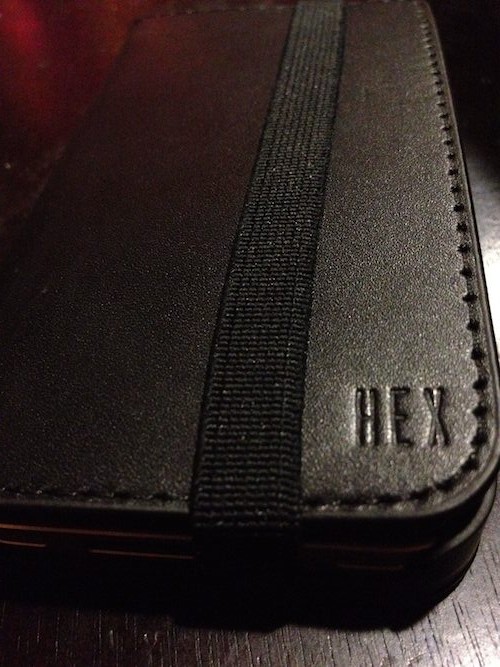
HEX Code iPhone Wallet Case Review

Ever since I saw Twelve South's BookBook, I've wanted an iPhone wallet case. As a carrier of both an iPhone and a wallet, the convenience of combining the two was rather appealing.

But other than Twelve South's case, there didn't seem to be a lot of viable options available. And I didn't necessarily like how the BookBook case, well, looked like a book. Luckily, I recently discovered the HEX Code Wallet Case.

CopyTrans Manager: iTunes for People Who Don’t Like iTunes [Sponsored]

Let's face it, iTunes is a bit of a bloated mess. What started out as a handy jukebox has somehow turned into the music-selling, app-syncing behemoth that we are all so beholden to if we want to own an iOS device.

That means iPhones, iPads, and iPod touches all rely on iTunes as their way of keeping things in check – syncing songs, videos, apps, and playlists is all done via iTunes and one of those white USB sync cables. It's how we've always done it, and it is how Apple wants you to do it.

Now yes, Apple has been keen to bring its 'PC-free' world to the iOS devices we all carry around. But what if you want to keep all your media on a computer and then sync it across to an iOS device without having to deal with all this cloud stuff? If iTunes is not your bag, then you might want to give CopyTrans Manager a try.

Create Your Own James Bond Film With Action Movie FX on the iPhone

Applications can turn a smartphone into a swiss army knife, enabling it to do a number of things outside of its native scope of abilities.

Action Movie FX is a perfect example of that. The recently-released app turns your iPhone into a bonafide action movie-maker, allowing you to add high-quality digital effects to your videos like explosions and car crashes...

Skitch Image Editor Now Available on the iPad

I used Skitch on my Mac about a year ago when it was really popular, but the image editing tool fell off my radar after I started using more robust apps, like Pixelmator. A lot has happened to Skitch in the past year. The app has actually been bought by Evernote.

Skitch has entered the iOS world today with an official iPad app. The tool lets you edit and annotate images on the iPad with your finger.

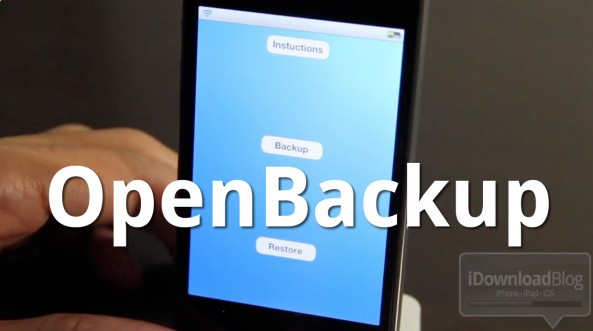
OpenBackup: One of the Most Promising Jailbreak Backup Solutions on Cydia

Today I tried out OpenBackup, a new package backup solution for your jailbreak apps and tweaks. Admittedly, I was a bit skeptical. I've had my fair share of experiences with backup tools for jailbreak apps tweaks in the past, and they either don't work, or are overly complicated.

Outside of PKGBackup, I can't really recommend any backup solutions, although I have yet to try iBye (I have heard good things about that).

But even an excellent app like PKGBackup can be borderline confusing when it comes to safely backing up and restoring your Cydia tweaks. With the advent of iCloud, I held out hope that a backup tool could harness its power for backups and restores, and that's just what happened.

Ladies and gentlemen, introducing OpenBackup, the first tool of its kind that utilizes iCloud for seamless backups and restores...

Launch Center: A Beautiful iPhone App For Launching Shortcuts and URL Triggers

Given the fact that Apple recently pulled QuickPick from the App Store, all eyes are on launcher apps for iOS. In case you missed it, QuickPick allowed you to create iOS system shortcuts and add them to Notification Center, thereby mimicking much of the functionality that jailbreakers enjoy.

Apple didn't want such functionality in its App Store for whatever reason, so it pulled QuickPick yesterday. There's another app that worked exactly like QuickPick (only it looked better), but Apple made the developer remove Notification Center integration before it could be made available in the App Store. The app is called Launch Center, and it's still a gorgeous app for launching shortcuts and URL actions on the iPhone.

Easily Sync Your iPhone Contacts With Gmail Using “Contacts Sync for Google Gmail”

Are you one of the thousands of users who have transitioned their entire online ecosystem into Apple's iCloud? Did you stop syncing your contacts with Gmail in order to sync with iCloud? Do you want to maintain your address book with iCloud and have the same address book in Google Contacts?

Now you can with a paid application called Contacts Sync For Google Gmail...