In this guide, we’ll walk you through all the steps to add a Screen Time passcode for your child’s iPhone, iPad, and Mac so you can prevent them from bypassing parental restrictions.
How to set Screen Time passcode for your child the right way

In this guide, we’ll walk you through all the steps to add a Screen Time passcode for your child’s iPhone, iPad, and Mac so you can prevent them from bypassing parental restrictions.

Find out what to do if your Apple Watch locks automatically at frequent intervals and you’re forced to enter its four-digit passcode repeatedly, even though you didn’t take the wearable off your wrist.

Learn how to turn off Face ID authentication and only use a passcode to unlock your iPhone, approve purchases, autofill passwords, change advanced settings, etc.

iOS developer CydiaGeek just this week released a free jailbreak tweak called NCHeaderPercent that put the battery level percentage in your Notification Center interface’s individual headers. But for those looking for a different way to see their device’s battery level percentage, the same developer just released a free add-on called PasscodePercent that does exactly that.

Learn how to disable the Stolen Device Protection feature on your iPhone to avoid the one-hour wait for Apple Account changes.

Learn how to remove all passwords and security checkpoints from your iPad or iPhone, making it easy to unlock and use as a simple tablet or phone.

One of my biggest qualms with the Lock Screen on any iPhone or iPad is the fact that the number pad for passcode entry always has the same layout. This means that even if someone who’s glancing over your shoulder doesn’t know exactly what numbers you’re tapping on, they can instead easily memorize the positions of the number buttons you tap on to gain access to your device.

The Lock Screen is home to the passcode entry interface, which you as the iPhone or iPad user will generally only ever see when your Face ID/Touch ID authentication fails, or when you fully reboot your device. While there are other instances when the passcode entry interface may appear, they’re a lot less frequent than the aforementioned.

Learn how to secure your sensitive iPhone or iPad apps and their data from prying eyes by locking these apps with Face ID, Touch ID, or device passcode.

I remember a time several years ago when I would replace my standard passcode on my jailbroken device with an interface where I would draw a picture to unlock my locked device. This meant setting a unique drawing as my ‘passcode’ and having to draw the same drawing (or as close to it as possible) for my device to register that I was me.

Face ID as a biometric authentication was a serious upgrade in device accessibility and a step up in convenience when it first debuted on the iPhone X. It continues to be Apple’s biometric of choice on its iPhones & iPads today.
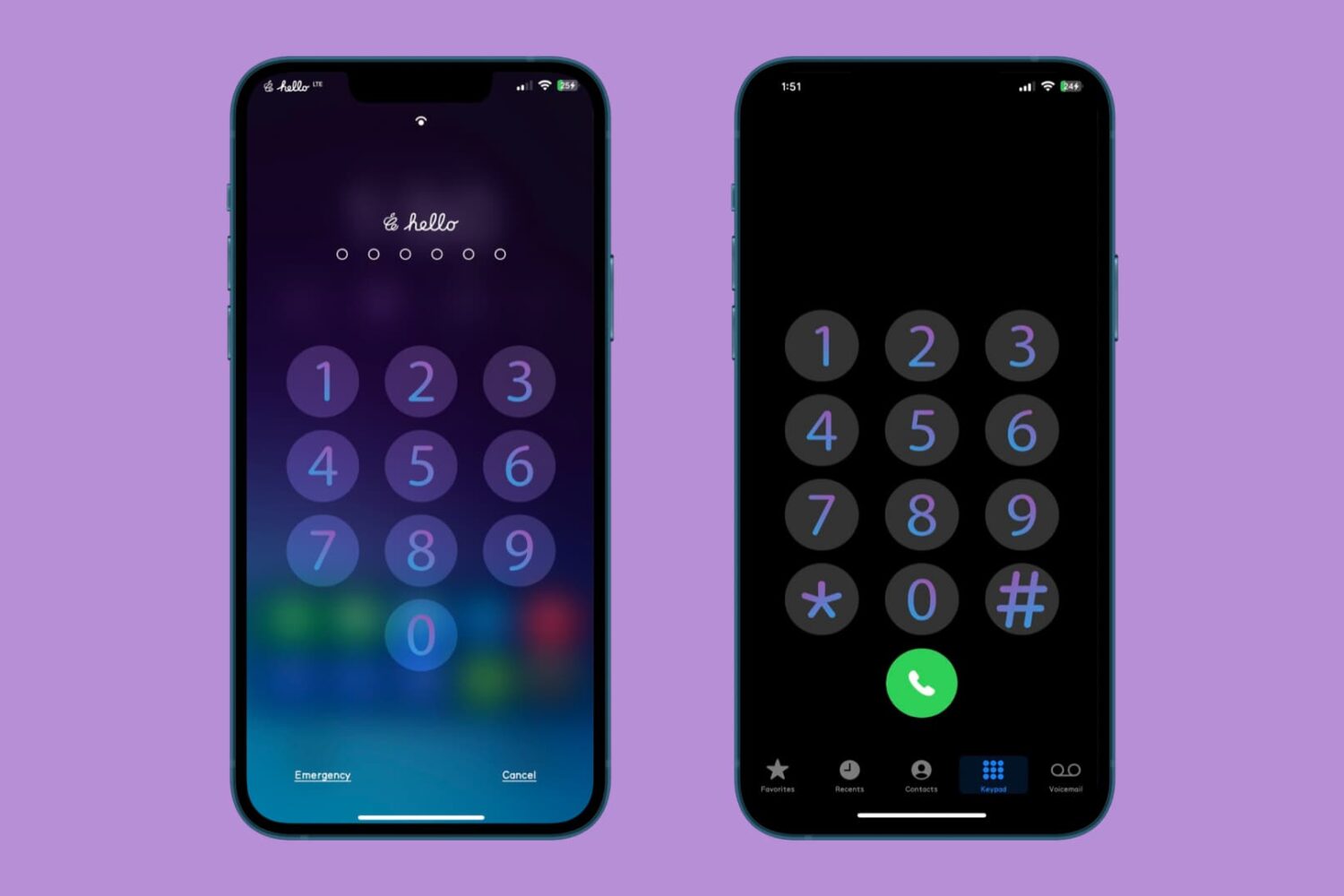
How would you like to have something nicer to look at every time you enter your iPhone passcode or dial a phone number in the Phone app?