Messaging

RIM Looking into BlackBerry Messenger for Other Platforms

RIM's new CEO Thorsten Heins may have inherited a sinking ship, but he seems determined to explore all avenues in his attempt to find an escape route for the ailing Canadian firm.

Having previously been very keen to keep its BlackBerry Messenger crown jewel as a key feature that is exclusive to its hardware, BlackBerry smartphones may not be the only ones to support it some time in the future. RIM's new CEO outlined his company's openness to such a move during an interview with CrackBerry.

If RIM was to license its SMS-like instant messaging system to third parties then it could stript the firm's handsets of arguably their biggest feature...
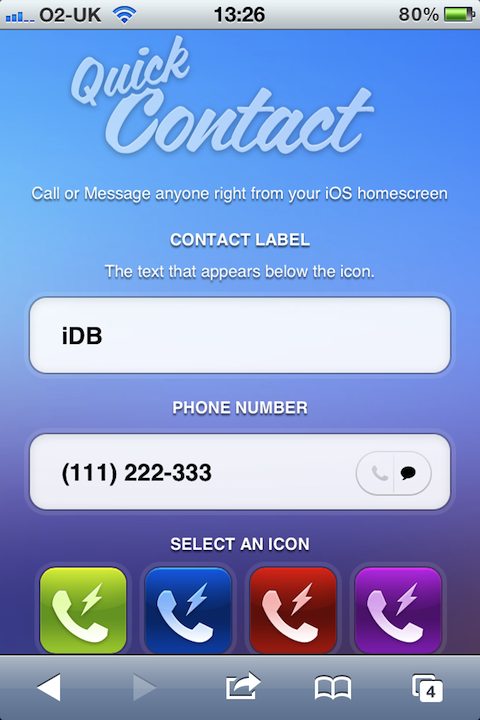
Add Calling and Messaging Shortcuts to Your Home Screen with QuickContact

The current trend of finding ways to get icons on an iOS device's Home screen with the intent of creating shortcuts for actions is nothing new. It was originally one of the big jailbreak advantages, and now it's back. This time, you don't need to jailbreak anything.

QuickContact is the latest in a long line of apps that offer the user a way to create shortcuts on the Home screen, and now sending SMS messages and making phone calls are the order of the day.

The best part about this is the fact it's not actually an app at all, but rather a web app.

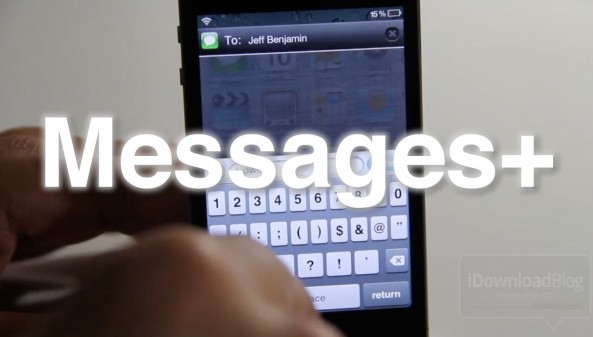
Compose and Reply to Messages From Anywhere With Messages+

Messages+ is the standalone SMS messaging tweak from Intelliborn, the same crew behind the amazing IntelliScreenX. In fact, Messages+ is actually a big part of IntelliScreenX — it was included along with IntelliScreenX free of charge.

Why would anyone buy Messages+ alone when you can get it with another great jailbreak app for $2.00 more? Let's take a look...

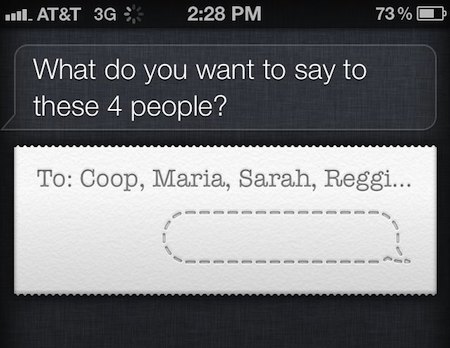
How to Send Group Messages and Emails With Siri

Now that folks have had over a month to play with the new iPhone 4S, more and more Siri tips are starting to surface. Siri can do so many things that new commands are constantly being discovered.

Earlier today we told you how to use Siri to see planes flying above you using Wolfram Alpha's database. Now we've come across a tip that lets you use the assistant to send group text messages and emails...

biteSMS Adds New Quick Compose Feature in Notification Center

The latest version of biteSMS is shaping up to be something special. The team has worked hard for months, issuing beta after beta to get version 6 of our favorite jailbreak messaging client just right for iOS 5.

We already covered some of biteSMS' upcoming new features before, but this time around we're focusing exclusively on one feature in particular — quick compose from Notification Center.

IntelliScreenX has it, and now the biteSMS team has it as well. Check inside for a full video walkthrough of the new quick compose elements of biteSMS...

Add Live Video Wallpaper to Stock SMS With BeyondSMS

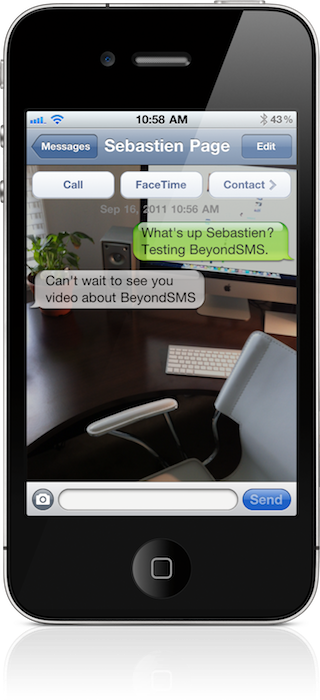
Looking for a way to enhance your SMS experience, but apps and tweaks like biteSMS or SMSPlus fail to meet your needs? If so, perhaps it's time to go beyond SMS.

Indeed, BeyondSMS is a jailbreak tweak for the iPhone that integrates tightly with the stock SMS app, providing things like hidden message capability and live camera wallpaper. Take a look inside for a full video synopsis...

SMS+ Now Live in Cydia, Stock Messages App on Steroids

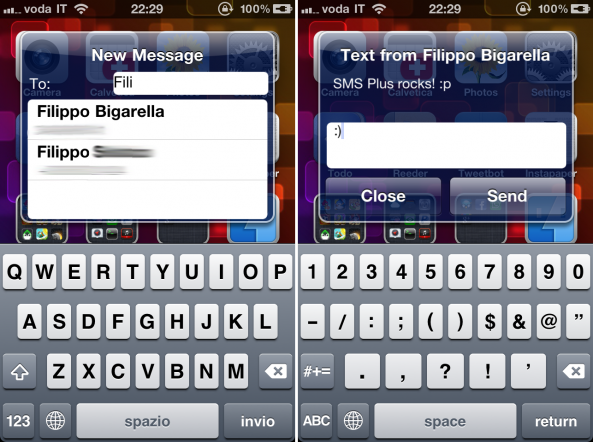
The highly anticipated jailbreak tweak from Filippo Bigarella, SMS+, is now available in Cydia for $1.99. In case you missed our preview of this tweak, SMS+ enhances your stock Messages app on the iPhone with all sorts of cool features.

While many of the features in SMS+ are also offered in BiteSMS, fans of Apple's own app will prefer SMS+ because of its integration with the stock Messages app.

Facebook Releases Standalone Messenger App for iOS

Mark Zuckerberg and company just released a standalone iOS app — the first since the original Facebook app — for Facebook's messaging service. For those wondering where this is coming from, the company acquired a messaging start-up firm earlier this year named Beluga.

It appears that Facebook is beginning to get serious about the messaging platform its CEO unveiled last Fall. Facebook Messenger will allow you to send and keep track of Facebook messages and group messages in real time...

Apple Didn’t Tell Carriers About iMessage, Watch Out SMS?

Apple's wireless carrier partners were apparently just as surprised as we were when Apple unveiled its new messaging client, iMessage, at yesterday's WWDC keynote. Reportedly, Apple didn't bother to give carriers a heads up that they were introducing a new, media-rich messaging client before the actual presentation to the public.

Wireless carriers are the ones that will actually be handling the transfer of messages/photos/videos in iMessage over 3G. Apple demonstrated its classic attitude by not even bothering to give carriers a heads up about iMessage. What Apple wants, Apple gets.

Customize Message Notifications iOS 5

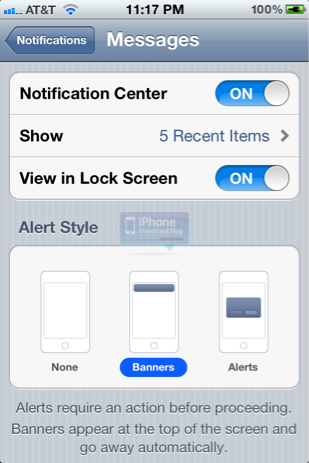
iOS 5 continues to amaze us. The amount of customization that now exists at the system level almost rivals what a jailbroken iPhone can do.

Thanks to the shiny new Notification Center, you can customize the way incoming push notifications look in iOS 5. You can customize how many notifications display on your lockscreen, and you can even toggle the lockscreen view on and off

Use Voice Messaging with Heytell App for iPhone

Voice messaging through the Heytell app (download free in the App Store, also available on Android) is quickly becoming my preferred medium of communication. It combines the convenience of text messaging with the personal touch of phone calls. And it's a much safer alternative to texting if you're on the road or in a hurry and need to leave a message for someone.

Heytell takes out all the legwork of  dialing numbers, waiting through rings, listening to the voicemail, and then finally the beeeeep! Instead, just select your contact, record your message, and they'll receive a notification a message is waiting for them to check at their convenience.

Heytell isn't new, but I just recently discovered it. I'm assuming there's others out there who don't know about it or would like an explanation of how it works before trying, so if that's you, read on!