Keyboard

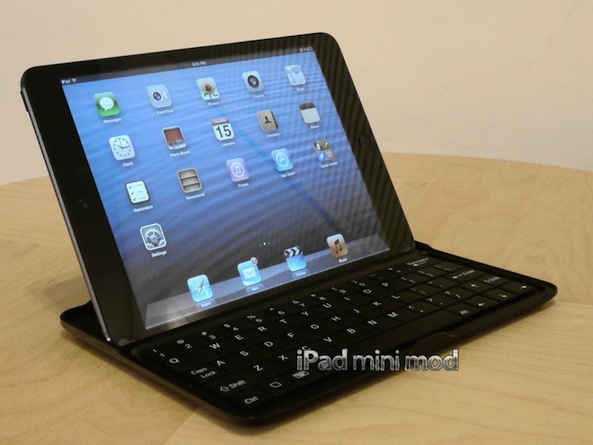
iPad mini mod unveils new aluminum Keyboard Case

Black Friday is this week, meaning that the holidays are once again almost upon us. And for those still trying to figure out what to get that special someone, the new iPad mini seems to be a popular choice.

But what do you do if that person already has the tablet? Fortunately, accessories for the device are finally starting to surface. In fact, the folks over at iPad mini mod just unveiled a new keyboard case...

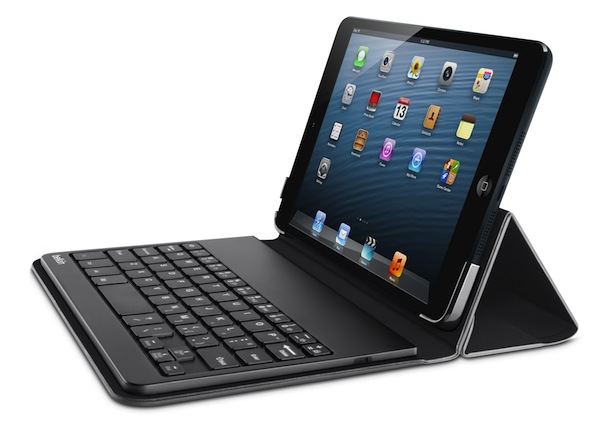
Belkin unveils new keyboard case for iPad mini

The iPad mini, because of its size and lack of high-end features, has been informally dubbed a consumption device. It seems like more folks are using it more for web surfing and media than they are for getting work done.

But those of you who are using the mini for work purposes may be happy to hear that Belkin has just taken the wraps off its new Portable Keyboard Case. It's slim, lightweight, and has a removable Bluetooth keyboard...

Student creates invisible virtual keyboard for iPhones

http://vimeo.com/49780741

A lot of ordinary people upon seeing Aatma Studios’s concept of an iPhone with a holographic keyboard thought Apple was working on one (Fox News certainly fell for it). Florian Kräutli, a computing student at Goldsmiths, University of London, had a better idea.

Instead of a laser-projected virtual keyboard, he uses the iPhone's sensitive accelerometer sensor to measure the strength and frequency of microscopic vibrations that occur when "typing" on a surrounding surface area. Enter Vibrative Virtual Keyboard...

Apple’s Forstall says iPhone 5 keyboard flickering is a software glitch, promises fix

If a growing thread on Apple's discussion forum is anything to go by, a bunch of iPhone 5 owners continue to complain about an annoying flickering thing which apparently manifests itself when the software keyboard pops up on the App Store password entry dialog box.

A report out this morning first suggested that an incremental iOS 6.0.1 update, said to have entered testing, will fix this and other issues plaguing the iOS 6 software. iDB has now received another confirmation that a fix is in the works, via an alleged email exchange between a reader and Apple's SVP Scott Forstall who's in charge of the iOS platform...

How to quickly access Emoji characters via the iPhone’s stock keyboard

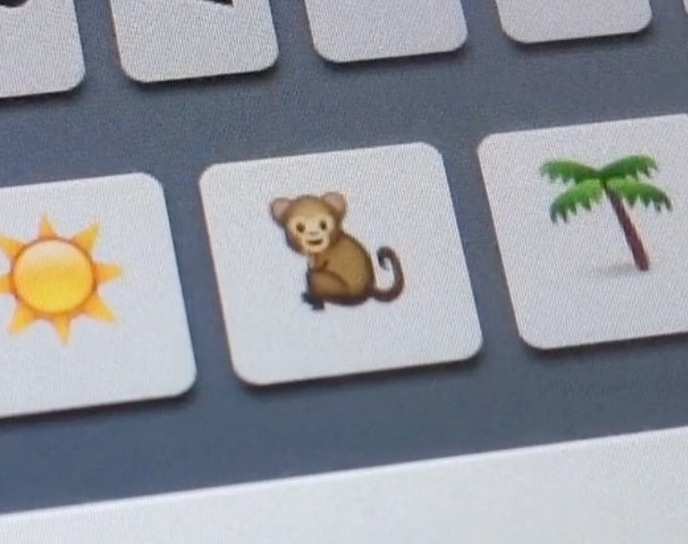
QuickEmoji is a brand new jailbreak tweak that allows you to quickly access Emoji characters using the stock iOS keyboard. Normally, you'd have to switch to a dedicated Emoji keyboard to use Emoji characters, but this tweak takes on a more practical approach.

Take a look on the inside, as we show you how to access your precious Emoji characters in a more efficient manner...

For some, screen flickers when the iPhone 5 keyboard pops up

Following the purple haze camera issue, the WiFi bug affecting cellular data usage, Scuffgate, Mapgate, light leaks and other teething problems, some early adopters are now reporting a new glitch related to the iPhone 5's virtual keyboard.

Apparently, it's randomly inconveniencing an unknown proportion of users whose device exhibits an annoying glitch where some parts of the keyboard show random noise and broken lines, like old TV sets attuned to the snow white frequency...

Messages app now automatically switches to the last international keyboard used in a conversation

If like me you use two or more international keyboards when typing Messages on your iPhone, you know it can sometimes be a bit frustrating to have to switch between them. As a matter of fact, I've wished iOS could automatically figure out what keyboard to use for a while. And I'm hardly the only one. A few months ago, MacStories' Federico Viticci tweeted that iMessage should be able to automatically switch international keyboards based on the recipient's language.

It seems that someone at Apple heard him, as this is now a feature in iOS 6...

Keyboard shortcuts not working on iOS? Here is a quick fix

If there is one jailbreak tweak I particularly miss, it's Xpandr, a tweak that let's you create keyboard shortcuts, just like TextExpander does on your Mac. To me, it's an invaluable tool that has saved be hours of typing.

Keyboard shortcuts aren't a jailbreak-only feature though, as they were introduced with iOS 5 a few years ago. Though not as powerful as Xpandr, they're my fallback solution when there is no jailbreak available for my device.

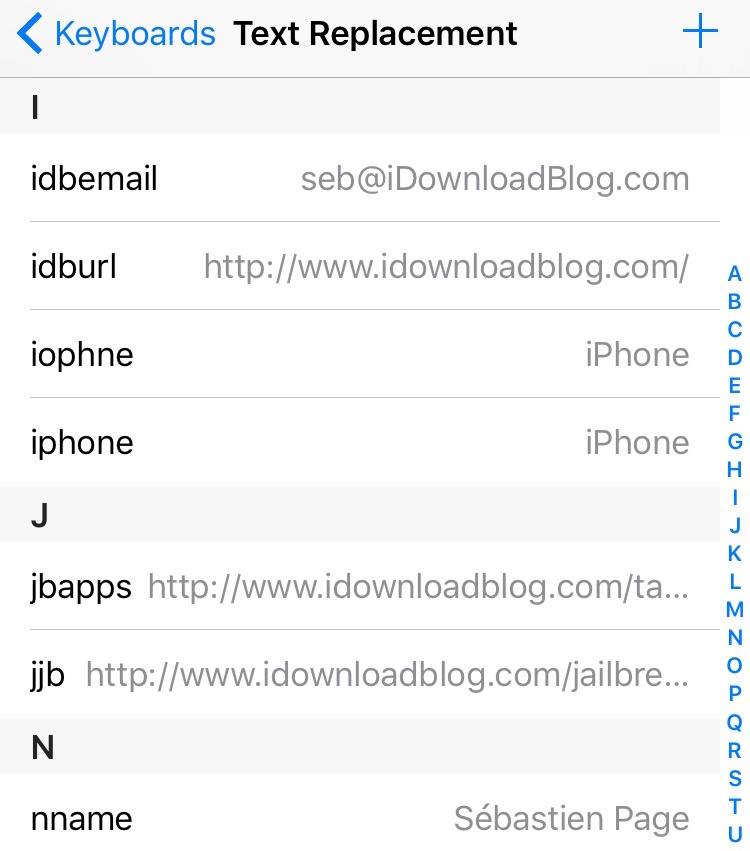
So one of the first thing I did when I got my new iPhone last Friday was setting up a bunch of shortcuts (Apple calls them Text Replacement) that I use on a daily basis. Everything worked fine for a day, and then, they magically stopped working. Though I was worried I'd have to restore my iPhone to fix the issue, it turns out the solution was much simpler than I thought.

Keyboard Shortcuts now sync via iCloud in iOS 6

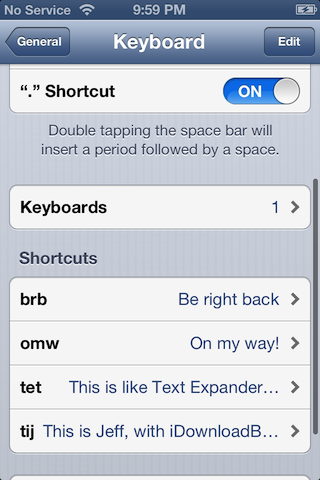
One of the more under the radar items in iOS, is the TextExpander inspired Keyboard Shortcuts feature. Keyboard Shortcuts allow you to create quick shortcuts, which then expand to larger words or phases. It's a feature that's best used for stuff that you tend to type over and over again, which helps reduce repetition, therefore making you more productive.

In the past with iOS 5, these shortcuts resided independently on each device, meaning you had to setup all of your shortcuts on each device individually. If you do a lot of blogging or other forms of writing on your iOS device, then chances are, you can benefit from having a decent array of shortcuts. With that thought it mind, it's a headache to have to setup each device manually with the same shortcuts.

We already knew that iOS 6 would feature custom dictionary iCloud syncing, but it was never really clear whether or not Keyboard Shortcuts fell within that area. It's been one of the features that I've been saying would benefit from iCloud syncing for a long time now, and thankfully, it looks like Apple took care of that with iOS 6.

Jorno may be the pocketable Bluetooth keyboard you’ve been waiting for

If you are in the market for a Bluetooth keyboard, there are plenty to keep you guessing. However, I am yet to find a model that collapses into a small portable unit for grab-and-go solutions. Today, Jorno utilizes the small, compact design you may be looking to discover and is launching on Kickstarter.

At 3.5"x3.5"x1.2" folded, the Jorno promises to fit in any travel bag or even a back pocket. With a 2011 Design and Engineering Showcase Honors from International CES, it should raise a few eyebrows as it makes its way around the net...

How to add a keyboard shortcut to any Mac app menu command

Don't you just hate it when one of your favorite Mac apps is missing an obvious keyboard shortcut for an often used menu command? I recently ran into that issue with Pixelmator.

I made the switch to Pixelmator, because it is one of the few decent image editing apps that features support for the MacBook Pro with Retina Display. Normally I'm a CS5 user, but since Adobe's suite lacks Retina support, I felt compelled to make the switch.

Although I don't find Pixelmator to be as intuitive as Photoshop, making the switch hasn't been all that bad. It's snappy, features a bevy of options, and best of all, it looks gorgeous on the Retina Display. If I had to pick a flaw, I'd say that one of the most glaring miscues is the lack of a dedicated keyboard shortcut for exporting your work. Fortunately that can be remedied with a quick trip to System Preferences...

The CruxSkunk promises to turn your iPad into a powerful laptop

Since Apple unveiled the iPad two years ago, accessory-makers have been trying to find a way to turn it into a laptop hybrid. We've covered several of these kinds of products on iDB over the years, including the NoteBookCase and the Brydge.

And this morning, we're adding another one to the list: the CruxSKUNK. The Crux team promises the case will turn your iPad into a powerful laptop. And, goofy name aside, it actually looks like it could give its competitors a run for their money...