Keyboard

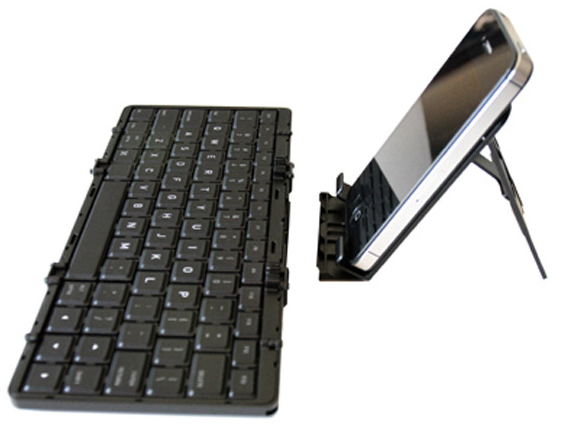
Jorno may be the pocketable Bluetooth keyboard you’ve been waiting for

If you are in the market for a Bluetooth keyboard, there are plenty to keep you guessing. However, I am yet to find a model that collapses into a small portable unit for grab-and-go solutions. Today, Jorno utilizes the small, compact design you may be looking to discover and is launching on Kickstarter.

At 3.5"x3.5"x1.2" folded, the Jorno promises to fit in any travel bag or even a back pocket. With a 2011 Design and Engineering Showcase Honors from International CES, it should raise a few eyebrows as it makes its way around the net...

How to add a keyboard shortcut to any Mac app menu command

Don't you just hate it when one of your favorite Mac apps is missing an obvious keyboard shortcut for an often used menu command? I recently ran into that issue with Pixelmator.

I made the switch to Pixelmator, because it is one of the few decent image editing apps that features support for the MacBook Pro with Retina Display. Normally I'm a CS5 user, but since Adobe's suite lacks Retina support, I felt compelled to make the switch.

Although I don't find Pixelmator to be as intuitive as Photoshop, making the switch hasn't been all that bad. It's snappy, features a bevy of options, and best of all, it looks gorgeous on the Retina Display. If I had to pick a flaw, I'd say that one of the most glaring miscues is the lack of a dedicated keyboard shortcut for exporting your work. Fortunately that can be remedied with a quick trip to System Preferences...

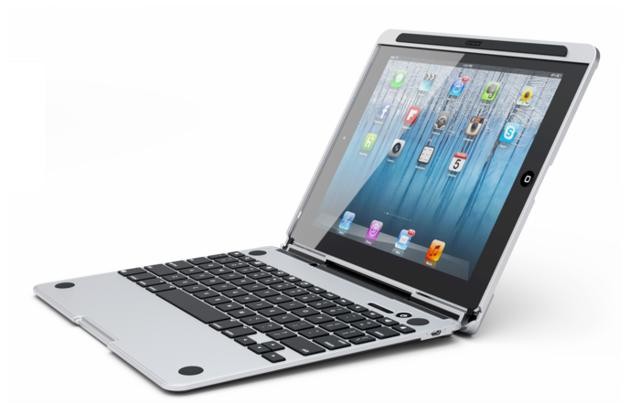
The CruxSkunk promises to turn your iPad into a powerful laptop

Since Apple unveiled the iPad two years ago, accessory-makers have been trying to find a way to turn it into a laptop hybrid. We've covered several of these kinds of products on iDB over the years, including the NoteBookCase and the Brydge.

And this morning, we're adding another one to the list: the CruxSKUNK. The Crux team promises the case will turn your iPad into a powerful laptop. And, goofy name aside, it actually looks like it could give its competitors a run for their money...

Unique keyboard accessory turns iPad into typewriter

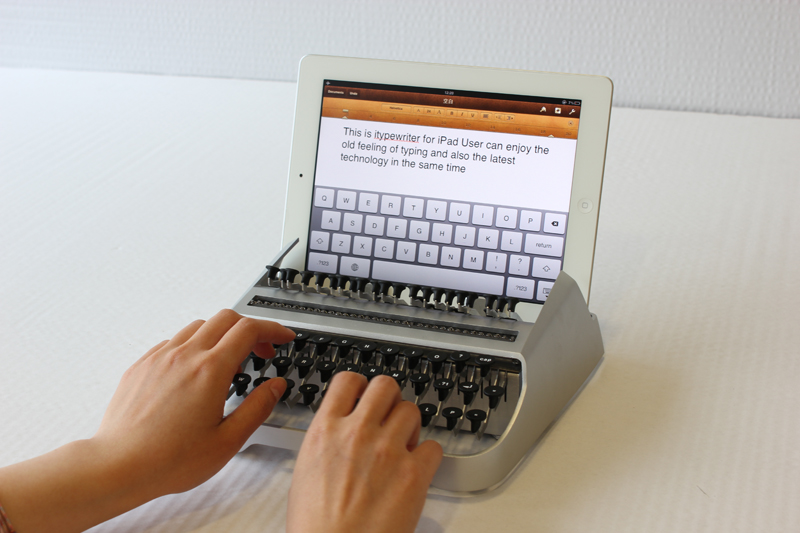
Of all the interesting iPad accessories we've seen over the years, this one has to be towards the top of the list. It's a real, working typewriter keyboard, that's compatible with your Apple-branded tablet.

The invention comes courtesy of industrial designer Austin Yang of Edinburgh, Scotland. And it's essentially a typewriter with capacitive touch hammers that press the keys on your iPad keyboard. Watch:

SwipeType brings jailbreak tweak-like functionality to the App Store

SwipeType is a new note-taking application that offers up a slew of keyboard shortcuts that enable you to transcribe quicker. Functions like cut, copy, and paste, are all just a swipe away.

If this sounds familiar, that's because it is — it's extremely similar to the jailbreak tweak KBShortcuts. Except, unlike KBShortcuts, SwipeType is actually an app in the App Store...

We really like Microsoft’s new mice and keyboards for tablets

There's no denying that Microsoft's Hardware division makes some compelling and nice-looking peripherals which sport high build quality (usually something you don't associate with Microsoft) and just work, well, as advertised. Too bad Microsoft's latest lineup of mice and keyboards focuses on Windows tablets as these new peripherals look really, really solid, almost too good to be true.

Take, for example, the Wedge Touch Mouse, a futuristic-looking pointing device that responds to touch and features four-way navigation. As you could imagine it's optimized for tablets, of course specifically to slates running Windows 8, such as Microsoft's own Surface tablet due to land on October 26.

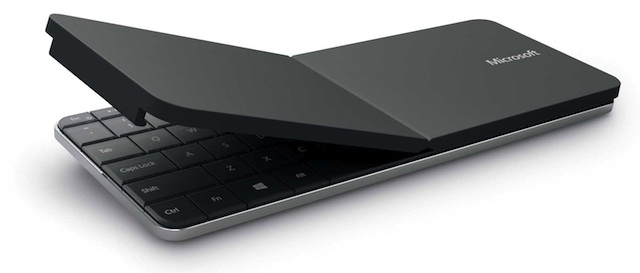
Or how about the Wedge Mobile Keyboard, a really sleek and pro-looking Bluetooth keyboard which also quickly converts into a tablet stand and lets you just snap the cover back on the keyboard to quickly power it down.

Can we have these for our iPads, please?

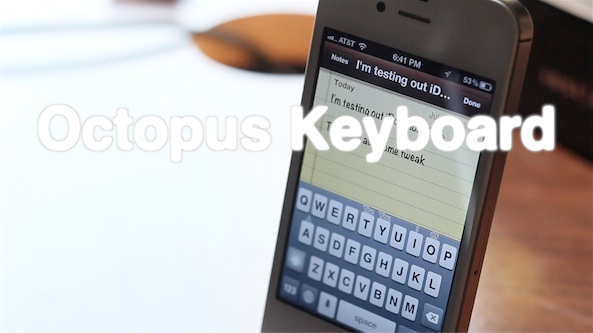
Octopus Keyboard now available on Cydia’s BigBoss repo

[tube]http://www.youtube.com/watch?v=8GCxr6NowXs[/tube]

Octopus Keyboard — the highly anticipated BlackBerry 10 keyboard tweak for jailbroken iOS devices — has finally touched down on the default BigBoss Cydia repo.

Prior to its landing on the BigBoss repo, the developer released the tweak on his own personal repo. You can check out our further analysis of Octopus Keyboard both here, and here.

Although the download is free of charge, be aware of the fact that you must purchase a $4.99 license via PayPal in order to use the tweak. Have you been waiting for Octopus Keyboard to finally appear on the default Cydia repos? If so, are you going to try it?

Kickstarter foldable iPhone keyboard pushes all the right buttons

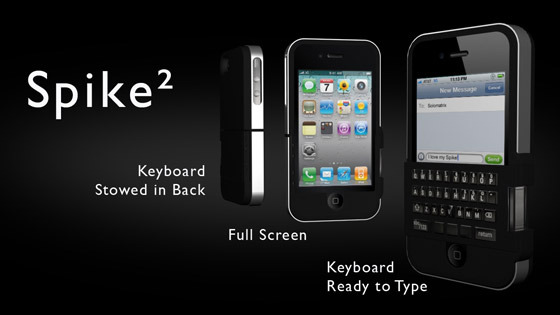
We've brought you plenty of Kickstarter projects over the years. Some iPhone related, some iPad related, and a few of them have been keyboards, too. This particular keyboard though has something of a party trick, with the Spike iPhone case and keyboard combination allowing owners to fold the buttons around to the back for when they are not in use.

Costing around $50 for the premium model, the case and keyboard combo needs to reach $75,000 in order to be fully funded, and is expected to begin shipping around October time.

Don't worry though, you've still got 34 days in order to get your pledge in...

Octopus Keyboard now available on Cydia

Ladies and gentlemen, it's here. After much anticipation, Octopus Keyboard is now available on Cydia.

As we first previewed a couple of months ago, Octopus Keyboard imitates the BlackBerry 10 keyboard on iOS. Be sure to check out our video walkthrough for a high level synopsis of how it works.

Once you've done that, head over to Cydia, and add the necessary repo to download Octopus Keyboard now. Or you can wait a while for it to appear on Cydia's default BigBoss repo.

Check inside for our hands-on video walkthrough of the final version of Octopus Keyboard...

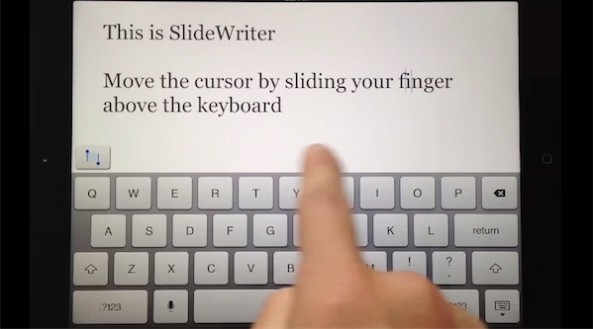
SlideWriter now available for iPad via the App Store

SlideWriter has landed on the iPad with a souped up virtual keyboard that takes cues from a concept video gone viral.

It's a note taking app which makes it easier to edit text by simply sliding your finger above the keyboard to quickly move the cursor.

But hold your horses, it's not exactly what you've been hoping for...

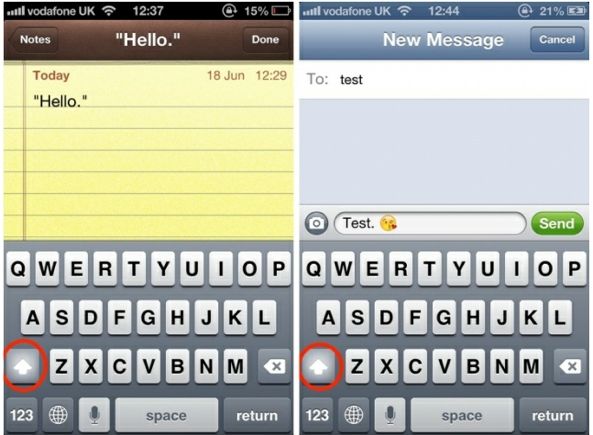
Virtual keyboard in iOS 6 now finally capitalizes after quotes and emoji

Here's another small but useful tweak in iOS 6 which went under our radar: the virtual keyboard is now clever enough to capitalize after quotes and emoji.

Previously, when you started or ended a quote or ended your sentence with emoji followed by a period, the keyboard wouldn't switch to capitals.

iOS 6 tweaks its virtual keyboard's behavior, now capitalizing after quotes and emojis, just as you'd expect...

BeeKeyboard: customizable Bluetooth keyboard shortcuts are finally coming to iOS

Although I've entertained the idea of using my iPad as a laptop replacement on and off during my tenure with the device, I always end up reneging on the thought. One of the primary reasons for this is the utter lack of keyboard shortcut customization within iOS.

Sure, some apps have minor Bluetooth keyboard interactivity, but those are few and far between. What about the ability to customize a keyboard's shortcut settings for all apps, and for those that do support a measure of keyboard support, how about even deeper customization?

That's where BeeKeyboard comes into the picture. It's an upcoming jailbreak tweak that will allow you to create custom shortcuts and add-ons for specific apps. Finally, the external keyboard just got a lot more powerful on iOS.