Jailbreak

Check out the most comprehensive jailbreaking coverage on the internet, including the latest news, apps, tweaks, and detailed tutorials about everything jailbreak.

How to play Super Nintendo games on your iOS 8 device

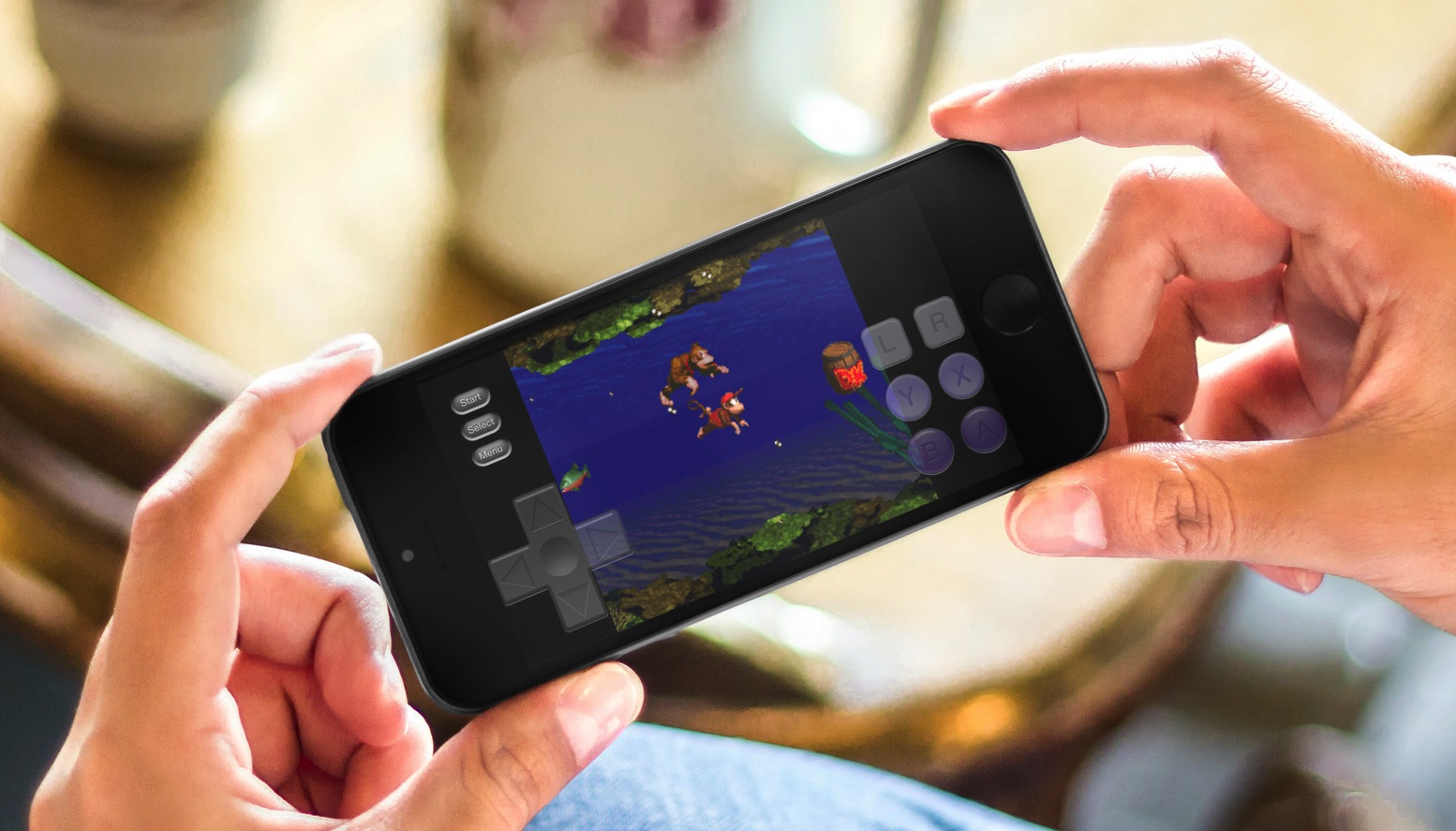
Although there is no iOS 8 jailbreak, there is still a way to add a Super Nintendo Entertainment System (SNES) emulator. Because Nintendo is missing the opportunity to make millions of dollars by releasing their games to the Apple App Store, people have turned to emulators for years. Since the iPhone was jailbreakable, it seems there was some way to play the old classics.

Thanks to a tip from @flawlessfox, whom you may recognize as one of the JailbreakCon organizers, we tested the SNES emulator "SiOS" and can confirm it works quite well, especially on the iPhone 6 Plus. Step inside for quick step-by-step instructions and you will be enjoying your favorite SNES games in about 5 minutes time. Yes, you read it correctly, there is no jailbreak required. 
Ascend brings a gorgeous look to your iOS 7 Lock screen

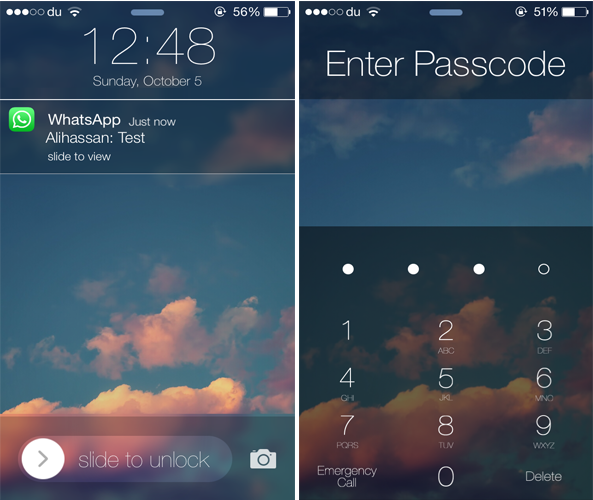
A few weeks ago, we showed you ClassicLockScreen, a tweak by CoolStar and Phillip Tennen that provides over four different styles which you can apply to your Lock screen. Ascend is a somewhat similar jailbreak tweak by Ben Rosen that brings a gorgeous look to your Lock screen.

The tweak brings back the popular iOS 6 Slide to Unlock slider with an iOS 7-esque style along with a blurred background and top bar. Additionally, it gets rid of the round passcode buttons and replaces it with a flatter interface and a transparent background. The same applies to the notifications that appear on the Lock screen.

Monochrome applies shades of grey to your app icons

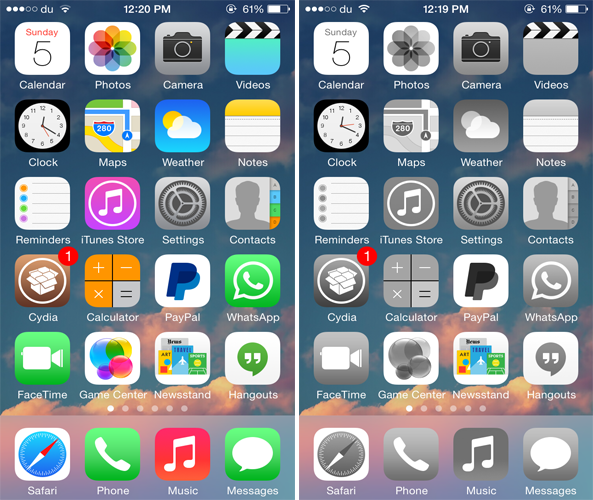
If you ever wanted to bring a classic look to your Home screen icons, you should probably check out a new jailbreak tweak called Monochrome that squeezes out all the colors from the app icons on the Home screen and brings a simplistic look to them.

Developed by Ron Thakrar, the tweak applies shades of grey to all the app icons on the Home screen, just like the classical black and white movies, bringing a more simplistic look to your Home screen. The wallpaper color will remain as is, but if you want to take it a little further, you can use a black and white wallpaper to better suit the grey icons, although it would have been a nice addition if the tweak already came equipped with this feature.

Popular jailbreak tweak ‘CallBar’ receives a big iOS 7 update

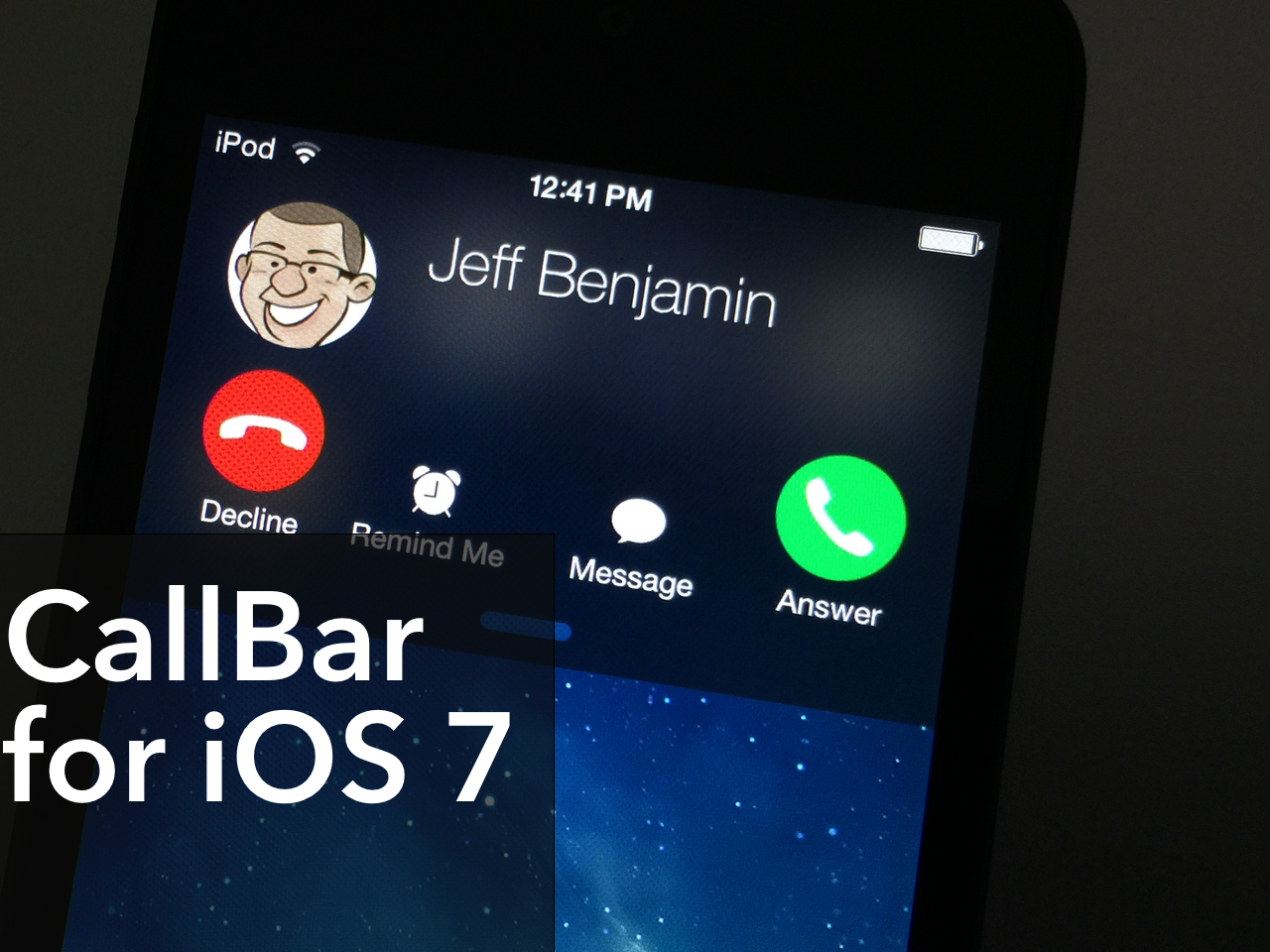
CallBar, the tweak that lets you better manage incoming calls, has received a fairly big update to better suite iOS 7. The tweak now features Notification Center integration, which allows users to handle all telephony needs from a familiar location. The update also features a re-designed incoming call screen, which allows you to use your device more efficiently while your iPhone is ringing.

All in all, CallBar for iOS 7 is a fairly massive upgrade over its predecessors from a visual and usability standpoint. Many of the functions remain the same, but the tweak has been laid out in a manner so that it's easier to use and easier on the eyes. Have a look at our video overview of CallBar for iOS 7 after the jump.

Meet Xsser mRAT, Chinese trojan that steals treasure trove of info from jailbroken iOS devices

There's a new trojan in town, one that attacks jailbroken iPhone, iPod touch and iPad devices.

As discovered by Lacoon, the malicious software dubbed Xsser mRAT uses social engineering to steal valuable data from jailbroken devices by fooling unsuspecting users to tap on an install link in phishing messages from unknown senders.

Created by Chinese hackers, it can extract a vast range of personal information including your iOS address book, SMS messages, call logs, GSM identities, your approximate geographical location (as determined by the cell tower ID), on-device pictures, as well as passwords and other authentication data in the iOS keychains used by your Apple ID, mail accounts and other services.

Customize the look of the Messages app with Messages Customizer Pro

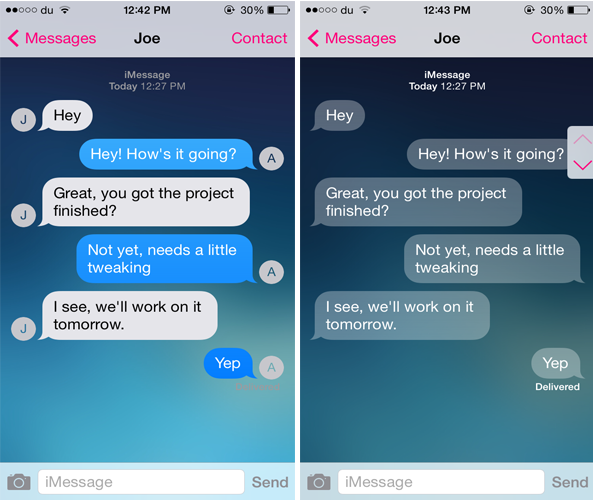
One of the many reasons that users jailbreak their iOS device is to customize it. If you're looking for a tweak that allows you to customize the stock Messages app, you should definitely consider checking out Messages Customizer Pro.

The tweak has been produced by Charlie Hewitt, the same developer who created the Messages Customiser tweak earlier this year. The successor comes packed with additional new features and allows you to customize and theme the stock Messages app the way you want.

CCShuffle adds shuffle and repeat buttons to the Lock screen and Control Center

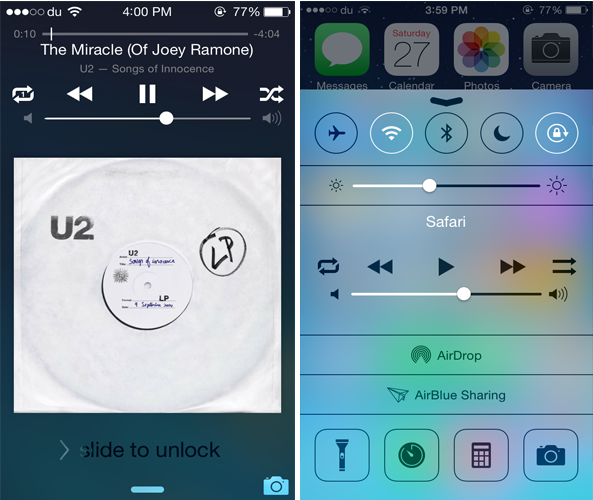
While Control Center is a convenient place to quickly control a playing song, it still lacks some music controls. CCShuffle is a new jailbreak tweak that brings the much anticipated shuffle and repeat buttons to Control Center.

Developed by Charlie Hewitt, CCShuffle adds a shuffle and repeat button to the right and left of the media controls in Control Center. Originally, the buttons are only available in the stock Music app, but with this tweak, you can also use them from Control Center. Not only this but CCShuffle also adds both the buttons to the Lock screen as well.

Cou replaces the Slide to Answer slider with ‘Accept’ and ‘Decline’ buttons

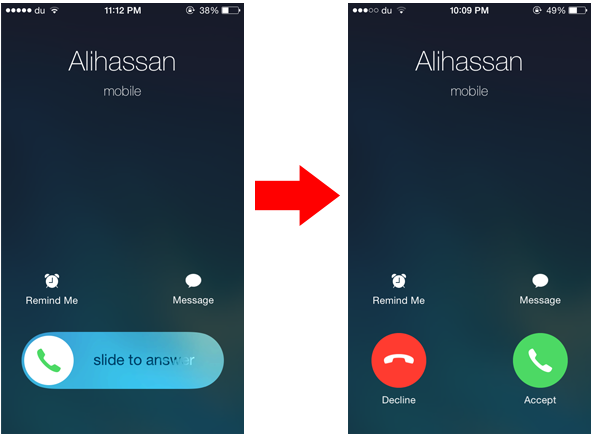
When your iPhone is locked and you receive a phone call, you'll see a slide to answer knob that allows you to respond to the call, and declining a phone call will require you to press the Sleep/Wake button twice. Cou is a new jailbreak tweak that allows you to customize this interface and replace the slider found on the Lock screen with buttons you normally see when you receive a call while the device is unlocked.

Developed by danteseig, Cou replaces the Slide to Answer slider with two buttons called 'Answer' and 'Decline'. This means that you can easily reject a phone call by pressing the Decline button rather than double pressing the Sleep button.

BeSureBefore ensures that you never perform an action accidentally on iPhone

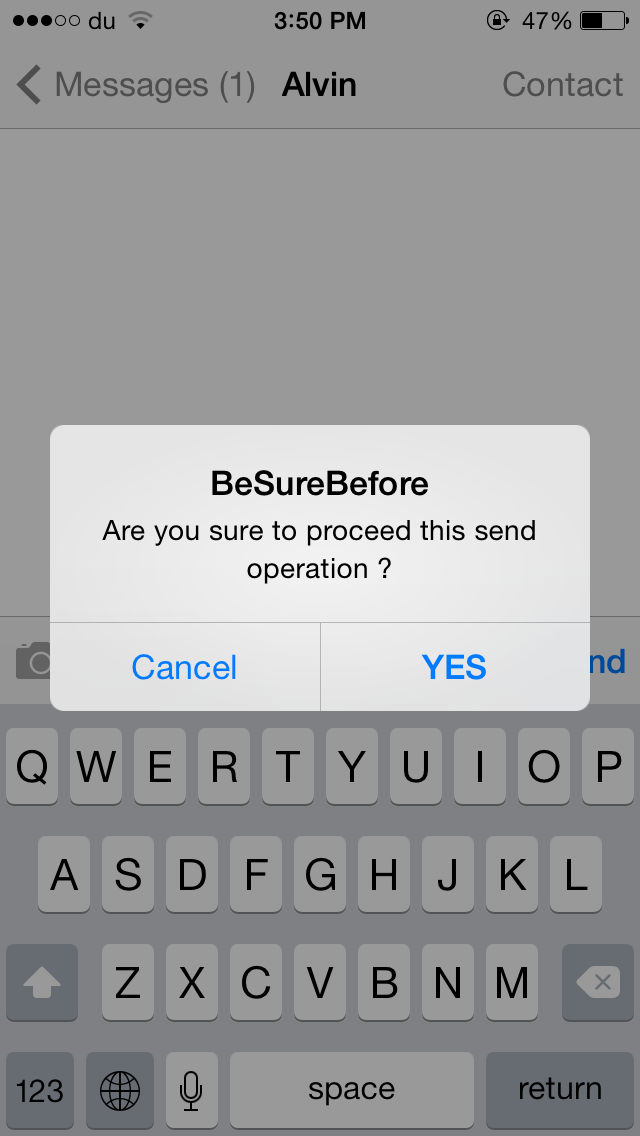
There are times when you accidentally send a message or like a photo on Instagram without intending to do so. BeSureBefore is a new jailbreak tweak that prevents you from performing such actions mistakenly.

The tweak displays a confirmation message before you send a message or an email, call a contact, like a photo on Instagram and much more. For instance, when you press the Send button in the Messages app, a confirmation message pops up ensuring that you don't send the message accidentally, as shown in the GIF above. Once you confirm to deliver the message, you'll have to press the Send button again to proceed.

iDevice Wise provides detailed specifications about your iOS device

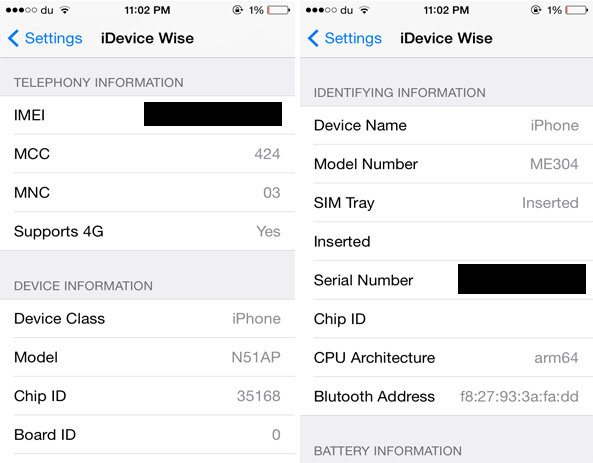
If you ever wanted to find out the complete specifications of your iOS device, you should check out a new jailbreak tweak developed by iNasser called iDevice Wise. The tweak displays each and every detail that you need to know about your iOS device ranging from its IMEI, Serial Number and Model number to Wi-Fi, Bluetooth Address and much more. It includes literally anything you want to find out about your device, even the detailed specs that a tech junkie will look after.

iMaker allows you to animate app icons on your Home screen

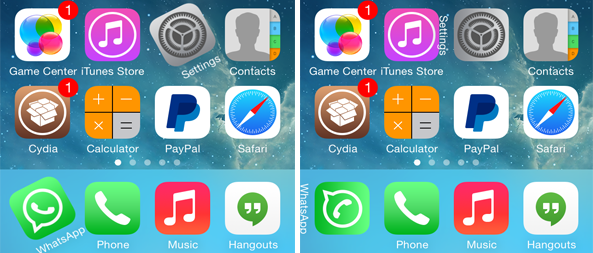
We've seen ActiveBoard, a tweak that allows you to add glowing effects to applications that are running in the background or have a pending notification. iMaker is a new jailbreak tweak with a similar goal, but packed with various different animations and options.

The tweak, which has been developed by Javier Brito, allows you to quickly identify the recently opened 5 apps that are still running in the background, applications that have a pending notification or which have been recently updated. This is done by applying various different animation styles to their icons.

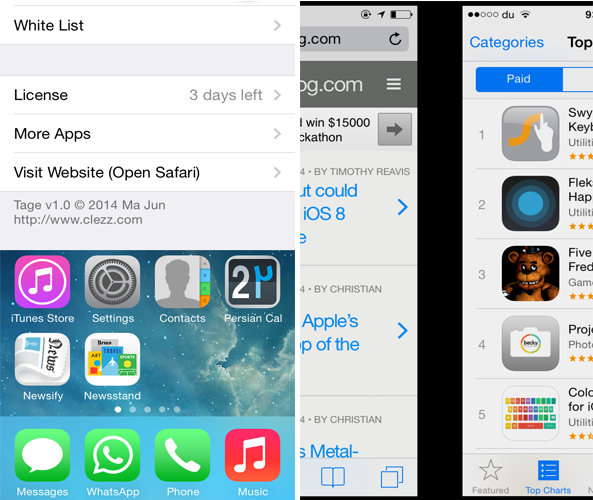
Looking for an alternative to Zephyr? Try Tage

Zephyr was one of the most popular multitasking tweak for iOS 6, however it hasn't been updated yet for iOS 7. If you miss the tweak, you should definitely check out an alternative to it known as Tage.

Developed by Ma Jun, Tage features functionality similar to Zephyr and changes the way you switch between opened apps. The tweak is made up of five major parts. You can swipe the left or right side of the screen to switch between active apps. Additionally, you can swipe up from the bottom of the screen to either close the app or launch the App Switcher. Finally, swiping left or right from the top edge of the screen allows you to lock your device.