Jailbreak Apps & Tweaks

These are the latest jailbreak apps and tweaks available for your iPhone or iPad. We save you time by highlighting only the best tweaks.

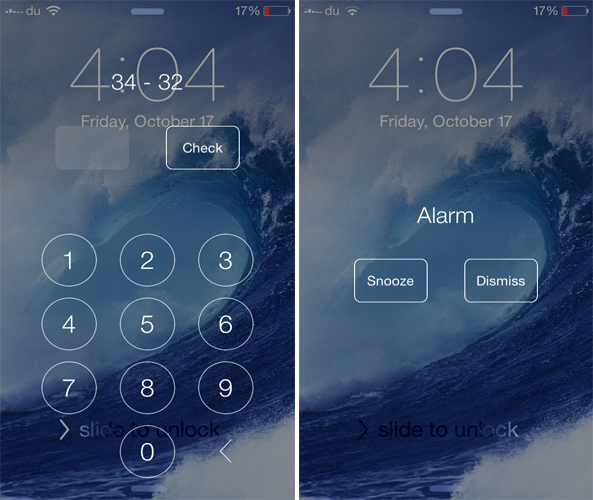
EQUAlarm requires you to solve a math equation before snoozing the alarm

Do you snooze your alarm in the morning hoping to get up a few minutes later, but end up waking up late? If yes, you should definitely check out a new jailbreak tweak known as EQUAlarm that ensures you wake up on time.

Developed by PAL Labs, EQUAlarm requires you to solve a math equation before you can disable it, which is a good way of sharpening your brain before getting up from your bed. When the alarm starts to ring, you'll view a math problem along with number keys that allow you to enter the answer.

Let’s Talk Jailbreak 77: The jailbreak stigma

Episode 77: We discuss the negative connotations behind jailbreaking. Jeff plays emulators on iOS 8.1 and expresses his love for XBMC, and Sebastien and Cody talk about more repo hacks and favorite jailbreak tweaks from the previous week.

Subscribe via RSS

Flurry lets you change the blur and tint level of iOS 7

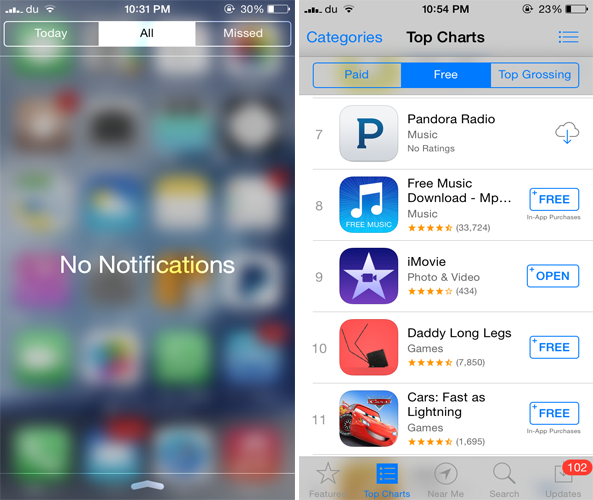
Along with having an all around flatter design, iOS 7 heavily uses blur effect across the whole interface. If you ever wanted to adjust the blur level of various aspects of iOS 7, you should probably check out a brand new jailbreak tweak known as Flurry.

Developed by dantesieg, Flurry allows you to easily configure and adjust the blur and tint level of iOS 7. Any changes that you make will be applied to various interfaces such as the Notification Center, Control Center, Lock screen passcode, Home screen dock and way more.

In addition to the above mentioned interfaces, the tweak also blurs the Navigation Bar, Tab Bar, buttons as well as the Action and the Sharing menu.

Impulse lets you control the music playing on your iPhone while it is locked

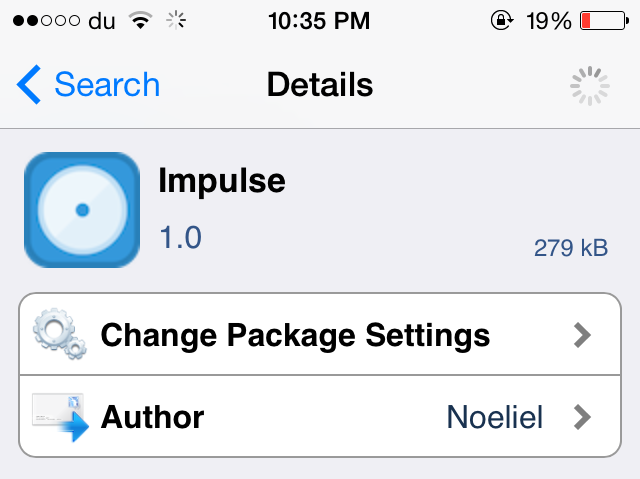
Impulse is a brand new jailbreak tweak dedicated to music lovers as it brings a new functionality many have been waiting for. Developed by Noeliel, Impulse allows users to control a currently playing song even when the device is locked. Yes, with Impulse, you no longer need to unlock your device just to control a song that is playing. Simply perform a gesture on the screen to perform a desired action.

Bring your iOS 7 keyboard to life with ColorfulKBD Pro

iOS 8 is no short of third-party keyboards and we've already reviewed the noteworthy ones that bring many new features and provide more customization options. If you ever wanted to gain more control over how the keyboard looks in iOS 7, you should probably check out a new jailbreak tweak known as ColofulKBD Pro by ipon3g.

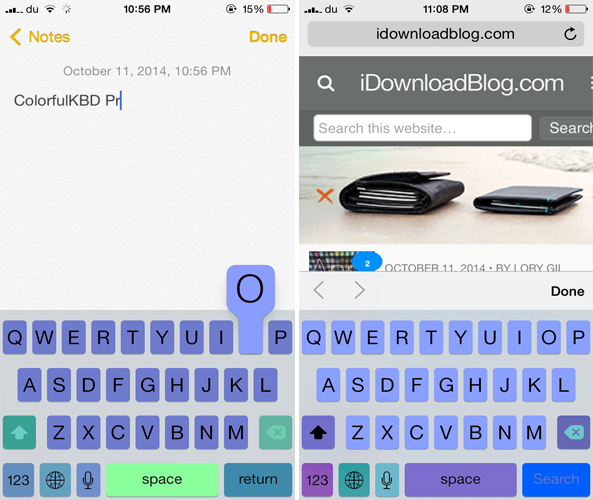
As its name implies, the tweak allows you to colorize the stock keyboard and bring a new look to it. By now, you must be thinking how this tweak is different from the remaining ones on Cydia that also allow you to customize the color of the iOS 7 keyboard.

Let’s Talk Jailbreak 76: The closet connoisseur

Episode 76: We break down a new iOS 8 keyboard that brings several jailbreak tweak features to iOS 8. We also talk about a ton of recent jailbreak releases such as Monochrome, CallBar for iOS 7, CCShuffle, Cou, Ascend, and more.

Subscribe via RSS

Sponsor: Visit GoToAssist.com and click on the Try It Free button. After your free trial, use the promo code ‘GoToAssist3030’ to receive 30% off the standard monthly rate if purchased before October 31st.

How to use Reachability on older devices

Due to the larger screen of the iPhone 6 and the iPhone 6 Plus, Apple introduced a new feature in both the devices called Reachability. Basically, what this feature does is that it moves the top half of the screen to the bottom half when you double tap on the Touch ID. The reason behind this is to make it easier for users to continue one-handed use even on the new iPhones and to reach the top contents of the screen more easily.

If you ever wanted to enjoy the same feature on older iOS 7 devices, you should probably check out a jailbreak tweak called Reachability7 by developer Mohammed Marbouh.

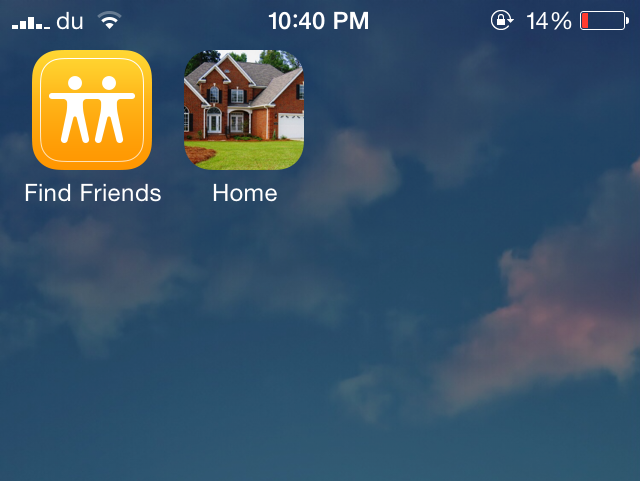
CallShortcut lets you add your favorite contacts to the Home screen

Just recently, an updated version of CallBar was released for iOS 7 that makes it a whole lot easier to manage your incoming calls. CallShortcut is yet another jailbreak tweak that provides a quicker way to call your contacts, directly from the Home screen.

Developed by Gertab and David Glinski, CallShortcut allows you to add any of your contacts to your Home screen. These appear as icons on the Home screen just like other app icons and when you tap on any of them, the call will be placed immediately. This provides a quick shortcut to your favorite contacts without ever opening the Phone or the Contacts app.

iKeywi brings awesome jailbreak keyboard features to iOS 8 [Video]

As you've probably heard, I've been less than impressed with the initial round of third-party keyboards to hit iOS 8. I understand a lot of the problem has to do with Apple, and iOS 8's overall bugginess, but not all of the blame is squarely on its shoulders.

Many of the third-party keyboards have an average implementation, and some of them are just plain bad. With that said, there are a few keyboards that have stood above the rest, as we outlined in our best iOS 8 keyboards post a couple of days ago.

But today, I encountered a familiar name when looking for new third-party keyboards to try. iKeywi, a name that will no doubt ring a bell if you've ever been into jailbreaking, is now available as an iOS 8 keyboard.

Needless to say, I immediately paid $0.99 for the privilege to download iKeywi, and I was mighty impressed by what I found. Folks, if you're at all familiar with some of the more popular jailbreak tweaks, then iKeywi should immediately jump to the top of your must-buy list.

Don't believe me? Think a tempered version of SwipeSelection (you can't select text, but you can move the cursor using swipes). And that's not where it stops. iKeywi adds a fifth row of keys to the keyboard interface, customized key text, customized output, the ability to show letter case, and more. Watch the video inside to see what I mean.

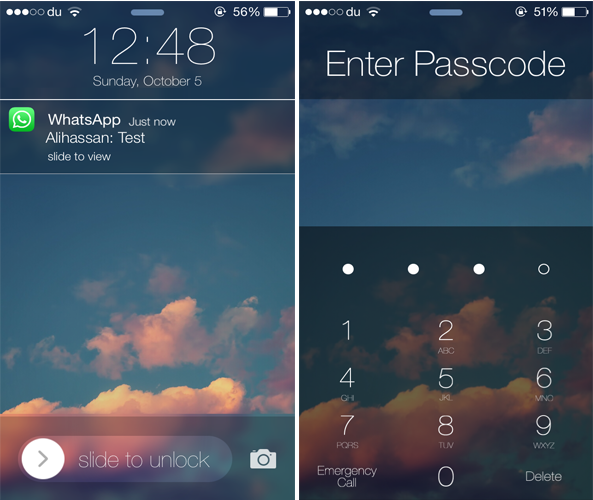
Ascend brings a gorgeous look to your iOS 7 Lock screen

A few weeks ago, we showed you ClassicLockScreen, a tweak by CoolStar and Phillip Tennen that provides over four different styles which you can apply to your Lock screen. Ascend is a somewhat similar jailbreak tweak by Ben Rosen that brings a gorgeous look to your Lock screen.

The tweak brings back the popular iOS 6 Slide to Unlock slider with an iOS 7-esque style along with a blurred background and top bar. Additionally, it gets rid of the round passcode buttons and replaces it with a flatter interface and a transparent background. The same applies to the notifications that appear on the Lock screen.

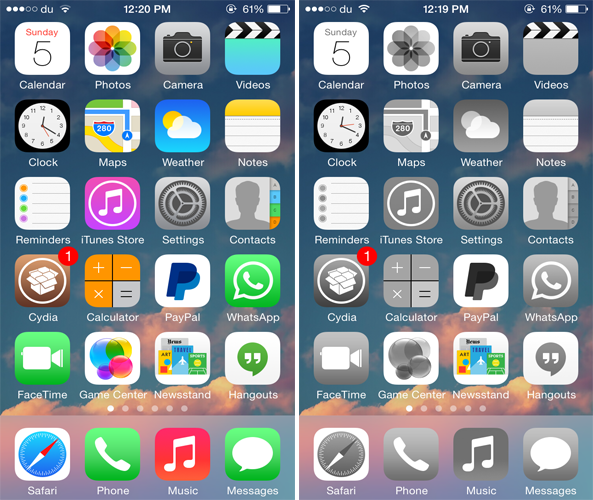
Monochrome applies shades of grey to your app icons

If you ever wanted to bring a classic look to your Home screen icons, you should probably check out a new jailbreak tweak called Monochrome that squeezes out all the colors from the app icons on the Home screen and brings a simplistic look to them.

Developed by Ron Thakrar, the tweak applies shades of grey to all the app icons on the Home screen, just like the classical black and white movies, bringing a more simplistic look to your Home screen. The wallpaper color will remain as is, but if you want to take it a little further, you can use a black and white wallpaper to better suit the grey icons, although it would have been a nice addition if the tweak already came equipped with this feature.

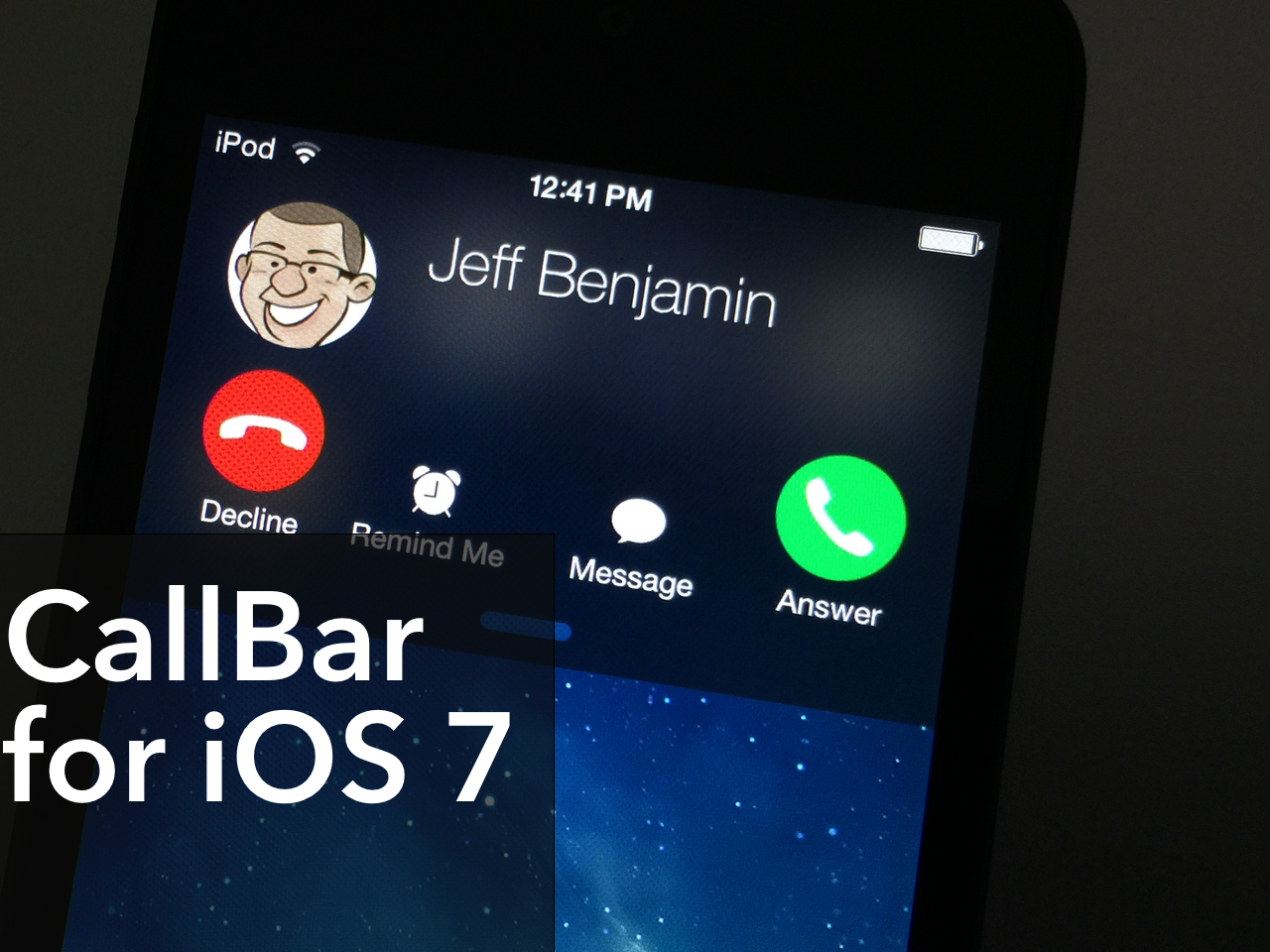
Popular jailbreak tweak ‘CallBar’ receives a big iOS 7 update

CallBar, the tweak that lets you better manage incoming calls, has received a fairly big update to better suite iOS 7. The tweak now features Notification Center integration, which allows users to handle all telephony needs from a familiar location. The update also features a re-designed incoming call screen, which allows you to use your device more efficiently while your iPhone is ringing.

All in all, CallBar for iOS 7 is a fairly massive upgrade over its predecessors from a visual and usability standpoint. Many of the functions remain the same, but the tweak has been laid out in a manner so that it's easier to use and easier on the eyes. Have a look at our video overview of CallBar for iOS 7 after the jump.