Jailbreak Apps & Tweaks

These are the latest jailbreak apps and tweaks available for your iPhone or iPad. We save you time by highlighting only the best tweaks.

IllLookLater: prevent iPhone screen wake when receiving notifications

Do you find that many of your incoming notifications don't warrant the awakening of the Lock screen on your iPhone? Perhaps you think that waking up your iPhone every time you receive a notification is a waste of precious battery.

If you feel that way, then you may want to look into IllLookLater, a recent jailbreak tweak that's available on Cydia's BigBoss repo free of charge. IllLookLater makes it so that you can limit the amount of apps that wake the Lock screen when receiving a notification. In other words, it lets you pick and choose the apps that you deem worthy.

Color Convos: assign colors to Messages app conversations

Color Convos is a jailbreak tweak that serves as a Messages app addon. It lets you quickly assign different colors to the outgoing message bubbles in a Messages app conversation.

Why is this useful? The developer presents an interesting use case scenario. He suggests that Color Convos will make it easier to discern who you are sending a message to, ensuring that you are sending messages to the correct contact, lending peace of mind.

Does Color Convos work as expected? Have a look at our walkthrough to find out.

Tweaks of the week: ADKeys, Alternatum, and more

According to the rumors, iOS 9 will be a heavy blow to the jailbreak community, but as Jeff cleverly noted, there's no such thing as impossible. With that said, we're hoping the grim rumor won't discourage smart developers from coming up with new tweaks.

Speaking of new tweaks, this week was pretty slow, but it saw the release of a few interesting ideas.

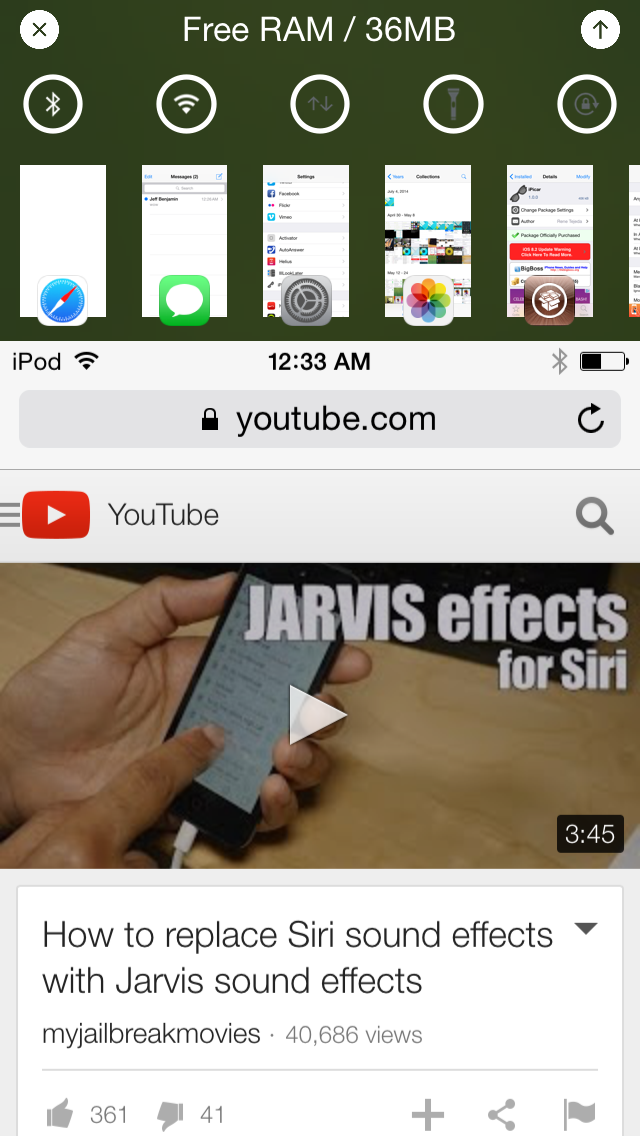
Alternatum brings an app switcher and toggles to Reachability

Alternatum is yet another jailbreak tweak that piggybacks on the Reachability feature introduced with the iPhone 6 and iPhone 6 Plus. It allows you to add a host of new features to the Reachability view such as an app switcher, toggles and more.

Unfortunately, I don't currently own any jailbroken devices that feature Reachability, but Alternatum does bring the ability to use a simple Activator gesture to mimic Reachability. Does it work well?

ADKeys: assign an image as your keyboard background color

ADKeys, which stands for adaptable keys, is a tweak that lets you change up the background and key cap color of the keyboard in iOS. By doing so, you can match up your keyboard color with other areas or your iPhone, such as your current wallpaper or theme.

If you can manage to handle the tweak's frustrating preferences, then you may be able to obtain the look you're going for. Have a glance at our walkthrough for a bit more detail.

iOS 9 security & jailbreaking: there’s no such thing as impossible

Recent reports are claiming that Apple's upcoming iOS update—iOS 9—will make it more difficult to jailbreak iPhones and iPads going forward. Some are even stating that it will be nearly impossible to jailbreak an iPhone running iOS 9.

The reason? Rootless—the kernel-level security feature that was discussed earlier today. This new feature is said to prevent malware, increase the safety of extensions and preserve the security of sensitive data.

When it's all said and done, Apple's security efforts in iOS 9 appear to be its most prolific since iOS 5. It could make it more of a challenge for jailbreakers and hackers.

But impossible? There's nothing that's impossible when it comes to security. More difficult? Perhaps. More challenging? Maybe. But impossible?

Let’s Talk Jailbreak 108: What great timing

Episode 108: We discuss the prospect of replacing Siri with third-party voices, and a host of new jailbreak tweaks like Helius 2, LockEmoji, NoBanner, LockEditor, and more.

Subscribe via RSS

Support Let's Talk Jailbreak

Red Hat. Different for the sake of better technology

Helius 2 adds a fresh coat of paint to the Lock screen music controls

Helius 2 is the follow-up to the popular tweak that redesigned iOS Lock screen media controls. In a nice gesture to owners of the original, developers s1ris and Phillip Tennen have rewritten the tweak from scratch and are providing it as a free upgrade to previous owners of Helius.

In case you've forgotten, or in case you've never used the original version, Helius is a tweak that takes your default media controls on the Lock screen, and provides them with a fresh coat of paint. Have a look at our video walkthrough for more information on how this tweak works.

How to display the now playing app in the iOS media controls

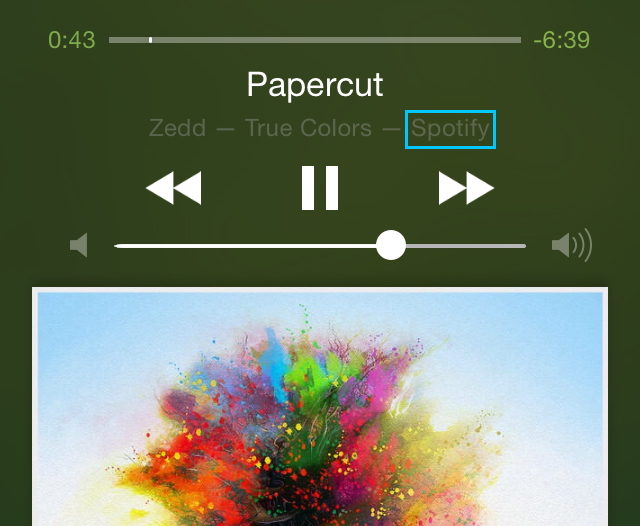
Have you ever glanced at your Control Center or Lock screen media controls, and wondered what app was responsible for playing the now playing song? This tends to happen if you have several music apps installed on your iPhone.

The problem stems from the fact that iOS doesn't display the app responsible for a song's audio output. But a new jailbreak tweak, called PlayingLabel, promises to solve this issue.

LockEditor lets you modify several Lock screen properties on iOS

If you find the stock iOS Lock screen to be a bore, then LockEditor is here to spice things up a bit. It's a jailbreak tweak that allows you to modify a plethora of Lock screen features, from the passcode rings, to "slide to unlock" text.

In fact, LockEditor contains nearly two-dozen different settings and switches that allow you to customize the look and feel of the Lock screen. Have a look at our video, which showcases some of the features that you'll find in LockEditor.

NoBanner suppresses banner notifications when playing video

Have you ever been in the middle of a great video, only to have the experience interrupted by an untimely banner notification? Not only is this visually disturbing, but incoming banners reduce the audio volume of a playing video as well.

NoBanner is a new jailbreak tweak that puts an end to this issue. It suppresses banner notifications whenever playing video on your iPhone. Watch our video walkthrough for a demonstration of NoBanner in action.

LockEmoji prevents the iOS keyboard from reverting to another input mode

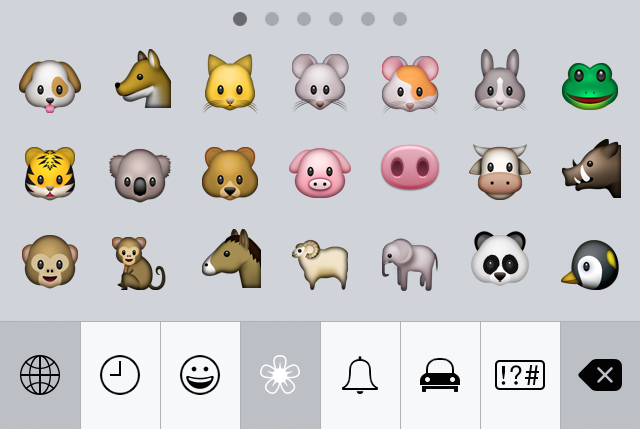
If you regularly use the emoji keyboard on iOS, then you've no doubt experienced the issue that causes your keyboard to revert to another input method.

This problem generally arrises when doing one of two things: after tapping send in a chat app like the Messages app, and on first keyboard activation when the current input mode is emoji.

If you're unfamiliar with the issue, it's a little difficult to describe without actually showing you. Check out our video demonstrations, which shows you how LockEmoji—a free new jailbreak tweak released on Cydia—tackles this issue.