Jailbreak Apps & Tweaks

These are the latest jailbreak apps and tweaks available for your iPhone or iPad. We save you time by highlighting only the best tweaks.

Break free of the Photos app’s zoom limits with Max Photo Zoom

As you use the native Photos app on your iPhone or iPad to browse all the pictures you’ve taken yourself or saved from the internet, you’ll notice that iOS imposes limits on just how far that you can zoom in to your images. This has long left me scratching my head, as there are often times when I want to zoom far into a photography to see a small detail more clearly, and many others appear to be in the same boat.

If you agree, then there’s absolutely no doubt that you’re going to love a newly released and free jailbreak tweak called Max Photo Zoom by iOS developer Brandon Robinson. With it, you can bust through Apple’s natively-imposed zooming limits in the Photos app, enabling you to get closer to your photos than you ever have before.
This tweak lets you zoom while snapping selfies on pwned iPhones

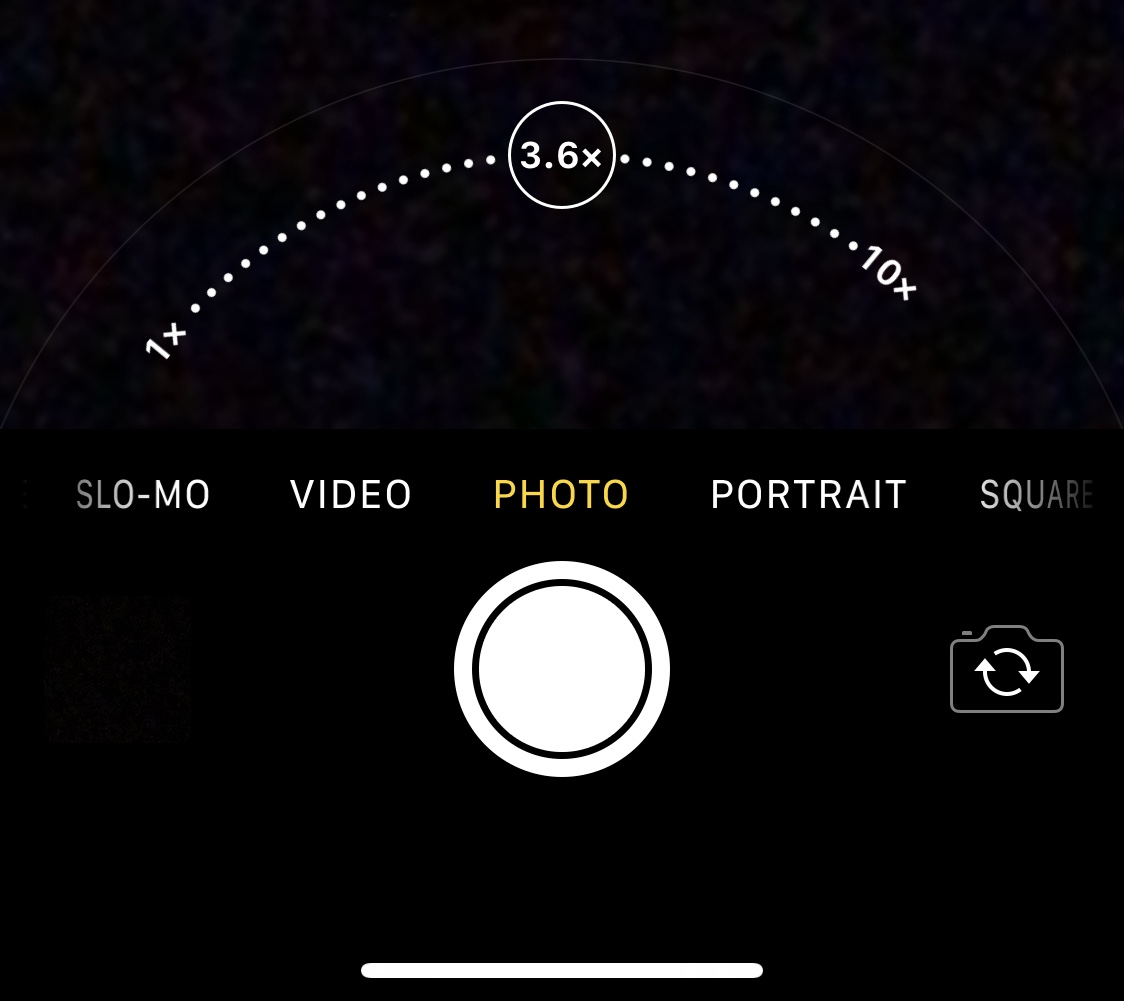
There’s absolutely no question that Apple goes all-in on making the rear-facing camera on its iPhones as powerful as possible through the combination of great hardware and user-friendly software. Unfortunately, it’s blatantly obvious that Apple doesn’t even come close to investing in their handsets’ front-facing cameras, as many seem to lack obvious features such as the ability to zoom while snapping selfies.

Fortunately for jailbreakers, iOS developer Brandon Robinson has released a solution in the form of a new and free jailbreak tweak called Front Zoom Dial. Just as the name implies, Front Zoom Dial adds the familiar zoom capability that we all take for granted from the rear-facing camera to the front-facing camera as well.

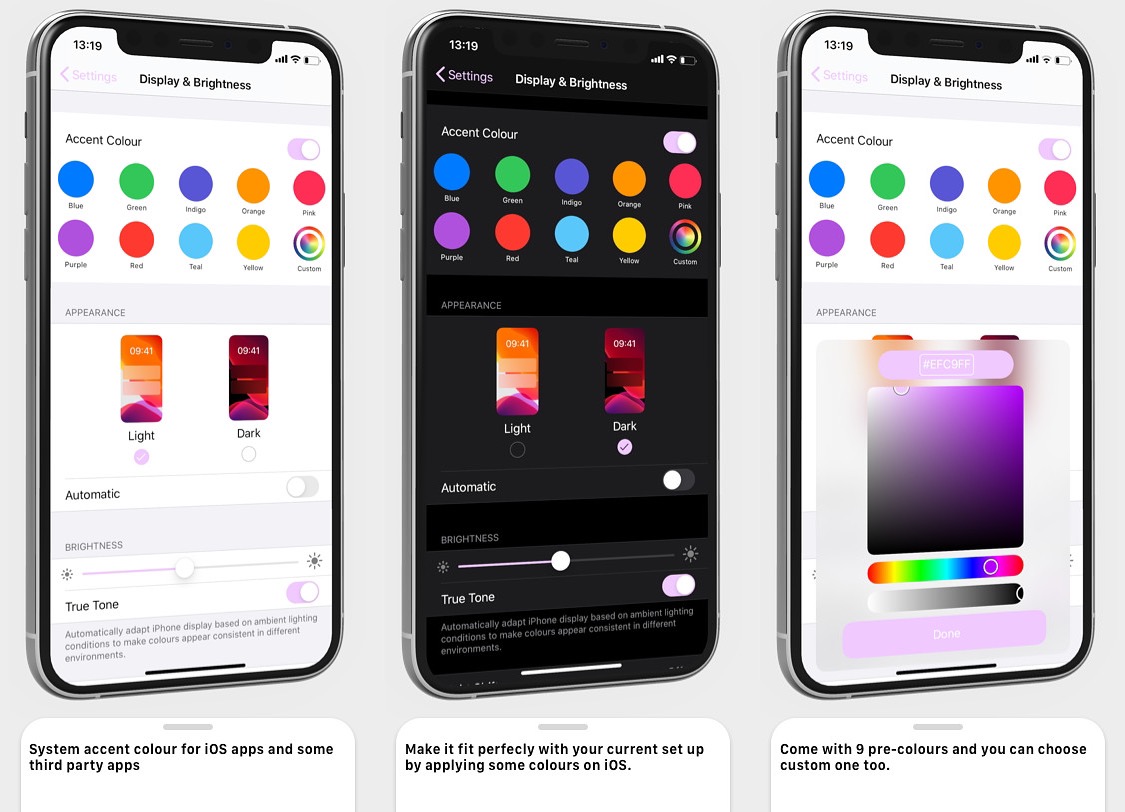
Change iOS’ native interface accentuation color with Twister

Apple has used the color blue to accentuate buttons, sliders, and more for as long as I can remember. But if you have a favorite color besides blue, then you might find it disappointing that Apple doesn’t offer any way to customize these color accentuations out of the box.

That’s where a newly released jailbreak tweak called Twister by iOS developer SouthernGirlWhoCode can help. This tweak provides users with the option to change iOS’ default accentuation color for the aforementioned interface elements, and it does so in a fashion that looks and feels like it was made Apple themselves.

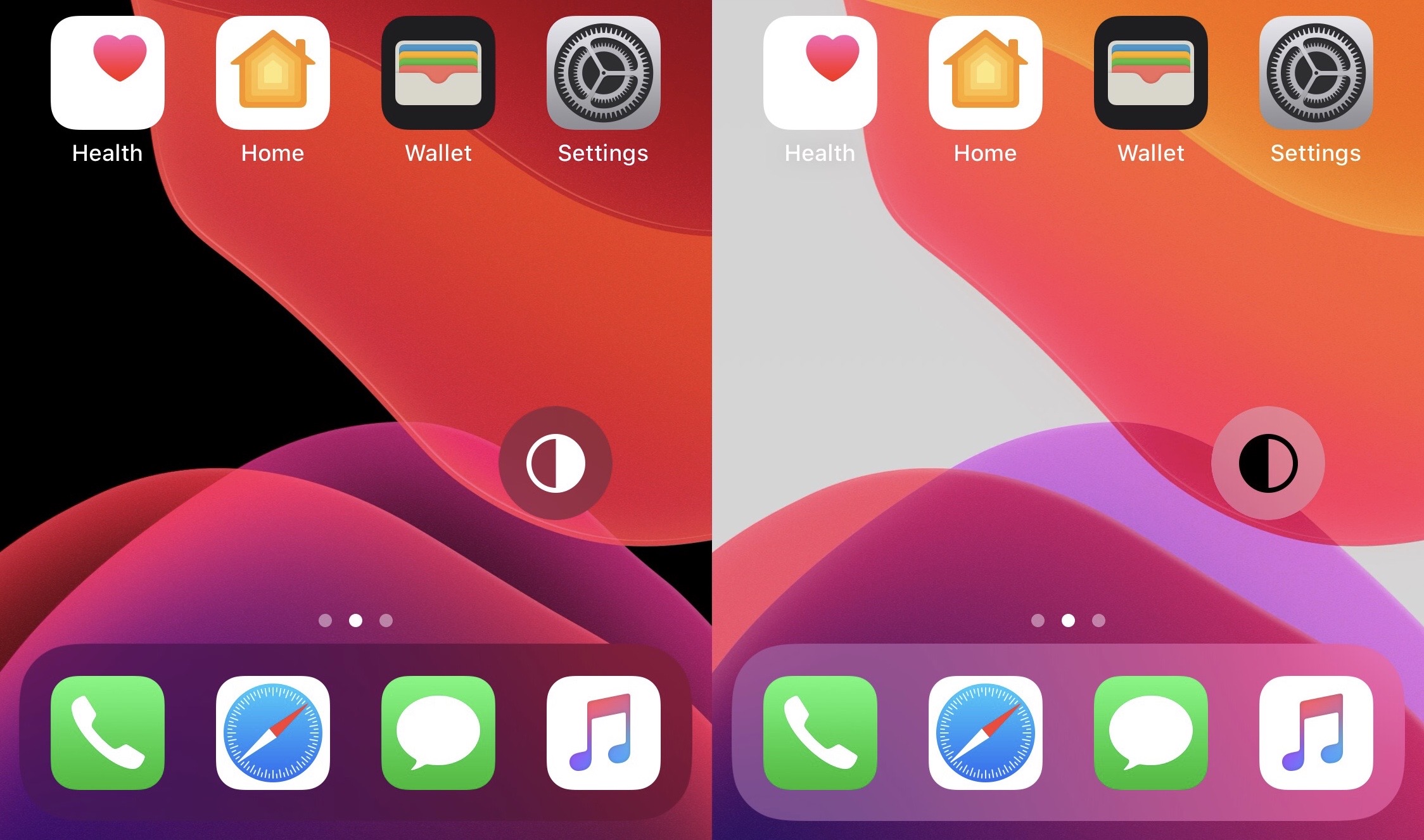
FloatingDarkMode gives jailbreakers an always-visible dark mode toggle

The addition of dark mode support was perhaps one of the biggest new features of last year’s iOS 13 release, and it’d be an understatement to say that Apple delivered a wonderful dark mode-centric user experience. On a stock device, dark mode can be toggled on or off from the Settings app, or via Control Center if the user has added the dark mode toggle module.

But for those who are too lazy to deal with either of the above options, a newly released and free jailbreak tweak called FloatingDarkMode by iOS developer Ethan Whited brings an always-accessible dark mode toggle button to jailbroken handsets that floats over any user interface.

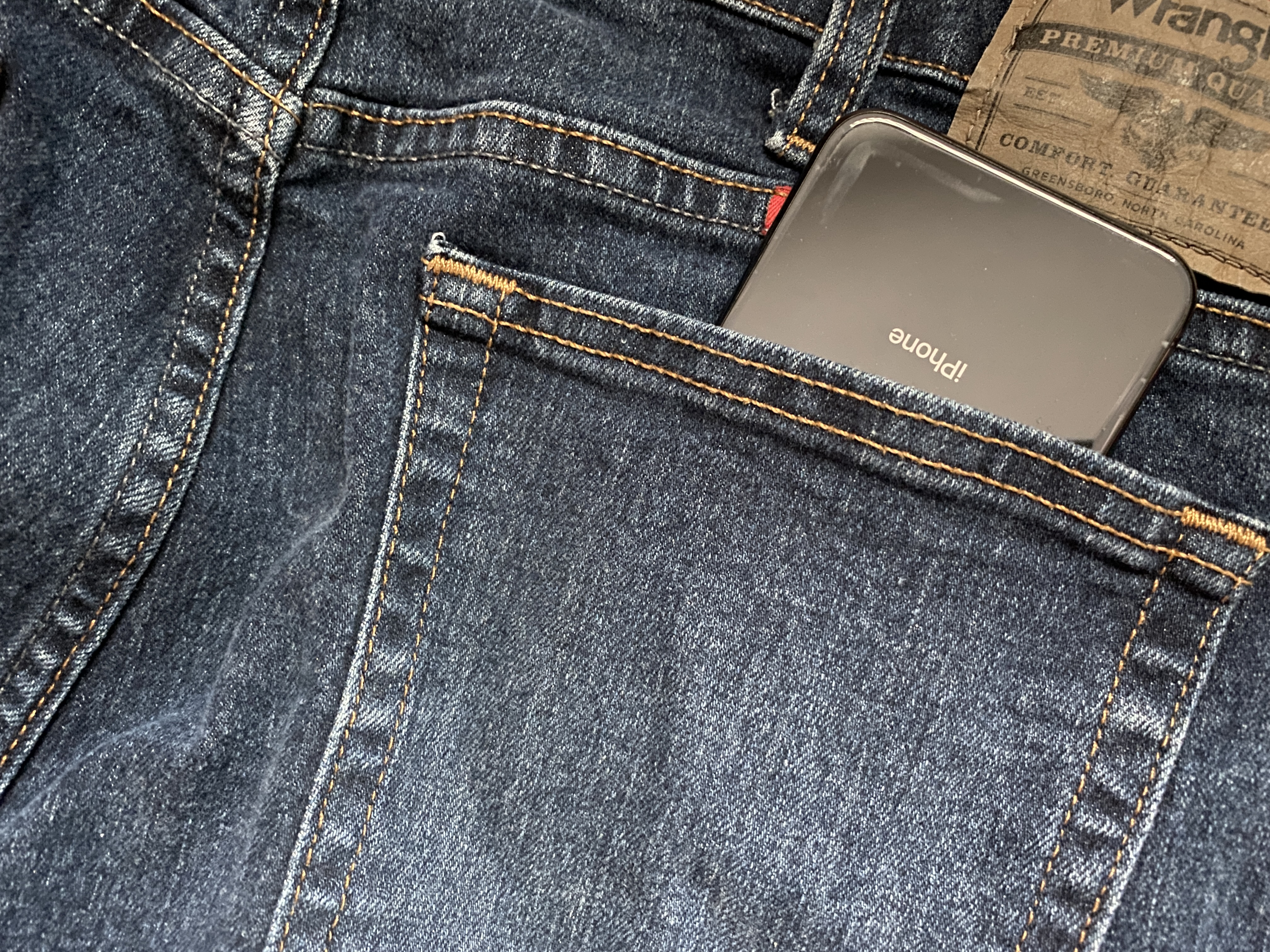
PocketProtector prevents accidental butt-dials on jailbroken iPhones

We’ve all heard of butt or pocket-dialing – the act of accidentally calling someone with your phone as it sits in your pocket. In theory, this seems a lot less likely on modern devices that require Face ID or Touch ID authentication to function; nevertheless, it still seems to happen to some people either because they don’t lock their device before pocketing it or because of some other mind-bending anomaly.

Despite how seemingly impossible butt-dialing or inadvertent smartphone operations on a pocketed phone might be at first glance, those who experience these anomalies for one reason or another can now take advantage of a newly released and free jailbreak tweak called PocketProtector by iOS developer Brady Holland (Squiddy) to prevent them from happening, once and for all.

Facebook reinstates Cydia app, allowing users to log in and view past purchases again

A substantial number of veteran jailbreakers who relied on Cydia’s ‘Log in with Facebook’ mechanism to access their previous jailbreak tweak and extension purchases were met with frustration after the feature appeared to stop working last June.

Fortunately, the problem now appears to be fixed, as noted by a couple of Tweets shared just this weekend by Cydia creator Jay Freeman, also known more colloquially to the jailbreak community as Saurik:

Jailbreak tweaks of the week: Electrifying, Genesis 2, iPhone 12 Pro Wallpapers, & more…

Avid jailbreakers who are looking for the latest and greatest jailbreak tweaks to install on their pwned handsets have come to the right place, because it’s here that we’ll be going over all the latest tweak releases in one convenient place.

This roundup will focus on the tweaks released from Monday, October 19th to Sunday, October 25th. As always, we’ll talk about our favorite releases first and then wrap things up with an outline of the rest afterward.

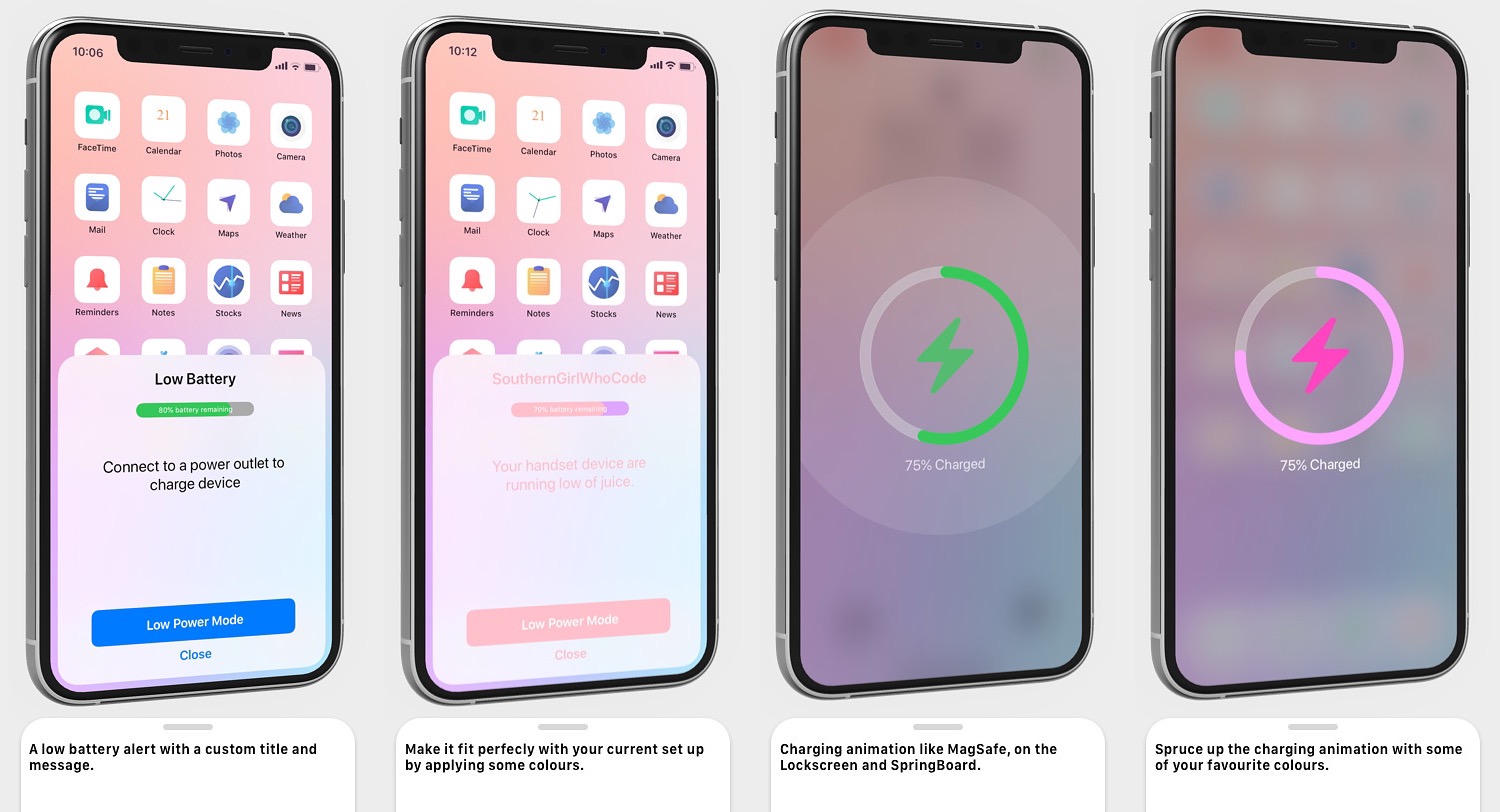
Electrifying gives jailbreakers an upgraded low power alert & charging UI

If you’re harder on your iPhone than most, then you might be somewhat familiar with the low power alert that appears when your battery level drops to a certain percentage. For what it’s worth, Apple is a large company with vast resources, and so it’s somewhat thought-provoking to think that this alert hasn’t received much of a redesign over the years.

Fortunately, jailbreakers won’t need to wait for Apple to take action. Electrifying a newly released jailbreak tweak by iOS developer SouthernGirlWhoCode that brings a redesigned low power alert to the iOS platform, complete with user-configurable features to personalize the interface however you might see fit.

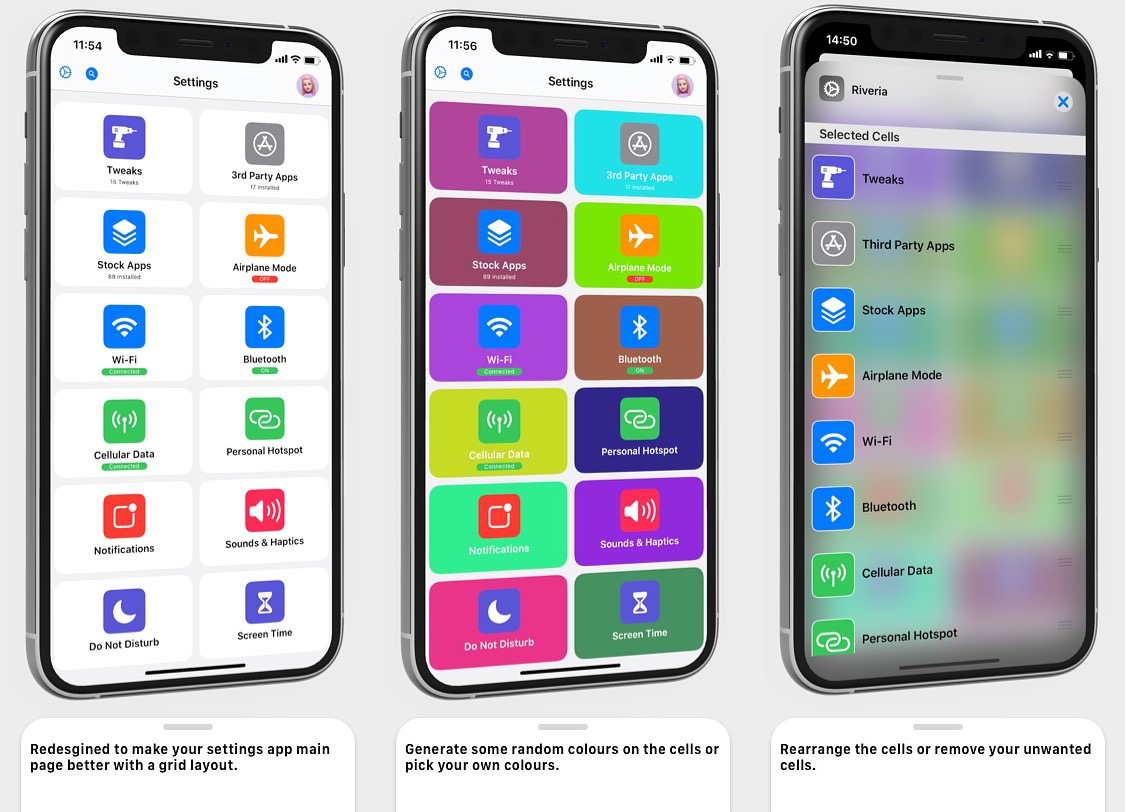
Give your Settings app a facelift with the new Riveria jailbreak tweak

The Settings app on your iPhone was provided by Apple as a way to access all of your handset’s options in one convenient place, and while it definitely gets the job done, some users still demand more in terms of the user interface to make it more fun and user-friendly.

Thankfully, iOS developer SouthernGirlWhoCode has just released a new jailbreak tweak called Riveria that redesigns the Settings app’s user interface to be both modular and user-configurable.

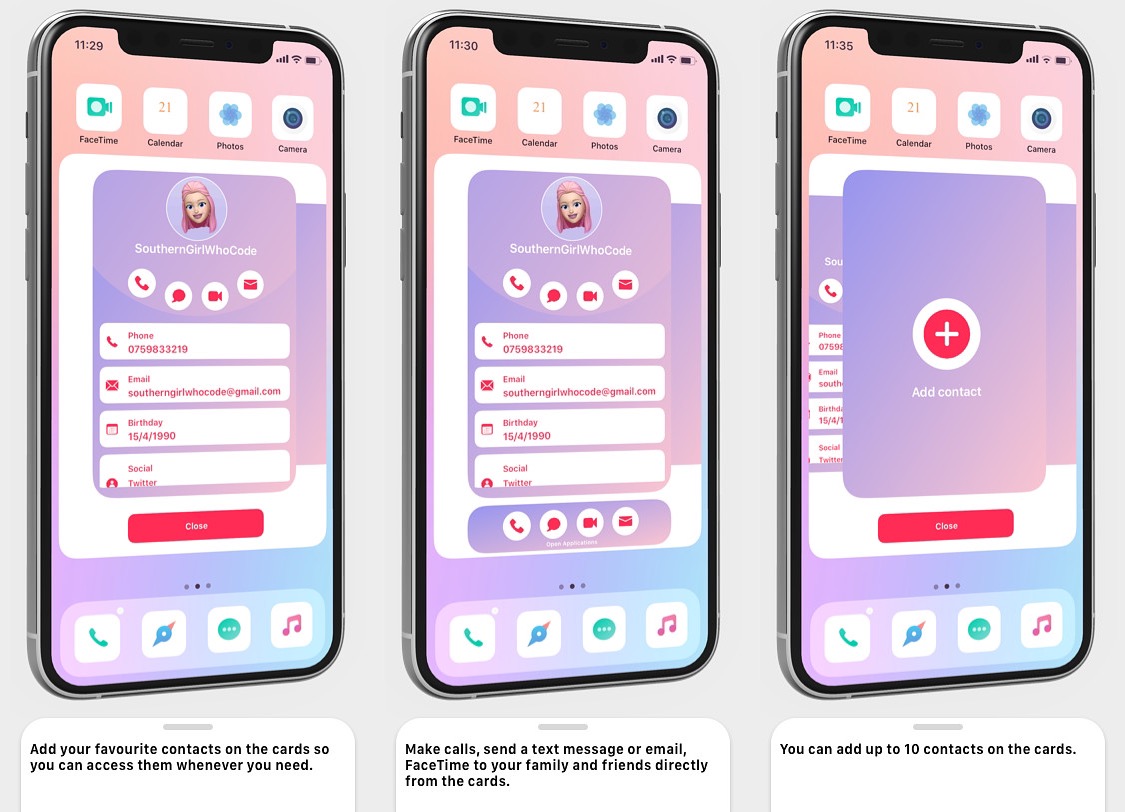
Sunset makes it easier for jailbreakers to get in touch with friends & family

When you’re in the mood to get in touch with a friend or family member, you’d generally just launch the Contacts app, find that person, and then tap only our preferred method of contact to reach them — be it text, phone, or email. But it’s 2020, and by now, someone’s got to be saying that it’s ludicrous that one would need to close the app they’re in and launch the Contacts app just to get in touch with someone else.

Those who feel the way we’ve just described are likely to enjoy a newly released jailbreak tweak called Sunset by iOS developer SouthernGirlWhoCode, as it replaces the idea of a Contacts app with a Contacts card that can be summoned from just about anywhere in iOS with one of several different gestures.

Genesis 2 – The new all-in-one jailbreak tweak you don’t want to miss

Given just how easy it is to rack up an expensive bill in the process of buying paid jailbreak tweaks these days, it’s no wonder why all-in-one jailbreak tweaks have become so popular as of late. Not only can they give you more bang for your buck, but they can also free up system sources by reducing the number of tweaks that hook into processes on your device.

In this review, we’ll be taking a closer look at a new jailbreak tweak called Genesis 2 by iOS developer ItzNebbs. Genesis 2 is the latest all-in-one extension to be released for jailbroken devices, and as you’ll soon learn, it offers and slew of powerful tools for customizing various user interfaces found throughout iOS.