iPhone

Stay up-to-date on the latest iPhone news and learn new tips and tricks with our comprehensive tutorials. From software updates to new features, we’ve got you covered.

How to share iCloud calendars

Apple's Calendar application for the iPhone, iPod touch, iPad, Mac and iCloud.com makes it simple to share events and to-dos with select people, or let anyone with a link subscribe to a read-only calendar.

For example, you could share a “To Do” calendar with your significant other, create a calendar for your entire family so every member can put errands on it, invite your wife to a shared “Kids” calendar to keep parents in the loop about school activities and more.

Not only do shared calendars increase your productivity in the workplace, they help those who use them become more organized in everyday life. You can assign edit privileges to invitees, adjust how participants access the calendar and more.

Invitees have a myriad of options at their disposal to view shared calendars, including the iCloud Calendar web app, the stock Calendar app on the iPhone, iPad, iPod touch and Mac or Microsoft Outlook on a Windows computer.

In this tutorial, you will learn how to share a calendar privately or publicly on iPhone, iPad, Mac and iCloud.com. You will also learn how to manage calendar sharing by adding or removing participants, changing privileges, adjusting calendar notifications, and more.

3D Touch shortcuts for the Camera app

Whenever an awesome photo opportunity presents itself, I instinctively grab my iPhone, launch the Camera app and press the shutter button.

But boy, way too many times did I find myself in the wrong camera mode. One time, I would realize I was shooting video instead of taking a great picture. Other times I would snap a selfie, whereas I wanted to take a quick photo of my neighbor's dog jumping in the air catching her frisbee.

3D Touch can help avoid such distractions when you're in the middle of your photography moment. With a little help of 3D Touch shortcuts and gestures, iPhone owners will hopefully never miss that important shot again.

3D Touch lets you take a selfie or start shooting video from the Home screen, review the photos you’ve taken without leaving the Camera app, play Live Photos with a press and more. In this tutorial, we'll take you through every 3D Touch-enhanced feature that's available to iPhone photography fans in Apple's built-in Camera app.

iPhone 5se and iPad Air 3 expected to launch March 18

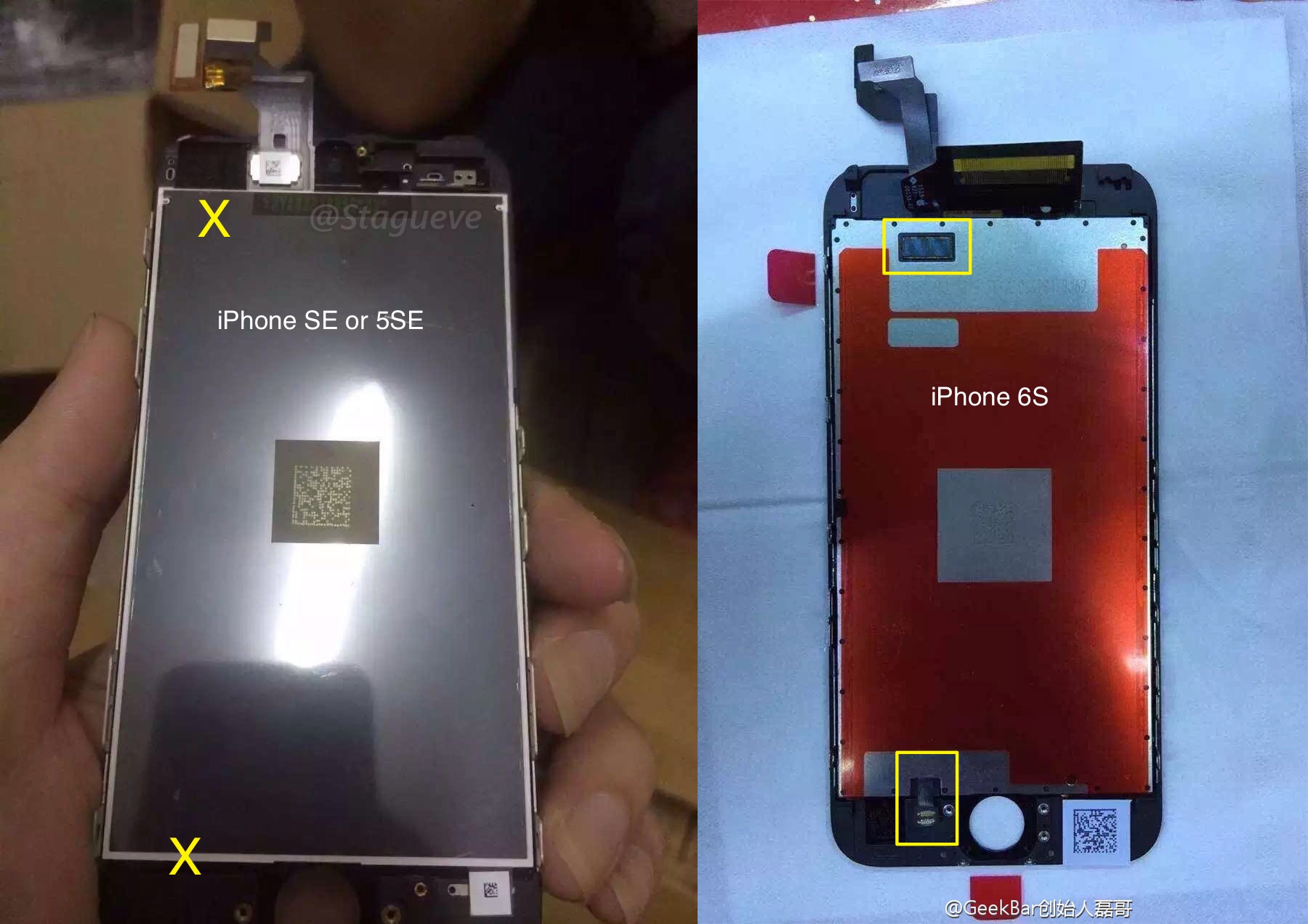
Apple is planning to launch the iPhone 5se and iPad Air 3 on Friday, March 18th, reports 9to5Mac. Citing sources familiar with the matter, the outlet claims the launch of the long-rumored 4-inch iPhone and third-gen iPad Air will follow their unveiling at an event on Tuesday, March 15th.

If true, this would mark a departure from Apple's usual launch cycle, in which products are introduced one to two weeks before they are available for sale to the public. Unsurprisingly, 9to5Mac's Mark Gurman says that because of the quick turnaround, Apple is unlikely to offer pre-orders.

AT&T unveils 5G roadmap, says it’ll be 10-100 times faster than 4G

AT&T on Friday issued a press release detailing its 5G network roadmap. The carrier says it is partnering with Ericsson and Intel to work on 5G solutions in its labs starting in Q2 of this year, and it hopes to be ready for outdoor tests and trials by early summer.

5G speeds are expected to be 10-100 times faster than current 4G LTE connections. AT&T says customers will see speeds measured in gigabits per second, not megabits. For reference, at one gigabit per second, you can download a TV show in less than 3 seconds.

iPhone 7 may ship with wired EarPods after all

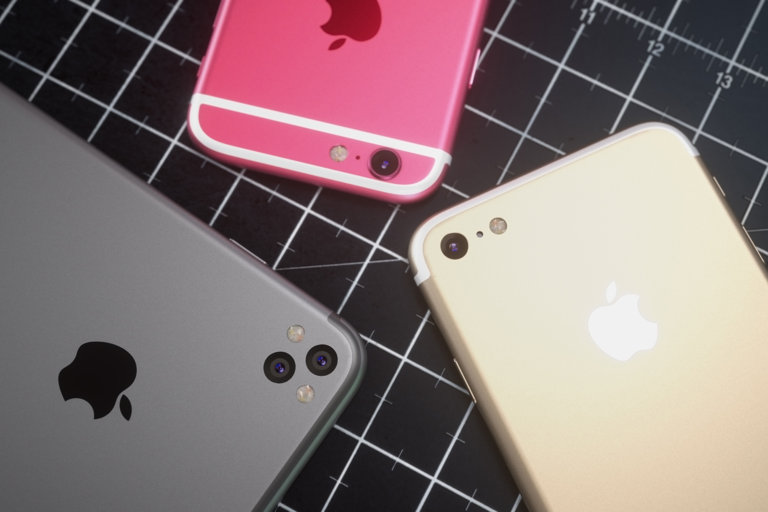
Apple's upcoming iPhone 7 will include an all-digital, wired edition of the EarPods headphones that will connect to the handset's Lightning port, not the wireless edition as previously rumored.

According to an analyst note from Barclays, a copy of which was obtained by Business Insider, Apple has not yet purchased a license from its supplier Cirrus Logic that would permit the company to use Cirrus' active noise-canceling software.

Cirrus technology would be needed to filter out background noise during phone calls were Apple to ditch the traditional 3.5mm headphone jack in favor of wireless Bluetooth headphones.

Law firm moving forward with class action lawsuit over ‘Error 53’ iPhone bricking

Seattle-based law firm Pfau Cochran Vertexes Amala (PCVA) has decided to follow through with plans to drag Apple to court over software safeguards in iOS which have been specifically designed to render iPhone 6 and iPhone 6 Plus handsets inoperable after unauthorized Touch ID and Home button repairs.

As first noted by AppleInsider yesterday, the pending class action lawsuit was filed with with the United States District Court for the Northern District of California, alleging the Cupertino firm has “gone too far” in employing the extreme measure of bricking users' handsets without any advance warning.

How to view, search and edit Safari passwords

If you're tired of always having to log in, Safari will happily save web passwords in your keychain. Even better, the browser can automatically fill in your user names and passwords the next time you visit your favorite websites.

And with the iCloud Keychain feature, your saved passwords can be synchronized across devices in a safe, secure manner. In this tutorial, you're going to learn how to search saved Safari passwords without needing to visit their websites, view your saved logins, as well as add, delete and manage saved passwords. 

Abstract puzzler The Mesh goes free as Apple’s App of the Week

Apple on Thursday updated its weekly App of the Week promotion with a game called The Mesh. This means that for the next 7 days, you'll be able to pick up the popular puzzler for free for both iPhone and iPad—a solid savings of $2.

In The Mesh, players are tasked with combining numbered tiles to match target values and clear the board without running out of space. The game features beautifully-designed graphics and animations, and an incredible soundtrack.

Don’t try this at home: iPhones apparently getting bricked after date is set back to a specific time

According to a post on Reddit and reports out of China, it is possible to brick an iPhone by setting the date back to a specific time.

I wasn't brave enough to test it myself, but the post claims the bug only affects 64-bit iOS devices.

It would seem that changing the device's Date & Time values to a specific point in time would cause it to fail to boot properly.

Basically, it gets bricked and stuck at the Apple logo boot image. Neither DFU mode nor restoring from a backup would bring a bricked device back to life as a physical repair is required to put it back into working order.

Review: boost your sleep analysis with much improved Sleep++ 2.0

David Smith’s excellent Sleep++ app is my killer app when it comes to sleep analysis, a glaring omission from the Apple Watch. It's become second nature for me to open Sleep++ as I tuck myself in bed for the evening.

This native watchOS 2 app collects data from watch sensors to measure sleep quality and duration, which can then be reviewed in greater detail in a companion iPhone app and synced with your Health database.

The updated Sleep++ 2.0, now available as a free download in the App Store, takes sleep analysis to the next level with major improvements to its sleep analysis engine and new features such as better Health integration, an improved Night Detail view, night trimming and timezone support.

Apple patent would use Apple Watch to intelligently adjust iPhone alert volume on the fly

Apple has been researching software solutions that would tap into a user's Apple Watch to intelligently adjust an iPhone's alert volume on the fly, by monitoring and comparing ambient sound samples.

Filed for with the United States Patent & Trademark Office (USPTO) back in 2014 and published on Thursday, the patent application titled “Volume control for mobile device using a wireless device” outlines volume control adjustments by having a Watch's built-in microphone sample an alert generated on an iPhone to “detect a distinct contribution corresponding to the audible alert.”