iPhone

Stay up-to-date on the latest iPhone news and learn new tips and tricks with our comprehensive tutorials. From software updates to new features, we’ve got you covered.

iPhone 13 Pro models said to have 15-20% less power consumption even with 120Hz displays

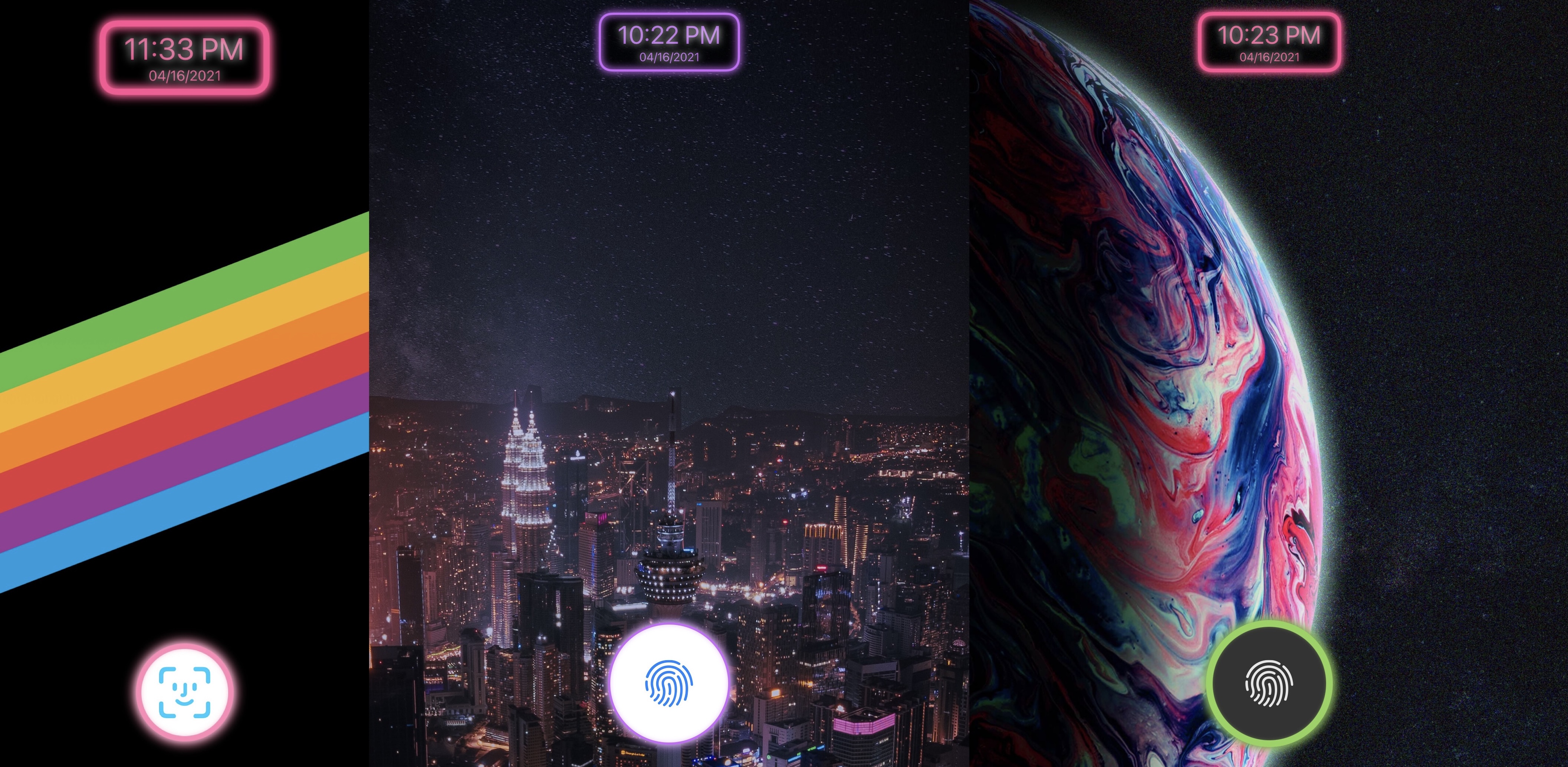
iPhone 12 wallpapers

Despite rocking 120HZ displays, the iPhone 13 Pro and Pro Max should consume 15-20 percent less power than the iPhone 12 Pro, according to a new report.

STORY HIGHLIGHTS:

The Pro models will use low-power LTPO technology. LTPO uses a power-efficient backplane. Samsung and LG to supply LTPO panels to Apple.

2021 is the year the iPhone goes ProMotion

Taiwanese trade publication DigiTimes corroborates earlier reports calling for a 120Hz iPhone.

Samsung Display and LG Display, now offering LTPS OLED displays for iPhones, are proceeding with capacity conversion to LTPO ones at their Apple-dedicated 6G OLED lines, with the conversion likely to be completed in the first half of 2021, the sources said, adding that production capacity will drop due to the added oxide step when LTPS is converted to LTPO.

The report states that the Pro models will consume 15-20 percent less battery power even with their 120Hz displays in use. Although not strictly mentioned in the DigiTimes report, that's almost certainly a result of switching to LTPO display technology and Apple's upcoming A15 chip which should consume less power than the current A14 processor.

→ How to turn off the Tap to Wake feature on your iPhone

All iPhone models to date refresh their screens sixty times per second. Doubling the refresh rate would bring smoother motion when navigating the iOS user interface, scrolling, playing games, watching high-frame-rate video and so forth.

Analysts and supply chain sources have been saying for months now that the next iPhone would adopt Apple's ProMotion display technology to double their screen refresh rate. The technology first debuted on Apple's 2018 iPad Pro tablet lineup.

https://www.youtube.com/watch?v=4KmWzQ0vVp8

Subscribe to iDB on YouTube

Drawing twice the images requires a faster GPU and memory, boosting power consumption. Apple is said to address that problem by switching to low-temperature polycrystalline oxide (LTPO) display technology that relies on a much more power-efficient backplane.

LTPO technology could also enable Apple to bring an always-on display to the next iPhone. Apple already uses LTPO technology in the Apple Watch Series 5 and Series 6.

New Jailbreak Updater add-on lets Taurine users update their jailbreak via Terminal without rebooting

Keen-eyed jailbreakers who are currently taking advantage of the Odyssey Team’s Taurine tool on their iOS or iPadOS 14.0-14.3 device may have noticed a peculiar new package on the Odyssey repository called Jailbreak Updater.

Citing an announcement shared early this morning in the Sileo / Taurine / Odyssey Discord channel by Odyssey Team lead developer CoolStar, said that this novel package would allow power users with a Terminal app on their iPhone or iPad to update to the latest version of the Taurine jailbreak while already in a jailbroken state.

Give Sileo floating package depiction headers with uki

If you’re taking advantage of a jailbreak that uses the Sileo package manager by default, then you’re already enjoying pleasant aesthetics that look and feel like they belong on the latest versions of iOS and iPadOS.

But let’s say you wanted to change those aesthetics in one way or another; what would you do then? You could petition the Sileo Team to make changes, or you could install a jailbreak tweak to accomplish the same task.

This tweak makes it so jailbreakers don’t have to enter their passcode after respringing

Respring screen.

It’s important to have a passcode on your iPhone or iPad because it helps keep your information safe by ensuring that only an authenticated user is able to access your apps and personal data. But have you ever found yourself annoyed about the fact that you’re asked to authenticate yourself after respringing your jailbroken handset?

Typically when you’re respringing a device, you’re doing it because you just installed a new jailbreak tweak or because you just applied new settings to an already-installed tweak. In both cases, having to enter your passcode to get back to what you were doing is an extra step that most users would probably prefer to do without.

ByeQuickAction removes the Lock Screen’s Quick Action buttons

Quick Action buttons.

The Lock Screen is home to two familiar Quick Action buttons on notched handsets that allow users to launch their Camera or ignite their flashlight on demand. But some users either don’t like these buttons or toggle them accidentally so often that their sheer existence isn’t worth it at all.

For those who’d like to remove the Camera and Flashlight Quick Action buttons from the Lock Screen, ByeQuickAction is a new and free jailbreak tweak by iOS developer AJB that does exactly that.

How to get Sileo on your checkra1n or unc0ver jailbreak (the right way)

Sileo and Cydia icons.

The fabled Sileo package manager, which was once endemic to jailbreaks such as Chimera, Odyssey, and Taurine, is now officially available for all modern jailbreak solutions, including the likes of checkra1n and unc0ver, without the requirement of installing the Odysseyra1n script or the Procursus bootstrap.

Given just how frequently we’re asked how to get the Sileo package manager alongside Cydia on checkra1n or unc0ver without unwanted hacks or substantial jailbreak-changing commitments, we decided to take this unique opportunity to show you how to use the new Sileo installer for the checkra1n and unc0ver jailbreaks.

Sileo now officially available on all jailbreaks that use the Bingner/Elucubratus bootstrap

The Sileo package manager has long carried the stigma of being exclusive to specific jailbreaks – namely those created by CoolStar-led development teams such as Chimera for iOS 12, Odyssey for iOS & iPadOS 13, and Taurine for iOS & iPadOS 14.

Third-party ports to permit Cydia and Sileo on the same device have always existed, such as the now legacy Diatrus installer and the more recent Bingner installer. The Oydssey Team even went as far as to create an Odysseyra1n script that could turn a checkra1n’d handset into a quasi-Odyssey device with the procursus bootstrap and the Sileo package manager; the latter was especially popular given the length of time it took for an inclusive iOS & iPadOS 14 jailbreak to surface.